Join Now
Skip to Main Content
Sam's Club
Sam's Club
All Departments
All Services
Customer reviews for SAMSUNG 55" Class U8000F Series 4K Crystal UHD Smart TV for
SAMSUNG 55" Class U8000F Series 4K Crystal UHD Smart TV
4.5 out of 5 stars
stars
2,030 ratings1,961 reviews
  1. 5 stars72% (1,458)
  2. 4 stars15% (311)
  3. 3 stars6% (118)
  4. 2 stars3% (69)
  5. 1 star4% (74)

Member photos

  • +590 images
Sort by |
Showing 551-560 of 1,961 reviews
May 20, 2026
Reviewer name: Granny P
2 out of 5 stars
2 out of 5 stars review

Not up to Samsung quality.

[This review was collected as part of a promotion.] my biggest complaint is that it comes on in the Samsung TV and it takes two or three minutes to be able to switch it my cable my old one came on in the cable . my second complaint is that it routinely shuts off the sound. The only way I can get it to come back on is to unplug it from the wall it is extremely difficult because I am somewhat disabled so no I am not happy with this TV and I also cannot add apps to it. I pay for subscription to Angel Network was not able to download the app.

Review from Samsung US
Helpful?43WYLKDSIONN15546751433
reply from Samsung Advisor

Hi Granny P, Thank you for reaching out to us regarding the sound issues you are experiencing. If you're experiencing sound dropouts, the steps below are designed to help you troubleshoot across different connection types. HDMI ARC / eARC Connection 1. Use a certified High-Speed HDMI cable with Ethernet and ensure it's firmly connected to the HDMI eARC ports on both the TV and soundbar/receiver. 2. Enable ARC/eARC settings on your TV: o Settings > All Settings > Sound > Expert Settings > HDMI eARC Mode = Auto o Settings > All Settings > General & Privacy > External Device Manager > Anynet+ (HDMI-CEC) = On 3. Adjust Digital Output Audio Format: o Settings > All Settings > Sound > Expert Settings > Digital Output Audio Format o Set this to Auto unless you're using a device that specifically requires Pass-Through. 4. Cold boot your TV by holding the power button on your remote for 5+ seconds. Bluetooth Connection 1. Bluetooth connections can be sensitive to distance and interference. Keep the Bluetooth device close to the TV, and remove nearby sources of interference (e.g., wireless routers or other Bluetooth devices). 2. For improved stability, use a 5GHz Wi-Fi network if available. 3. If issues persist, we recommend switching to a wired connection (HDMI ARC or Optical) for a more reliable audio experience. Wi-Fi / Wireless Speaker Connections 1. Make sure both your TV and audio device are on the same network band (5GHz is ideal for stability). 2. If you're using Samsung’s Wireless Audio features (e.g., Wi-Fi Speaker Surround Setup), ensure your speaker system is properly added in: Settings > All Settings > Sound > Sound Output > Wi-Fi Speaker Surround Setup 3. If signal issues continue, disconnect and reconnect the speaker from the network and re-add it to the TV. Also Try: • Update your TV's firmware: Settings > Support > Software Update > Update Now • Run a Sound Test to verify internal sound functions: Settings > Support > Device Care > Self Diagnosis > Sound Test If you continue to have issues, please call us at 1-800-SAMSUNG, available daily from 8AM – 9PM EST Mon – Fri, 8AM – 6PM Sat – Sun. You can also visit the Samsung website and click on ‘Support’ for: • Live Chat • Manuals, Software, & Warranty Info ~ Samsung Advisor

May 20, 2026
Reviewer name: fedup
1 out of 5 stars
1 out of 5 stars review

Continously poor glitchy functionality.

[This review was collected as part of a promotion.] The TV was a piece of junk. I returned it. The video would hang while the audio continued. The navigation was terrible. It would go to an app and just show a black screen. I had to back out and go back in to the app to get a picture. I repeatedly thought I could probably live with all the glitches but finally gave up and returned the TV.

Review from Samsung US
Helpful?43WYLKDSIONN15546751433
reply from Samsung Advisor

Hi Fedup, We appreciate your feedback on the U8000F TV. If you choose to try another Samsung TV down the road, we’re ready to help with setup and support every step of the way. Call 1-800-SAMSUNG (8AM – 9PM EST Mon – Fri, 8AM – 6PM Sat – Sun), or visit our website and click ‘Support’ to connect with a LiveChat agent. ~Samsung Advisor

Jul 5, 2026
Reviewer name: Vettony
5 out of 5 stars
5 out of 5 stars review

I only buy Samsung TVs!!!

[This review was collected as part of a promotion.] This TV is perfect for our bedroom. The picture quality is outstanding. The factory settings didn't need any adjustments. Very easy set up ... I ditched the cable so we are streaming now and set up was quick and simple.

Review from Samsung US
Helpful?43WYLKDSIONN15546751433
Jun 1, 2026
Reviewer name: Nikkip
5 out of 5 stars
5 out of 5 stars review

Great quality.

[This review was collected as part of a promotion.] The visual clarity of this television is exceptional, positioning it among the finest I have encountered to date. My personal ecosystem is entirely comprised of Samsung products, ranging from mobile devices and audio peripherals to wearables and home appliances. Samsung consistently delivers products of superior quality across its diverse portfolio.

Review from Samsung US
Helpful?43WYLKDSIONN15546751433
Jun 22, 2026
Reviewer name: Heykitty
4 out of 5 stars
4 out of 5 stars review

Big Beautiful Computer Screen

[This review was collected as part of a promotion.] I don't actually watch TV that often. I use mine as big computer screen. I love the quality of streaming programs and podcasts. The only negative I have is that the TV disconnects from my computer when the computer goes into sleep mode. Sometimes I have to shut the computer down and reboot before the TV reconnects to it.

Review from Samsung US
Helpful?43WYLKDSIONN15546751433
May 20, 2026
Reviewer name: Stephanie
1 out of 5 stars
1 out of 5 stars review

I've had this TV for one month. Three times it has not been able to connect to my network so I have had to (per instructions) unplug my at%26t fiber box %26 TV for a minute each %26 then plug them both back in for the TV to connect. Doing one or the other wouldn't do the trick, I had to do them both together. This was in no way do to my at%26t. Returning this TV.

Helpful?43WYLKDSIONN15546751433
reply from Samsung

Hi Stephanie, Thank you for sharing your experience with the internet connection on your Samsung U8000F TV. Whether you're using Wi-Fi or a wired (LAN) connection, there are a few steps you can take to help resolve the issue: 1. Power Cycle Your Equipment. Unplug both your TV and router/modem from the wall outlet. Wait at least 30 seconds, then plug them back in and allow both devices to fully restart. 2. Check the Network Status. On your TV, go to: Home > left directional key > Settings > All Settings > Connection > Network > Network Status. This will help determine if the issue lies with the network or the TV. 3. Try a Different Connection Type. If you're using Wi-Fi, try connecting an Ethernet (LAN) cable directly from your router to the TV to test the connection. If you're using a wired connection, try switching to Wi-Fi to see if the issue persists. 4. Reestablish the Network Connection. Go to: Settings > All Settings > Connection > Network > Open Network Settings, and follow the prompts to reconnect to your Wi-Fi or wired network. 5. Update Firmware. Software updates can often resolve network bugs. To check for the latest version: Settings > Support > Software Update > Update Now If these steps don't resolve the issue, we’d be happy to provide further assistance. Please call Samsung Support at 1-800-SAMSUNG, (8AM – 9PM EST Mon – Fri, 8AM – 6PM Sat – Sun). LiveChat is also available at the ‘Support’ link on our website. ~Samsung Advisor

May 31, 2026
Reviewer name: Sammie
5 out of 5 stars
5 out of 5 stars review

Great pic

[This review was collected as part of a promotion.] The picture is clear and bright, the sound is fantastic too! The ease of using the control, well it has been the easiest one I have ever used-it is simple not confusing. Every TV I own is a Samsung, wouldn't own anything else. Love It!!!!

Review from Samsung US
Helpful?43WYLKDSIONN15546751433
Jun 19, 2026
Reviewer name: Jose
5 out of 5 stars
5 out of 5 stars review

Best TV

[This review was collected as part of a promotion.] This is the best TV I ever have. From the colores, the brightness, the sound. Everything is perfect on this TV. The future of wifi connection is amazing and all the free channels. Im thinking in buy another, but bigger.

Review from Samsung US
Helpful?43WYLKDSIONN15546751433
Apr 1, 2026
Reviewer name: Megshh
5 out of 5 stars
5 out of 5 stars review

Great tv!

[This review was collected as part of a promotion.] This TV gets a bad rap, and I have no clue why. The picture resolution, color, and brightness are beautiful. It's easy to access all my apps to watch things. The picture contrast on all live events is amazing, and it works really fast with my Wi-Fi. The only thing that is bad about it is the standard TV remote it comes with. You have to point it directly at the eye on the bottom left of the TV to get it to work. But we have other remotes that work better and have no issues with, so it's refreshing to know I can use other remotes. That's my only qualm, I guess, is the remote, but that's an easy fix.

Review from Samsung US
Helpful?43WYLKDSIONN15546751433
May 11, 2026
Reviewer name: NerdDad765
4 out of 5 stars
4 out of 5 stars review

Great image quality for the price!
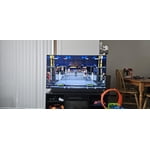
[This review was collected as part of a promotion.] The video quality is fantastic. The only issues I have had are with menu lagging, but it is an older tv. Sometimes I have to hit buttons multiple times to get something to work, only for it to suddenly work and then I have now hit the button too many times. Overall, a fantastic TV, though!

Review from Samsung US
Helpful?43WYLKDSIONN15546751433