Skip to Main Content
Sam's Club
Sam's Club
All Departments
All Services
Customer reviews for SAMSUNG 55" Class U8000F Series 4K Crystal UHD Smart TV for
SAMSUNG 55" Class U8000F Series 4K Crystal UHD Smart TV
4.5 out of 5 stars
stars
1,786 ratings1,717 reviews
  1. 5 stars72% (1,292)
  2. 4 stars15% (271)
  3. 3 stars6% (108)
  4. 2 stars3% (51)
  5. 1 star4% (64)

Member photos

  • +494 images
Sort by |
Showing 341-350 of 1,717 reviews
May 22, 2026
Reviewer name: Bay_thoven
5 out of 5 stars
5 out of 5 stars review

65 inch Samsung TV 4/2026
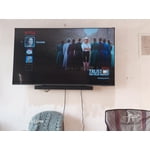
[This review was collected as part of a promotion.] This TV was an incredible deal PERIOD. Paired the purchase with a B series Samsung soundbar. Helped the audio immensely . Some people seem to have a problem with the bightnesd No issue for me but it is in a prime location. I will say I noticed that it is up to the max however in settings as long as it stays at this level it is working good .

Review from Samsung US
Helpful?43WYLKDSIONN15546751433
Mar 19, 2026
Reviewer name: BethFerro
5 out of 5 stars
5 out of 5 stars review

Good purchase

[This review was collected as part of a promotion.] It has clear picture and it has many ways to change different picture modes which is excellent, you can put it on sport mode to a light mode plus more. The resolution is clear and crisp and you can change the contrast easily, I have it using the bright mode during the daytime and you can use the refresh TV to manufacturers settings. I am extremely happy with my purchase. The remote has many channels for viewing easily.

Review from Samsung US
Helpful?43WYLKDSIONN15546751433
Mar 24, 2026
Reviewer name: Chevy
5 out of 5 stars
5 out of 5 stars review

I love samsung

[This review was collected as part of a promotion.] The Samsung Crystal UHD TV is an absolute powerhouse. The colors are vivid, the 4K resolution is razor-sharp, and the upscaling is surprisingly smooth. The interface is snappy, and it's packed with smart features, making it a total home entertainment champ. If you're after a crystal-clear picture and a slick interface—this is your TV.

Review from Samsung US
Helpful?43WYLKDSIONN15546751433
May 20, 2026
Reviewer name: Granny P
2 out of 5 stars
2 out of 5 stars review

Not up to Samsung quality.

[This review was collected as part of a promotion.] my biggest complaint is that it comes on in the Samsung TV and it takes two or three minutes to be able to switch it my cable my old one came on in the cable . my second complaint is that it routinely shuts off the sound. The only way I can get it to come back on is to unplug it from the wall it is extremely difficult because I am somewhat disabled so no I am not happy with this TV and I also cannot add apps to it. I pay for subscription to Angel Network was not able to download the app.

Review from Samsung US
Helpful?43WYLKDSIONN15546751433
reply from Samsung Advisor

Hi Granny P, Thank you for reaching out to us regarding the sound issues you are experiencing. If you're experiencing sound dropouts, the steps below are designed to help you troubleshoot across different connection types. HDMI ARC / eARC Connection 1. Use a certified High-Speed HDMI cable with Ethernet and ensure it's firmly connected to the HDMI eARC ports on both the TV and soundbar/receiver. 2. Enable ARC/eARC settings on your TV: o Settings > All Settings > Sound > Expert Settings > HDMI eARC Mode = Auto o Settings > All Settings > General & Privacy > External Device Manager > Anynet+ (HDMI-CEC) = On 3. Adjust Digital Output Audio Format: o Settings > All Settings > Sound > Expert Settings > Digital Output Audio Format o Set this to Auto unless you're using a device that specifically requires Pass-Through. 4. Cold boot your TV by holding the power button on your remote for 5+ seconds. Bluetooth Connection 1. Bluetooth connections can be sensitive to distance and interference. Keep the Bluetooth device close to the TV, and remove nearby sources of interference (e.g., wireless routers or other Bluetooth devices). 2. For improved stability, use a 5GHz Wi-Fi network if available. 3. If issues persist, we recommend switching to a wired connection (HDMI ARC or Optical) for a more reliable audio experience. Wi-Fi / Wireless Speaker Connections 1. Make sure both your TV and audio device are on the same network band (5GHz is ideal for stability). 2. If you're using Samsung’s Wireless Audio features (e.g., Wi-Fi Speaker Surround Setup), ensure your speaker system is properly added in: Settings > All Settings > Sound > Sound Output > Wi-Fi Speaker Surround Setup 3. If signal issues continue, disconnect and reconnect the speaker from the network and re-add it to the TV. Also Try: • Update your TV's firmware: Settings > Support > Software Update > Update Now • Run a Sound Test to verify internal sound functions: Settings > Support > Device Care > Self Diagnosis > Sound Test If you continue to have issues, please call us at 1-800-SAMSUNG, available daily from 8AM – 9PM EST Mon – Fri, 8AM – 6PM Sat – Sun. You can also visit the Samsung website and click on ‘Support’ for: • Live Chat • Manuals, Software, & Warranty Info ~ Samsung Advisor

May 20, 2026
Reviewer name: Roxie
5 out of 5 stars
5 out of 5 stars review

Samsung is it.

[This review was collected as part of a promotion.] It has a great picture. The resolution is really good. The audio is very good. As a whole, you can't beat the quality of Samsung. They stand behind their products. Their televisions are just great. That is the only brand I will buy and we have five televisions.

Review from Samsung US
Helpful?43WYLKDSIONN15546751433
Feb 24, 2026
Reviewer name: HawkeyeFan
4 out of 5 stars
4 out of 5 stars review

Wonderful picture and clarity!

[This review was collected as part of a promotion.] Great resolution, looks like people are in front of you in real time. Actually took time to get use to compared to our older TV. Wonderful brightness settings that change automatically in settings option. Love the Samsung Plus channels/ guide. So many choices for stations to watch TV without a fee. The only negative I have is we struggle at times with the sound and wish we could change to meet "our" needs. Sometimes we feel it's still not liud enough. Awesome color. We've actually had compliments regarding the clarity and color of our TV picture. Very glad of our purchase.

Review from Samsung US
Helpful?43WYLKDSIONN15546751433
Aug 26, 2025
Reviewer name: shejohns
3 out of 5 stars
3 out of 5 stars review

Verified Purchase

Not Much Improvement

We purchased this to replace another Samsung TV. Though this one is 10 years newer, I don't find that the picture is any sharper and we have had to add an additional step to connect it to the sound bar. There is also a fair amount of glare on this newer one. The TV performs well. I just assumed, with that much of an age difference, there would be more improvements

Helpful?43WYLKDSIONN15546751433
reply from Samsung

Hi shejohns,<br /><br />We appreciate your feedback on the picture quality of Samsung’s U8000F TV. If the image doesn’t quite match your preferences, there are several adjustments you can make to better suit your viewing environment and content type.<br /><br />First, please ensure your TV is running the latest firmware, as updates may include important picture quality enhancements. Go to: Home &gt; Left directional button &gt; Settings &gt; Support &gt; Software Update &gt; Update Now<br /><br />To explore picture mode options, navigate to: Home &gt; Left directional button &gt; Settings &gt; All Settings &gt; Picture &gt; Picture Mode. Options include:<br />• Standard – Ideal for general viewing<br />• Dynamic – Brighter and more vibrant for well-lit spaces<br />• Eco – Optimized for energy efficiency<br />• Movie – Best for viewing in low light<br />• Filmmaker Mode – Preserves the content creator’s intent and disables motion smoothing for supported content<br /><br />You can further customize your image by going to: Settings &gt; All Settings &gt; Picture &gt; Expert Settings, where you can adjust Brightness, Contrast, Color Tone, Sharpness, Contrast Enhancer and more.<br /><br />If you’d like help finding the best picture settings for your preferences, please don’t hesitate to contact Samsung Support at 1-800-SAMSUNG, available 8AM – 12AM EST, 7 days a week. You can also LiveChat with an agent or explore additional resources on our website by clicking the ‘Support’ link.<br /><br />~ Samsung Advisor

Apr 27, 2026
Reviewer name: Annelglez
5 out of 5 stars
5 out of 5 stars review

Exelente

[This review was collected as part of a promotion.] Product exceeds expectations. The picture quality is sharp, colors are vibrant, and the brightness looks great even in a well-lit room. Setup was quick and easy, and the smart features are smooth and responsive. Sound quality is clear, though adding a soundbar makes it even better. Overall, an excellent TV for movies, sports, and everyday streaming. Highly recommended.

Review from Samsung US
Helpful?43WYLKDSIONN15546751433
May 11, 2026
Reviewer name: Beeps
5 out of 5 stars
5 out of 5 stars review

My TV upgrade

[This review was collected as part of a promotion.] I recently purchased this new 50" Samsung TV to upgrade from my 32" Samsung from 2009! My good old TV still works, but I just wanted something bigger and prettier. All my digital movies are looking like brand new movies. I'm still learning about all the apps and games and endless activities I can do, but overall I'm extremely happy with this purchase!

Review from Samsung US
Helpful?43WYLKDSIONN15546751433
Mar 24, 2026
Reviewer name: Josh1977
5 out of 5 stars
5 out of 5 stars review

Awesome Samsung TV

[This review was collected as part of a promotion.] I absolutely love my Samsung TV. The picture is clear and crisp. The colors are vibrant. The sound is out of this world! Plus you get the Samsung channels for free! Highly recomend the Samsung TV. Two thumbs up!

Review from Samsung US
Helpful?43WYLKDSIONN15546751433