Skip to Main Content
Sam's Club
Sam's Club
All Departments
All Services
Customer reviews for SAMSUNG 55" Class U8000F Series 4K Crystal UHD Smart TV for
SAMSUNG 55" Class U8000F Series 4K Crystal UHD Smart TV
4.5 out of 5 stars
stars
1,160 ratings1,091 reviews
  1. 5 stars72% (838)
  2. 4 stars15% (178)
  3. 3 stars6% (67)
  4. 2 stars3% (38)
  5. 1 star3% (39)
Sort by |
Showing 351-360 of 1,091 reviews
May 22, 2026
Leslie
5 out of 5 stars review

Game changer

[This review was collected as part of a promotion.] This was our first Smart TV and we are very happy with it. The resolution is outstanding and the color and brightness are very good as well as the contrast.

Review from Samsung US
Helpful?43WYLKDSIONN15546751433
May 20, 2026
Jabes
4 out of 5 stars review

Volume control

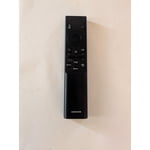
[This review was collected as part of a promotion.] The volume control is not very likeable because you have to continue to click to change volume. Instead of a sliding volumes control. Otherwise, all is good.

Review from Samsung US
Helpful?43WYLKDSIONN15546751433
Apr 5, 2026
GalaxySlim
4 out of 5 stars review

Samsung for the win

[This review was collected as part of a promotion.] This television is literally everything it was advertised as no surprises just a good 4k TV best I had so far

Review from Samsung US
Helpful?43WYLKDSIONN15546751433
May 5, 2026
DAB8430
4 out of 5 stars review

Awesome resolution

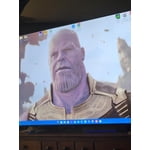
[This review was collected as part of a promotion.] Super clean, clear, and vibrant resolution. Picture looks like you could just walk into the frame and join the movie it's so crisp and clear.

Review from Samsung US
Helpful?43WYLKDSIONN15546751433
May 20, 2026
Lito
5 out of 5 stars review

Watch the news

[This review was collected as part of a promotion.] Everything is good to my Samsung tv… I’ve got 70 inches at the living room and the other room with my parents 32 inches Samsung at mine 50 inches Samsung tv.. that’s why I love Samsung..

Review from Samsung US
Helpful?43WYLKDSIONN15546751433
Apr 20, 2026
Pugsley
5 out of 5 stars review

Phenomenal Picture

[This review was collected as part of a promotion.] The resolution of the picture is truly amazing, and viewing at any time of day is due to the amazing contrast and brightness of the television. I highly recommend this television.

Review from Samsung US
Helpful?43WYLKDSIONN15546751433
Apr 20, 2026
John
5 out of 5 stars review

Love all the features easy to use

[This review was collected as part of a promotion.] Best TV I've ever had. like that one so much I put one in my room too and in my kids room and the dining room.

Review from Samsung US
Helpful?43WYLKDSIONN15546751433
Apr 20, 2026
Taintedrose
5 out of 5 stars review

Amazing quality

[This review was collected as part of a promotion.] I love the clarity and quality of the graphics beautiful for gaming smooth transition and crisp imagery

Review from Samsung US
Helpful?43WYLKDSIONN15546751433
May 20, 2026
Pakat
3 out of 5 stars review

No Voice Commands

[This review was collected as part of a promotion.] The TV clarity is superb. I would not have purchased it if I knew it did not have voice command options.

Review from Samsung US
Helpful?43WYLKDSIONN15546751433
reply from Samsung Advisor

Hi Pakat, Thank you for sharing your review. Your TV does not have a built-in voice assistant, but it does work with Alexa, meaning you’ll need to connect a standalone Alexa device, such as an Echo speaker, to control compatible smart home devices and some experiences on your TV. Here are the steps: 1. Download both the Amazon Alexa and Samsung SmartThings apps, if you don't already have them. Both are available for iOS or Android devices. 2. Make sure your Alexa device and TV are both connected to the same Wi-Fi network. 3. Your TV must be enabled within the SmartThings app. If not, make sure you are signed in with your Samsung account on the TV: Settings > All Settings > Samsung Account 4. Log in to the SmartThings app with the same Samsung account. Tap Devices, and if your TV isn’t already shown, tap + to add it to the app. 5. In the Alexa app, enable the SmartThings skill and sign into your Samsung account. This will automatically connect your Samsung TV to Alexa and let you use voice commands to control your television. If you need more help, we’re here. Give us a call at 1-800-SAMSUNG (8AM – 9PM EST Mon – Fri, 8AM – 6PM Sat – Sun). You can also connect with a LiveChat agent through the Support link on our website. ~ Samsung Advisor

Apr 20, 2026
Anonymous
5 out of 5 stars review

Fantastic TV!

[This review was collected as part of a promotion.] The resolution is better than any TV I've ever had, and I got it at an amazing price for Black Friday in 2024!

Review from Samsung US
Helpful?43WYLKDSIONN15546751433