Skip to Main Content
Sam's Club
Sam's Club
All Departments
All Services
Customer reviews for SAMSUNG 55" Class U8000F Series 4K Crystal UHD Smart TV for
SAMSUNG 55" Class U8000F Series 4K Crystal UHD Smart TV
4.5 out of 5 stars
stars
1,786 ratings1,717 reviews
  1. 5 stars72% (1,292)
  2. 4 stars15% (271)
  3. 3 stars6% (108)
  4. 2 stars3% (51)
  5. 1 star4% (64)

Member photos

  • +494 images
Sort by |
Showing 331-340 of 1,717 reviews
Apr 20, 2026
Reviewer name: Gmohdz555
5 out of 5 stars
5 out of 5 stars review

Samsung Smart!
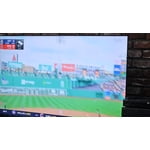
[This review was collected as part of a promotion.] We have been very satisfied with the quality of the television. Sports and Movies are very clear and sharp. Sound is very good and the addition of the Samsung soundbar enhances the environment. Using Smart Things app with all our Samsung products is great. Thank you.

Review from Samsung US
Helpful?43WYLKDSIONN15546751433
May 20, 2026
Reviewer name: Purrr
1 out of 5 stars
1 out of 5 stars review

TV has issues connecting to network

[This review was collected as part of a promotion.] I've had this TV for one month. Three times it has not been able to connect to my network so I have had to (per instructions) unplug my at&t fiber box & TV for a minute each & then plug them both back in for the TV to connect. Doing one or the other wouldn't do the trick, I had to do them both together. This was in no way do to my at&t. Returning this TV.

Review from Samsung US
Helpful?43WYLKDSIONN15546751433
reply from Samsung Advisor

Hi Purrr, Thank you for your feedback. Please ensure your TV is running the latest Firmware, version 1132.0. Go to Settings> Support> Software Update. If this firmware version is not yet available on your TV, you can download the update on a USB drive and manually update your TV: 1. On Samsung's website (upper right corner), go to: Support > Manual & Software > Find your TV model, and click on the Firmware – Upgrade File. 2. When the file has finished downloading, locate it and then unzip it. There is normally one folder inside but there may be multiple files. 3. Copy or move all of the files that were included in the zip file to a USB flash drive, but do not place them inside any other folders. If you place the software folders inside a folder on the USB flash drive, the TV or monitor will not find them. 4. Connect the USB drive containing the software upgrade into a USB port on your device. 5. Using your device's remote, navigate to and select Settings, then select All Settings, and then select Support. Select Software Update, select Update Now, and then select Yes if prompted. Your device will search the USB drive for update files. Follow the on-screen instructions to install the updated software. Updates usually take a few minutes; please do not turn off the TV until the update is complete. When the update is finished, it will restart automatically. If you need additional support, Samsung is here to help. Please call us at 1-800-SAMSUNG, available 8AM – 9PM EST Mon – Fri, 8AM – 6PM Sat – Sun. You can also chat with a LiveChat agent by clicking the ‘Support’ link on our website. ~ Samsung Advisor

May 20, 2026
Reviewer name: fedup
1 out of 5 stars
1 out of 5 stars review

Continously poor glitchy functionality.

[This review was collected as part of a promotion.] The TV was a piece of junk. I returned it. The video would hang while the audio continued. The navigation was terrible. It would go to an app and just show a black screen. I had to back out and go back in to the app to get a picture. I repeatedly thought I could probably live with all the glitches but finally gave up and returned the TV.

Review from Samsung US
Helpful?43WYLKDSIONN15546751433
reply from Samsung Advisor

Hi Fedup, We appreciate your feedback on the U8000F TV. If you choose to try another Samsung TV down the road, we’re ready to help with setup and support every step of the way. Call 1-800-SAMSUNG (8AM – 9PM EST Mon – Fri, 8AM – 6PM Sat – Sun), or visit our website and click ‘Support’ to connect with a LiveChat agent. ~Samsung Advisor

May 1, 2026
Reviewer name: Kmoney7
5 out of 5 stars
5 out of 5 stars review

Class crystal

[This review was collected as part of a promotion.] my class Crystal TV is absolutely one of a class crystal clear worth the purchase and absolutely worth the experience. I wouldn't trade it for any other TV been with this brand for years now not one complaint. the brightness is amazing and the contrast is Pitch Perfect . amazing for viewing movies resolution doesn't go down and this tv does not need to continuously refresh unlike other brands

Review from Samsung US
Helpful?43WYLKDSIONN15546751433
May 4, 2026
Reviewer name: Hitit86
5 out of 5 stars
5 out of 5 stars review

Apps

[This review was collected as part of a promotion.] The brightness and pictures quality has remarkable clarity and contrast. Currently have in a smaller bedroom and it is way too big and bright for small rooms but for larger living rooms or open rooms viewing is amazing. Resolution is very clear. Refresh rate of TV is slower and doesnt have alot of storage.

Review from Samsung US
Helpful?43WYLKDSIONN15546751433
Apr 20, 2026
Reviewer name: Lymey
4 out of 5 stars
4 out of 5 stars review

Nice TV

[This review was collected as part of a promotion.] Very nice television. Beautiful picture and clarity. The size is just right. The only problems I have are in changing and keeping channels. It seems to want to turn to whatever channel it wants at times. When I turn the tv off I expect it will come back on to the channel I was last watching but that rarely happens. I shouldn't have to search through multiple channels/options to get to where I need to go. But maybe I am just not as smart as my smart TV and don't know how to program it properly.

Review from Samsung US
Helpful?43WYLKDSIONN15546751433
Feb 17, 2026
Reviewer name: Eben
5 out of 5 stars
5 out of 5 stars review

Outstanding features.

[This review was collected as part of a promotion.] I bought my Samsung 75 inch television for my living room to replace another Samsung. I have not regretted purchasing it. The color was fantastic, resolution is simply outstanding. The rate of refresh was amazing bringing my viewing pleasure like no other. The contrast is amazing as well. The brightness is very good. I highly recommend it to all. The price was unbeatable. Thanks

Review from Samsung US
Helpful?43WYLKDSIONN15546751433
May 11, 2026
Reviewer name: Sugi36
5 out of 5 stars
5 out of 5 stars review

Easy Setup for your Smart TV

[This review was collected as part of a promotion.] The set up process is simple and the connect ability of multiple apps onto the TV makes it easy to watch your favorite shows. Only issue is finding new apps to download can be a pain to find, but once you know what to do its easy. The free TV channels are pretty good and only a few software updates.

Review from Samsung US
Helpful?43WYLKDSIONN15546751433
May 11, 2026
Reviewer name: LizzeteA
4 out of 5 stars
4 out of 5 stars review

​Great 4K TV

[This review was collected as part of a promotion.] Good picture, easy to use, and looks nice. I was worried it wouldn't be bright enough for my living room since I have big windows, but it's been perfectly fine. The remote is a little small and takes a second to learn, but once you get it, it's fine. For a 2025 model, it feels very modern and fast. No complaints so far.

Review from Samsung US
Helpful?43WYLKDSIONN15546751433
Apr 20, 2026
Reviewer name: Grantski
5 out of 5 stars
5 out of 5 stars review

4k is awesome

[This review was collected as part of a promotion.] 4k as a wonderful picture! The blacks are excellent , and the colors are vibrantly bright! The remote controls, doesnt have numbers etc on it, I find that a bit distracting when having to user on board keys to enter numbers! No refresh issues! All in all a very good tv for the money!

Review from Samsung US
Helpful?43WYLKDSIONN15546751433