Skip to Main Content
Sam's Club
Sam's Club
All Departments
All Services
Customer reviews for SAMSUNG 43" Class U8000F Series 4K Crystal UHD Smart TV for
SAMSUNG 43" Class U8000F Series 4K Crystal UHD Smart TV
4.5 out of 5 stars
stars
3,746 ratings3,647 reviews
  1. 5 stars71% (2,668)
  2. 4 stars15% (575)
  3. 3 stars6% (240)
  4. 2 stars3% (126)
  5. 1 star4% (137)

Member photos

  • +1153 images
Sort by |
Showing 1,001-1,010 of 3,647 reviews
May 20, 2026
Reviewer name: Irma
5 out of 5 stars
5 out of 5 stars review

Excellent features

[This review was collected as part of a promotion.] Great Large, beautiful screen totally worth the money. Resolution is wonderful color is perfect. Brightness is perfect. Contracts is excellent refreshing to view programs and movies. refresh as needed.

Review from Samsung US
Helpful?22SEGSGR5O6Z15524966302
Jun 15, 2026
Reviewer name: Happy
1 out of 5 stars
1 out of 5 stars review

I hate this TV. It's horrible.

[This review was collected as part of a promotion.] I hate this TV. I hate it. I hate it. I hate it. It always freezes it locks my cable box so it won't change channels. I have to turn off the TV and the cable box regardless of what I was watching lose everything I was watching. I hate it I hate it. I hate it.

Review from Samsung US
Helpful?22SEGSGR5O6Z15524966302
reply from Samsung Advisor

Hi Happy, We appreciate you sharing the issues you’re experiencing when connecting your U8000F TV to your cable box. To ensure everything is set up correctly, we recommend using the Connection Guide, which provides step-by-step instructions for connecting external devices. Navigate to: Home > left directional key > Connected Devices > Connection Guide Also, please double-check that your cable box is powered on and that the HDMI cable is securely connected. To change input sources, go to: Connected Devices > Sources You can also run HDMI Troubleshooting, which checks the connection between your TV, HDMI cable, and external device. This takes approximately 2 minutes and can be found under: Connected Devices > Connection Guide > Video Device > HDMI Troubleshooting Finally, please ensure that the broadcast signal or network your cable box is connected to is functioning properly. If you continue to experience issues, don’t hesitate to reach out to Samsung Support at 1-800-SAMSUNG (8AM – 9PM EST Mon – Fri, 8AM – 6PM Sat – Sun), or reach us via text anytime. You can also visit ‘Support’ on our website for: • Live Chat • Manuals, Software, & Warranty Info ~ Samsung Advisor

Jun 20, 2026
Reviewer name: SavyShopaholic
5 out of 5 stars
5 out of 5 stars review

Fantastic Smart TV
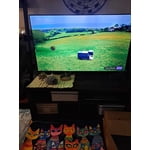
[This review was collected as part of a promotion.] Wow! I'm enjoying my Samsung 50" Smart TV each and everyday. I initially thought 50" would be to large, but really isn't. The 4K clarity is much better than 1080p. The screen is much bright and vibrant and the contrast is great. Sometimes the remote can be a little slow to respond. I do like the slim design of the remote.

Review from Samsung US
Helpful?22SEGSGR5O6Z15524966302
Jul 27, 2026
Reviewer name: Tone269
4 out of 5 stars
4 out of 5 stars review

Amazing tv

[This review was collected as part of a promotion.] it it's a great TV for the price the pictures the UHD scale is amazing it still works great to this day I I have yet to have a problem with it if I did Samsung care took care of me right away I don't use any other TV besides Samsung I believe you get what you pay for

Review from Samsung US
Helpful?22SEGSGR5O6Z15524966302
Jun 11, 2026
Reviewer name: kinkyboots
5 out of 5 stars
5 out of 5 stars review

BRIGHT, BIG, BEAUTIFUL IN YOUR FACE COLOR
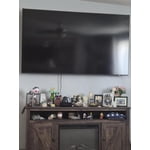
[This review was collected as part of a promotion.] When our old TV died, I had a hard time thinking about a brand of TV we wanted to buy. I did a consumers report deep dive and came up with Samsung. The crisp, bright, and beautiful resolution of this TV was the best I've seen in a long time. No. Now mind you we've only purchased vizio brand tvs but I went be going back to them.

Review from Samsung US
Helpful?22SEGSGR5O6Z15524966302
Jun 6, 2026
Reviewer name: Squiggs
5 out of 5 stars
5 out of 5 stars review

Great image!

[This review was collected as part of a promotion.] Its a really good television, the refresh rate is very consistent and weve been having it for awhile and the TV still remains the quality. The 4k quality is great rhe contrast ofbthe colors is amazing specially when watching TV this tv is pretty solid

Review from Samsung US
Helpful?22SEGSGR5O6Z15524966302
Jun 1, 2026
Reviewer name: Suneetha
5 out of 5 stars
5 out of 5 stars review

Great Picture Quality and Excellent Value
[This review was collected as part of a promotion.] I am very impressed with the Samsung 85 inch Class Crystal UHD U8000 FD 4K TV the picture quality is sharp and vibrant with excellent color accuracy that makes movies, sports and streaming contact with fantastic the large 85-in screen creates an immersive viewing experience in the smart TV features are easy to use and responsive overall this TV offers a great performance is Sleek design and excellent value for anyone looking to upgrade their home entertainment setup

Review from Samsung US
Helpful?22SEGSGR5O6Z15524966302
Jul 2, 2026
Reviewer name: Fred
3 out of 5 stars
3 out of 5 stars review

not good CC viewing

[This review was collected as part of a promotion.] Do not like the Closed Caption feature,, when i use it the screen is half covered with black out,, why don't you make it like the other CC that just shows the verbiage in the lower half with NO black background very unuser friendly

Review from Samsung US
Helpful?22SEGSGR5O6Z15524966302
May 19, 2026
Reviewer name: Chingon187
5 out of 5 stars
5 out of 5 stars review

Fast update

[This review was collected as part of a promotion.] TV has many picture modes. It has many features any app you can think of and makes it very convenient. Really like the chromeccast option as it helps use my cellphone and watch my phonescreen on TV screen. 5 stars for sure.

Review from Samsung US
Helpful?22SEGSGR5O6Z15524966302
May 20, 2026
Reviewer name: Granny P
2 out of 5 stars
2 out of 5 stars review

Not up to Samsung quality.

[This review was collected as part of a promotion.] my biggest complaint is that it comes on in the Samsung TV and it takes two or three minutes to be able to switch it my cable my old one came on in the cable . my second complaint is that it routinely shuts off the sound. The only way I can get it to come back on is to unplug it from the wall it is extremely difficult because I am somewhat disabled so no I am not happy with this TV and I also cannot add apps to it. I pay for subscription to Angel Network was not able to download the app.

Review from Samsung US
Helpful?22SEGSGR5O6Z15524966302
reply from Samsung Advisor

Hi Granny P, Thank you for reaching out to us regarding the sound issues you are experiencing. If you're experiencing sound dropouts, the steps below are designed to help you troubleshoot across different connection types. HDMI ARC / eARC Connection 1. Use a certified High-Speed HDMI cable with Ethernet and ensure it's firmly connected to the HDMI eARC ports on both the TV and soundbar/receiver. 2. Enable ARC/eARC settings on your TV: o Settings > All Settings > Sound > Expert Settings > HDMI eARC Mode = Auto o Settings > All Settings > General & Privacy > External Device Manager > Anynet+ (HDMI-CEC) = On 3. Adjust Digital Output Audio Format: o Settings > All Settings > Sound > Expert Settings > Digital Output Audio Format o Set this to Auto unless you're using a device that specifically requires Pass-Through. 4. Cold boot your TV by holding the power button on your remote for 5+ seconds. Bluetooth Connection 1. Bluetooth connections can be sensitive to distance and interference. Keep the Bluetooth device close to the TV, and remove nearby sources of interference (e.g., wireless routers or other Bluetooth devices). 2. For improved stability, use a 5GHz Wi-Fi network if available. 3. If issues persist, we recommend switching to a wired connection (HDMI ARC or Optical) for a more reliable audio experience. Wi-Fi / Wireless Speaker Connections 1. Make sure both your TV and audio device are on the same network band (5GHz is ideal for stability). 2. If you're using Samsung’s Wireless Audio features (e.g., Wi-Fi Speaker Surround Setup), ensure your speaker system is properly added in: Settings > All Settings > Sound > Sound Output > Wi-Fi Speaker Surround Setup 3. If signal issues continue, disconnect and reconnect the speaker from the network and re-add it to the TV. Also Try: • Update your TV's firmware: Settings > Support > Software Update > Update Now • Run a Sound Test to verify internal sound functions: Settings > Support > Device Care > Self Diagnosis > Sound Test If you continue to have issues, please call us at 1-800-SAMSUNG, available daily from 8AM – 9PM EST Mon – Fri, 8AM – 6PM Sat – Sun. You can also visit the Samsung website and click on ‘Support’ for: • Live Chat • Manuals, Software, & Warranty Info ~ Samsung Advisor