Skip to Main Content
Sam's Club
Sam's Club
All Departments
All Services
Customer reviews for HP OfficeJet Pro 8128e Color Wireless All-in-One Printer, 1 Year Instant Ink for
HP OfficeJet Pro 8128e Color Wireless All-in-One Printer, 1 Year Instant Ink
3.7 out of 5 stars
stars
877 ratings389 reviews
  1. 5 stars50% (435)
  2. 4 stars13% (118)
  3. 3 stars12% (108)
  4. 2 stars7% (61)
  5. 1 star18% (155)
Sort by |
Showing 1-10 of 389 reviews
Oct 27, 2025
Reviewer name: Dutchmom
5 out of 5 stars
5 out of 5 stars review

Verified Purchase

HP and Me

Both of our printers died at the same time. They also were HP and old. Not only did we get one, we got two. Go with what you know. Set up was easy. It has a quiet mode for printing and we subscribe to the auto ink program and that transferred easily to the new printers. Prints well.

Helpful?5PZN39AJ57QG15484000057
Sep 5, 2026
Reviewer name: Margene
5 out of 5 stars
5 out of 5 stars review

Verified Purchase

It connected to my internet in seconds without any hassle. It has a large capacity paper storage

I love the double sided automatic printing. The app tells me how my ink level is doing. (I have automatic replacement. The large capacity ink cartridges are wonderful.) I really like HP printers as they seem to have very few jam ups. I’m looking forward to automatic connection for sending printed material to my computer. Haven’t done it with this printer yet.

Review from hp.com
Helpful?5PZN39AJ57QG15484000057
Jan 12, 2026
Reviewer name: Woodstock GA
4 out of 5 stars
4 out of 5 stars review

Verified Purchase

Good deal

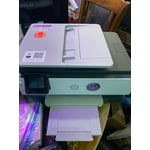
So far, works great. Set up was easy. Cartridge installation was easy. The one year free cartridge was a great plus. The only reason I did not give a 5 rating was the cheap plastic paper tray. I removed it to install the paper and it was a pain to get it back in place. Doesn’t come with a manual, thank goodness for the internet.

Helpful?5PZN39AJ57QG15484000057
Nov 26, 2025
Reviewer name: Momof6Phoenix
4 out of 5 stars
4 out of 5 stars review

Verified Purchase

HP making it hard to use

Prints find, just being required to join InstaInk - even if free - to use the printing ability is beyond frustrating. This will be our last HP printer after 30+ years.

Helpful?5PZN39AJ57QG15484000057
Sep 1, 2026
Reviewer name: Shahz
3 out of 5 stars
3 out of 5 stars review

Verified Purchase

Good printing quality but frustrating to use

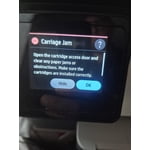
I really wanted to like this printer because the print quality is good and the scanner is quite useful. The automatic document feeder is a great feature when you need to scan multiple pages, and the regular glass scanner works well too. Unfortunately, my experience with the printer has been pretty frustrating. It is very slow to respond to print jobs sent through the HP Smart app. The HP Smart desktop app also doesn’t always stay properly synced with the printer, which makes wireless printing unreliable. The most annoying issue is that sometimes after sending a print job, the printer makes a lot of noise like it is getting ready to print, but then nothing actually prints. I’ve had to open and close the cartridge door to get the printer to finally respond and print the document. The wireless connection has been a bad experience overall. Printing should be simple, but I’ve spent more time troubleshooting the connection and getting the printer to respond than I expected. The positives: good print quality, decent scanning, and the automatic document feeder is very handy. The negatives: slow response, unreliable wireless connection, HP Smart app syncing issues, and occasional print jobs getting stuck. Overall, the printer produces good-quality prints, but the software and wireless experience really need improvement. I would have a hard time recommending it if reliable wireless printing is important to you.

Review from hp.com
Helpful?5PZN39AJ57QG15484000057
Feb 21, 2026
Reviewer name: gcope98
1 out of 5 stars
1 out of 5 stars review

Verified Purchase

Your typical crappy printer

Your typical cheap printer that eats up ink when you print 30 pages in color. No ink left and the year free is a joke. Returning this printer to the club soon.

Helpful?5PZN39AJ57QG15484000057
Feb 15, 2026
Reviewer name: Steve H
1 out of 5 stars
1 out of 5 stars review

Verified Purchase

Not Friendly

Not user friendly and demands you use their app. Would not connect to hotel WiFi or via Bluetooth after 40 minutes of trying. Pass on this if you plan to travel with it.

Helpful?5PZN39AJ57QG15484000057
Dec 2, 2025
Reviewer name: Butch
1 out of 5 stars
1 out of 5 stars review

Verified Purchase

HP Officejet Pro 8128e disappointment

I’ve purchased many HP Officejet Pro printers from Sam’s Club over the years. I worked with HP tech support to try to get this 8128e to work, but we were unable to do so and they said it appeared to be defective and to return it. I have never had to return an HP Officejet printer to Sam’s Club before as they all worked fine out of the box. I was pleased to experience the Sam’s Club return policy which was quick and easy with no hassle. After the failure to get the printer to work properly, I checked with Google and Google identified many of the same problems with the printer that I experienced….

Helpful?5PZN39AJ57QG15484000057
Jan 3, 2026
Reviewer name: Rick
1 out of 5 stars
1 out of 5 stars review

Verified Purchase

Watch out

I like the reliability of HP printers. My 5200 series printer has been working great and the HP instant ink program has been keeping up with my printing. This HP 8128e is a different story. It was hard to get it to accept my internet, either the 2.4 or 5.0 ghz bands. It gobbles up ink cartridges and I cannot enroll in the instant ink program for some reason. I wish I could return it.

Helpful?5PZN39AJ57QG15484000057
Sep 4, 2026
Reviewer name: Jkanders32
1 out of 5 stars
1 out of 5 stars review

Verified Purchase

Previous model was so much better

The touch screen barely works. You have to keep pushing over and over. Also, the display doesn’t even tell you when the ink is low. The last model displayed it on the Home Screen if one was low. I have tried to do the printer head alignment 3 times and it fails. Again, the prior model just worked. Wish I never “upgraded”

Review from hp.com
Helpful?5PZN39AJ57QG15484000057