
 Member ratings & reviews for
Member photos

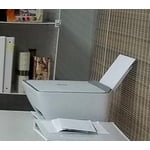
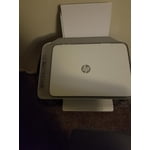





Verified Purchase
price was a little high. nice printer.
Printer is a piece of junk
Printer is garbage keeps giving error messages, one message said I could not scan because printer doesn't have scanning option not so it's a print scan and copy printer, sometimes it works but most of the I just get continuous non related to this specific printer. I just tried scanning some documents and it kept giving me error messages. This printer is absolute junk and it's to late to return.
Hi, Sandra.I’m sorry to hear that your printer has performed so poorly for you. I can easily understand why confusing and unexplained error messages regarding the scan function would be a jarring surprise, especially considering you’re past the retailer’s return period. I would love to help you remedy this situation, so I’ll offer a resource and some information aimed at getting you there.I can’t tell from your review what’s causing these error messages, so I recommend that you contact us directly at +1 800-474-6836 so we can help you assess the situation and find a solution. (Please note that because of restrictions on personal movement and workplace attendance associated with the COVID-19 pandemic, wait times for agents are longer than normal. Thanks in advance for your understanding.) To expedite the process, I recommend gathering the following information before the call: - Model number - Serial number - Your location - Case number (from any previous contact with HP support) I'll also mention that HP printers have a one-year warranty from their purchase date that covers hardware as well as ink supplies, so if it comes to that, you might consider making use of it. You can verify the warranty using the following link:- support.hp.com/us-en/checkwarrantyKeithHP Care hp.com/support
Get something nicer with a touch screen. This prin
It's in error mode every time you want to use it. You have to reconnect it to you're WIFI every time. Scan mode only works half the time?? Theres no good instructions on why it loses connection each time either. I've owned other printers before, but nothing like this
Hi, Paul.I’m sorry to learn that your printer has failed to maintain a reliable wireless connection and has performed poorly overall. It’s easy to understand why that would be a terrible start to owning a new printer, so I’ll offer some resources and information I hope will help.First, I recommend that you visit a page on our support site that has diagnostic tools for various tasks and issues, including setup and connectivity. There you’ll also find a general-purpose tool called the HP Print and Scan Doctor. If you use Windows, the tool will help identify and guide you through solutions to a wide range of common printing and scanning difficulties. You can find the page here:- support.hp.com/us-en/topic/diagnosticsIf you need further assistance, I suggest that you contact us directly at +1 800-474-6836 so we can help you assess the situation and guide you through any applicable troubleshooting. (Please note that because of restrictions on personal movement and workplace attendance associated with the COVID-19 pandemic, wait times for agents are longer than normal. Thanks in advance for your understanding.) To expedite the process, I recommend gathering the following information before the call: - Model number - Serial number - Your location - Case number (from any previous contact with HP support)KeithHP Care hp.com/support
Honest Review
100% you get what you pay for. Now, when you can actually get it to connect, it works well. The ink doesn't last long, but the quality of the printing is fine and it's stylish looking. The issue is GETTING IT TO CONNECT!! Good luck with that. I have exchanged some very choice words with this lovely printer over the past year. My advice is that once you get it plugged in and connected, don't unplug it or try to move it and pray to the Almighty God your power doesn't go out or you're back to square one. Honestly it was on sale for $56, so what can I say. I've had it for a year now and it's still working. I won't buy it again, but if you need a cheap printer it'll get the job done… once it's connected.
Sad experience
I was having trouble with my ink so I sent to get a new one, they sent the wrong one the HP customer service, it took about 2 months for the right Ink to come. By the time it did my trial for the printer ended. I did everything that the instructions asked but overall was a bit confusing on how to use since I'd have to plug it in and unplug it. However the printing when it did print came out nice.
Did printer work fine did not have a problem with
The printer was fine the company I did not appreciate they want to charge you I monthly fee for ink and not send you ink and if you cancel this they cut your printer off and your printer does not work I would recommend not buying one of these I have to buy a new printer now are continue using their ink they charge me for every month
Connection issue, Ink consumption
When I bought this printer the reviews were mostly good and it is HP brand so I assume it must be good. However, this is not at all a printer to buy. It is giving horrible connection issue. You should be ready to restart to your computer for every printing job even if its one right after another. it takes a lot of time with connecting even if you connect it with USB cable. Wifi is also another issue. Connect your wifi again and again in able to print. Ink consumption is also alot. We just printed few pages and ink is finished. Printing is ok but all in all I would not recommend this printer.
Hi there.I’m sorry to hear that you’ve had difficulty with connectivity as well as rapid ink use. I can understand why that would be a frustrating start to owning a new printer, so I’ll offer some resources and information I hope will help.First, you can visit a page on our support site that has diagnostic tools for various tasks and issues, including setup and connectivity. There you can also find a general-purpose tool called the HP Print and Scan Doctor. If you use Windows, the tool will help identify and guide you through solutions to a wide range of common printing and scanning issues. You can find the page here:- support.hp.com/us-en/topic/diagnosticsAs for the ink use, I can’t say what happened with the ink supply in your case, but some printers come with what are known as setup cartridges, which have a lower capacity than regular or XL cartridges, and less yet than ones in our Instant Ink program.Regardless, I suggest that you contact us directly at +1 800-474-6836 so we can help you assess the situation and guide you through any applicable troubleshooting. (Please note that because of restrictions on personal movement and workplace attendance associated with the COVID-19 pandemic, wait times for agents are longer than normal. Thanks in advance for your understanding.) To expedite the process, I recommend gathering the following information before the call: - Model number - Serial number - Your location - Case number (from any previous contact with HP support)KeithHP Care hp.com/support
Disappointed.
I bought this printer less than 1 month ago. I was able to print when I first set it up, now, it's extremely difficult. The driver all of a sudden isn't detected. It's powered on and set up to the internet, but I cannot print from my phone, tablet or desktop. This is extremely frustrating. I'm going to buy a different printer. This one is just too difficult when it comes to connecting and staying connected. Also, when I would print, it wouldn't' detect that a printer was even available, then the next day my pages would randomly print, but not every time. I need something more reliable, this just wasn't it. I guess you get what you pay for.
Hi there.I’m sorry to hear that your printer has been so problematic since you got it and now that it has stopped working. I can understand why the unexplained connectivity lapses and printing delays you describe would be tremendously frustrating, so I’ll offer a resource and some information I hope will help.I can’t tell from your review why your printer is performing this way, so I suggest that you contact us directly at +1 800-474-6836 so we can help you assess the situation and find a solution. (Please note that because of restrictions on personal movement and workplace attendance associated with the COVID-19 pandemic, wait times for agents are longer than normal. Thanks in advance for your understanding.) To expedite the process, I recommend gathering the following information before the call: - Model number - Serial number - Your location - Case number (from any previous contact with HP support)I'll also mention that HP printers have a one-year warranty from their purchase date that covers hardware as well as ink supplies, so if it comes to that, you might consider making use of it. You can verify the warranty using the following link: support.hp.com/us-en/checkwarranty KeithHP Care hp.com/support
Goes Offline
This printer goes offline at any given time. And trying to get it back online is a hassle every time because you never know which “fix” will get it back online, so you have to go through several different things until the right “fix” gets it back online. I stayed on the phone with HP tech for over an hour and even he told me there was nothing he could do. I hung up with him, tried a few more internet hacks and got it back online and a week or so later, it wen back offline. And today, it went offline in the middle of printing a page, I'm over it.
Well worth the money
Setting it up wirelessly was a litte difficult however I love the fact that I can print directly from my phone.