Skip to Main Content
Sams Club
Sams Club
Customer reviews for SAMSUNG 85" Class CU7000-Series Crystal UHD 4K Smart TV with HDR - UN85CU7000DXZA for
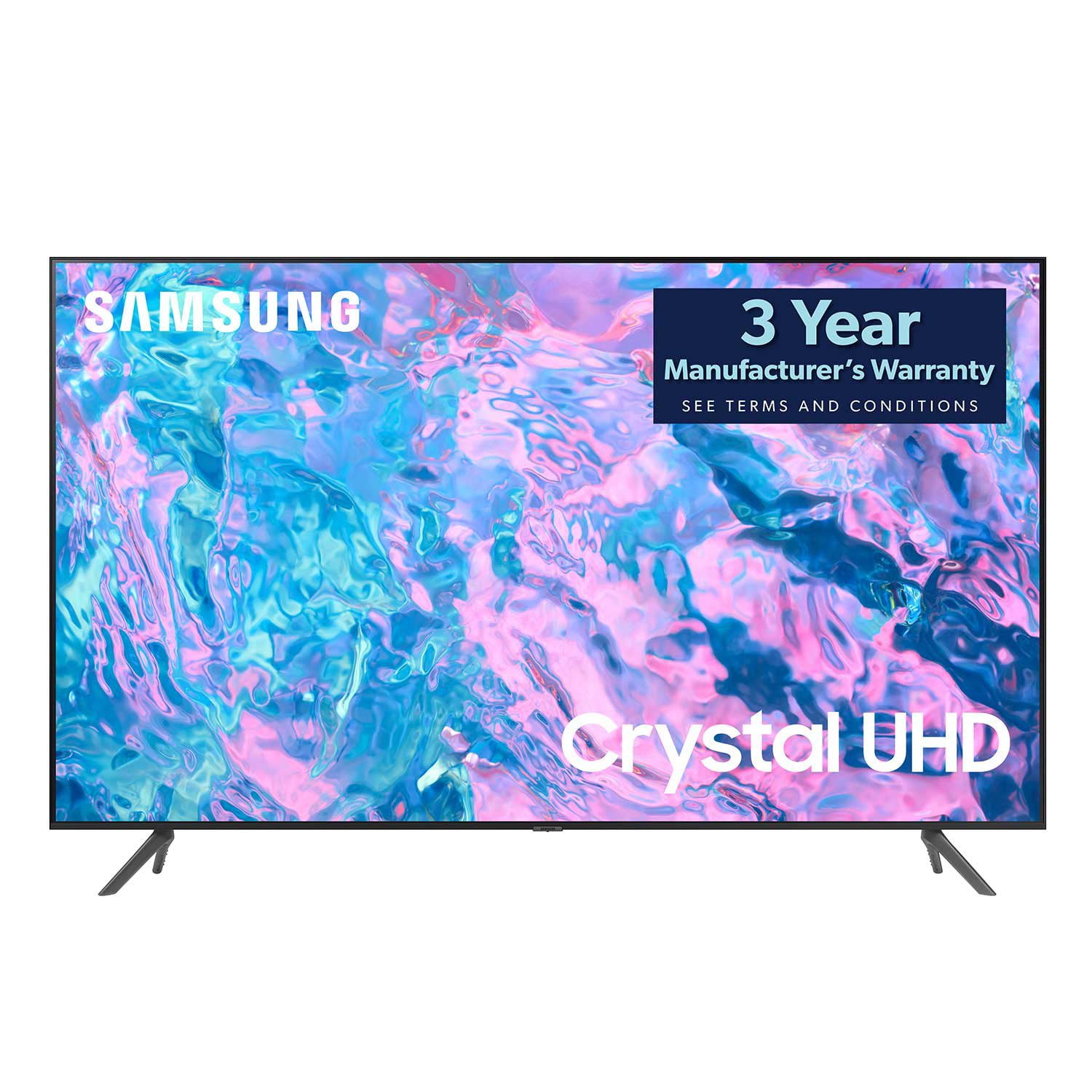
SAMSUNG 85" Class CU7000-Series Crystal UHD 4K Smart TV with HDR - UN85CU7000DXZA
4.6 out of 5 stars
stars1,383 ratings1,254 reviews
  1. 5 stars73% (1,004)
  2. 4 stars19% (261)
  3. 3 stars4% (58)
  4. 2 stars1% (20)
  5. 1 star3% (40)

Member photos

  • +304 images
Sort by |
Showing 291-300 of 1,254 reviews
Jul 3, 2023
H311blade
4 out of 5 stars review

Bang for the buck

[This review was collected as part of a promotion.] The TV is pretty good for the price. I would like to say this is not perfect. Blacks are gray and there is off axis at the sides. This would mean that seeing it from the side would produce gray color. But hey you can't ask for more at this price point. Just wish samsung os is better with the remote navigation.

Review from Samsung US
Helpful?5LGXVQOCK4DK13976515511
Aug 13, 2023
ArizonaAnnie
5 out of 5 stars review

Great decision purchasing this TV!

Am still in the learning phase about the many features this TV offers! The picture is clear and colors are vibrant. I appreciated having a virtual assistant within the TV unit. Samsung has a helpdesk number and the gentleman at the other end of the phone was patient and extremely helpful answering my question.

Review from Samsung US
Helpful?5LGXVQOCK4DK13976515511
Feb 24, 2024
NoThanks
5 out of 5 stars review

Great Picture and easy setup.

We bought this TV a couple weeks ago, and it's been great.. The setup was way and the app walked you through it with automatic registration for the warranty. The picture is great, and the auto dimming feature is fantastic. The sound out of the speakers is OK, but we have it run through surround most of the time, which was an easy hookup with an optical cable.

Review from Samsung US
Helpful?5LGXVQOCK4DK13976515511
Sep 20, 2023
SamC
3 out of 5 stars review

Horrible remote

Second Samsung I've purchased. Pleased with the TV however the remote is horrible. It's small and buttons are difficult to identify because print is so small. The lack of actual number buttons on the the remote makes it cumbersome to use. Will never purchase another Samsung TV again without checking out the remote.

Review from Samsung US
Helpful?5LGXVQOCK4DK13976515511
reply from Samsung Brand Ambassador

Hi SamC, We appreciate your feedback on the CU7000 TV Remote. Please know that many of the buttons on your remote have multiple functions. For example, the Volume button is moved UP/DOWN to adjust the volume, and to MUTE the sound, you need to PRESS it in. If that same button is pressed for more than 1 second, the Accessibility Shortcuts appear. You can find more information regarding the remote on pages 24-26 of the full user manual. You can learn how to use the Samsung Smart Remote. Home> (left directional button) Settings Support Remote Control Guide Find details on how to use the Samsung Smart Remote. Press the menu to use a variety of functions of the Samsung Smart Remote. If you ever have questions or need help, Samsung is here for you! Give us a call at 1-800-SAMSUNG, 8 AM - 12 AM EST, seven days a week. Our LiveChat agents are also available by clicking on the ‘Support’ link on our website. Thanks for being a part of the Samsung family! ~ Samsung Advisor

Jul 5, 2023
Colorful22
5 out of 5 stars review

Quality over Quality

[This review was collected as part of a promotion.] I used the TV for regular antenna, the Samsung TV gives me more, I love the color, the clarity and the size helps too. I am usually skeptical about products today, the whole making money off the consumer for a long period of time makes me feel like I'm being taken every time.

Review from Samsung US
Helpful?5LGXVQOCK4DK13976515511
Sep 19, 2023
JoeDave
5 out of 5 stars review

Xbox feature is great

[This review was collected as part of a promotion.] Gamepass works super well on the console. I like being able to pick up where I left off from my console of I have to give up the TV in our living room. Definitely a great way to keep the gamimg going.

Review from Samsung US
Helpful?5LGXVQOCK4DK13976515511
May 29, 2023
Jeric2cool
5 out of 5 stars review

Great TV I love it

[This review was collected as part of a promotion.] I love my TV best purchase I made so far on TVs I'll be purchasing another one soon....................I may get an upgraded one to check if it's better but I love this one so much .

Review from Samsung US
Helpful?5LGXVQOCK4DK13976515511
Aug 8, 2023
MrMojo
5 out of 5 stars review

This tv is amazing

[This review was collected as part of a promotion.] I use my Samsung tv to stream movies mostly. It comes with about 500 free tv channels and the best part is they're free! It also has all the best streaming apps already downloaded so no need to connect a device. remember if you do need to connect one, you can do it wirelessly so no need for any tangled cables. I found my tv on the side of the road! It sat there for three days and was rained on, but that didn't make any difference. It's definitely the best tv I have ever had!

Review from Samsung US
Helpful?5LGXVQOCK4DK13976515511
Sep 27, 2023
Dano1969
5 out of 5 stars review

Great TV!!

[This review was collected as part of a promotion.] We purchased our TV to replace an older, smaller TV in the living room when we bought our house Oct of 22. This TV is awesome. Easily paired it with a samsung we purchased just recently. Love the smart things concept and the ability to download and use apps. We also added a USB keyboard to this for a streaming website. 2nd smart TV, each with a Samsung soundbar/subwoofer, great qualities and features!!

Review from Samsung US
Helpful?5LGXVQOCK4DK13976515511
Apr 22, 2023
corgi dog
3 out of 5 stars review

annoying

bought this a few weeks ago. the picture is amazing and it's easy on the eyes. it has bugs that the manual doesn't address. the screen keeps goig black and there's always an error message about samsung tv+. i have to keep playing with it. and also, even though ihave narrated turned off, it will suddenly start blabbing. very annoying

Review from Samsung US
Helpful?5LGXVQOCK4DK13976515511
reply from Samsung Brand Ambassador

Hi Corgi Dog, We appreciate your feedback on the CU7000D TV. Please know we are here to help and have a few troubleshooting steps that may improve your experience. First, if the Voice Guide is on, please make sure you have turned off the Settings below: To turn off Voice Guide, navigate to Settings> All Settings> General & Privacy Accessibility> Voice Guide Settings> Disable. I also recommend ensuring the Voice Assistant is also disabled. Go to Settings> All Settings> General & Privacy Voice> Voice Assistant> Disable. Next, if you see a blank screen, even when your TV is on, it's entirely possible it could be your external device and not your TV. Please try these troubleshooting steps for your blank screen issue: 1. Press the Home button on the remote. If the menu appears, the TV is powered on but is either not on the correct source or not receiving a signal. If the menu does not appear, the TV may have power issues. Check the red standby light, a little red light at the edge of the TV that you aim the remote at. In everyday use, the red standby light is on when the TV is off (indicating the TV is on standby), and the red standby light is off when the TV is in use (or doesn't have power). 2. Confirm that the TV is set to the same source as the external device. For instance, if your cable box is connected to HDMI 1, set the TV source to HDMI 1. If the TV is set to the correct source but there is still no image, unplug and reconnect the connections one cable at a time from both ends of each cable. If there's any damage to the cable, it will need to be replaced. After reconnecting the external device, please turn it off and back on. 3. Test the HDMI cable. Using HDMI Troubleshooting, you can check the connection to HDMI cables and external devices (takes approximately 2 minutes). Menu> Connected Devices> Connection Guide> Video Device> HDMI Troubleshooting. 4. Test different external devices. The final thing to rule out is the external device you're using. Try connecting a different device or using a different source port. If the TV can display a picture in any other setup, then you've ruled the TV out as the cause of the issue. Try various setups until you identify the device or cable that is not working and troubleshoot or replace it. If you continue to have issues after these steps, please call us so we can better assist you at 1-800-SAMSUNG, 8 AM - 12 AM EST, seven days a week. Our LiveChat agents are also available by clicking on our website's ‘Support’ link. ~ Samsung Advisor