Skip to Main Content
Sam's Club
Sam's Club
All Departments
All Services
Customer reviews for Garmin Drive 53 5-inch Touchscreen GPS Navigator for
Garmin Drive 53 5-inch Touchscreen GPS Navigator
4.1 out of 5 stars
stars
217 ratings208 reviews
  1. 5 stars55% (119)
  2. 4 stars19% (41)
  3. 3 stars15% (32)
  4. 2 stars5% (11)
  5. 1 star6% (14)
Sort by |
Showing 101-110 of 208 reviews
Jan 3, 2025
Reviewer name: Haloslayer
3 out of 5 stars
3 out of 5 stars review

Audio is too low.

I have the volume turned up to maximum and that's fine around town. But go out on the interstate with 3 lanes of traffic moving at high speed and I cannot hear the audio navigation above all the noise from the trucks etc. It's not a personal hearing problem at all, my hearing is great! Can anything be done to increase the audio volume?

Review from Garmin
Helpful?28YIOL7YSDPG13961070394
Mar 24, 2025
Reviewer name: srw 53
3 out of 5 stars
3 out of 5 stars review

Drive 53

Im very disappointed in the volume ,,, the whole reason I bought a new one is I can't hear the driving instruction on my phone. Unfortunately the volume on my Drive 53 is no better than my phone. something think about if you don't hear as well as you used to.

Review from Garmin
Helpful?28YIOL7YSDPG13961070394
Jan 6, 2025
Reviewer name: KennyD
5 out of 5 stars
5 out of 5 stars review

The best feature is hidden

This is my second Garmin GPS purchase and replaces a Nuvi 42 that lasted for 13 years, and probably could have gone longer. If you dig into the settings, you can set a blue line to be drawn on routes you have traveled. This is especially useful if you are trying to find a parking spot and you need to circle back. Where was that road? Just go back to the Blue line. The screen is much improved and is bright and clear. I like that the next cross street is shown at the bottom, I tend to use the phone for directions and as I listen I watch the names of the cross streets. I thought about purchasing the version with traffic, but did not want to have it bluetoothed to my phone. The street accuracy is fairly good, and newer streets in my drive are on the maps correctly (with a few exceptions). I haven’t used this Garmin for directions much yet, but when I have, directions tend to route you to bigger streets and do not always find short cuts, but I’ve noticed that the apps on my phone do this as well, so you still need to do some short cuts seeking. Routing changes quickly if I miss a turn. In the Dallas area, the 635 construction rebuild is not in the maps correctly and the GPS usually thinks you are on the access road. I assume this will get fixed in a map upgrade.

Review from Garmin
Helpful?28YIOL7YSDPG13961070394
Jun 7, 2025
Reviewer name: Beezy
5 out of 5 stars
5 out of 5 stars review

Garmin Drive 53: My Favorite Travel Companion

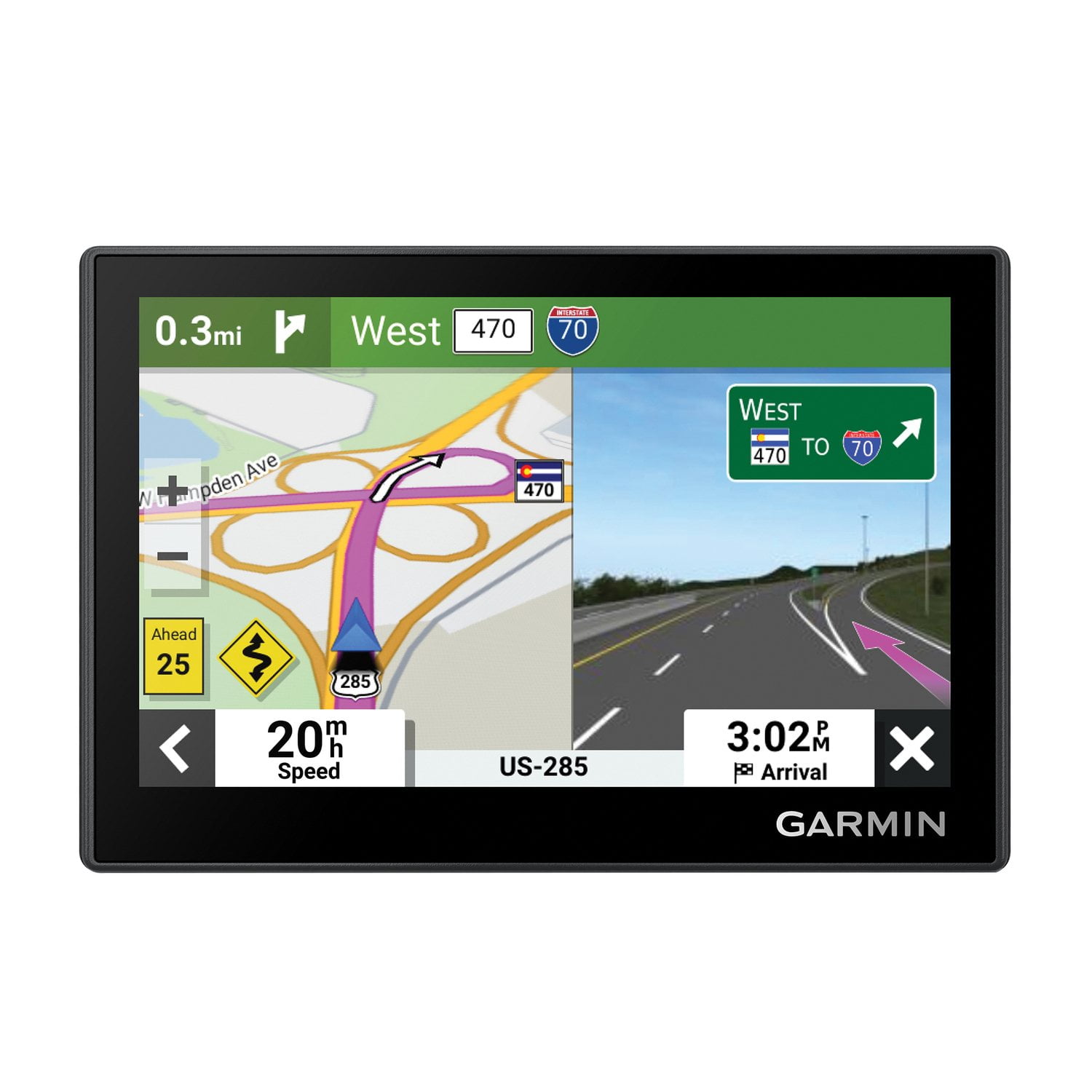
Using the Garmin Drive 53 felt like having a calm, capable copilot riding along with me. The voice guidance only chimed in when it had something useful to say—no nagging, just clear directions when I needed them. One of my favorite features was being able to type in the name of a store and instantly get the correct address. That saved me time and stress on unfamiliar roads. The gas station alerts were also a lifesaver during long trips—I never had to guess how far the next stop would be. I appreciated how easy it was to zoom in on the map using my fingers, just like on a smartphone. The lane guidance visuals were another highlight, helping me prepare for upcoming turns and exits without second-guessing. And the reset button in the corner was a small but handy feature for when I wanted to quickly start over. Also, I had no issues updating the map. I connected the Garmin to my laptop using the provided wire, and the update process was simple and straightforward—no trouble at all, unlike what some others have mentioned in their reviews. Overall, the Garmin Drive 53 made traveling easier, smoother, and less stressful. I would absolutely recommend it to anyone who prefers smart navigation without distractions. Highly recommended!

Review from Garmin
Helpful?28YIOL7YSDPG13961070394
Dec 27, 2024
Reviewer name: RV Jim
5 out of 5 stars
5 out of 5 stars review

Clear and easy to read

I have an RV 795 gps for our motor home but needed something for our tow car. The small gps is similar to the rv gps so I was able to put all our Destinations in it, in a matter of minutes. Now we can find our way back to camp after a day of exploring.

Review from Garmin
Helpful?28YIOL7YSDPG13961070394
Oct 30, 2024
Reviewer name: Derewonko46
5 out of 5 stars
5 out of 5 stars review

Garmin Drive 53

I plugged the unit into my 2023 Honda Accord and navigated from Elgin, SC to Hendersonville, NC as directed by the “53” as directed and knew where I was all during the trip. It showed my location, speed and direction of travel. A great little basic navigation system.

Review from Garmin
Helpful?28YIOL7YSDPG13961070394
Aug 15, 2025
Reviewer name: KG in LA
5 out of 5 stars
5 out of 5 stars review

Much better than my Nuvi 57

I have had this GPS for two months now and couldn’t be happier. It replaced a Nuvi 57 which served me well for 60K miles but had become dated (2016). This GPS’s screen is MUCH better in sensitivity and clarity. Like comparing an old tube tv to a new flat screen (did I just date myself?). It also boots up super fast and couldn’t be more simple to use. Very happy with my purchase.

Review from Garmin
Helpful?28YIOL7YSDPG13961070394
Apr 25, 2025
Reviewer name: calleen z
5 out of 5 stars
5 out of 5 stars review

It works just the way it should! Easy to follow directions if needed. It's nice to be able to see the upcoming streets, especially at night when seeing the street signs isn't the easiest. Sometimes the satellite gets a little off, but easy fix- restart it and it's a quick restart.. The suction is great and I haven't had any issues with it falling from the windshield while driving.

Review from ExpertVoice.com
Helpful?28YIOL7YSDPG13961070394
Jun 12, 2023
Reviewer name: Ed1955
4 out of 5 stars
4 out of 5 stars review

Disadvantage

The main disadvantage with the unit is that when going to a destination and you ask for gas stations or other businesses, it gives you all, even those you passed 20 miles previously. I really want to see those that are along my route and not a distance off of it.

Review from Garmin
Helpful?28YIOL7YSDPG13961070394
Oct 7, 2023
Reviewer name: FredFlintstone
4 out of 5 stars
4 out of 5 stars review

Functional, compact

The screen is clear and bright but a wee bit small compared to the 5.5" units I also have, but quite workable, and is especially useful in applications with limited dash space or when trying to minimize forward view interference. It would be especially great if it would allow portrait mode, but currently does not.

Review from Garmin
Helpful?28YIOL7YSDPG13961070394