Skip to Main Content
Sams Club
Sams Club
Customer reviews for SAMSUNG 65" Class CU7000-Series Crystal UHD 4K Smart TV with HDR - UN65CU7000DXZA for
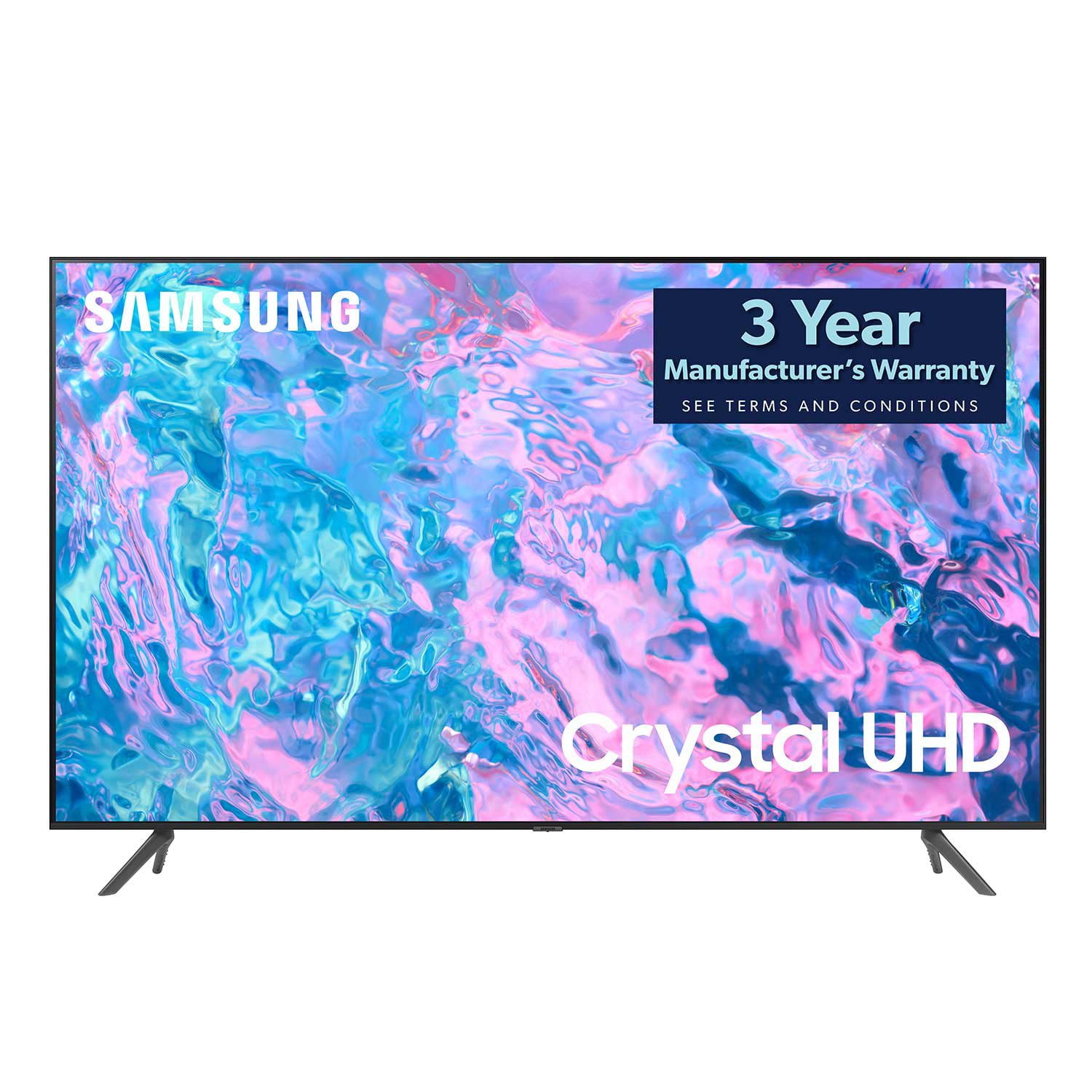
SAMSUNG 65" Class CU7000-Series Crystal UHD 4K Smart TV with HDR - UN65CU7000DXZA
4.6 out of 5 stars
stars1,820 ratings1,412 reviews
  1. 5 stars74% (1,339)
  2. 4 stars17% (309)
  3. 3 stars4% (76)
  4. 2 stars2% (29)
  5. 1 star4% (67)
Write a review

Customer photos

  • +319 images
Sort by |
Showing 731-740 of 1,412 reviews
Sep 13, 2023
HerSpace
5 out of 5 stars review

Crystal UHD

[This review was collected as part of a promotion.] I gifted my wife with a new Tv and much admit. Loving the colors and the features on the tv. This smart tv has everything and makes it a lot easier to navigate. The old tv we had is nothing compared to this one. The price was even better!!!

Review from Samsung US
Helpful?6RZZK6GIRBUS13960862018
Sep 13, 2023
LittleMan
5 out of 5 stars review

Great picture quality,and features for a low price

[This review was collected as part of a promotion.] I use this tv for streaming and gaming. The picture quality for this LED tv is amazing compared to other LED televisions. Gameplay for my ps5 looks smooth, and I've had no issues connecting my game systems. Even my retro consoles look good. I bought this TV at a cheaper price compared to other LED tvs like TCL, LG, and Sony.

Review from Samsung US
Helpful?6RZZK6GIRBUS13960862018
Jul 5, 2023
Daniel1977
5 out of 5 stars review

you only live once !

[This review was collected as part of a promotion.] You only live once, I lost my job, my apartment , moved back home, as a movie and tv hobbies, loyalist, watcher, enjoyer, conversation path, can it be a good addiction ? i feel good when i watch a movie on a 43 inch tv compared to my tiny phone or old gen ipad. Thank you for a clear picture, clear sound.... white the controller is tough on big fingers you put me at mental status at ease, nothing like applying to jobs and then kicking back with my 43 inch tv, i worked for you, i saved for you, invested in you samsung... we invest in each other...

Review from Samsung US
Helpful?6RZZK6GIRBUS13960862018
Jan 10, 2024
watcheseverynight
1 out of 5 stars review

Horrible TV

I bought this TV two weeks ago on December 27th and I have downloaded the Netflix and ESPN app and they do not work. I also have been having a bunch of issues trying to get any of the downloaded apps to work. I have updated everything and deleted everything and reinstalled all of the above and this TV still is terrible.

Review from Samsung US
Helpful?6RZZK6GIRBUS13960862018
reply from Samsung Specialist

watcheseverynight, Thank you for sharing details of your experience with apps. This may be related to your network connection and quality. We suggest you try the following: 1. Use 5G Wi-Fi if possible 2. Try wired LAN if available 3. Try repositioning the router so there are no obstacles between your TV and the router Please also be sure you are running the latest firmware. You can check to see what software version your TV is using and if there is an available update through the settings on your TV. Go to: Settings > Support > Software Update. You may want to enable automatic updates for conveniences. Go to Settings > Support > Software Update, then select Auto Update. Additionally, to optimize the TV’s performance, please also try running Device Care, which improves your apps performance by freeing up unused cached memory and closes background apps. Go to: Settings > Support > Open e-Manual, then select Device Care. I hope these tips help improve your streaming experience. If you need further help, please call us at 1-800-SAMSUNG, 8AM - 12AM EST, 7 days a week. Our LiveChat agents are also available by clicking on the ‘Support’ link on our website. ~ Samsung Specialist

May 4, 2023
Stamplicker
5 out of 5 stars review

Easy setup

was an easy setup. it automatically searched for tv stations. likr ehen you plug in your iphone it gors tighg to it without you trying to find it. only probkem was standing up legs as they were wider than earlier stand we used for our visio. but we got it gixed ok.

Review from Samsung US
Helpful?6RZZK6GIRBUS13960862018
Aug 10, 2023
Ledhead
5 out of 5 stars review

I love my Samsung TV. The picture is perfect.

[This review was collected as part of a promotion.] We stream movies. Hook firestick 4k up to it. I also cast from my Galaxy ZFold to the TV. We use a antenna for local channels that come in perfect. I love all the free channels Samsung offers. In my opinion the best TV on the market.

Review from Samsung US
Helpful?6RZZK6GIRBUS13960862018
Jul 22, 2024
JMarie24
5 out of 5 stars review

Great Image and Quality, less the price

[This review was collected as part of a promotion.] This TV had a great image/quality, a fast user interface that doesn't require an add-on device like a firestick or Roku. Has all the needed apps. Model states a lot, it had a crystal clear display that makes scenery look real.

Review from Samsung US
Helpful?6RZZK6GIRBUS13960862018
Aug 5, 2023
OVXRZ
3 out of 5 stars review

Good, with some trade-offs

This is a good choice bang for your buck choice. TV image panel is overall good for your entry average consumer. Whites are a little blown and washed out. - Sound on this tv is not great at all. And I really mean, not great. Get a sound bar. - Navigating through the TV's interface, menus, and settings just feels too slow for a 2023 device, but hey, i'm not surprised either. - To solve the slow pace of navigation, I highly highly recommend getting a streaming box device instead, such as an Apple TV, to make the experience more enjoyable when navigating through your streaming content.

Review from Samsung US
Helpful?6RZZK6GIRBUS13960862018
reply from Samsung Brand Ambassador

Hi OVXRZ, We appreciate you taking the time to provide a detailed review of the CU7000 TV and are happy to hear you are enjoying the 4K image quality. I have a few suggestions regarding the picture and sound on your TV, which may improve your experience. First, let's ensure you are running the latest Firmware. Go to Settings> Support> Software Update. Next, if the image you’re seeing isn’t to your liking, there are several picture settings available that you can adjust. Go to Home > left direction button > Settings > All Settings > Picture > Picture Mode and select the mode that best fits your usage: 1. Standard: Is the default mode suitable for general viewing environments 2. Dynamic: Makes the picture brighter and clearer in bright viewing environments 3. Eco: Provided to save energy 4. Movie: Suitable for watching TV or movies in a dark room 5. Filmmaker Mode: Provides source content just as the creators intended. If the image is defined as Filmmaker Mode, it’ll automatically switch to Filmmaker Mode while watching. You can also fine-tune your picture with expert settings such as brightness, contrast, sharpness, and more (All Settings > Picture > Expert Settings). To adjust the sound on your TV, go to Settings > All Settings> Sound > Sound Mode or customize the sound with Expert Settings by going to Settings > All Settings> Sound > Expert Settings. I hope these tips help you enjoy your new product. You can contact us for further help at 1-800-SAMSUNG, 8 AM - 12 AM EST, seven days a week. Our LiveChat agents are also available by clicking on the ‘Support’ link on our website. ~ Samsung Advisor

Nov 27, 2023
BrianC
1 out of 5 stars review

Alexa IN-compatabiity

Samsung is intentionally trying to fool the consumers by making claims their TV's are Alexa compatible. In order to be "Alexa compatible" most consumers expect this to mean that we can talk to out Echo Dot's and control the TV. That is not the case. Samsung uses a term called "HANDS FREE Alexa" but that functionality is reserved for only their top-of-the-line models. That means most of their TVs are not HANDS FREE. Pushing a button on their remote to initiate an Alexa command, in my opinion. makes their TV's incompatible with Alexa. In the best-case scenario, this would make their TVs "Partially compatible". Alexa is so popular because it is HANDS FREE. Don't make the mistake of buying their TVs and think you can use your existing devices to control their TVs. They failed my expectations by marketing their TVs in this manner. Shame on you, Samsung, shame on you. Back to the Big Box store to get my money back!

Review from Samsung US
Helpful?6RZZK6GIRBUS13960862018
reply from Samsung Advisor

Hi BrianC, Thank you for your feedback on the CU7000 TV. Please know your review is important to us and will be shared with our internal teams. We apologize for any confusion regarding voice assistant capability. The CU7000 TV does not have a built-in voice assistant. It is however able to be connected to external voice assistants such as the Echo Dot. When using Alexa on your CU7000 TV, please know your TV needs to be connected to the Internet to receive voice commands. When it's powered off, the internet disconnects, and your TV will not be able to receive commands. To turn on your TV with Alexa, you’ll need a standalone Alexa device (such as an Echo Show). From there, you’ll need to ensure: 1. Your TV and Alexa devices are added to both the SmartThings and Alexa apps. 2. Your Alexa device is connected to the Internet. 3. The SmartThings Skill is enabled within the Alexa app. If you need further help setting up the voice assistant feature, please call us at 1-800-SAMSUNG, 8 AM - 12 AM EST, seven days a week. Or visit us on the Samsung website and click on the ‘Support’ link for: 1) LiveChat 2) Manuals, Software, & Warranty Info ~ Samsung Advisor

Mar 15, 2024
Ron
3 out of 5 stars review

Freezes up

Apps and screen freezes up to where you have to hold down the power button and restart TV very often. Also kicks you out of what you were watching. I've always owned Samsung TVs but this one is the worst. Only 3 months old but been doing it for over 2 months. Samsung support says it's definitely a bad tv and it's obviously somewhat common. Sam's club on the other hand said bring it back and swap it for another one which is good other than having to sign back in on all my apps.

Helpful?6RZZK6GIRBUS13960862018
reply from Samsung

Hi Ron,I’m sorry to hear about the issues you’re experiencing with your TV freezing. We appreciate your feedback regarding Samsung Tech Support and Sam's Club. To ensure performance is fully optimized, please make sure your TV is running the latest firmware. To do so, go to Settings> Support> Software Update. You can easily update from there if necessary. Next, I recommend utilizing the self-diagnostic tool, which checks memory, frees unused cached memory, and closes background apps. Go to Settings > Support > Device Care > Start Device Care.If you continue to have issues, please call us at 1-800-SAMSUNG, 8 AM - 12 AM EST, seven days a week. LiveChat with an agent, as well as manuals, software, and warranty info, can be found at the ‘Support’ link on our Samsung website.~ Samsung Advisor