Skip to Main Content
Sams Club
Sams Club
Customer reviews for SAMSUNG 60" Class DU6900 Series UHD 4K Smart TV for
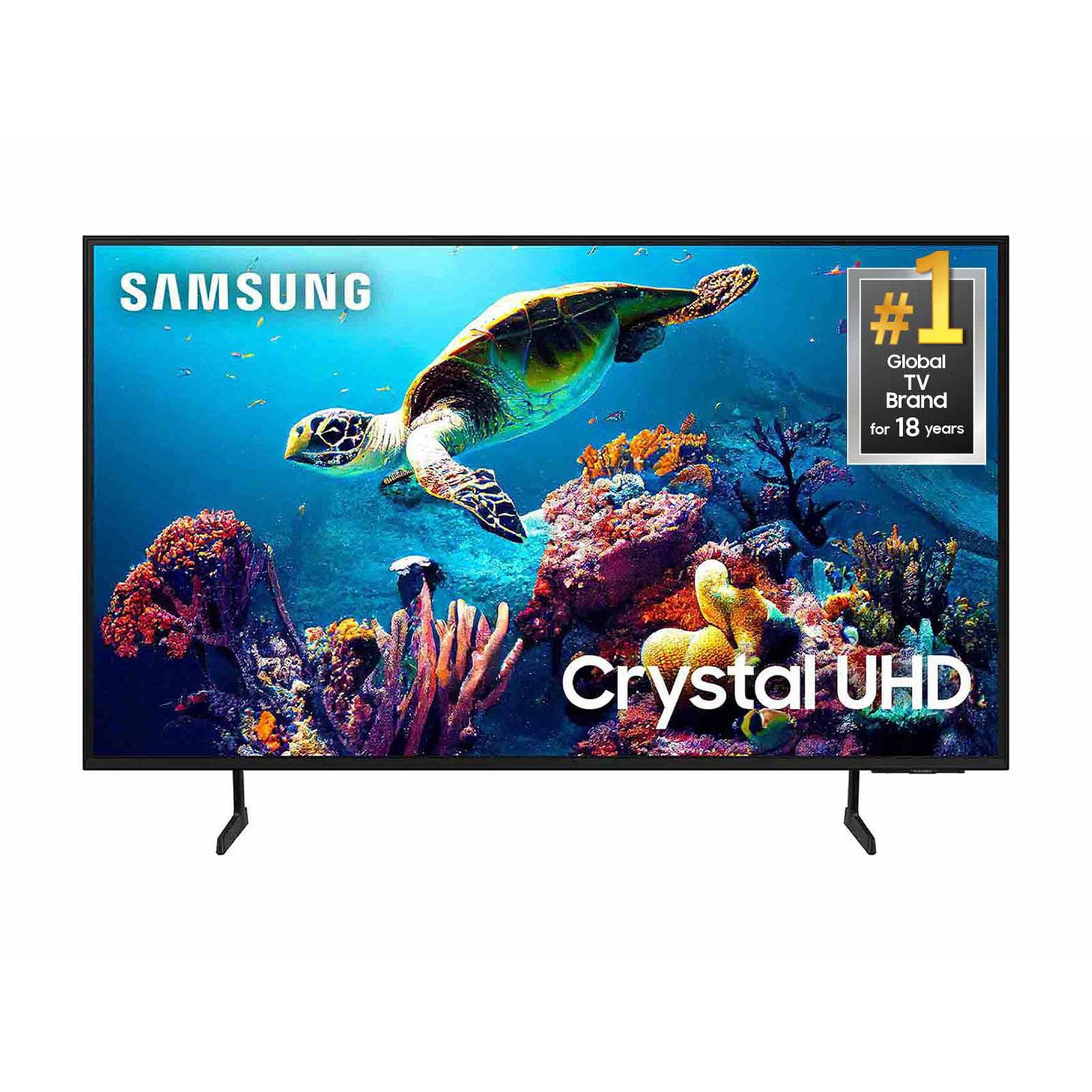
SAMSUNG 60" Class DU6900 Series UHD 4K Smart TV
4.4 out of 5 stars
stars2,026 ratings2,004 reviews
  1. 5 stars68% (1,372)
  2. 4 stars16% (330)
  3. 3 stars7% (145)
  4. 2 stars4% (77)
  5. 1 star5% (102)
Write a review

Customer photos

  • +505 images
Sort by |
Showing 481-490 of 2,004 reviews
Feb 5, 2025
Nana
5 out of 5 stars review

Love my new TV!

I recently brought my new TV and I love it. It is so easy to navigate to watch shows display on different streaming platforms. The only problem I had is learning how to use the volume button. I had to have my teenage grandson show me how it works. I was use to pushing down on remote buttons and didn't realize it was a push up and down button. Got love new technology!

Review from Samsung US
Helpful?2944RFFI236513954163060
Feb 5, 2025
CarlB
5 out of 5 stars review

An Absolutely Phenomenal TV

I bought 2 of these tv's a month ago, and when I tell you I did no previous research on these tv's , I did none! I got home and got them both mounted and immediately after the initial setup up , I was absolutely blown away by everything this tv is capable of doing! I was even more impressed that you can actually game on the tv WITHOUT having a console , it's absolutely mind blowing !!!

Review from Samsung US
Helpful?2944RFFI236513954163060
Mar 5, 2025
Android
4 out of 5 stars review

Great picture...but...

I am impressed with the picture quality, but have had issues with my cable box intermittently not being recognized by the television. I did a complete reset after contacting Samsung support, and it seemed to resolve the issue, but then happened once again on turning on the set and getting a 'No Signal' message in the 'Comcast, last viewing' display. Checking for HDMI 1 connection was found okay. Turning on/off television resolved issue, but unsure again each time I turn on set if my cable will come through.

Review from Samsung US
Helpful?2944RFFI236513954163060
Feb 5, 2025
Griff
5 out of 5 stars review

A very economical upgrade, too good to pass over!

I purchased this as a gift for my father, his LG went to a heavy blue tint. It was a perfect fit into his location, the adjustable height legs made it so. Image is very clean and sharp. My parents commented how it made their old westerns look modern.

Review from Samsung US
Helpful?2944RFFI236513954163060
Mar 5, 2025
Stonepony
5 out of 5 stars review

Great value at this price point.

We bought this Samsung television before Christmas. Have had no issues so far. We love that the price was exceptional making it a no brainer to purchase. The wifi and Bluetooth on the unit work flawlessly. And the picture quality is amazing for a tv at this price point. We also like the feature of the built-in Fire TV.

Review from Samsung US
Helpful?2944RFFI236513954163060
Feb 5, 2025
Snuggles987654321
3 out of 5 stars review

Great pucture

Everything is pretty good. The big issue I have is the sound. When you turn it on and choose what you want to run the sound almost hurts your ears. Then you get into movie or program and it is much quieter. Also feel the remote is hard to learn to use.

Review from Samsung US
Helpful?2944RFFI236513954163060
reply from Samsung Brand Ambassador

Snuggles987654321, Thank you for sharing your experience with volume. There are several volume features you can adjust, which may improve your audio experience. 1) Auto Volume automatically adjusts the sound to a certain level when changing channels or switching to another external input. Go to Settings > All Settings> Sound > Expert Settings > Auto Volume. 2) Adaptive Sound automatically adjusts to a specific volume level while watching TV. The TV analyzes your volume usage history by time period to automatically adjust the volume when you use an app or switch to an external input source. Go to Settings> All Settings> Sound> Sound Mode> Adaptive Sound. 3) Several Sound Modes are likewise available to meet your personal preferences: Home > Settings > All Settings> Sound > Sound Mode. Also, some sources have their own volume control, which might need to be set higher. Please check the volume control of the external device (cable box or satellite box, DVD, Blu-ray, etc.) connected to your TV. Also, check the cable connection between an external device and the TV and then try the cable connection again. If you need further assistance, we would be happy to help! Please feel free to contact Samsung Support at 1-800-SAMSUNG, available from 8 AM to 12 AM EST, seven days a week. You can also chat with us on Samsung.com for immediate assistance. ~Samsung Pro

Feb 20, 2025
ARC1
2 out of 5 stars review

Get rid of the lady voice.

I love my new TV!!! Can't stand the creepy lady voice that announces everything that happens when I push a button. Can't figure out how to get her off. You would get a five star if you would take her off!! Drives me bonkers!! Makes me angry 🤬 Disturbs my peace ☮️

Review from Samsung US
Helpful?2944RFFI236513954163060
reply from Samsung Advisor

Hi ARC1, If your TV is announcing everything you do, then Voice Guide is turned on. Voice Guide is an accessibility function to assist users who are visually impaired. It is possible that you have turned it on by accident by holding down the volume button on your TV remote. To turn off Voice Guide, navigate to Home > Settings > All Settings> General > Accessibility > Voice Guide Settings > Voice Guide. If you need more help, Samsung is here for you! Please call us at 1-800-SAMSUNG, 8 AM - 12 AM EST, seven days a week. Our LiveChat agents are also available by clicking on the ‘Support’ link on our website. ~ Samsung Advisor

Mar 29, 2025
Dthechamp3999
5 out of 5 stars review

Amazing TV!

[This review was collected as part of a promotion.] I have had my TV for about a year and it has been the best TV I have owned. It is very easy to use and has amazing quality. I love the fast response time and the fact that it never lags and always connects right away.

Review from Samsung US
Helpful?2944RFFI236513954163060
Mar 31, 2025
Too old for this
3 out of 5 stars review

Difficult to use.

I love the picture. It's crystal. The TV itself is very difficult to use. EXAMPLE: Let's say I switch to my FireStick. Then, when I am done watching what ever I was watching on the FireStick, I want to go back to cable TV. How do I do that??? Who knows. I have to literally shut off my TV & start over again. Also, there aren't enough ports on the back. I have my FireStick & Cable box plugged in. There is no where to plug in my BlueRay player. What if I want to show the pictures on my phone? Nope, can't do that, either.

Review from Samsung US
Helpful?2944RFFI236513954163060
reply from Samsung Brand Ambassador

Hello, Thank you for choosing Samsung and for your feedback on the DU6900 TV. We understand sometimes there is a learning curve when you get a new TV! This is why we created step-by-step guides, to make it easier for you. To learn about your TV go to https://www.samsung.com/us/support/answer/ANS00062199/. We are also always available and happy to help you with any questions you may have. You can call us at 1-800-SAMSUNG, 8 AM - 12 AM EST, seven days a week. Our LiveChat agents are also available by clicking on the ‘Support’ link on our website. ~Samsung Pro

Feb 5, 2025
Ryan
2 out of 5 stars review

not satisfied

I am kind of disappointed for two reason: the controller quality is not very good, it does not have a play stop feature, also the controller reciever is on the right so sometimes hard to use controller, desginin it in the middle would be better ssecond reason is the television is kind of slow it would be btter if it was faster, tcl which was 100 dollars cheaper was faster same size also worked better with alexa

Review from Samsung US
Helpful?2944RFFI236513954163060
reply from Samsung Brand Ambassador

Ryan, Thank you for taking the time to provide feedback on your DU6900 TV. Please know that your feedback will be shared with our internal product teams. We take pride in our products and are sorry to hear that your experience was not up to our high standards. For optimal performance, we ask that you please ensure you've got the latest firmware version installed on your TV. You can check this by going to Home > Menu > Settings > Support > Software Update. You may also want to further optimize performance with the self-diagnostic tool, which checks memory, frees up unused cached memory, and closes background apps. Go to: Home > Menu > Settings > Support > Device Care > Start Device Care If you need further assistance, we would be happy to help! Please feel free to contact Samsung Support at 1-800-SAMSUNG, available from 8 AM to 12 AM EST, seven days a week. You can also chat with us on Samsung.com for immediate assistance. ~Samsung Pro