Skip to Main Content
Sam's Club
Sam's Club
All Departments
All Services
Customer reviews for LG 75" Class UR8000 Series LED 4K Smart TV for
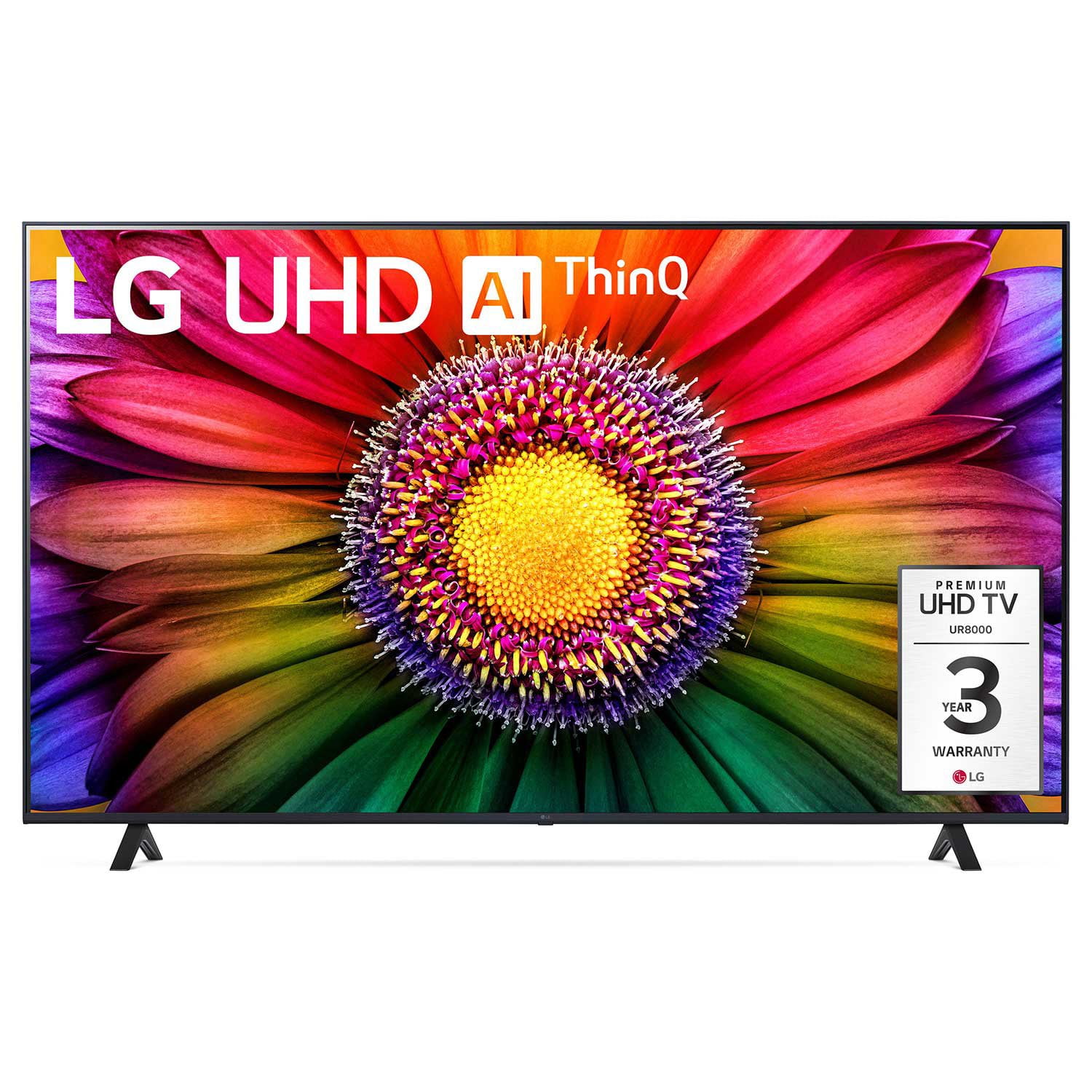
LG 75" Class UR8000 Series LED 4K Smart TV
4.4 out of 5 stars
stars
1,061 ratings940 reviews
  1. 5 stars65% (690)
  2. 4 stars21% (218)
  3. 3 stars7% (73)
  4. 2 stars3% (29)
  5. 1 star5% (51)

Member photos

  • +3 images
Sort by |
Showing 381-390 of 940 reviews
Dec 17, 2023
Reviewer name: Dumbpapa
4 out of 5 stars
4 out of 5 stars review

Verified Purchase

To confusing!

[This review was collected as part of a promotion.] Our new TV was a gift and I am not very tech savvy. If I were able to chose my new TV it would be a dumb one like me

Review from lg.com
Helpful?110C0H5WPT1Y13935100523
Jun 3, 2023
Reviewer name: Happymomhome
5 out of 5 stars
5 out of 5 stars review

Verified Purchase

Great quality with easy set up!

[This review was collected as part of a promotion.] We bought our TV a month ago and are pleased. The set up was simple and our 10 year old can easily navigate the television. Picture quality is beautiful!

Review from lg.com
Helpful?110C0H5WPT1Y13935100523
Oct 17, 2023
Reviewer name: Twinkstar
5 out of 5 stars
5 out of 5 stars review

Verified Purchase

Good purchase

So far we are extremely pleased with our tv. It’s the perfect size for our home and the picture quality is great. I read reviews that were unhappy with the sound, personally it’s a tv not a movie theater. Works great for us.

Review from lg.com
Helpful?110C0H5WPT1Y13935100523
Mar 16, 2024
Reviewer name: I hate the remote
2 out of 5 stars
2 out of 5 stars review

Verified Purchase

Hate the remote

I hate the remote - I cannot control the pointer-it moves all over. Wish I could make it go away and just have it respond up or down and right to left like my oldone

Review from lg.com
Helpful?110C0H5WPT1Y13935100523
reply from LG Digital Care Team

Hey there. We can help you turn off the cursor on your LG Magic remote. To disable or hide the cursor on your device, you need to access the "General" or "Additional Settings" options in your settings. Scroll down to find the "Cursor" or "Pointer" settings within the menu. Once you locate it, select the option to access the settings. Within the "Cursor" or "Pointer" settings, you should be able to find an option to turn off or hide the cursor. For more questions, private message us on social media @LGUSSupport. We are just a DM away! ^David

Feb 4, 2024
Reviewer name: Marcarlos
2 out of 5 stars
2 out of 5 stars review

Verified Purchase

Not great

[This review was collected as part of a promotion.] I bought this TV a few weeks ago and I am already having problems. I am not able to install apps or update even though I’m connected to Wi-Fi TV occasionally turns on by itself.

Review from lg.com
Helpful?110C0H5WPT1Y13935100523
reply from LG Digital Care Team

Well, hello, Marcarlos! Are you ready for a resolution? Check out our amazing LG Help link: http://spr.ly/6423VPAxR. If the problem persists, private message our social media at @LGUSSupport and include the TV's model and serial number. We will take it from there! ~Rita

Apr 12, 2024
Reviewer name: GarlandTX
5 out of 5 stars
5 out of 5 stars review

Verified Purchase

Phenomenal TV

[This review was collected as part of a promotion.] We've had this TV for weeks now. It is fantastic. The picture is phenomenal. the features arre nice. We are very happy

Review from lg.com
Helpful?110C0H5WPT1Y13935100523
Dec 8, 2023
Reviewer name: lafl801
4 out of 5 stars
4 out of 5 stars review

Verified Purchase

Plenty of nice features.

[This review was collected as part of a promotion.] Bought our LG TV about a month ago. Great picture. Took a while to get everything set up, but now all is well.

Review from lg.com
Helpful?110C0H5WPT1Y13935100523
Dec 8, 2023
Reviewer name: MSchlawin
4 out of 5 stars
4 out of 5 stars review

Verified Purchase

LG Channels are a huge bonus!

I didn't realize this TV would have so many features. Besides the great picture quality, I really like the LG channels. We have been watching those more than we have been watching over the air TV.

Review from lg.com
Helpful?110C0H5WPT1Y13935100523
Mar 31, 2024
Reviewer name: Cl17
4 out of 5 stars
4 out of 5 stars review

Verified Purchase

Great TV, not so great remote!

So far, so good. We are really enjoying the upgrade from our old TV with no internet. However, the remote for this TV is twitchy! We both do not care of it at all.

Review from lg.com
Helpful?110C0H5WPT1Y13935100523
reply from LG Digital Care Team

Hi there! Thanks for sharing your thoughts. Glad to hear the TV upgrade is hitting the mark, and we appreciate the heads‑up about the remote. We’ll pass that note along to our product team. If you ever need anything moving forward, @LGUSSupport is here for you. #LifesGood ❤️ ‑Rich

Feb 6, 2024
Reviewer name: Liz64
4 out of 5 stars
4 out of 5 stars review

Verified Purchase

Nice TV!

[This review was collected as part of a promotion.] Wish I could just be in HDMI mode right away when I turn on the tv, but other than that, it’s a Great TV and entertainment experience.

Review from lg.com
Helpful?110C0H5WPT1Y13935100523