Skip to Main Content
Sams Club
Sams Club
Customer reviews for SAMSUNG 85” Class Q80D Series 4K QLED Smart TV for
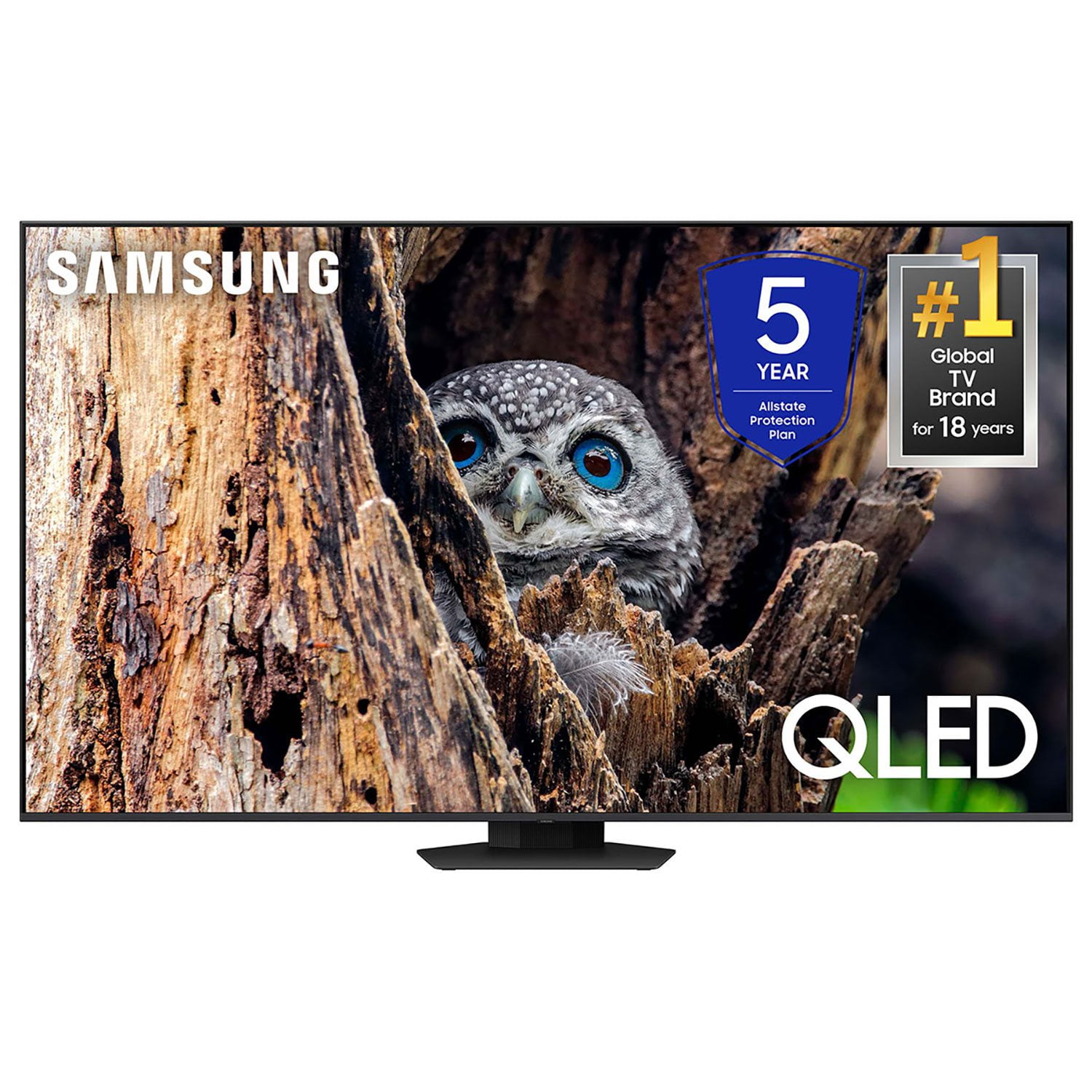
SAMSUNG 85” Class Q80D Series 4K QLED Smart TV
4.5 out of 5 stars
stars469 ratings433 reviews
  1. 5 stars73% (343)
  2. 4 stars13% (62)
  3. 3 stars5% (24)
  4. 2 stars3% (16)
  5. 1 star5% (24)

Member photos

  • +117 images
Sort by |
Showing 271-280 of 433 reviews
Apr 8, 2025
TwinTrbo
5 out of 5 stars review

Image is perfect

[This review was collected as part of a promotion.] Love the TV simply due to how great is immerse you into whatever you're watching. Especially at night. Looking forward to upgrading soon.

Review from Samsung US
Helpful?6N90SMS72AV513911760135
Mar 20, 2025
Geno2929
5 out of 5 stars review

Its Samsung 4k hdtv

[This review was collected as part of a promotion.] The colors are great, watching on a big screen really shows how beautiful it is to watch certain 4k movies. Games looks so good.

Review from Samsung US
Helpful?6N90SMS72AV513911760135
Dec 24, 2024
Zimmer77
5 out of 5 stars review

Beautiful, crisp, picture!

[This review was collected as part of a promotion.] This TV is used for gaming and streaming. It is constantly being used and never fails to provide great quality.

Review from Samsung US
Helpful?6N90SMS72AV513911760135
Apr 20, 2025
Cnoll
5 out of 5 stars review

Great TV

This is our 3rd Samsung TV since we moved and didn't take them with us. They are always dependable and offer great picture. Samsung will be our go to TV forever.

Review from Samsung US
Helpful?6N90SMS72AV513911760135
May 1, 2024
Jlyn503
5 out of 5 stars review

This is a beautiful tv

[This review was collected as part of a promotion.] This TV is so clear and the sound is awesome it feels like your in the theater. Plus it's super easy to navigate.

Review from Samsung US
Helpful?6N90SMS72AV513911760135
Feb 5, 2025
Shoes
3 out of 5 stars review

Hoping for something better

Disappointed. I have adjusted the contrast the color and the brightness. Still the picture and sound are not what I was expecting The sleep timer goes 30. 60. 120. 180. There is not a 90

Review from Samsung US
Helpful?6N90SMS72AV513911760135
reply from Samsung Specialist

Shoes, We appreciate your thoughts on the picture quality of Samsung’s Q80D TV. If the image you’re seeing isn’t to your liking, there are several picture settings you may want to adjust. Go to Home > left direction button > Settings > All Settings > Picture > Picture Mode ...and select the mode that best fits your usage: 1. Standard: Is the default mode suitable for general viewing environments 2. Dynamic: Makes the picture brighter and clearer in bright viewing environments 3. Eco: Provided to save energy 4. Movie: Suitable for watching TV or movies in a dark room 5. Filmmaker Mode: Provides source content just as the creators intended. If the image is defined as Filmmaker Mode, it’ll automatically switch to Filmmaker Mode while watching. You can also fine-tune your picture with expert settings such as brightness, contrast, sharpness and more (All Settings > Picture > Expert Settings). For further assistance with settings adjustments, please contact Samsung Customer Support at 1-800-SAMSUNG, 8AM - 12AM EST, 7 days a week. Our LiveChat agents are also available by clicking on the ‘Support’ link on our website. ~ Samsung Specialist

Apr 19, 2025
Carol
3 out of 5 stars review

None

I can’t work it. It’s too complicated. The remote is way to small for my fingers and hand. The colors don’t look bright like they did in the store. I wish I didn’t buy it.

Review from Samsung US
Helpful?6N90SMS72AV513911760135
reply from Samsung Specialist

Carol, We appreciate you sharing your user experience. To assist in learning the various functions, please know you can download the Q80D TV's User Manual, e-Manual, Remote Control Leaflet, and Quick Setup Guide on Samsung's website under Support > Manuals & Software > TVs & Home Theater. You can search for and select the Q80D TV to download the guides you would like. The e-Manual and Remote Guide are both also embedded into your TV itself under Menu > Settings > Support > Open e-Manual. If you need more help, Samsung is here for you. Please call us at 1-800-SAMSUNG, 8AM - 12AM EST, 7 days a week. Our LiveChat agents are also available by clicking on the ‘Support’ link on our website. ~ Samsung Specialist

Feb 5, 2025
Charmergirl
5 out of 5 stars review

Best Tv is Samsung

Love Love Love my Samsung Tv Didn’t know it had lots of movies and category shows that I can watch for free. Haven’t watched my Netflix since I had it in December 10th 2024

Review from Samsung US
Helpful?6N90SMS72AV513911760135
Dec 21, 2024
BooDRoo
1 out of 5 stars review

Horrible software

[This review was collected as part of a promotion.] I will never buy another samsung smart TV in my life. It cant get connected or stay connected to the internet. The apps glitch all the time and its very very slow

Review from Samsung US
Helpful?6N90SMS72AV513911760135
reply from Samsung Specialist

BooDRoo, We appreciate your feedback on Samsung's Q80D TV. For optimal performance, we ask that you please ensure you've got the latest firmware version installed on your TV. You can check this by going to: Home > Menu > Settings > Support > Software Update. You may also want to further optimize performance with the self-diagnostic tool, which checks memory, frees up unused cached memory, and closes background apps. Go to: Home > Menu > Settings > Support > Device Care > Start Device Care I hope these tips help you enjoy your new product. You can always contact us for further help at 1-800-SAMSUNG, 8AM - 12AM EST, 7 days a week. Our LiveChat agents are also available by clicking on the ‘Support’ link on our website. ~ Samsung Specialist

Nov 23, 2024
Teddy85
4 out of 5 stars review

Teddy's 85

[This review was collected as part of a promotion.] The 85 is best thing for me. Picture is great and sits good in my room. Love the clarity and crisp colors. Night time viewing is awesome watching my crime dramas.

Review from Samsung US
Helpful?6N90SMS72AV513911760135