Skip to Main Content
Sam's Club
Sam's Club
All Departments
All Services
Customer reviews for Brother Wireless Digital Color All-in-One Laser Printer, MFC-L3765CDW for
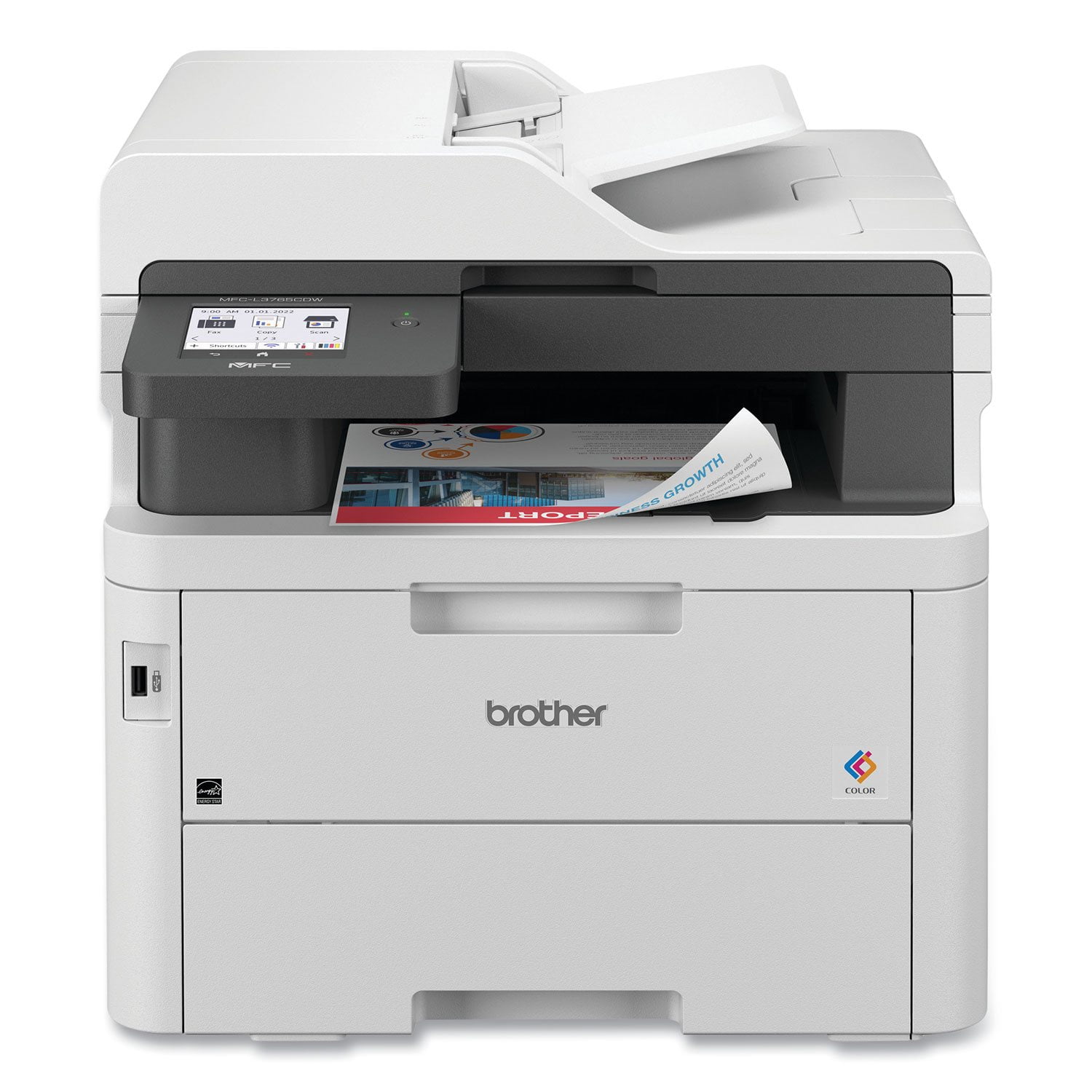
Brother Wireless Digital Color All-in-One Laser Printer, MFC-L3765CDW
4.1 out of 5 stars
stars
108 ratings100 reviews
  1. 5 stars58% (63)
  2. 4 stars19% (20)
  3. 3 stars11% (12)
  4. 2 stars4% (4)
  5. 1 star8% (9)
Sort by |
Showing 1-10 of 100 reviews
Jun 23, 2024
Reviewer name: Swhmetta
5 out of 5 stars
5 out of 5 stars review

Verified Purchase

So Far So Good!

So Far So Good! This thing runs flawlessly with my Imac. I initially had trouble connecting through wifi for some reason. It didn't offer a bluetooth option. I chose to just use an ethernet cord and connected directly to my imac. It is a fast printer. It's quiet. Nice print. No issues whatsoever. I am very pleased to go laser vs ink. It reminds me of our work printers. It gets great reviews and I can see why. Not to mention, you get the peace of mind with it being backed by Sam's Club. Happy with my purchase!

Helpful?3LRAYZDEQQG813900112109
Oct 6, 2024
Reviewer name: Jimmyprints
5 out of 5 stars
5 out of 5 stars review

Verified Purchase

Easy

Easy setup, low maintenance, just works

Helpful?3LRAYZDEQQG813900112109
Apr 28, 2026
Reviewer name: Somber Moose
5 out of 5 stars
5 out of 5 stars review

A New Generation of Excellence and Reliability

We purchased this printer to replace two other Brother laser printers, but not because they had failed; both were still going strong after a number of years. We had a monochrome all-in-one, and a color printer. We were in need of some desk space, and so we sold the older printers to two very happy used-printer buyers, and purchased the 3765. The new printer gives us everything we wanted: excellent quality color prints, and the convenience of the all-in-one. Thus far, the printer has operated flawlessly. We trust that the legendary Brother "bullet proof" operation will continue for a good many years, following in the footsteps of this printer's predecessors. We don't worry about this printer; we rely on it without worrying about it letting us down.

Review from brother-usa.com
Helpful?3LRAYZDEQQG813900112109
Mar 6, 2026
Reviewer name: Todd S
5 out of 5 stars
5 out of 5 stars review

Excellent Value & Quality!

This was the best decision I made! I purchased a remanufactured unit and couldn't be happier. The setup was amazingly easy and the app also is easy to use and understand. It connected to my mesh without any issues. Anyone in the house can easily connect to it and the print quality is great! I replaced an HP inkjet printer which was never connected and once it would the cartridges would be dried up. Brother makes a quality product and doesn't bombard you with "offers" in order to use it.

Review from brother-usa.com
Helpful?3LRAYZDEQQG813900112109
Mar 11, 2026
Reviewer name: Macaroon
5 out of 5 stars
5 out of 5 stars review

Loving it so far!

This is my first laser printer after years and years of inkjets. I was really tired of having to buy all that expensive ink and my HP was great at first but it started drying up unless I printed every single day. I wasted several nearly full cartridges because of that. So I decided I would rather pay for toner cartridges that lasted longer and didn't dry up -- cheaper in the long run for me. The Brother color all-in-one has been flawless since I got it several months ago. It's extremely fast and print quality can't be beat. I'm not crazy about the interface for printing, scanning, copying, etc. It's not very intuitive but I'll eventually get used to it.

Review from brother-usa.com
Helpful?3LRAYZDEQQG813900112109
Mar 18, 2026
Reviewer name: Tony
4 out of 5 stars
4 out of 5 stars review

Does everything I need.... almost!

Getting this machine set up and running was a breeze. In no time, I got the app on the phone linked with the machine as well, and got right to printing from my mobile phone. Printing and scanning has been great, colors are crisp and clear, no issues with the UI on the machine, but I have used Brother devices for many years now. The ONLY issue I have come across is trying to print two-sided on thicker card stock paper. The machine refuses to do it, and it always jams. I have to feed it from the front feed and flip it manually.

Review from brother-usa.com
Helpful?3LRAYZDEQQG813900112109
Feb 14, 2026
Reviewer name: Richard Herndon
4 out of 5 stars
4 out of 5 stars review

Excellent Multi-Function Printer.

This is a very good printer. It's quiet, and doesn't make unexpected "calibrating" or other noises. I have had some connectivity issues, where at one point it picked up drivers for another model from the same printer "family," and wouldn't work, and it seems to draw a lot of electricity when the fuser warms up. Brother has a program to automatically send (at your expense) new toner cartridges when the old ones are low, and its cost ties in with your estimated monthly print usage. I think that represents a savings over buying the cartridges outright and paying for shipping. The print quality is excellent, color rendition is good, and print speed is good. Its scan function is easy to use, and feeding envelopes is also easy, with a diagram on the feeder showing proper envelope orientation. The only thing this printer doesn't do that would be a nice feature is duplex scanning.

Review from brother-usa.com
Helpful?3LRAYZDEQQG813900112109
Nov 21, 2025
Reviewer name: CINDY
3 out of 5 stars
3 out of 5 stars review

Legal size paper printing is difficult

The only bad thing about it is that if you want to print on legal size paper, you have to feed it one page at a time into the front load manual paper feeder. The bottom paper tray states it holds legal paper but it does not. Moving the paper stop back was not far enough, I was unable to close the paper tray. When manually feeding it, it jammed a few times, requiring me to take the toners out to remove the paper. It also pulled it in crooked a few times. It does print out nice pictures and other than needing to use legal size paper, I haven't had any other issues in the eleven months I've had it. Thankfully, using legal paper is rare for me.

Helpful?3LRAYZDEQQG813900112109
reply from Brother

Thanks for taking the time to review your experience with the Brother MFCL3765CDW. We appreciate your feedback. If you still need assistance, please contact the Brother USA support team at: https://www.brother-usa.com/support

Feb 26, 2026
Reviewer name: MAKjr49
3 out of 5 stars
3 out of 5 stars review

Good printer with debatable Brother refurbishing

Brother refurbished did not work right out of the box. Endless alarm about a blockage. I finally found a sensor was stuck in the special paper slot. Tore it apart and cycled it several times and it cleared the problem. I had to re-adhere the sensor and it was good to go. The printer works great. The scanner works fine. I haven't tried to fax.

Review from brother-usa.com
Helpful?3LRAYZDEQQG813900112109
reply from Brother Customer Service

Thanks for taking the time to review your experience with the Brother MFCL3765CDW. We appreciate your feedback. I’m sorry to hear that you are had sensor issues with the Brother MFCL3765CDW. I sincerely apologize for any inconvenience this issue may have caused you. If you still need assistance, we would like to help. Please contact us directly at: https://www.brother-usa.com/support/MFCL3765CDW

Sep 27, 2024
Reviewer name: Bill
1 out of 5 stars
1 out of 5 stars review

Verified Purchase

Something is wrong.

I have paper Jams every day. I what to send it back.

Helpful?3LRAYZDEQQG813900112109
reply from Brother

Thanks for taking the time to review your experience with the Brother MFCL3765CDW. We appreciate your feedback. I’m sorry to hear that you are having jamming issues with the Brother MFCL3765CDW. I sincerely apologize for any inconvenience this issue may have caused you. We’d like an opportunity to help. Please contact us directly at:<br /><br />https://www.brother-usa.com/support/MFCL3765CDW