Skip to Main Content
Sam's Club
Sam's Club
All Departments
All Services
Customer reviews for SAMSUNG 85” Class DU7200 Series 4K Smart TV for
SAMSUNG 85” Class DU7200 Series 4K Smart TV
4.3 out of 5 stars
stars
1,178 ratings1,031 reviews
  1. 5 stars63% (745)
  2. 4 stars18% (208)
  3. 3 stars8% (98)
  4. 2 stars5% (58)
  5. 1 star6% (69)

Member photos

  • +175 images
Sort by |
Showing 441-450 of 1,031 reviews
Mar 3, 2025
Reviewer name: Noel
5 out of 5 stars
5 out of 5 stars review

Christmas Purchase to Remember

As they say size really matters... What a beautiful picture. What beautiful sound. What a great PRICE. "IT'S BEEN A GREAT SAVINGS OVER CABLE" AGAIN THANK YOU RLP

Review from Samsung US
Helpful?1RMTE3JL1NV513893753801
Oct 24, 2024
Reviewer name: Teresa233
5 out of 5 stars
5 out of 5 stars review

Awesome tv

[This review was collected as part of a promotion.] Love our new 85 inch tv. The picture is so clear. My husband says it’s like being in the movie theater. We love the Samsung tv’s. We had a 75 inch previously. Wouldn’t have any other brand tv.

Review from Samsung US
Helpful?1RMTE3JL1NV513893753801
Feb 20, 2025
Reviewer name: Polly
3 out of 5 stars
3 out of 5 stars review

Disappointed with Smart TV

I am disappointed with the TV and the remote. Miss features I used to have. Our TV headset doesn't work with the TV. No "Mute" on the remote or other features we had on our previous TV remote. The remote is difficult to open to replace batteries

Review from Samsung US
Helpful?1RMTE3JL1NV513893753801
reply from Samsung Advisor

Hi Polly, We appreciate your review of the DU7200 TV. Please know that you can control the volume of your TV by pressing the +/- button up to increase the volume and down to decrease the volume. To mute the sound, press the button. You can also learn how to use your remote directly from your TV. Just go to Home> (left directional button) Settings> Support> Remote Control Guide. If you need more help, Samsung is here for you. Please call us at 1-800-SAMSUNG, 8 AM - 12 AM EST, seven days a week. Our LiveChat agents are also available by clicking on the ‘Support’ link on our website. ~Samsung Advisor

Apr 20, 2025
Reviewer name: Lonnie
3 out of 5 stars
3 out of 5 stars review

needs work on the set up and connections

Bought this to replace my 12 year old unit that died. Tried to install and have not been able to get to my brouser Spectrum for my favorite shows. Not real happy with the unit.

Review from Samsung US
Helpful?1RMTE3JL1NV513893753801
reply from Samsung Advisor

Hi Lonnie, We appreciate you taking the time to let us know about your experience with your TV. So that we can better troubleshoot this issue and provide steps towards a solution, please contact Samsung Support at 1-800-SAMSUNG, 8AM - 12AM EST, 7 days a week. Or visit us on the Samsung website and click on the ‘Support’ link for: • LiveChat • Manuals, Software, & Warranty Info ~ Samsung Advisor

Oct 24, 2024
Reviewer name: 707172
3 out of 5 stars
3 out of 5 stars review

Disappointed

[This review was collected as part of a promotion.] I hoped for more/better from this TV. It was under 600 for a 60in. I guess that gets you little in the terms of clarity and crystal clear viewing. Its just a huge lack of quality.

Review from Samsung US
Helpful?1RMTE3JL1NV513893753801
reply from Samsung Specialist

Hi there, Thank you for sharing your thoughts on the picture quality of your DU7200D TV. To ensure you’ve got the latest image quality updates, please confirm that your TV is up to date with the latest firmware version. You can check by going to: Home > Menu > Settings > Support > Software Update. If the picture you’re seeing is still not to your liking after updating firmware, there are several picture settings you may want to try adjusting. Go to Home > left direction button > Settings > All Settings > Picture > Picture Mode ...and select the mode that best fits your usage: 1. Standard: Is the default mode suitable for general viewing environments 2. Dynamic: Makes the picture brighter and clearer in bright viewing environments 3. Eco: Provided to save energy 4. Movie: Suitable for watching TV or movies in a dark room 5. Filmmaker Mode: Provides source content just as the creators intended. If the image is defined as Filmmaker Mode, it’ll automatically switch to Filmmaker Mode while watching. You can also fine-tune your picture with expert settings such as brightness, contrast, sharpness and more (All Settings > Picture > Expert Settings). I hope these tips help. You can always contact us for further assistance at 1-800-SAMSUNG, 8AM - 12AM EST, 7 days a week. Our LiveChat agents are also available by clicking on the ‘Support’ link on our website. ~ Samsung Specialist

Nov 10, 2024
Reviewer name: Love2buy
5 out of 5 stars
5 out of 5 stars review

Great choice

[This review was collected as part of a promotion.] Met my expectations. Great video and sound quality. Would improve smart hub speed. Overall is a 5.

Review from Samsung US
Helpful?1RMTE3JL1NV513893753801
Apr 20, 2025
Reviewer name: Bem9132
5 out of 5 stars
5 out of 5 stars review

Great unit!

I absolutely love this television, it’s picture is nothing short of outstanding, set up was simple and easy, And best of all I consolidated down from four remotes to one!

Review from Samsung US
Helpful?1RMTE3JL1NV513893753801
Apr 19, 2025
Reviewer name: Jaksun
3 out of 5 stars
3 out of 5 stars review

Volume won’t come on

This was a Christmas gift and I am pleased with the picture and ease in operation. My rating is because often I lose volume. And it will take hours sometimes to get it back.

Review from Samsung US
Helpful?1RMTE3JL1NV513893753801
reply from Samsung Advisor

Hi Jaksun, We appreciate you sharing details of the sound issue you’re experiencing on your DU7200 TV. There are a few troubleshooting steps I recommend trying: 1) Please check the volume control of your TV, and then check the volume control of any external devices (cable box or satellite box, DVD, Blu-ray, etc.) connected to your TV. Also, check the cable connection between any external device and the TV and then try the cable connection again. 2) Set Sound Output to the TV Speaker by going to Settings > All Settings> Sound > Sound Output. 3) Check whether Digital Output Audio Format is set to Pass-Through by going to Settings > All Settings> Sound > Expert Settings > Digital Output Audio Format > Auto. I hope this helps. Should your issue persist, please contact Samsung Customer Support at 1-800-SAMSUNG, 8 AM - 12 AM EST, seven days a week. Our LiveChat agents are also available by clicking on the ‘Support’ link on our website. ~ Samsung Advisor

Aug 5, 2024
Reviewer name: Samsunglover
5 out of 5 stars
5 out of 5 stars review

Best overall 4k TV available at this price level
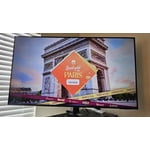
[This review was collected as part of a promotion.] I spent weeks looking at TV's in stores, online, reading reviews, blogs, etc. At this price range, it really is the best overall when comparing features, brand name, and actual picture.

Review from Samsung US
Helpful?1RMTE3JL1NV513893753801
Feb 12, 2025
Reviewer name: Jpdda
4 out of 5 stars
4 out of 5 stars review

Great picture and yes gestures but that voice 😝

I don’t like the voice. I can’t understand it sometimes and hate when it’s very obvious the voice is not coming out of the mouths of the people talking.

Review from Samsung US
Helpful?1RMTE3JL1NV513893753801