Skip to Main Content
Sam's Club
Sam's Club
All Departments
All Services
Customer reviews for SAMSUNG 85” Class DU7200 Series 4K Smart TV for
SAMSUNG 85” Class DU7200 Series 4K Smart TV
4.3 out of 5 stars
stars
1,178 ratings1,031 reviews
  1. 5 stars63% (745)
  2. 4 stars18% (208)
  3. 3 stars8% (98)
  4. 2 stars5% (58)
  5. 1 star6% (69)

Member photos

  • +175 images
Sort by |
Showing 431-440 of 1,031 reviews
Dec 27, 2024
Reviewer name: Jandy65
5 out of 5 stars
5 out of 5 stars review

Love having my own viewing platform!
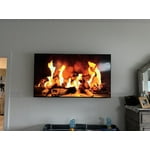
[This review was collected as part of a promotion.] My new Samsung was installed in the master suite! So now I can watch my favorite shows while my husband watches football on our Samsung frame in the great room.

Review from Samsung US
Helpful?1RMTE3JL1NV513893753801
Feb 5, 2025
Reviewer name: Don Bibb
1 out of 5 stars
1 out of 5 stars review

Problems

I will never purchase another appliance of yours. I have four Samsung Televisions and have not had a problem. The appliances the contractor put in the home have caused nothing but problems since we took possession and moved in.

Review from Samsung US
Helpful?1RMTE3JL1NV513893753801
reply from Samsung Advisor

Hi Don Bibb, Thank you for reaching out to us. To best assist you, please contact us at 1-800-SAMSUNG, 8 AM - 12 AM EST, seven days a week. LiveChat with an agent, as well as manuals, software, and warranty info, can be found at the ‘Support’ link on our Samsung website. ~ Samsung Advisor

Jun 9, 2024
Reviewer name: Eddied
5 out of 5 stars
5 out of 5 stars review

Perfectly mastered
[This review was collected as part of a promotion.] With a finish that makes you want to stay home.i am enjoying all the features and haven't had a bad review in any of my watchings.

Review from Samsung US
Helpful?1RMTE3JL1NV513893753801
Apr 21, 2025
Reviewer name: hhhhh
4 out of 5 stars
4 out of 5 stars review

b;ljhj

One problem is sometimes there is no volume when I turn on tv. Very frustrating. Have to turn it off and on quite a few times before volume will come on.

Review from Samsung US
Helpful?1RMTE3JL1NV513893753801
Feb 21, 2025
Reviewer name: Doorman
3 out of 5 stars
3 out of 5 stars review

Great picture but the remote is inconsistent.

It has a mind of it's own !! It will not turn my Samsung soundboard on. Sometimes the CC appears without prompt. Sometimes it returns to home screen while we are watching. Settings are not user friendly.

Review from Samsung US
Helpful?1RMTE3JL1NV513893753801
reply from Samsung Advisor

Hi Doorman, Thank you for reaching out to us. I have a few recommendations that may resolve some of the issues you are experiencing. First, let's ensure you are running the latest firmware. Go to Settings> Support> Software Update. If your soundbar is connected via HDMI, please ensure Anynet+ is enabled. Go to Settings, then select External Device Manager. From here, enable Anynet+ (HDMI-CEC) if it isn’t turned on. Next, please run a cold boot on your TV. To do so, hold down the Power button on the Samsung TV remote until the TV turns off and then on again. This should take about 5 seconds. If you continue to have issues, please reach out to us at 1-800-SAMSUNG, 8 AM - 12 AM EST, seven days a week. Or visit us on the Samsung website and click on the ‘Support’ link for: 1) LiveChat 2) Manuals, Software, & Warranty Info ~ Samsung Advisor

Feb 5, 2025
Reviewer name: PNW Brian
5 out of 5 stars
5 out of 5 stars review

Nice sharp picture

Bought this TV 3 months ago to replace an older Samsung. This Tv has so many functions I don't know where to start. Great value for the money. And I was able to use the old mounting bracket for an easy install.

Review from Samsung US
Helpful?1RMTE3JL1NV513893753801
Mar 6, 2025
Reviewer name: Foots
3 out of 5 stars
3 out of 5 stars review

Great picture

I like the picture, sound is OK, very disappointed with the number of apps that are available. I have 3 TV'S, all Samsung. Would have considered another brand if I had known about the limited apps.

Review from Samsung US
Helpful?1RMTE3JL1NV513893753801
reply from Samsung Advisor

Hi Foots, Thank you for your feedback on the available apps on the DU7200 TV. Please know there is a built-in app store with hundreds of apps available to download. On your TV, go to Home and at the top you will see the Apps Menu. From there you can browse various apps you may want to download. If you need more help, Samsung is here for you! Please call us at 1-800-SAMSUNG, 8 AM - 12 AM EST, seven days a week. Our LiveChat agents are also available by clicking on the ‘Support’ link on our website. ~ Samsung Advisor

May 24, 2025
Reviewer name: Pete
5 out of 5 stars
5 out of 5 stars review

Excellent Television

I enjoy watching television shows on my Samsung 43-inch television. The picture is crystal clear. The television is very easy to operate. It is very user-friendly. I recommend it highly.

Review from Samsung US
Helpful?1RMTE3JL1NV513893753801
May 22, 2025
Reviewer name: Olderviewer
3 out of 5 stars
3 out of 5 stars review

Contrast issues

Pictures quality could be a bit better really have a hard time seeing it if filmed in a dark mode. I can’t adjust the contrast as much as needed. Also it would be helpful if it came with an actual physical manual.

Review from Samsung US
Helpful?1RMTE3JL1NV513893753801
reply from Samsung Brand Ambassador

Olderviewer: I’m sorry to hear you’re not fully satisfied with the DU7200 TV’s picture quality. If the image is too dim, try adjusting Picture Mode, Contrast, Brightness, or Sharpness settings. First, let’s ensure you are running the latest Firmware Update. Go to Settings> Support> Software Update. Next, If the colors on your TV are correct but just a little too dark or bright, you can try adjusting Picture Modes, Contrast, Brightness, or Sharpness settings. For darker scenes, I recommend Dynamic Picture Mode, which makes pictures brighter and clearer in bright viewing environments. Go to Settings > All Settings> Picture > Picture Mode > Dynamic. Or you can manually adjust the Brightness by pressing the HOME button on your remote, then navigating to Settings > All Settings> Picture > Expert Settings. You may also want to disable Power Saving Mode, which automatically adjusts the brightness to reduce the TV’s power consumption. Go to Settings > All Settings> General > Eco Solution> Power Saving Mode. I hope this helps to improve your picture. Should you need further assistance, please contact us at 1-800-SAMSUNG, 8 AM - 12 AM EST, seven days a week. Our LiveChat agents are also available by clicking on the ‘Support’ link on our website. - Samsung Ambassador

May 7, 2025
Reviewer name: GrandmaK
4 out of 5 stars
4 out of 5 stars review

Great picture, no audio output.

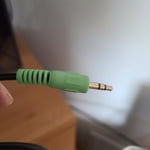
I am very pleased with the TV's picture, but there is no audio output for my "TV EARS." What kind of adapter do I need and why did you discontinue that feature?

Review from Samsung US
Helpful?1RMTE3JL1NV513893753801