Skip to Main Content
Sam's Club
Sam's Club
All Departments
All Services
Customer reviews for SAMSUNG 85” Class DU7200 Series 4K Smart TV for
SAMSUNG 85” Class DU7200 Series 4K Smart TV
4.3 out of 5 stars
stars
1,178 ratings1,031 reviews
  1. 5 stars63% (745)
  2. 4 stars18% (208)
  3. 3 stars8% (98)
  4. 2 stars5% (58)
  5. 1 star6% (69)

Member photos

  • +175 images
Sort by |
Showing 421-430 of 1,031 reviews
Jun 6, 2024
Reviewer name: ROBNJ124
5 out of 5 stars
5 out of 5 stars review

EXCELLENT QUALITY

[This review was collected as part of a promotion.] Picture is amazing. Quality of pixels are a definite notice. We also have a QLed and this is just one step below. Excellent on our back porch.

Review from Samsung US
Helpful?1RMTE3JL1NV513893753801
Feb 5, 2025
Reviewer name: PNW Brian
5 out of 5 stars
5 out of 5 stars review

Nice sharp picture

Bought this TV 3 months ago to replace an older Samsung. This Tv has so many functions I don't know where to start. Great value for the money. And I was able to use the old mounting bracket for an easy install.

Review from Samsung US
Helpful?1RMTE3JL1NV513893753801
Feb 22, 2025
Reviewer name: Boaz2768
5 out of 5 stars
5 out of 5 stars review

Samsung 55"

I bought this tv almost a month ago. Easy setup. Picture is good. I seem to have an issue with the HDMI plug ends. Some seem to work sometimes. Still trying to figure it out.

Review from Samsung US
Helpful?1RMTE3JL1NV513893753801
May 6, 2025
Reviewer name: guhima
5 out of 5 stars
5 out of 5 stars review

Very good quality
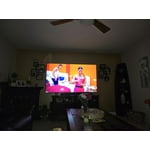
Excellent TV, picture quality, dark or light on, looks great. I also really like the integrity with the samsung soundbar. All streaming does so without any problem, and a variety of applications.

Review from Samsung US
Helpful?1RMTE3JL1NV513893753801
Mar 5, 2025
Reviewer name: Cybdiver
3 out of 5 stars
3 out of 5 stars review

Missed potential

The picture is good the speakers are awful, there's no way to go directly to a channel without scrolling. The blue tooth is not the latest considering the set was recently manufactured. I gave it 3 stars for picture quality.

Review from Samsung US
Helpful?1RMTE3JL1NV513893753801
reply from Samsung Advisor

Hi Cybdiver, Thank you for your feedback. Please know your opinion is important to us and will be shared with our internal teams. Regarding audio issues, there are several volume features you can adjust, which may improve your audio experience. 1) Auto Volume automatically adjusts the sound to a certain level when changing channels or switching to another external input. Go to Settings > All Settings> Sound > Expert Settings > Auto Volume. 2) Adaptive Sound automatically adjusts to a specific volume level while watching TV. The TV analyzes your volume usage history by time period to automatically adjust the volume when you use an app or switch to an external input source. Go to Settings> All Settings> Sound> Sound Mode> Adaptive Sound. 3) Several Sound Modes are likewise available to meet your personal preferences: Home > Settings > All Settings> Sound > Sound Mode. To select a channel on your TV, press the 123/Settings button on your remote. Then select the number keypad and enter the channel number. The Bluetooth in the DU7200 TV is up to date and should connect to your external Bluetooth devices. If you need more help, Samsung is here for you! Please call us at 1-800-SAMSUNG, 8 AM - 12 AM EST, seven days a week. Our LiveChat agents are also available by clicking on the ‘Support’ link on our website. ~ Samsung Advisor

Apr 19, 2025
Reviewer name: Did not work
2 out of 5 stars
2 out of 5 stars review

Does not receive signal

The antenna to receive the WiFi is horrible Even though WiFi signal is great. Did not work right. Kept loosing signal. Needed to add a fire stick which has a better receiving capability than the tv.

Review from Samsung US
Helpful?1RMTE3JL1NV513893753801
reply from Samsung Advisor

Hi Did not work, We appreciate your feedback on the Samsung DU7200 TV. I'm sorry to hear you are experiencing issues with your Wi-Fi disconnecting from the TV. First, let's ensure you are running the latest Firmware. Go to Settings> Support> Software Update. I recommend enabling auto-updates to ensure you do not miss any Firmware Updates. Go to Settings> Support> Software Update> then select Auto Update. Next, let's try running a cold boot on your TV. To do so, hold down the Power button on the Samsung TV remote until the TV turns off and then on again. This should take about 5 seconds. I hope these tips help resolve your concerns. If you need more help, Samsung is here for you! Please call us at 1-800-SAMSUNG, 8 AM - 12 AM EST, seven days a week. Our LiveChat agents are also available by clicking on the ‘Support’ link on our website. ~ Samsung Advisor

Mar 6, 2025
Reviewer name: hammtwo
4 out of 5 stars
4 out of 5 stars review

the tv seems to be ok, but the remote sucks

it has a good picture, I am not real happy with the remote, the sound and channel buttons are difficult to use, they do not work as I would like them to, changing the channel is a pain in the butt, and ajusting the sound is something to be desired

Review from Samsung US
Helpful?1RMTE3JL1NV513893753801
May 5, 2025
Reviewer name: Andreas
1 out of 5 stars
1 out of 5 stars review

Annoying cracking sounds
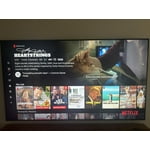
I should have bought a higher end model. TV makes annoying crack sounds when turning it off. Samsung service exchanged all possible electronics, speaker etc. and TV continues making weird. Racking sounds. TV not recommended.

Review from Samsung US
Helpful?1RMTE3JL1NV513893753801
reply from Samsung Advisor

Hi Andreas, We appreciate you sharing your experience regarding an unusual sound coming from your TV. The cause may vary depending on where the sound is coming from and how your system is set up. • If the sound is coming from your TV speakers, or if you're using an external audio device like a soundbar, please double-check that the audio cable is securely connected to the correct audio output on the external device. • If you're using an antenna or cable connection, a weak signal may result in sound distortion. You can check your broadcast signal level by going to: Settings > Support > Device Care > Self Diagnosis > Broadcast Signal • If the sound seems to come from the back of the TV, it may be the result of thermal expansion or contraction of the outer casing. This can cause a soft popping noise and is considered normal - it does not indicate a malfunction, and your TV remains safe to use. We also recommend running a Sound Test to check for audio issues: Home > left directional key > Settings > Support > Device Care > Self Diagnosis > Sound Test If the issue continues or you’d like assistance, feel free to contact Samsung Support at 1-800-SAMSUNG, available from 8AM - 12AM EST, seven days a week. You can also chat with one of our agents by clicking the ‘Support’ link on our website. ~ Samsung Advisor

Aug 11, 2025
Reviewer name: TVgirl17
4 out of 5 stars
4 out of 5 stars review

Good but need bolt sizes

Great TV, just confused on what size bolts the TV takes in order to mount it. I have a universal mount that will put any size TV up but it didn't come with its own bolts which is weird.

Review from Samsung US
Helpful?1RMTE3JL1NV513893753801
Mar 5, 2025
Reviewer name: Charlie Cheese
5 out of 5 stars
5 out of 5 stars review

Upgrade prior Samsung-no longer recognizing router

Only Complaint was Sticker on Screen difficult to Remove and used Mr. Clean Eraser pad and water only, and it still left a mark where sticker was - you should use easily removable stickers ONLY - on Screens

Review from Samsung US
Helpful?1RMTE3JL1NV513893753801