
Skip to Main Content
Sam's Club
Sam's Club
All Departments
All Services
Customer reviews for SAMSUNG 85” Class DU7200 Series 4K Smart TV for
SAMSUNG 85” Class DU7200 Series 4K Smart TV
4.3 out of 5 stars
stars
1,178 ratings1,031 reviews
  1. 5 stars63% (745)
  2. 4 stars18% (208)
  3. 3 stars8% (98)
  4. 2 stars5% (58)
  5. 1 star6% (69)

Member photos

  • +175 images
Sort by |
Showing 231-240 of 1,031 reviews
Sep 17, 2024
Reviewer name: Hippiestick
5 out of 5 stars
5 out of 5 stars review

Great picture

[This review was collected as part of a promotion.] This Samsung 60in tv is wonderful. The blacks are crisp and the colors are very realistic . The backlight is perfect. Extremely easy to hook up my buds 3. The motion and picture on this TV is very realistic. Extremely happy with my Samsung 60in television.

Review from Samsung US
Helpful?1RMTE3JL1NV513893753801
Mar 5, 2025
Reviewer name: OathKeeper
5 out of 5 stars
5 out of 5 stars review

Great TV!

I am completely impressed because the availability for connecting devices and compatibility with nearly every television application service. Additionally, the size of the TV is ideal for me, because the visibility from afar exists as well as visibility up close

Review from Samsung US
Helpful?1RMTE3JL1NV513893753801
Mar 5, 2025
Reviewer name: Holy cow
2 out of 5 stars
2 out of 5 stars review

55 inches is great

This TV is really got a great picture and I love the size. I hate that you can’t just turn it on and be at the channel you left. You have to push another button to get there too confusing for this old lady. i’m even using a universal remote control that’s got numbers on it Accumulate 150 minimum Tha Alive

Review from Samsung US
Helpful?1RMTE3JL1NV513893753801
reply from Samsung Advisor

Hi Holy cow, Thank you for choosing the DU7200 TV and for your review. You can choose what your TV does when you turn it on by going to Settings > All Settings> General > Smart Features. When you set Autorun Smart Hub to be on, the TV displays the Home Screen automatically when you turn the TV on. If Autorun Last App is set to on, the last used app automatically runs when you turn on the TV. You can turn this function on or off. I hope this tip helps. If there is anything we can do to further assist and improve your user experience, please let us know by contacting Samsung Customer Support. You can contact us for further help at 1-800-SAMSUNG, 8 AM - 12 AM EST, seven days a week. Our LiveChat agents are also available by clicking on the ‘Support’ link on our website. ~ Samsung Advisor

Mar 6, 2025
Reviewer name: None
4 out of 5 stars
4 out of 5 stars review

Siri except for the automatic cut off feature.

Not like the feature that you all have added, it turns the TV off every so often to avoid overuse or overuse of the CBT. We have had a number of TVs and have never worn out of CRT from leaving it on too much. And in out of inevitably it interrupts something important.

Review from Samsung US
Helpful?1RMTE3JL1NV513893753801
Dec 30, 2024
Reviewer name: ShoppingMama
5 out of 5 stars
5 out of 5 stars review

Great picture, great sound. Best tv i own

[This review was collected as part of a promotion.] I absolutely love this tv! It's for our living room, best picture we could've got! And for the price at the time, it was a steal. By far the best TV I've own. I've definitely fallen asleep in my living room a few times too much, just can't seem to leave it.

Review from Samsung US
Helpful?1RMTE3JL1NV513893753801
May 7, 2025
Reviewer name: Tammy
4 out of 5 stars
4 out of 5 stars review

Should have thought it over.
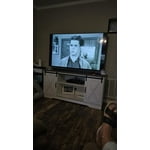
This is new, so working great. But, the reason I had to buy this TV is the main concern. This is my 3rd. Samsung TV in less than 10 years. This is because 2 before this one both had Back light go out. First 1, the entire screen went black just 3 years old. The 2nd. Just the 2nd year in half the screen was going dark. I didn't think about it long enough when I purchased this 1, or I would have bought a different brand. But, I have bought so many other Samsung products I just didn't think it over.

Review from Samsung US
Helpful?1RMTE3JL1NV513893753801
Mar 5, 2025
Reviewer name: Planetmiller
1 out of 5 stars
1 out of 5 stars review

What a struggle!

We bought this tv six weeks ago for my aging father and the setup and controls are crazy. Samsung wants everything to be proprietary which makes it impossible to simplify for a significant senior citizen with less than optimal eyesight and hearing. We are struggling to get it to where he can watch it pretty much on his own and are threatening to return it soon to our place of purchase (Costco).

Review from Samsung US
Helpful?1RMTE3JL1NV513893753801
reply from Samsung Advisor

Hi Planetmiller, Thank you for choosing Samsung for your father. I appreciate your feedback and hope I can provide some tips that will make operating the TV easier for your father. First, to make it easier to see the Menu text on your screen, go to Settings> All Settings> General & Privacy> Accessibility> Zoom Menu and Text. In that same Menu, there are other Accessibility functions available that may make operating the TV more user-friendly as well. Next, you can choose what your TV does when you turn it on by going to Settings > All Settings> General > Smart Features. When you set Autorun Smart Hub to be on, the TV displays the Home Screen automatically when you turn the TV on. If Autorun Last App is set to on, the last used app automatically runs when you turn on the TV. You can turn this function on or off. There are also a few guides available that may make it easier to learn how to use the TV. You can learn how to use your Samsung Remote by going to Home> (left directional button) Settings> Support> Remote Control Guide. To learn about your TV go to https://www.samsung.com/us/support/answer/ANS00062199/. If you ever have questions or need help, Samsung is here for you! Give us a call at 1-800-SAMSUNG, 8 AM - 12 AM EST, seven days a week. Our LiveChat agents are also available by clicking on the ‘Support’ link on our website. Thanks for being a part of the Samsung family! ~ Samsung Advisor

May 9, 2025
Reviewer name: jparker
2 out of 5 stars
2 out of 5 stars review

very poor remote

I bought this about two weeks ago and have regretted it from day one. I can't say very much about the tv portion as it is not as good as the tv I had but dropped it and cracked the screen so I needed a new tv. I talked to a sales member who said that Samsung is a good brand so I bought one. The tv is all right. Can't really say anything good or bad. The problem is with the remote. I do not know why manufactures want to change something that works. I will be boxing mine up and taking it back.

Review from Samsung US
Helpful?1RMTE3JL1NV513893753801
reply from Samsung Advisor

Hi Jparker, Thank you for your feedback on the included remote with your DU7200 TV. Samsung remotes are designed to be convenient and useful, but we understand if you’d prefer to use a third-party remote, whether it’s a universal remote, a game controller, or something else! Whether you are replacing a lost remote or using an alternative remote to help reduce clutter, a third-party remote is a great option to use to control your Samsung TV. If you ever have questions or need help, Samsung is here for you! Give us a call at 1-800-SAMSUNG, 8 AM - 12 AM EST, seven days a week. Our LiveChat agents are also available by clicking on the ‘Support’ link on our website. ~Samsung Advisor

Jun 5, 2025
Reviewer name: Judy
3 out of 5 stars
3 out of 5 stars review

Good picture

Terrible remote. I.have to look up what anything on there is and sometimes that works sometimes not. I’m 81 years old and there isn’t much on there that I can figure out on my own. Why can’t the remote tell you what it does. Never had any problem with my previous. I guess this is for very savy people. Even this review is hard to use—like I can’t get back to the top of this block that I’m typing in

Review from Samsung US
Helpful?1RMTE3JL1NV513893753801
reply from Samsung Advisor

Hi Judy, We appreciate your review of the DU7200 TV. To learn how to use your Samsung remote and understand the settings on your TV, please use your remote to access the remote guide. Go to Home> (left directional button) Settings> Support> Remote Control Guide. If you need more help, Samsung is here for you. Please call us at 1-800-SAMSUNG, 8 AM - 12 AM EST, seven days a week. Our LiveChat agents are also available by clicking on the ‘Support’ link on our website. ~Samsung Advisor

Mar 17, 2025
Reviewer name: BlaineO
4 out of 5 stars
4 out of 5 stars review

I bought this to use as a monitor for my Geochron

I bought the 55" Class Crystal UHD DU7200D to use primarily as a monitor connected to my Geochron Atlas 4k. It works very well for this purpose as well as a normal "Smart" TV. When first turned on it comes up on the channel selection screen and takes a minute or so to switch automatically to the HDMI input. I really wish the remote had a number keypad. I find it disappointing that TV manufactures are removing this simple feature.

Review from Samsung US
Helpful?1RMTE3JL1NV513893753801




