Skip to Main Content
Sams Club
Sams Club
Customer reviews for SAMSUNG 85” Class DU7200 Series 4K Smart TV for
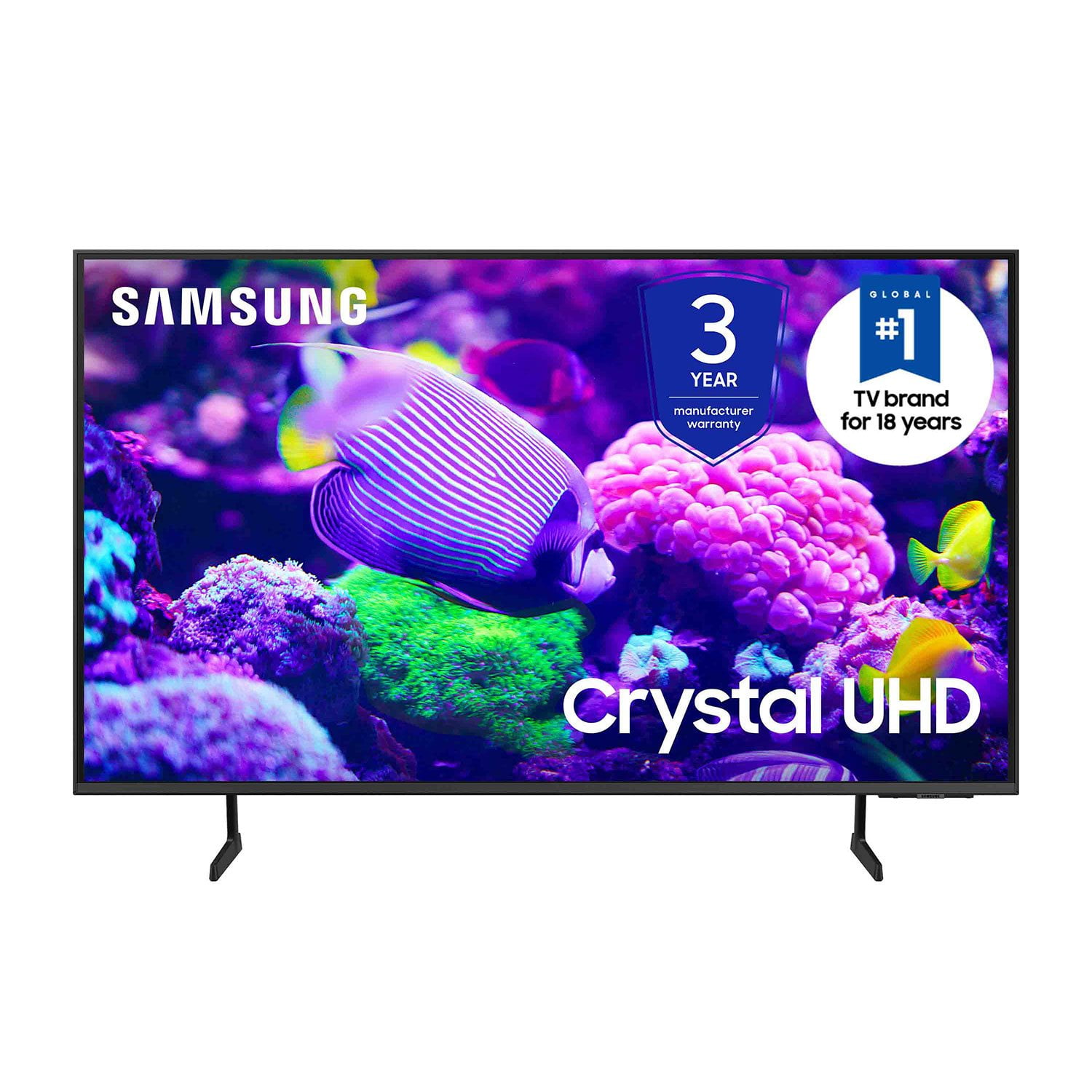
SAMSUNG 85” Class DU7200 Series 4K Smart TV
4.3 out of 5 stars
stars1,177 ratings1,030 reviews
  1. 5 stars63% (744)
  2. 4 stars18% (208)
  3. 3 stars8% (98)
  4. 2 stars5% (58)
  5. 1 star6% (69)
Write a review

Customer photos

  • +174 images
Sort by |
Showing 191-200 of 1,030 reviews
Feb 21, 2025
noteableburn
3 out of 5 stars review

Not that happy with this tv.

We've always liked Samsung products. This time, we bought a 65 inch crystal screen tv. The picture is great. However, the sound has to be turned up high (35-50, or more) to comfortably listen to. Movies are much worse. I learned that the volume limit is 100. We've had in the high 80s for movies. I'm very disappointed in this aspect.

Review from Samsung US
Helpful?1RMTE3JL1NV513893753801
reply from Samsung Advisor

Hi noteableburn, Thank you for sharing your experience with low volume. There are several volume features you can adjust, which may improve your audio experience. 1) Auto Volume automatically adjusts the sound to a certain level when changing channels or switching to another external input. Go to Settings > All Settings> Sound > Expert Settings > Auto Volume. 2) Adaptive Sound automatically adjusts to a specific volume level while watching TV. The TV analyzes your volume usage history by time period to automatically adjust the volume when you use an app or switch to an external input source. Go to Settings> All Settings> Sound> Sound Mode> Adaptive Sound. 3) Several Sound Modes are likewise available to meet your personal preferences: Home > Settings > All Settings> Sound > Sound Mode. Also, some sources have their own volume control, which might need to be set higher. Please check the volume control of the external device (cable box or satellite box, DVD, Blu-ray, etc.) connected to your TV. Also, check the cable connection between an external device and the TV and then try the cable connection again. I hope this helps improve your audio experience. Should you need further assistance or have any questions, please contact Samsung Customer Support at 1-800-SAMSUNG, 8 AM - 12 AM EST, seven days a week. Or visit us on the Samsung website and click on the ‘Support’ link for: 1) LiveChat 2) Manuals, Software, & Warranty Info ~ Samsung Advisor

Feb 5, 2025
Dave
2 out of 5 stars review

Somewhat disappointed

I bought this unit based on a previous Samsung 40 inch tv that we purchased some 8 years ago. The picture quality of the old unit was quite a bit better than the new one. 23 steps to the left or right of center and the picture fades considerably. Didn’t have that issue with the old one. But the price was very good.

Review from Samsung US
Helpful?1RMTE3JL1NV513893753801
reply from Samsung Advisor

Hi, Thank you for sharing your thoughts on the picture quality of your DU7200 TV. I have a few recommendations that may improve your visual experience: Go to Home > Settings > All Settings > Picture > Picture Mode and select the mode that best fits your usage: 1) Standard: Default mode suitable for general viewing environments. 2) Natural: Reduces eye strain for a comfortable viewing experience. 3) Movie: Most suitable for watching TV or movies in a dark room. 4) Dynamic: Makes the picture brighter and clearer in bright viewing environments. 5) Filmmaker Mode: You can watch the source content (e.g., movie) as it is. If the image is defined as Filmmaker Mode, it will automatically switch to Filmmaker Mode while watching. You can also go to Settings > All Settings> Picture > Expert Settings > to manually fine-tune your image. If you need more help, Samsung is here for you. Call us at 1-800-SAMSUNG, 8 AM - 12 AM EST, seven days a week. Our LiveChat agents are also available by clicking on the ‘Support’ link on our website. ~ Samsung Advisor

Feb 8, 2025
Cimp
4 out of 5 stars review

Great picture, but other issues exist

I purchased this TV a few weeks ago. There was no user manual and that is very disappointing. I don't have 'cable', I use a convertor box for watching TV. I got it hooked up the first day with a few issues, but it has been working fine until last night. In the middle of watching a game head into overtime, no less, the TV stopped recognizing the convertor box connection. I keep trying to get it back, but it is frustrating. On the other hand, the picture is awesome, the connect to internet works great so I can watch Peacock and Hulu, but so far, I don't really use the other features. I can't seem to adjust the volume and that is a huge irritation. I did download the manual, but it seems to be a million pages and I would really like just an easy nuts and bolts user guide to hooking up. How do I watch basic over the air TV? Like PBS, ABC, CBS, NBC, FOX and others? Am I gonna miss the Super Bowl tomorrow???

Review from Samsung US
Helpful?1RMTE3JL1NV513893753801
Feb 5, 2025
Dbone
3 out of 5 stars review

Not a great purchase!

Bought this a few weeks ago for my mom. The remote is a joke. You can't control the volume other than mute it and there's not even an input button. I find this TV not very user friendly. Had to buy a Roku with a better remote for her to work it correctly. Picture quality seems decent.

Review from Samsung US
Helpful?1RMTE3JL1NV513893753801
reply from Samsung Advisor

Hi, We appreciate your feedback on the DU7200 TV remote. Please know that you can control the volume of your TV by pressing the +/- button up to increase the volume and down to decrease the volume. To mute the sound, press the button. You can also learn how to use your remote directly from your TV. Just go to Home> (left directional button) Settings> Support> Remote Control Guide. If you ever have questions or need help, Samsung is here for you! Give us a call at 1-800-SAMSUNG, 8 AM - 12 AM EST, seven days a week. Our LiveChat agents are also available by clicking on the ‘Support’ link on our website. Thanks for being a part of the Samsung family! ~ Samsung Advisor

Apr 20, 2025
Mimi
5 out of 5 stars review

Volume

I down sized from a 65" to a 55" I have never bought anything but Samsung. My 65" was 14 yrs old. The only problem I'm having is the sound, you need to put the volume to 55-60 to hear it. Then the commercials are loud and I need to turn it down. I have a firestick attached. Never had this problem with any of my tvs.

Review from Samsung US
Helpful?1RMTE3JL1NV513893753801
Apr 19, 2025
ACT5418
4 out of 5 stars review

It has lot of options and picture quality is good.

In general, it is a nice TV and I am happy with it's performance. However, being a senior citizen and limited ability to use the it's remote control, I find it hard to use. It is so small (probably preferred by younger generation) and difficult to use. I am just wondering if there is a different version that may be easier to use. I understand that this is probably not possible, but just checking!!!

Review from Samsung US
Helpful?1RMTE3JL1NV513893753801
Dec 27, 2024
Happygrandma90
5 out of 5 stars review

This product is easy to use its features.

[This review was collected as part of a promotion.] I use my TV to see the daily news, for streaming, using different apps and it works excellently. It Smart feature helps me in using only one remote control for everything. Now I don’t have to be looking around which remote I have to use. It was an excellent choice when I selected this TV among so many other brands.

Review from Samsung US
Helpful?1RMTE3JL1NV513893753801
Feb 20, 2025
Sister
1 out of 5 stars review

Turner

It’s not recognizing my initial set up. Says I don’t have an account. I’m just having to use my fire stick and Amazon prime. Can’t get help when I call. I had to create whole new account and it wants to charge me again for what I’m already paying. Crazy

Review from Samsung US
Helpful?1RMTE3JL1NV513893753801
reply from Samsung Advisor

Hi Sister, I'm sorry you are experiencing issues with your DU7200 TV. Please know you should not have to pay for anything when signing into your TV. So we can better assist you, please reach out to us at 1-800-SAMSUNG, 8 AM - 12 AM EST, seven days a week. Our LiveChat agents are also available by clicking on the ‘Support’ link on our website. ~ Samsung Advisor

Jun 16, 2024
SansungRon
4 out of 5 stars review

Dedicated to Samsung ....

[This review was collected as part of a promotion.] This TV has a lot of great features.I'd like to fact that i'm able to mirror my phone to it. I enjoyed that it could be cast too . I will make a great word-of-mouth advertisement for Samsung.If I win this project.

Review from Samsung US
Helpful?1RMTE3JL1NV513893753801
Apr 21, 2025
Smythe
3 out of 5 stars review

Quality device, but horrendous support and limits

Overall I find this unit to be good quality and it fills the need I have. I do have some reservations about it, there is no audio output port for a sound bar with such. Additionally I despise the requirement for a Samsung account for the device to even function. Quality of the device is good, but the support and restrictions are ridiculous.

Review from Samsung US
Helpful?1RMTE3JL1NV513893753801
reply from Samsung Advisor

Hi Smythe, Thank you for your feedback. If there’s anything we can ever help with, please call us at 1-800-SAMSUNG, 8 AM - 12 AM EST, seven days a week. Or visit us on the Samsung website and click on the ‘Support’ link for: 1) LiveChat 2) Manuals, Software, & Warranty Info ~ Samsung Advisor