Customer reviews for SAMSUNG 85” Class DU7200 Series 4K Smart TV forCustomer photos


+174 images
Great addition to our home
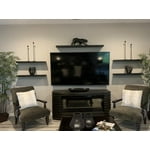
[This review was collected as part of a promotion.] This TV was purchased to replace another Samsung TV we had for over 10 years. Excited to add it to our Master Bedroom area as the main focus piece in the room. With a 55" display, it can be seen from all areas in the room. We are very pleased with the picture and sound quality. Really like the new technology advacements that Samsung has put into their products. Now we can control the device with our smartphone. This is a great feature since we often get busy and forget to turn the unit off when leaving the room.
Nice picture but...
This TV has a great picture, but we seem to be having a recurring problem with at least one streaming provider - Peacock - in which the TV seems to be hung while attempting to search Peacock for a show title. Only way to clear the hang is to physically unplug the TV from the wall; merely turning it off with the remote doesn't do the job. We are researching how to properly manage firmware updates for this beast.
NOT IMPRESSED AT ALL
do not like the very small remote as its hard to use with such small buttons/controls. the volume bar is fussy and also inadvertently mutes sound. Maybe it's a learning curve but to get to regular broadcasting it is not logical . Picture is no better than my 9 year old less smart tv. Would to purchase again.
Hi ROBOCAT, We appreciate your feedback and are sorry to hear that you are not satisfied with your experience. Please know that you can control the volume of your TV by pressing the +/- button up to increase the volume and down to decrease the volume. To mute the sound, press the button. You can also learn how to use your remote directly from your TV. Just go to Home> (left directional button) Settings> Support> Remote Control Guide. Finally, below are a few settings that I recommend adjusting to improve your picture. Go to Home > Settings > All Settings > Picture > Picture Mode and select the mode that best fits your usage: 1) Standard: Default mode suitable for general viewing environments. 2) Natural: Reduces eye strain for a comfortable viewing experience. 3) Movie: Most suitable for watching TV or movies in a dark room. 4) Dynamic: Makes the picture brighter and clearer in bright viewing environments. 5) Filmmaker Mode: You can watch the source content (e.g., movie) as it is. If the image is defined as Filmmaker Mode, it will automatically switch to Filmmaker Mode while watching. You can also go to Settings > All Settings> Picture > Expert Settings > to manually fine-tune your image. If you need more help, Samsung is here for you. Call us at 1-800-SAMSUNG, 8 AM - 12 AM EST, seven days a week. Our LiveChat agents are also available by clicking on the ‘Support’ link on our website. ~ Samsung Advisor
Execllent TV for functionality and pix quality
Purchased 6 months ago, easy to install, excellent picture, good size for living room...attached external amp via optical. USB ports all work well, price is excellent for the functionality...remote took some getting used to but found how to use via UTube
Living room TV
[This review was collected as part of a promotion.] This TV is set in my living room and it's perfect for movies, Xbox games with its built game mode. The TV is easy to stream to via wifi and also responds fast to other connections like Bluetooth headphones. The colors are clear and vibrant. The black colors could be deeper but, honestly, they aren't bad at all. The TV speakers aren't great but I use a sound bar for audio so the TV speakers are never used anyway. Overall, this is a great and affordable TV. I enjoy using it daily.
Worst Interface / Menu system of any tv. Don't buy
Good picture but the most horrible and confusing user interface I have ever seen. If you want to spend hours trying to figure out how to add an app to your home screen or to remove all the spammy recommendations only to find out you can't then you might like this TV. All basic functions are buried in the worst menu system I have ever used. in any electronic device.
Hi RegularPerson, Thank you for choosing Samsung and for your feedback on the DU7200 TV. We understand that sometimes there is a learning curve when you get a new TV! This is why we created step-by-step guides, to make it easier for you. To learn about your TV, go to https://www.samsung.com/us/support/answer/ANS00062199/. We are also always available and happy to help you with any questions you may have. You can call us at 1-800-SAMSUNG, 8 AM - 12 AM EST, seven days a week. Our LiveChat agents are also available by clicking on the ‘Support’ link on our website. ~Samsung Advisor
Not Happy With New Smart TV
Very disappointed in the performance of this TV. Same refresh rate as the 55' TCL I replaced with this TV, yet it constantly gets blurry before ultimately displaying a clear picture. The remote is terrible, ridiculously small and impossible to read in a darkened room when changing programming. Is there an alternative remote? The home screen is a mess, with so much junk I would never use and again, the layout is too small for a TV this size. I have a ROKU stick plugged into my 45' Samsung plasma in a bedroom that I have had since 2013 and it performs flawlessly. The new set audio is fine with the TCL soundbar, and excellent with the Avantree blue tooth headphones, but the overall performance of the new Samsung is lacking, despite a super high speed internet connection.. I am a television professional and am at a loss at what to do with this new set. Suggestions helpful, as right now I want to return it and try something that performs as advertised.
TVPRO, Thank you for sharing your thoughts on the picture quality of your DU7200D TV. To ensure you’ve got the latest image updates, please confirm that your TV is up to date with the latest firmware version. You can check by going to: Home > Menu > Settings > Support > Software Update. If the picture you’re seeing is still not to your liking after updating firmware, you may want to adjust the picture clarity settings by going to: Menu > Settings > All Settings > Picture > Expert Settings > Picture Clarity Settings - Off: Picture Clarity Settings will always be off - Auto: Picture Clarity Settings will automatically activate and deactivate based on the type of program being watched - Custom: Allows custom adjustments and settings to be used. By selecting the Custom option, you can access these advanced settings for Judder Reduction, LED Clear Motion, and Noise Reduction. To assist in learning the various functions, please know you can download your TV's User Manual, e-Manual, Remote Control Leaflet, and Quick Setup Guide on Samsung's website under Support > Manuals & Software > TVs & Home Theater. You can search for and select the DU7200D TV to download the guides you would like. The e-Manual and Remote Guide are both also embedded into your TV itself under Menu > Settings > Support > Open e-Manual. If you need more help, Samsung is here for you. Please call us at 1-800-SAMSUNG, 8AM - 12AM EST, 7 days a week. Our LiveChat agents are also available by clicking on the ‘Support’ link on our website. ~ Samsung Specialist
Great TV. Terrible remote.
I have been on the hunt for a new tv for quite some time to replace an older Samsung in my bedroom. This tv won me over as it has the ability for the legs to be installed for either a wide or narrow base. TV takes a little getting use to in terms of navigation, but once you get the hang of it, it’s smooth sailing. The tv quality is amazing and so is the sound The quality of the supplied remote is sub par at best. Honestly Samsung, I was disappointed that this was the best you could do for such a nice tv. I’m grateful that the SmartThings App is an option as I use it more the remote. The built in apps are great and it makes watching your streaming shows easy. Overall I’m a satisfied consumer.
Great TV but bad remote control
The TV itself is great, images are sharp, and colors are brilliant, however, the remote control is not as user friendly as the old Samsung remotes. I especially dislike the up and down toggle to change volume and the channels. I prefer a larger remote with the push button features which are so much easier to use.
Reliable source of Quality Entertainment.
[This review was collected as part of a promotion.] There are multiple Samsung televisions in my home. They are a truly reliable source for quality entertainment. The sound output and visual effects are incredible. For someone like me with hearing loss, the instant access to CC options is invaluable. There are times when I’ve gone to local entertainment, theaters, and venues only to be disappointed by the audio and visual quality of the event. I’ve become spoiled by the Samsung products. It should come as no surprise that I and others would rather stay home with Samsung to watch news, sporting events, and movies.