Skip to Main Content
Sam's Club
Sam's Club
All Departments
All Services
Customer reviews for SAMSUNG 85” Class DU7200 Series 4K Smart TV for
SAMSUNG 85” Class DU7200 Series 4K Smart TV
4.3 out of 5 stars
stars
1,178 ratings1,031 reviews
  1. 5 stars63% (745)
  2. 4 stars18% (208)
  3. 3 stars8% (98)
  4. 2 stars5% (58)
  5. 1 star6% (69)

Member photos

  • +175 images
Sort by |
Showing 161-170 of 1,031 reviews
Apr 19, 2025
Reviewer name: Cjb1
3 out of 5 stars
3 out of 5 stars review

Sound features not as good

Liked my old Samsung much better. The speaker in this is not nearly as good. Have to turn the volume Up over 60 to 70 on most programs to even be able to hear. And no, I’m not hard of hearing! Still have my other Samsung and like that TV much better. Not sure if it’s because they’re making them so much thinner that the speakers aren’t the quality that they used to be. My old one is not that old and definitely better quality. Disappointed in this one.

Review from Samsung US
Helpful?1RMTE3JL1NV513893753801
reply from Samsung Advisor

Hi Cjb1, Thank you for sharing your experience with low volume. There are several volume features you can adjust, which may improve your audio experience. 1) Auto Volume automatically adjusts the sound to a certain level when changing channels or switching to another external input. Go to Settings > All Settings> Sound > Expert Settings > Auto Volume. 2) Adaptive Sound automatically adjusts to a specific volume level while watching TV. The TV analyzes your volume usage history by time period to automatically adjust the volume when you use an app or switch to an external input source. Go to Settings> All Settings> Sound> Sound Mode> Adaptive Sound. 3) Several Sound Modes are likewise available to meet your personal preferences: Home > Settings > All Settings> Sound > Sound Mode. Also, some sources have their own volume control, which might need to be set higher. Please check the volume control of the external device (cable box or satellite box, DVD, Blu-ray, etc.) connected to your TV. Also, check the cable connection between an external device and the TV and then try the cable connection again. If you need more help, Samsung is here for you! Please call us at 1-800-SAMSUNG, 8 AM - 12 AM EST, seven days a week. Our LiveChat agents are also available by clicking on the ‘Support’ link on our website. ~ Samsung Advisor

Dec 12, 2024
Reviewer name: Smalltownminds
5 out of 5 stars
5 out of 5 stars review

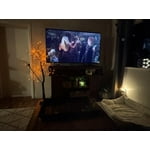
Living room TV
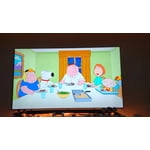
[This review was collected as part of a promotion.] This TV is set in my living room and it's perfect for movies, Xbox games with its built game mode. The TV is easy to stream to via wifi and also responds fast to other connections like Bluetooth headphones. The colors are clear and vibrant. The black colors could be deeper but, honestly, they aren't bad at all. The TV speakers aren't great but I use a sound bar for audio so the TV speakers are never used anyway. Overall, this is a great and affordable TV. I enjoy using it daily.

Review from Samsung US
Helpful?1RMTE3JL1NV513893753801
Apr 8, 2025
Reviewer name: Bill Allentown PA
5 out of 5 stars
5 out of 5 stars review

Great find. Thanks Samsung human logical proramr .

1 month old. accepted my internet router easily. Nice as I am not a Tekkie. Very satisfying picture. New unique remote actually user friendly. look intimidating. Easy access to all settings. Oh, and the picture...very pleasing. sharp and comfortable!!!

Review from Samsung US
Helpful?1RMTE3JL1NV513893753801
May 8, 2025
Reviewer name: Love Colors
4 out of 5 stars
4 out of 5 stars review

Beautiful, vivid colors

I bought my TV a month ago. I love the vivid color and the size of the screen I purchased. I do wish Samsung would design their remote with elderly or persons with arthritis in mind. The remote is so small & trim that it is difficult to hold & press the buttons without hitting 2 buttons at a time. I purchased a universal remote that I can operate with less difficulties.

Review from Samsung US
Helpful?1RMTE3JL1NV513893753801
May 6, 2025
Reviewer name: Eddie
4 out of 5 stars
4 out of 5 stars review

Would definately recommend and buy again!

Time to upgrade the bedroom TV, so went a little large and glad I did. Colors, sound and features are what make this TV stand out. I'm very happy with this TV and it's my second Samsung. I would have given it 5 stars, but the setup was a little on the wonky side and I had to call to re-set everything and start from scratch.

Review from Samsung US
Helpful?1RMTE3JL1NV513893753801
Apr 27, 2025
Reviewer name: Unhappy
3 out of 5 stars
3 out of 5 stars review

Worse remote

I purchased about a month ago. I hate the remote, the so call 2 page manual, and the whole setup is so confusing. I discovered that I can use the remote from the Du6000. I wish I could get another so that I don't have to take it from my living upstairs to the bedroom. I missed a lot of my shows because I couldn't figure how to find my steaming channels.

Review from Samsung US
Helpful?1RMTE3JL1NV513893753801
reply from Samsung Advisor

Hi Unhappy, We appreciate your review of the DU7200 TV. To learn how to use your Samsung remote and understand the settings on your TV, please use your remote to access the remote guide. Go to Home> (left directional button) Settings> Support> Remote Control Guide. Samsung remotes are designed to be convenient and useful, but we understand if you’d prefer to use a third-party remote, whether it’s a universal remote, a game controller, or something else! Whether you are replacing a lost remote or using an alternative remote to help reduce clutter, a third-party remote is a great option to use to control your Samsung TV. Finally, to download the manual and quick start guide, please follow this link: https://www.samsung.com/us/support/downloads/?model=N0060577&modelCode=UN50DU7200DXZA If you ever have questions or need help, Samsung is here for you! Give us a call at 1-800-SAMSUNG, 8 AM - 12 AM EST, seven days a week. Our LiveChat agents are also available by clicking on the ‘Support’ link on our website. ~Samsung Advisor

Sep 14, 2024
Reviewer name: Gamerguy
5 out of 5 stars
5 out of 5 stars review

I can't believe I waited so long to get a new t v

[This review was collected as part of a promotion.] I mainly use my TV for video games, and I love this t. V, the latency in my video games is very low. The colors and textures are great period I have improved my gameplay since upgrading to this t v period it also is compatible with the hi.Gh output of the xbox series x, making it a perfect companion

Review from Samsung US
Helpful?1RMTE3JL1NV513893753801
Mar 5, 2025
Reviewer name: Holy cow
2 out of 5 stars
2 out of 5 stars review

55 inches is great

This TV is really got a great picture and I love the size. I hate that you can’t just turn it on and be at the channel you left. You have to push another button to get there too confusing for this old lady. i’m even using a universal remote control that’s got numbers on it Accumulate 150 minimum Tha Alive

Review from Samsung US
Helpful?1RMTE3JL1NV513893753801
reply from Samsung Advisor

Hi Holy cow, Thank you for choosing the DU7200 TV and for your review. You can choose what your TV does when you turn it on by going to Settings > All Settings> General > Smart Features. When you set Autorun Smart Hub to be on, the TV displays the Home Screen automatically when you turn the TV on. If Autorun Last App is set to on, the last used app automatically runs when you turn on the TV. You can turn this function on or off. I hope this tip helps. If there is anything we can do to further assist and improve your user experience, please let us know by contacting Samsung Customer Support. You can contact us for further help at 1-800-SAMSUNG, 8 AM - 12 AM EST, seven days a week. Our LiveChat agents are also available by clicking on the ‘Support’ link on our website. ~ Samsung Advisor

Dec 25, 2024
Reviewer name: SmartTechnology
5 out of 5 stars
5 out of 5 stars review

Smart features like bixby and smart things
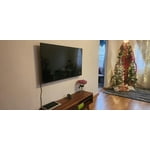
[This review was collected as part of a promotion.] This TV has all of the features that we need. It has smart features like smart things, work with Alexa and Google Home( my favorite). Also no more need gaming console. You just need any gaming controller or you can use your phone as gaming controller like amazon Luna( just download from playstore or appstore). Picture quality is like its name, Crystal. Remote has shortcut button like Disney plus, Prime video and Netflix. Overall we can say All-in-One Package. L,

Review from Samsung US
Helpful?1RMTE3JL1NV513893753801
Feb 6, 2025
Reviewer name: FGS1
1 out of 5 stars
1 out of 5 stars review

Bizarre

Bought this TV 5 days ago and every 7-10 minutes the screen goes black. In about a minute it comes back on and freezes for a brief moment and then in about 7-10 minutes it goes black again. It ran perfectly for a full 4 days w/o any problems. I am absolutely baffled.

Review from Samsung US
Helpful?1RMTE3JL1NV513893753801
reply from Samsung Advisor

Hi FGS1, If you've switched on your TV and the sound comes through fine, but you do not see any picture, there are three potential issues. 1) A connection issue is the most common problem where there is a bad connection, faulty cables, or improper installation. 2) An issue with the device connected to the TV. There may be a video output setting on the device that you must set properly before it will output to the TV. 3) There is something wrong with the TV, requiring a technician to assess the TV and find a solution. Please give us the opportunity to assist you by contacting Samsung Customer Support via any of the following options: Give us a call at 1-800-SAMSUNG, 8AM - 12AM EST, 7 days a week. Or visit us on the Samsung website and click on the ‘Support’ link for: • LiveChat • Manuals, Software, & Warranty Info ~Samsung Advisor