Skip to Main Content
Sam's Club
Sam's Club
All Departments
All Services
Customer reviews for SAMSUNG 85” Class DU7200 Series 4K Smart TV for
SAMSUNG 85” Class DU7200 Series 4K Smart TV
4.3 out of 5 stars
stars
1,178 ratings1,031 reviews
  1. 5 stars63% (745)
  2. 4 stars18% (208)
  3. 3 stars8% (98)
  4. 2 stars5% (58)
  5. 1 star6% (69)

Member photos

  • +175 images
Sort by |
Showing 101-110 of 1,031 reviews
May 11, 2024
Reviewer name: RCMC01
5 out of 5 stars
5 out of 5 stars review

Wonderful TV

[This review was collected as part of a promotion.] I love both of my Samsung TVs, newer 60" in my living room and the 50" on my bedroom. They offer great picture quality with clear, sharp images, accurate colors, and excellent flow on a tin sequences. I could not be happier with my Samsung TVs.

Review from Samsung US
Helpful?1RMTE3JL1NV513893753801
Dec 13, 2024
Reviewer name: Mebe
5 out of 5 stars
5 out of 5 stars review

Like the stand width of just over 26 inches.

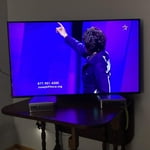
Only 43 inch TV that had stand narrow enough to fit my table. Time-consuming but simple set up. Excellent prompts, on screen user guide. Nice picture. Antenna picks up more stations on this TV than with my former Samsung. Like the Samsung plus TV choices.

Review from Samsung US
Helpful?1RMTE3JL1NV513893753801
Oct 24, 2024
Reviewer name: 6084871555
5 out of 5 stars
5 out of 5 stars review

Quality u can see

[This review was collected as part of a promotion.] I love my new Samsung TV. It's got all the expected bells and whistles. Plus it's got the quality I've come to expect from Samsung products . Quality u can see from the moment u open the box . And reliability u can count on . I love my Samsung TV!!!!!

Review from Samsung US
Helpful?1RMTE3JL1NV513893753801
Feb 25, 2025
Reviewer name: Jeys
4 out of 5 stars
4 out of 5 stars review

Satisfying first Samsung TV

My first ever Samsung TV. This fit nicely for the price, size and picture quality for a loft TV. The room is well lit but still picture is quite bright and contrast is good. Have watched some regular content but nothing to test it's display extremities , so far so good. Audio is loud enough but have my old Yamaha bar hooked in. Build seems to be a bit flimsy plastic feeling as I can feel the body slightly bend or budge while setting up the TV, so feels bit unsafe with a feeling that I might break it. Reduced a star coz of the flimsy feel with the remote and TV build quality. Have to see how long they hold compared to the build quality of my still running Sony from 14yrs ago.

Review from Samsung US
Helpful?1RMTE3JL1NV513893753801
Feb 6, 2025
Reviewer name: Jasper
4 out of 5 stars
4 out of 5 stars review

Great but not user friendly.

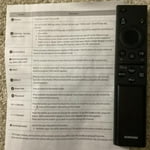
I replaced my 8 year old Samsung flatscreen with this 43” smart flatscreen. TV viewing is great and I have adapted several streaming apps. I am replacing the Roku streaming service. The instructions with the new tv were lacking greatly, especially with regards to the features on the remote. Little instruction beyond the power button function. I still don’t understand the function of three buttons on the remote control.

Review from Samsung US
Helpful?1RMTE3JL1NV513893753801
reply from Samsung Advisor

Hi Jasper, We appreciate your review of the DU7200 TV. Please know that you can learn how to use your Samsung Remote by going to Home> (left directional button) Settings> Support> Remote Control Guide. I hope this helps! If you need more help, Samsung is here for you. Please call us at 1-800-SAMSUNG, 8 AM - 12 AM EST, seven days a week. Our LiveChat agents are also available by clicking on the ‘Support’ link on our website. ~Samsung Advisor

Apr 28, 2025
Reviewer name: Ray73
3 out of 5 stars
3 out of 5 stars review

Extremely slow startup

This TV has great sound and a very nice picture. The main problem I have with all Samsungs is that the remote keeps changing. I own several Samsungs now and every remote is different. Even though they are Smart TVs, I use a ROKU on all of them. With the ROKUs, I don't have to explain to the wife or kids (over and over) how each remote functions. We just use the ROKU remotes to control them all, and they are all the same. This particular TV also takes a ridiculously long time to start up. Early on, I kept thinking I forgot to press the power button. In addition to that, it takes a long time to recognize that something is connected to the HDMI 1 port. My other Samsungs start up quickly and go directly to the HDMI port where the ROKU is installed. Even without the ROKU, I think the slow startup will bother most people.

Review from Samsung US
Helpful?1RMTE3JL1NV513893753801
reply from Samsung Advisor

Hi Ray73, We appreciate your feedback on the response time, and for optimal performance, we ask that you please ensure you've got the latest firmware version installed on your DU7200 TV. You can check this by going to Home > Menu > Settings > Support > Software Update. You may also want to further optimize performance with the self-diagnostic tool, which checks memory, frees up unused cached memory, and closes background apps. Go to: Home > Menu > Settings > Support > Device Care > Start Device Care. If you need more help, Samsung is here for you! Please call us at 1-800-SAMSUNG, 8 AM - 12 AM EST, seven days a week. Our LiveChat agents are also available by clicking on the ‘Support’ link on our website. ~ Samsung Advisor

Nov 20, 2024
Reviewer name: SamIam
5 out of 5 stars
5 out of 5 stars review

Easy functionality

[This review was collected as part of a promotion.] The set up was quick and simple. It even downloaded apps from my other TV connected to the wifi which was awesome! I love how simple it is to use my phone as a remote and the overall picture quality is great as well.

Review from Samsung US
Helpful?1RMTE3JL1NV513893753801
Jul 23, 2024
Reviewer name: casicas2
5 out of 5 stars
5 out of 5 stars review

I love this wonderful TV!!!

[This review was collected as part of a promotion.] This new Samsung UHD 85" TV is super special. It has crystal clear picture, beautiful bright colors and wonderful sound. It has predownloaded apps. (Netflix, Hulu, and Prime video, etc.), TV music stations (R&B,Pop, Dance, country, etc.), TV guide and TV channels. The TV is Bluetooth ready to connect to our phone, ear phones, speakers and sound bars. It's able to surf the internet. I love this TV. I am so happy to have recently purchased it.

Review from Samsung US
Helpful?1RMTE3JL1NV513893753801
Jan 6, 2025
Reviewer name: Teebrown
5 out of 5 stars
5 out of 5 stars review

Very good buy

[This review was collected as part of a promotion.] This is a very good choice for a television. Am very pleased with pic. quality ease of setup. Connected to WiFi very easy procedure. Love the Samsung channels built into their sets. I haven’t made it to the end of the list yet. I start scrolling to see how many channels their are and end up finding something to watch.

Review from Samsung US
Helpful?1RMTE3JL1NV513893753801
Mar 6, 2025
Reviewer name: LisaT
2 out of 5 stars
2 out of 5 stars review

Not completely satisfied.

My spouse bought this several months ago Khe thought we needed a bigger screen)& so far have not been completely satisfied. Not enough ports on back of TV: No port for external sound system we used on old TV, so spouse bought complete new external speakers (extra expense). Cable box uses 1 HDMI port. DVD player uses 2nd HDMI port. No ports for WII game console. Had to purchase a converter to HDMI & then have to unplug either the cable box or the DVD player to plug game consoles in. External antenna port only tunes 1 channel at a time. Have to perform a new search each time we want to watvch a different channel from the external antenna. (Same external antenna used on old TV which scanned in 14 different channels at one time) Can't figure out how to use the the streaming channels preprogrammed on TV. (Not user friendly for senior citizens) If it was up to me I would have returned this TV & used the old one we had until it croaked.

Review from Samsung US
Helpful?1RMTE3JL1NV513893753801
reply from Samsung Specialist

LisaT, Thank you for sharing your thoughts on the input selection - we'll be sure to pass this feedback along to our design teams. To assist in learning the various functions, please know you can download the DU7200D TV's User Manual, e-Manual, Remote Control Leaflet, and Quick Setup Guide on Samsung's website under Support > Manuals & Software > TVs & Home Theater. You can search for and select the DU7200D TV to download the guides you would like. The e-Manual and Remote Guide are both also embedded into your TV itself under Menu > Settings > Support > Open e-Manual. If you need more help, Samsung is here for you. Please call us at 1-800-SAMSUNG, 8AM - 12AM EST, 7 days a week. Our LiveChat agents are also available by clicking on the ‘Support’ link on our website. ~ Samsung Specialist