Skip to Main Content
Sam's Club
Sam's Club
All Departments
All Services
Customer reviews for SAMSUNG 60" Class DU7200 Series 4K Smart TV for
SAMSUNG 60" Class DU7200 Series 4K Smart TV
4.2 out of 5 stars
stars
1,028 ratings965 reviews
  1. 5 stars61% (626)
  2. 4 stars20% (201)
  3. 3 stars9% (92)
  4. 2 stars5% (49)
  5. 1 star6% (60)

Member photos

  • +150 images
Sort by |
Showing 461-470 of 965 reviews
Feb 20, 2025
Reviewer name: Movie Buff
5 out of 5 stars
5 out of 5 stars review

Great valueTV

Great picture and lots of features a more comple user manual would be helpful I would recommend and would buy again. This is our 2nd Samsung tv and the reason for buying is because we liked our 1st Samsung

Review from Samsung US
Helpful?39HMRPI2C1I113892053645
Apr 19, 2025
Reviewer name: BEHONEST2
3 out of 5 stars
3 out of 5 stars review

getting harder to understand.

Picture is fine. that's all. Remote control is a toy that does not agree with any cable provider. Useless, worthless. Volume is to be 40 and higher to be heard. Don't know how to adjust.

Review from Samsung US
Helpful?39HMRPI2C1I113892053645
reply from Samsung Advisor

Hi BEHONEST2, Thank you for sharing your experience with low volume. There are several volume features you can adjust, which may improve your audio experience. 1) Auto Volume automatically adjusts the sound to a certain level when changing channels or switching to another external input. Go to Settings > All Settings> Sound > Expert Settings > Auto Volume. 2) Adaptive Sound automatically adjusts to a specific volume level while watching TV. The TV analyzes your volume usage history by time period to automatically adjust the volume when you use an app or switch to an external input source. Go to Settings> All Settings> Sound> Sound Mode> Adaptive Sound. 3) Several Sound Modes are likewise available to meet your personal preferences: Home > Settings > All Settings> Sound > Sound Mode. Also, some sources have their own volume control, which might need to be set higher. Please check the volume control of the external device (cable box or satellite box, DVD, Blu-ray, etc.) connected to your TV. Also, check the cable connection between an external device and the TV and then try the cable connection again. If you need more help, Samsung is here for you! Please call us at 1-800-SAMSUNG, 8 AM - 12 AM EST, seven days a week. Our LiveChat agents are also available by clicking on the ‘Support’ link on our website. ~ Samsung Advisor

Apr 19, 2025
Reviewer name: cjinwg
2 out of 5 stars
2 out of 5 stars review

Mediocre at best.

Mediocre at best. TV shuts off randomly and whilst watching Samsung TV show will randomly switch to another Samsung channel. Will never buy Samsung again. This is the fourth Samsung I’ve owned and am going to another brand.

Review from Samsung US
Helpful?39HMRPI2C1I113892053645
reply from Samsung Advisor

Hi cjinwg, We appreciate you taking the time to let us know about your experience with your TV. So that we can better troubleshoot this issue and provide steps towards a solution, please contact Samsung Support at 1-800-SAMSUNG, 8AM - 12AM EST, 7 days a week. Or visit us on the Samsung website and click on the ‘Support’ link for: • LiveChat • Manuals, Software, & Warranty Info ~ Samsung Advisor

Apr 19, 2025
Reviewer name: Bill
4 out of 5 stars
4 out of 5 stars review

wifi problems
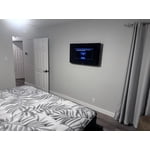
tv looks and works great. but i’m having 1 problem with it. It doesn’t stay connected to the wifi and the only way I can get it to reconnect is to reset my router. All 4 other tvs stay connected, this one is the only one with this problem

Review from Samsung US
Helpful?39HMRPI2C1I113892053645
Feb 5, 2025
Reviewer name: Boatdave
5 out of 5 stars
5 out of 5 stars review

Great picture!

I have to other more expensive Samsungs which we totally love. We purchased this one for the basement and am very, very happy with the picture quality and sound. Easy set up....

Review from Samsung US
Helpful?39HMRPI2C1I113892053645
Apr 19, 2025
Reviewer name: Itene
3 out of 5 stars
3 out of 5 stars review

Not thrilled

I have had this for a month or two now. My Vizio was better to be honest. And for the life of me I cannot get it to stop giving me directions on turning on/off. So annoying

Review from Samsung US
Helpful?39HMRPI2C1I113892053645
reply from Samsung Advisor

Hi Itene, We appreciate your feedback on the DU7200 TV. If your TV is announcing everything you do, then Voice Guide is turned on. Voice Guide is an accessibility function to assist users who are visually impaired. It is possible that you have turned it on by accident by holding down the volume button on your TV remote. To turn off Voice Guide, navigate to Home > Settings > All Settings> General > Accessibility > Voice Guide Settings > Voice Guide. If you need more help, Samsung is here for you! Please call us at 1-800-SAMSUNG, 8 AM - 12 AM EST, seven days a week. Our LiveChat agents are also available by clicking on the ‘Support’ link on our website. ~ Samsung Advisor

Feb 5, 2025
Reviewer name: CostcoShopper
4 out of 5 stars
4 out of 5 stars review

Good TV

Bought TV for a small den. Perfect size, great picture. Only issue I have is with the remote- it's just too small. Buttons are hard to use. Reminds me of typing on the old Blackberry QWERTY.

Review from Samsung US
Helpful?39HMRPI2C1I113892053645
Apr 21, 2025
Reviewer name: Tv11
3 out of 5 stars
3 out of 5 stars review

Bad remote

TV is pretty good everything on it is really clear and it has a very good picture but the remote doesn't work very good at all you have to hold it at just the right spot so it will work

Review from Samsung US
Helpful?39HMRPI2C1I113892053645
reply from Samsung Advisor

Hi Tv11, We appreciate your review of the DU7200 TV. To learn how to use your Samsung remote and understand the settings on your TV, please use your remote to access the remote guide. Go to Home> (left directional button) Settings> Support> Remote Control Guide. If you need more help, Samsung is here for you. Please call us at 1-800-SAMSUNG, 8 AM - 12 AM EST, seven days a week. Our LiveChat agents are also available by clicking on the ‘Support’ link on our website. ~Samsung Advisor

Apr 21, 2025
Reviewer name: Checo
5 out of 5 stars
5 out of 5 stars review

Awesome TV

I received the Samsung TV as a gift. We were so pleased with our kids purchase. Samsung TV is everything we imagine. The clarity, color and ease to use were awesome 👌. Would purchase again.

Review from Samsung US
Helpful?39HMRPI2C1I113892053645
Feb 20, 2025
Reviewer name: Basel
5 out of 5 stars
5 out of 5 stars review

Great picture and Sounds

I purchased this TV around Christmas and I really love it. The price and quality can't be beat. I'm always impressed with Samsung and the quality of the tvs produced. Excellent picture quality and sounds

Review from Samsung US
Helpful?39HMRPI2C1I113892053645