Skip to Main Content
Sam's Club
Sam's Club
All Departments
All Services
Customer reviews for SAMSUNG 60" Class DU7200 Series 4K Smart TV for
SAMSUNG 60" Class DU7200 Series 4K Smart TV
4.2 out of 5 stars
stars
1,028 ratings965 reviews
  1. 5 stars61% (626)
  2. 4 stars20% (201)
  3. 3 stars9% (92)
  4. 2 stars5% (49)
  5. 1 star6% (60)

Member photos

  • +150 images
Sort by |
Showing 431-440 of 965 reviews
Feb 26, 2025
Reviewer name: MammaCarol
5 out of 5 stars
5 out of 5 stars review

Wonderful unit.

I love this TV. The Picture quality and the sound is phenomenal. The ease of using whatever streaming service I have is very easy and user-friendly, which is good especially for a senior citizen. I even enjoy many of the programs on Samsung plus.

Review from Samsung US
Helpful?39HMRPI2C1I113892053645
Mar 5, 2025
Reviewer name: GA2025
5 out of 5 stars
5 out of 5 stars review

Tv

We bout this about 2 weeks ago! We absolutely love it. The tv has great picture and it has lots of options on it. The only thing I don’t like is the remove where the volume is, because if you are not careful it will go to something off spectrum.

Review from Samsung US
Helpful?39HMRPI2C1I113892053645
Feb 5, 2025
Reviewer name: Theatsa
4 out of 5 stars
4 out of 5 stars review

Bad remote

I bought this TV a few weeks And the remote control needs to be reset about once a week. I know how to do it but nobody else in my household does and it’s a pain in the butt.

Review from Samsung US
Helpful?39HMRPI2C1I113892053645
Mar 26, 2025
Reviewer name: Frederick
5 out of 5 stars
5 out of 5 stars review

Great features

The Samsung 65’inch Smart TV is a real nice tv.. it has a lot of features and the picture quality is very crisp but you can however set it to your desire preference.. it’s not bulky at all.. would definitely recommend a purchase

Review from Samsung US
Helpful?39HMRPI2C1I113892053645
Feb 20, 2025
Reviewer name: RJoc19
4 out of 5 stars
4 out of 5 stars review

Great Picture

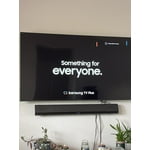
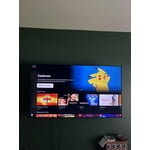
Love the TV but hate the remote!! Still trying to figure out how to customize the Home Screen but the TV has a great picture and wall mounted it’s the perfect size for my family room!

Review from Samsung US
Helpful?39HMRPI2C1I113892053645
Apr 19, 2025
Reviewer name: Anonymous
5 out of 5 stars
5 out of 5 stars review

Great tv!

I purchased this product a couple months ago for our bedroom and we love it! The picture quality is great and the TV was discounted at a great price as well. It also came with 3 year warranty so it was a no brainer!

Review from Samsung US
Helpful?39HMRPI2C1I113892053645
Feb 20, 2025
Reviewer name: Dana
5 out of 5 stars
5 out of 5 stars review

Better than Iphones

We decided to change from iphones back to android. So far I love this phone. The camera is amazing! It was not difficult to figure out. Plus we got a spanking, great deal through our provider!

Review from Samsung US
Helpful?39HMRPI2C1I113892053645
Feb 20, 2025
Reviewer name: PKDNPT
2 out of 5 stars
2 out of 5 stars review

Waste of money

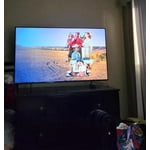
I tried this television for a few months now. The picture is absolutely horrible unless the room is totally dark. If the sun is shining in you can see nothing.

Review from Samsung US
Helpful?39HMRPI2C1I113892053645
reply from Samsung Advisor

Hi PKDNPT, It’s unfortunate to hear you’re not fully satisfied with the brightness of your DU7200 TV’s picture. Please know that we are here to help you. First, let’s ensure you are running the latest Firmware Update. Go to Settings> Support> Software Update. Next, If the colors on your TV are correct but just a little too dark or bright, you can try adjusting Picture Modes, Contrast, Brightness, or Sharpness settings. For darker scenes, I recommend Dynamic Picture Mode, which makes pictures brighter and clearer in bright viewing environments. Go to Settings > All Settings> Picture > Picture Mode > Dynamic. Or you can manually adjust the Brightness by pressing the HOME button on your remote, then navigating to Settings > All Settings> Picture > Expert Settings. You may also want to disable Power Saving Mode, which automatically adjusts the brightness to reduce the TV’s power consumption. Go to Settings > All Settings> General > Eco Solution> Power Saving Mode. I hope this helps to improve your picture. Should you need further assistance, please contact us at 1-800-SAMSUNG, 8 AM - 12 AM EST, seven days a week. Or visit us on the Samsung website and click on the ‘Support’ link for: 1) LiveChat 2) Manuals, Software, & Warranty Info ~ Samsung Advisor

Feb 5, 2025
Reviewer name: Britviewer
5 out of 5 stars
5 out of 5 stars review

Perfect picture!!

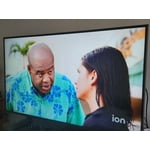
I’ve been extremely pleased with my new T.V. It’s a perfect size for my space, & the picture is crystal clear!! A huge improvement on what I had before!!

Review from Samsung US
Helpful?39HMRPI2C1I113892053645
Apr 20, 2025
Reviewer name: none
3 out of 5 stars
3 out of 5 stars review

Pretty and big but broke after 2 weeks

This TV has a nice large screen and looked really good. Really vibrant colors. But after 2 weeks it would not turn on one morning. Just make a clicking noise and never turn on. So I returned it.

Review from Samsung US
Helpful?39HMRPI2C1I113892053645
reply from Samsung Advisor

Hi, We are sorry to hear about your experience. Should you ever decide to give Samsung TVs another try and have questions or need help with settings, setup, or features, we would be happy to help. Call us at 1-800-SAMSUNG, 8 AM – 12 AM EST, seven days a week. LiveChat with an agent, as well as manuals, software, and warranty info, can be found at the ‘Support’ link on our Samsung website. We hope to regain you as a customer in the future. ~ Samsung Advisor