Skip to Main Content
Sam's Club
Sam's Club
All Departments
All Services
Customer reviews for SAMSUNG 60" Class DU7200 Series 4K Smart TV for
SAMSUNG 60" Class DU7200 Series 4K Smart TV
4.2 out of 5 stars
stars
1,028 ratings965 reviews
  1. 5 stars61% (626)
  2. 4 stars20% (201)
  3. 3 stars9% (92)
  4. 2 stars5% (49)
  5. 1 star6% (60)

Member photos

  • +150 images
Sort by |
Showing 341-350 of 965 reviews
Jun 5, 2025
Reviewer name: Vivian
3 out of 5 stars
3 out of 5 stars review

Poor Volume

The picture is excellent but the volume is not. At 100 the volume is like when you have a regular TV at 30. That is the only fault I found on this TV.

Review from Samsung US
Helpful?39HMRPI2C1I113892053645
reply from Samsung Advisor

Hi Vivian, Thank you for sharing your experience with low volume. There are several volume features you can adjust, which may improve your audio experience. 1) Auto Volume automatically adjusts the sound to a certain level when changing channels or switching to another external input. Go to Settings > All Settings> Sound > Expert Settings > Auto Volume. 2) Adaptive Sound automatically adjusts to a specific volume level while watching TV. The TV analyzes your volume usage history by time period to automatically adjust the volume when you use an app or switch to an external input source. Go to Settings> All Settings> Sound> Sound Mode> Adaptive Sound. 3) Several Sound Modes are likewise available to meet your personal preferences: Home > Settings > All Settings> Sound > Sound Mode. Also, some sources have their own volume control, which might need to be set higher. Please check the volume control of the external device (cable box or satellite box, DVD, Blu-ray, etc.) connected to your TV. Also, check the cable connection between an external device and the TV and then try the cable connection again. If you need more help, Samsung is here for you! Please call us at 1-800-SAMSUNG, 8 AM - 12 AM EST, seven days a week. Our LiveChat agents are also available by clicking on the ‘Support’ link on our website. ~Samsung Advisor

May 20, 2025
Reviewer name: Cat28
4 out of 5 stars
4 out of 5 stars review

Sound and the color was so clear very impressed

I was so excited about this tv but after about a month or so ago, the screen keeps turning dark, then returns normal and keeps doing this all day/night

Review from Samsung US
Helpful?39HMRPI2C1I113892053645
May 20, 2025
Reviewer name: Panch
4 out of 5 stars
4 out of 5 stars review

Good Electronic Device

We like color and background contrast lighting. Sound is above average for other household tvs. I can not get our Bose sound system to be recognized by this tv, need technical assistance.

Review from Samsung US
Helpful?39HMRPI2C1I113892053645
May 24, 2025
Reviewer name: Pete
5 out of 5 stars
5 out of 5 stars review

Excellent Television

I enjoy watching television shows on my Samsung 43-inch television. The picture is crystal clear. The television is very easy to operate. It is very user-friendly. I recommend it highly.

Review from Samsung US
Helpful?39HMRPI2C1I113892053645
May 5, 2025
Reviewer name: Luvsamsung
5 out of 5 stars
5 out of 5 stars review

Good TV for the price

I bought this Samsung for my bedroom. It's a very nice TV with good picture quality. The only thing I don't like is the remote. In my opinion it isn't user friendly compared to remotes on other brands like Vizio.

Review from Samsung US
Helpful?39HMRPI2C1I113892053645
Aug 29, 2024
Reviewer name: Robot
1 out of 5 stars
1 out of 5 stars review

make "smart" home dumb again

-Cannot receive software updates unless you give Smasung permission to collect information on whatever you view on your TV. -Cannot disable Bluetooth.

Review from Samsung US
Helpful?39HMRPI2C1I113892053645
reply from Samsung Advisor

Hi Robot, We appreciate your honesty regarding your experience with the DU7200 TV. Please know your feedback will be shared with our internal teams. If you do not wish to update your Firmware via Wi-Fi, you can download the update on a USB drive and manually update your TV: 1. On Samsung's website (upper right corner), go to Support > Manuals & Software > Find your TV model. 2. Download the update and extract it to the root of a USB thumb drive. (Do not put it in any folders on the thumb drive.) 3. Connect the USB thumb drive to a USB port on your TV. 4. Navigate to Settings > Support > Software Update, select Update Now, and then select Yes. 5. Follow the on-screen instructions to install the updated software. If we can further help with any other issues, we are happy to help. Just call us at 1-800-SAMSUNG, 8 AM - 12 AM EST, seven days a week. Our LiveChat agents are also available by clicking on the ‘Support’ link on our website. ~ Samsung Advisor

Jul 10, 2024
Reviewer name: Aq1341
5 out of 5 stars
5 out of 5 stars review

Transitions

[This review was collected as part of a promotion.] It has very good transitions when movie is playing or show . Also it does not look pixilated like other tvs

Review from Samsung US
Helpful?39HMRPI2C1I113892053645
May 6, 2025
Reviewer name: Lovelygreeneyes
5 out of 5 stars
5 out of 5 stars review

BEST tv in my eyes

I brought this a few months ago, a huge upgrade from my older Samsung! OMG, I'm so impressed by this TV—I did my research before buying. I love it! The picture and sound are amazing! 😍📺👍 #TV #Samsung #Upgrade #Technology #HomeTheater

Review from Samsung US
Helpful?39HMRPI2C1I113892053645
Aug 5, 2024
Reviewer name: Samsunglover
5 out of 5 stars
5 out of 5 stars review

Best overall 4k TV available at this price level
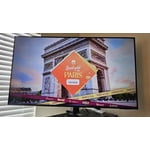
[This review was collected as part of a promotion.] I spent weeks looking at TV's in stores, online, reading reviews, blogs, etc. At this price range, it really is the best overall when comparing features, brand name, and actual picture.

Review from Samsung US
Helpful?39HMRPI2C1I113892053645
Apr 8, 2024
Reviewer name: WhyteTone55
5 out of 5 stars
5 out of 5 stars review

Very nice television that is great for anything

[This review was collected as part of a promotion.] You can see anywhere in the room definitely great for gaming or streaming or even listening to music Samsung knocked it out of the park with this one

Review from Samsung US
Helpful?39HMRPI2C1I113892053645