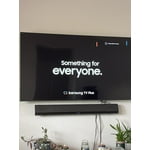
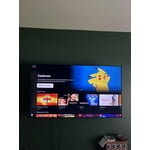
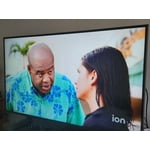
Customer reviews for SAMSUNG 60" Class DU7200 Series 4K Smart TV forMember photos


+150 images
Like the stand width of just over 26 inches.
Only 43 inch TV that had stand narrow enough to fit my table. Time-consuming but simple set up. Excellent prompts, on screen user guide. Nice picture. Antenna picks up more stations on this TV than with my former Samsung. Like the Samsung plus TV choices.
Not Happy With New Smart TV
Very disappointed in the performance of this TV. Same refresh rate as the 55' TCL I replaced with this TV, yet it constantly gets blurry before ultimately displaying a clear picture. The remote is terrible, ridiculously small and impossible to read in a darkened room when changing programming. Is there an alternative remote? The home screen is a mess, with so much junk I would never use and again, the layout is too small for a TV this size. I have a ROKU stick plugged into my 45' Samsung plasma in a bedroom that I have had since 2013 and it performs flawlessly. The new set audio is fine with the TCL soundbar, and excellent with the Avantree blue tooth headphones, but the overall performance of the new Samsung is lacking, despite a super high speed internet connection.. I am a television professional and am at a loss at what to do with this new set. Suggestions helpful, as right now I want to return it and try something that performs as advertised.
TVPRO, Thank you for sharing your thoughts on the picture quality of your DU7200D TV. To ensure you’ve got the latest image updates, please confirm that your TV is up to date with the latest firmware version. You can check by going to: Home > Menu > Settings > Support > Software Update. If the picture you’re seeing is still not to your liking after updating firmware, you may want to adjust the picture clarity settings by going to: Menu > Settings > All Settings > Picture > Expert Settings > Picture Clarity Settings - Off: Picture Clarity Settings will always be off - Auto: Picture Clarity Settings will automatically activate and deactivate based on the type of program being watched - Custom: Allows custom adjustments and settings to be used. By selecting the Custom option, you can access these advanced settings for Judder Reduction, LED Clear Motion, and Noise Reduction. To assist in learning the various functions, please know you can download your TV's User Manual, e-Manual, Remote Control Leaflet, and Quick Setup Guide on Samsung's website under Support > Manuals & Software > TVs & Home Theater. You can search for and select the DU7200D TV to download the guides you would like. The e-Manual and Remote Guide are both also embedded into your TV itself under Menu > Settings > Support > Open e-Manual. If you need more help, Samsung is here for you. Please call us at 1-800-SAMSUNG, 8AM - 12AM EST, 7 days a week. Our LiveChat agents are also available by clicking on the ‘Support’ link on our website. ~ Samsung Specialist
Apps are wonderful and you can add more.
We have had this TV (60") about a month and a half. So please with the picture quality, ease of set up, and great warranty for this level of TV. This replaced another 58" product that died right after the warranty was up. No names to protect the brand, but it was not a Samsung. I love I can use a Tablo box with it so reduce the number of satellite boxes I have all over the house. My wife favorite pastime is keeping this on all day. If it's gonna fail, it will. We are happy right now. Great price too.
Great looking TV with drawbacks
[This review was collected as part of a promotion.] I realize that obtaining people’s personal information is a major plus for your organization, but for the customer, it is completely unnecessary and should never be a part of the purchase of a television. You cannot get full functionality without submitting this information and that’s disgusting. The opening screen with all the little windows is not useful and quite annoying. Just let the TV start with the most recent input and let the user make the change when they are ready. Trying to hook up a soundbar is not easy. There is basically nothing in the paperwork about it. Of course, there’s plenty of information about connecting a Samsung soundbar. Eliminating the digital optical input is absolutely ridiculous, and I almost repacked the TV and brought it back when I saw that. Changing the threads for the TV mount from models sold a few years ago was also a problem. As usual, you did this to encourage people to buy a Samsung TV mount. I have purchased 4 Samsung TVs over the last decade, but this most recent will be the last. The TVs have a beautiful picture, but you have gone too far with invading our privacy, and forcing additional products on us. Thank you the opportunity to submit feedback.
Hi Joseph, Thank you for taking the time to provide us with detailed feedback regarding the setup and connection of external devices on the DU7200 TV. Please know your opinion will be shared with our internal teams. We understand sometimes there is a learning curve when you get a new TV! This is why we created step-by-step guides, to make it easier for you. To learn about your TV go to https://www.samsung.com/us/support/answer/ANS00062199/. Please know, you can choose what your TV does when you turn it on by going to Settings > All Settings> General > Smart Features. When you set Autorun Smart Hub to be on, the TV displays the Home Screen automatically when you turn the TV on. If Autorun Last App is set to on, the last used app automatically runs when you turn on the TV. You can turn this function on or off. Regarding mounting your TV, please know your TV should work with most universal mounts. You may need to purchase new screws, which can be found at your local hardware store. For your DU7200, you will need 4 x M8 screws, 20-22mm length, and 1.25mm pitch. I hope these tips help. If you need more assistance, Samsung is here for you! Please call us at 1-800-SAMSUNG, 8 AM - 12 AM EST, seven days a week. Our LiveChat agents are also available by clicking on the ‘Support’ link on our website. ~ Samsung Advisor
Fantastic TV with easy, fast setup
[This review was collected as part of a promotion.] Purchased this tv to replace a 10+ year old 1st generation Samsung smart TV that stll worked perfectly but was not able to download new streaming apps. (We finally cut the cord!) The setup of my new DU7200D was totally seamless. The easiest tv I have ever set up. It even connected automatically to my 8 year old Samsung soundbar. Total time to unbox, setup, register, and connect to 4 streaming apps was less than 20 minutes. This tv is in our bedroom and the 43" size is perfect. Picture quality is fantastic. Good light balancing when room is dark or with all the lights on. Colors are vivid and natural and the blacks are black. Love the connectivity availability with my Samsung smart phone. I highly recommend this product to anyone looking for a great value.
55 inches is great
This TV is really got a great picture and I love the size. I hate that you can’t just turn it on and be at the channel you left. You have to push another button to get there too confusing for this old lady. i’m even using a universal remote control that’s got numbers on it Accumulate 150 minimum Tha Alive
Hi Holy cow, Thank you for choosing the DU7200 TV and for your review. You can choose what your TV does when you turn it on by going to Settings > All Settings> General > Smart Features. When you set Autorun Smart Hub to be on, the TV displays the Home Screen automatically when you turn the TV on. If Autorun Last App is set to on, the last used app automatically runs when you turn on the TV. You can turn this function on or off. I hope this tip helps. If there is anything we can do to further assist and improve your user experience, please let us know by contacting Samsung Customer Support. You can contact us for further help at 1-800-SAMSUNG, 8 AM - 12 AM EST, seven days a week. Our LiveChat agents are also available by clicking on the ‘Support’ link on our website. ~ Samsung Advisor
Great TV, horrible remote
The TV is great, but I really dislike the remote. It's so thin and light it ends up falling off soft surfaces like the bed and couch. It doesn't have many buttons so you have to toggle through a lot to get somewhere. Our other two Samsung tvs have the same remotes now this one is totally different.
Samsung TV
I purchased this tv about 3months ago and thought I was having difficulty changing channels, looking at guide was just the “ learning curve”, but no! This has to b the most difficult tv made. When using “ guide” it races through channels , when selecting a channel manually it add numbers , have to exit and start over, etc…don’t try to switch between sports games quickly you cannot. ridiculous, several tried to use tv but have same issues, Too late to return to store- going to throw out.
Hi Katt, Thank you for sharing your experience with us. It's unfortunate you are not satisfied with your TV. I recommend ensuring your TV is up to date with the latest Firmware. Go to Settings> Support> Software Update. If you need more help, Samsung is here for you. Please call us at 1-800-SAMSUNG, 8 AM - 12 AM EST, seven days a week. Our LiveChat agents are also available by clicking on the ‘Support’ link on our website. ~Samsung Advisor
Awesome television
My old Visio finally died, replaced it with a new Visio and it was a horrible tv. Then bought this Samsung and absolutely LOVE everything about it! No more having to deal with 3+ remotes, the picture is sharp and clear. Remote is easily learnable and did I say how much I LOVE this television?!?!
Great picture
Great picture The only thing I’m not happy with is the remote. Many times I’m pushing the buttons many times before it gets what I want . Occasionally I’ve turned the tv off and started again I also thought when I bought it it had voice remote- the remote does not have that microphone button???? Ice cream shop