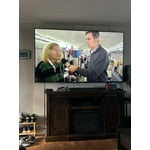
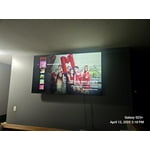
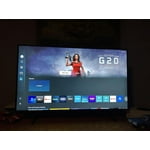
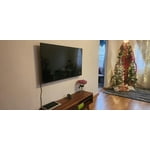
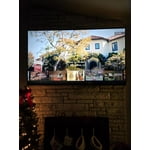
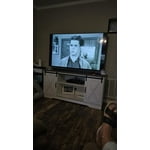
Customer reviews for SAMSUNG 60" Class DU7200 Series 4K Smart TV forCustomer photos


+155 images
Great Product
A lot of features, smart TV works well with apps. Picture is clear and sharp. Try different view modes find the one right for you.
What a great purchase!!
The Samsung 85" Crystal UHD TV is a great choice for anyone looking for a large-screen TV with excellent picture quality and a variety of features. It's perfect for watching movies, TV shows, and sports. While the sound quality could be better, it's still decent for a TV of this size. Overall, this TV offers a great value for the price. Would I recommend it? Yes, I would definitely recommend the Samsung 85" Crystal UHD TV to anyone looking for a large-screen TV with excellent picture quality and a variety of features. It's a great value for the price and will provide you with an immersive viewing experience.
Cannot connect soundbar no audio port
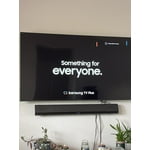
I recently purchased a tcl 55” tv. Had to return it because I could not get certain channels we really love to watch. Returned and purchases a Samsung Crystal UHD 7200D tv. We Cannot connect our soundbar. Why why why ???? On earth do you remove certain things people really use? So we have to spend more money?? This world is ridiculous and businesses just go along with it. Sorry. I needed to rant a little but really why?
Hi Upset, Thank you for choosing the Samsung DU7200 TV and for taking the time to provide us with detailed feedback on your experience. Your opinion is important to us and will be shared with our internal product teams. The DU72000F TV offers 3 HDMI ports and is Bluetooth and Wi-Fi capable, allowing a seamless connection across multiple devices at a time. If your external device requires an Optical port, we recommend utilizing an HDMI to Optical Converter. These can be found at your local electronics store. Please also keep in mind that an Optical port can be found on our DU8000F Series and above. We apologize for any confusion. If you ever have questions or need help, Samsung is here for you! Give us a call at 1-800-SAMSUNG, 8 AM - 12 AM EST, seven days a week. Our LiveChat agents are also available by clicking on the ‘Support’ link on our website. Thanks for being a part of the Samsung family! ~ Samsung Advisor
Quality u can see
[This review was collected as part of a promotion.] I love my new Samsung TV. It's got all the expected bells and whistles. Plus it's got the quality I've come to expect from Samsung products . Quality u can see from the moment u open the box . And reliability u can count on . I love my Samsung TV!!!!!
Phenomenal Garage TV.
[This review was collected as part of a promotion.] Everything is great as expected I own several Samsung products and plan to go all Samsung for TVs in my house. Only gripe is the Xfinity Stream app is very slow to load but not sure that's Samsungs fault.
NOT IMPRESSED AT ALL
do not like the very small remote as its hard to use with such small buttons/controls. the volume bar is fussy and also inadvertently mutes sound. Maybe it's a learning curve but to get to regular broadcasting it is not logical . Picture is no better than my 9 year old less smart tv. Would to purchase again.
Hi ROBOCAT, We appreciate your feedback and are sorry to hear that you are not satisfied with your experience. Please know that you can control the volume of your TV by pressing the +/- button up to increase the volume and down to decrease the volume. To mute the sound, press the button. You can also learn how to use your remote directly from your TV. Just go to Home> (left directional button) Settings> Support> Remote Control Guide. Finally, below are a few settings that I recommend adjusting to improve your picture. Go to Home > Settings > All Settings > Picture > Picture Mode and select the mode that best fits your usage: 1) Standard: Default mode suitable for general viewing environments. 2) Natural: Reduces eye strain for a comfortable viewing experience. 3) Movie: Most suitable for watching TV or movies in a dark room. 4) Dynamic: Makes the picture brighter and clearer in bright viewing environments. 5) Filmmaker Mode: You can watch the source content (e.g., movie) as it is. If the image is defined as Filmmaker Mode, it will automatically switch to Filmmaker Mode while watching. You can also go to Settings > All Settings> Picture > Expert Settings > to manually fine-tune your image. If you need more help, Samsung is here for you. Call us at 1-800-SAMSUNG, 8 AM - 12 AM EST, seven days a week. Our LiveChat agents are also available by clicking on the ‘Support’ link on our website. ~ Samsung Advisor
Don't buy
Crappy remote. Why no Mic? No access to mic. What was the reason? A basic feature that has been around for a very long time. Can be used with Alexa, oh goody. A device that gets things wrong a large percentage of the time and conversations end with yelling, so yay, put two lacking devices together so a company can save a few pennies. Also nothing intuitive about this interface, regret purchase is a challenge everyday.
Hi Lynn, We appreciate your purchase and understand your frustration. We are sorry for any confusion regarding voice assistants. You are correct, the DU7200 does not have voice assistants built in. However, they do work with Alexa. You can connect them to your existing Alexa device to ask them to turn on your TV, change channels, control volume, and more. Our DU8000 TV Series and above offer voice command and built-in voice assistants. We also understand there can be a learning curve when you get a new TV! This is why we have built a guide built into the TV that teaches you how to use your remote. You can learn how to use your Samsung Remote by going to Home> (left directional button) Settings> Support> Remote Control Guide. If you need assistance connecting your external Alexa device or if there’s anything we can ever help with, please call us at 1-800-SAMSUNG, 8 AM - 12 AM EST, seven days a week. Or visit us on the Samsung website and click on the ‘Support’ link for: 1) LiveChat 2) Manuals, Software, & Warranty Info ~ Samsung Advisor
Satisfying first Samsung TV
My first ever Samsung TV. This fit nicely for the price, size and picture quality for a loft TV. The room is well lit but still picture is quite bright and contrast is good. Have watched some regular content but nothing to test it's display extremities , so far so good. Audio is loud enough but have my old Yamaha bar hooked in. Build seems to be a bit flimsy plastic feeling as I can feel the body slightly bend or budge while setting up the TV, so feels bit unsafe with a feeling that I might break it. Reduced a star coz of the flimsy feel with the remote and TV build quality. Have to see how long they hold compared to the build quality of my still running Sony from 14yrs ago.
Quality device, but horrendous support and limits
Overall I find this unit to be good quality and it fills the need I have. I do have some reservations about it, there is no audio output port for a sound bar with such. Additionally I despise the requirement for a Samsung account for the device to even function. Quality of the device is good, but the support and restrictions are ridiculous.
Hi Smythe, Thank you for your feedback. If there’s anything we can ever help with, please call us at 1-800-SAMSUNG, 8 AM - 12 AM EST, seven days a week. Or visit us on the Samsung website and click on the ‘Support’ link for: 1) LiveChat 2) Manuals, Software, & Warranty Info ~ Samsung Advisor
55 inches is great
This TV is really got a great picture and I love the size. I hate that you can’t just turn it on and be at the channel you left. You have to push another button to get there too confusing for this old lady. i’m even using a universal remote control that’s got numbers on it Accumulate 150 minimum Tha Alive
Hi Holy cow, Thank you for choosing the DU7200 TV and for your review. You can choose what your TV does when you turn it on by going to Settings > All Settings> General > Smart Features. When you set Autorun Smart Hub to be on, the TV displays the Home Screen automatically when you turn the TV on. If Autorun Last App is set to on, the last used app automatically runs when you turn on the TV. You can turn this function on or off. I hope this tip helps. If there is anything we can do to further assist and improve your user experience, please let us know by contacting Samsung Customer Support. You can contact us for further help at 1-800-SAMSUNG, 8 AM - 12 AM EST, seven days a week. Our LiveChat agents are also available by clicking on the ‘Support’ link on our website. ~ Samsung Advisor