Skip to Main Content
Sam's Club
Sam's Club
All Departments
All Services
Customer reviews for SAMSUNG 50" Class DU7200 Series 4K Smart TV for
SAMSUNG 50" Class DU7200 Series 4K Smart TV
4.3 out of 5 stars
stars
1,145 ratings1,023 reviews
  1. 5 stars62% (710)
  2. 4 stars19% (223)
  3. 3 stars9% (98)
  4. 2 stars5% (54)
  5. 1 star5% (60)

Member photos

  • +160 images
Sort by |
Showing 51-60 of 1,023 reviews
Apr 27, 2025
Unhappy
3 out of 5 stars review

Worse remote

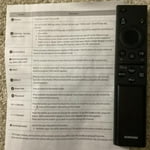
I purchased about a month ago. I hate the remote, the so call 2 page manual, and the whole setup is so confusing. I discovered that I can use the remote from the Du6000. I wish I could get another so that I don't have to take it from my living upstairs to the bedroom. I missed a lot of my shows because I couldn't figure how to find my steaming channels.

Review from Samsung US
Helpful?6FFFIGX8UWW613884652301
reply from Samsung Advisor

Hi Unhappy, We appreciate your review of the DU7200 TV. To learn how to use your Samsung remote and understand the settings on your TV, please use your remote to access the remote guide. Go to Home> (left directional button) Settings> Support> Remote Control Guide. Samsung remotes are designed to be convenient and useful, but we understand if you’d prefer to use a third-party remote, whether it’s a universal remote, a game controller, or something else! Whether you are replacing a lost remote or using an alternative remote to help reduce clutter, a third-party remote is a great option to use to control your Samsung TV. Finally, to download the manual and quick start guide, please follow this link: https://www.samsung.com/us/support/downloads/?model=N0060577&modelCode=UN50DU7200DXZA If you ever have questions or need help, Samsung is here for you! Give us a call at 1-800-SAMSUNG, 8 AM - 12 AM EST, seven days a week. Our LiveChat agents are also available by clicking on the ‘Support’ link on our website. ~Samsung Advisor

Mar 5, 2025
Steven R
4 out of 5 stars review

Almost perfect, almost.

Great, love the TV. I would give it 5 stars but I can because the app store is missing some pretty big apps. I had to buy a fire stick just so I could watch football on the NFL app. I don't understand how the biggest tech company in the world doesn't have access to all of the biggest apps. Other than that I love the TV especially the new remote.

Review from Samsung US
Helpful?6FFFIGX8UWW613884652301
Dec 6, 2024
Code77
4 out of 5 stars review

Great resolution

[This review was collected as part of a promotion.] This tv is great choice ,and one of the drawbacks in my opinion is the controler itself missing some of the command prompts when pressed. The other is connectivity issues with the Smart Things App.

Review from Samsung US
Helpful?6FFFIGX8UWW613884652301
May 6, 2025
Connie
3 out of 5 stars review

Bad decision

It’s sometimes difficult to operate and the sound is not consistent. To goes up and down, appears that the volume increases excessively during commercials. I have had multiple Samsung TVs in the past that didn’t have this problem. I find it difficult to find the previous program I was watching if I changed to another app.

Review from Samsung US
Helpful?6FFFIGX8UWW613884652301
reply from Samsung Brand Ambassador

Connie: Thank you for choosing Samsung and for your feedback on the DU7200 TV. We understand sometimes there is a learning curve when you get a new TV! This is why we created step-by-step guides, to make it easier for you. To learn about your TV go to https://www.samsung.com/us/support/answer/ANS00062199/. There are several volume features you can adjust, which may improve your audio experience. 1) Auto Volume automatically adjusts the sound to a certain level when changing channels or switching to another external input. Go to Settings > All Settings> Sound > Expert Settings > Auto Volume. 2) Adaptive Sound automatically adjusts to a specific volume level while watching TV. The TV analyzes your volume usage history by time period to automatically adjust the volume when you use an app or switch to an external input source. Go to Settings> All Settings> Sound> Sound Mode> Adaptive Sound. 3) Several Sound Modes are likewise available to meet your personal preferences: Home > Settings > All Settings> Sound > Sound Mode. Also, some sources have their own volume control, which might need to be set higher. Please check the volume control of the external device (cable box or satellite box, DVD, Blu-ray, etc.) connected to your TV. Also, check the cable connection between an external device and the TV and then try the cable connection again. We are also always available and happy to help you with any questions you may have. You can call us at 1-800-SAMSUNG, 8 AM - 12 AM EST, seven days a week. Our LiveChat agents are also available by clicking on the ‘Support’ link on our website. - Samsung Ambassador

Jan 18, 2025
Nancy
3 out of 5 stars review

Don't switch from Roku

I have been a Roku girlie for 10 years but then got gifted a larger Samsung tv. Samsung's interface is not as user friendly as Roku and definitely not as pretty. The home screen also aggressively pushes Samsung TV and their options - I don't care, I just want my apps. The remote is also limited given the app version of the remote has a worse UX and UI than the actual TV. The TV shows microphone capabilities but the remote does not have that function. I am giving this 3 out of 5 stars because at least the picture is decent and sound is fine. But otherwise, this TV is unnecessarily complicated.

Review from Samsung US
Helpful?6FFFIGX8UWW613884652301
reply from Samsung Specialist

Hi Nancy, Thank you for sharing your thoughts on the interface and remote - we'll be sure to pass your feedback along to our internal teams. If there’s anything we can ever help with, please call us at 1-800-SAMSUNG, 8AM - 12AM EST, 7 days a week. Or visit us on the Samsung website and click on the ‘Support’ link for: • LiveChat • Manuals, Software, & Warranty Info ~ Samsung Specialist

Jan 2, 2025
OneCreativeWoman
4 out of 5 stars review

Awesome picture quality, features, and apps

[This review was collected as part of a promotion.] I'm still learning all the features on the TV. I'm a movie buff and love the movie experience in my own home. I stubbled upon some free videos including some related to health and fitness--perfect for new year's resolutions/goals. The TV set-up process was effortless considering the last Samsung tv that i had. I gave it 4 stars instead of 5 because the surround sound is as robust as my previous Samsung tv. I have to really turn up the volume to 30+ for that movie experience. Also, the instructions for connecting an external receiver (with surround sound) are not clear. I will do some more research to figure it out because this TV is still a keeper. This model also has more storage than my previous TV which is another plus so I'm able to add more apps.

Review from Samsung US
Helpful?6FFFIGX8UWW613884652301
May 5, 2025
DEVIL RAYS
4 out of 5 stars review

REVIEW

OVERALL...I LIKE THE TV. BIGGER THAN I THOUGHT IT WOULD BE. DON'T UNDERSTAND WHY MY PROVIDER WAS NOT LISTED (FRONTIER) AND I HAD TO PICK COX TO GET THE TV TO WORK. SO SEEING COX IS ANNOYING. MAIN SCREEN KEEPS CHANGING TO STUFF I NEVER WILL WATCH OR USE. MY SOUNDBAR WOULD NOT PAIR WITH THE TV. BECAUSE IT WAS NOT A SAMSUNG OR WHATEVER WAS LISTED. SETTINGS NAVIGATION IS DIFFICULT. SOMETIMES A MESSAGE WILL POP UP FOR NO REASON AND I HAVE NO CLUE AS TO WHY. I CAN NEVER BE SPEEDY ENOUGH TO GET UP TO ACTUALLY SEE WHAT IT SAYS. WISH IT HAD VOICE COMMAND.

Review from Samsung US
Helpful?6FFFIGX8UWW613884652301
May 20, 2025
UsedToLoveSamsung
2 out of 5 stars review

Remote Control Stinks

The remote control for this TV is a pin in the rear. Labeled as a "smart remote," it is anything but. Starting off with the fact that there are no numbers for channel selection, it is not easy or convenient to use. Much of the utility of this remote lies within the main wheel. This "wheel" is quite sensitive to exactly where you touch it. I DO NOT LIKE THIS REMOTE. The old Samsung remote controls were much better.

Review from Samsung US
Helpful?6FFFIGX8UWW613884652301
reply from Samsung Advisor

Hi UsedToLoveSamsung, We appreciate your review of the DU7200 TV. To learn how to use your Samsung remote and understand the settings on your TV, please use your remote to access the remote guide. Go to Home> (left directional button) Settings> Support> Remote Control Guide. If you need more help, Samsung is here for you. Please call us at 1-800-SAMSUNG, 8 AM - 12 AM EST, seven days a week. Our LiveChat agents are also available by clicking on the ‘Support’ link on our website. ~Samsung Advisor

Dec 24, 2024
Svnguy
5 out of 5 stars review

Excellent & Happy with the purchase

[This review was collected as part of a promotion.] The TV looks nice. Pictures and contrast look great. Size 75 is perfect for larger room. I cannot tell the difference between 120HZ vs. 60Hz as we only use TV to watch TV, YouTube and mirror screen. It works fine for almost 6 months. Happy with the purchase and the price.

Review from Samsung US
Helpful?6FFFIGX8UWW613884652301
Nov 19, 2024
KRChandler
5 out of 5 stars review

Easy set up

[This review was collected as part of a promotion.] First the picture on this tv is amazing, very vibrant and brilliant. I’m still learning all about it. I would like to add some of my apps to the Home Screen. The sound quality is great as well without any additional sound bars. It was fairly easy to set up, I thought it would be more complicated with apps and such.

Review from Samsung US
Helpful?6FFFIGX8UWW613884652301