Skip to Main Content
Sam's Club
Sam's Club
All Departments
All Services
Customer reviews for SAMSUNG 50" Class DU7200 Series 4K Smart TV for
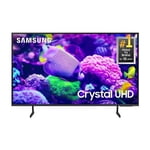
SAMSUNG 50" Class DU7200 Series 4K Smart TV
4.3 out of 5 stars
stars
1,145 ratings1,023 reviews
  1. 5 stars62% (710)
  2. 4 stars19% (223)
  3. 3 stars9% (98)
  4. 2 stars5% (54)
  5. 1 star5% (60)

Member photos

  • +160 images
Sort by |
Showing 391-400 of 1,023 reviews
Apr 19, 2025
Anonymous
4 out of 5 stars
4 out of 5 stars review

Great TV but could've had more wired features

I love everything about the tx except they don't have a cord for the soundbar it's only by Bluetooth & sometimes the speeds don't match as far as the talking

Review from Samsung US
Helpful?6FFFIGX8UWW613884652301
Mar 5, 2025
LJGNC
5 out of 5 stars
5 out of 5 stars review

Terriffic price/performance ratio. Extremely clear

I bought this about 6 weeks ago and have really enjoyed it. I had great results with Samsung TV's and now have 4 UHD models and all other brands have been replaced.

Review from Samsung US
Helpful?6FFFIGX8UWW613884652301
Mar 14, 2025
Antonio
4 out of 5 stars
4 out of 5 stars review

good picture

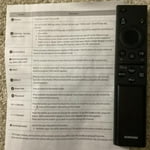
the tv works fast and clear ; however the remote its cumbersome , hard to program and easy to miss operate. the tv doesnt post all the downloaded apps nor its easy to find them

Review from Samsung US
Helpful?6FFFIGX8UWW613884652301
Oct 24, 2024
Charlie
5 out of 5 stars
5 out of 5 stars review

Great color and sound

[This review was collected as part of a promotion.] I watch movies and stream shows via internet. Sound and color are very good. Wish remote control was better but for the price overall no complaints.

Review from Samsung US
Helpful?6FFFIGX8UWW613884652301
Mar 6, 2025
Foots
3 out of 5 stars
3 out of 5 stars review

Great picture

I like the picture, sound is OK, very disappointed with the number of apps that are available. I have 3 TV'S, all Samsung. Would have considered another brand if I had known about the limited apps.

Review from Samsung US
Helpful?6FFFIGX8UWW613884652301
reply from Samsung Advisor

Hi Foots, Thank you for your feedback on the available apps on the DU7200 TV. Please know there is a built-in app store with hundreds of apps available to download. On your TV, go to Home and at the top you will see the Apps Menu. From there you can browse various apps you may want to download. If you need more help, Samsung is here for you! Please call us at 1-800-SAMSUNG, 8 AM - 12 AM EST, seven days a week. Our LiveChat agents are also available by clicking on the ‘Support’ link on our website. ~ Samsung Advisor

May 5, 2025
Luvsamsung
5 out of 5 stars
5 out of 5 stars review

Good TV for the price

I bought this Samsung for my bedroom. It's a very nice TV with good picture quality. The only thing I don't like is the remote. In my opinion it isn't user friendly compared to remotes on other brands like Vizio.

Review from Samsung US
Helpful?6FFFIGX8UWW613884652301
Mar 5, 2025
Cybdiver
3 out of 5 stars
3 out of 5 stars review

Missed potential

The picture is good the speakers are awful, there's no way to go directly to a channel without scrolling. The blue tooth is not the latest considering the set was recently manufactured. I gave it 3 stars for picture quality.

Review from Samsung US
Helpful?6FFFIGX8UWW613884652301
reply from Samsung Advisor

Hi Cybdiver, Thank you for your feedback. Please know your opinion is important to us and will be shared with our internal teams. Regarding audio issues, there are several volume features you can adjust, which may improve your audio experience. 1) Auto Volume automatically adjusts the sound to a certain level when changing channels or switching to another external input. Go to Settings > All Settings> Sound > Expert Settings > Auto Volume. 2) Adaptive Sound automatically adjusts to a specific volume level while watching TV. The TV analyzes your volume usage history by time period to automatically adjust the volume when you use an app or switch to an external input source. Go to Settings> All Settings> Sound> Sound Mode> Adaptive Sound. 3) Several Sound Modes are likewise available to meet your personal preferences: Home > Settings > All Settings> Sound > Sound Mode. To select a channel on your TV, press the 123/Settings button on your remote. Then select the number keypad and enter the channel number. The Bluetooth in the DU7200 TV is up to date and should connect to your external Bluetooth devices. If you need more help, Samsung is here for you! Please call us at 1-800-SAMSUNG, 8 AM - 12 AM EST, seven days a week. Our LiveChat agents are also available by clicking on the ‘Support’ link on our website. ~ Samsung Advisor

Apr 19, 2025
Sonup417
5 out of 5 stars
5 out of 5 stars review

Great quality with excellent picture.

Bought this one after the first one came in broken. This is the lower model, but the price was right and the picture quality is excellent. With the SmartThings app you can add streaming services plus you get Samsung TV with lots of free features.

Review from Samsung US
Helpful?6FFFIGX8UWW613884652301
Feb 22, 2025
Boaz2768
5 out of 5 stars
5 out of 5 stars review

Samsung 55"

I bought this tv almost a month ago. Easy setup. Picture is good. I seem to have an issue with the HDMI plug ends. Some seem to work sometimes. Still trying to figure it out.

Review from Samsung US
Helpful?6FFFIGX8UWW613884652301
May 6, 2025
Lovelygreeneyes
5 out of 5 stars
5 out of 5 stars review

BEST tv in my eyes

I brought this a few months ago, a huge upgrade from my older Samsung! OMG, I'm so impressed by this TV—I did my research before buying. I love it! The picture and sound are amazing! 😍📺👍 #TV #Samsung #Upgrade #Technology #HomeTheater

Review from Samsung US
Helpful?6FFFIGX8UWW613884652301