Skip to Main Content
Sam's Club
Sam's Club
All Departments
All Services
Customer reviews for SAMSUNG 50" Class DU7200 Series 4K Smart TV for
SAMSUNG 50" Class DU7200 Series 4K Smart TV
4.3 out of 5 stars
stars
1,145 ratings1,023 reviews
  1. 5 stars62% (710)
  2. 4 stars19% (223)
  3. 3 stars9% (98)
  4. 2 stars5% (54)
  5. 1 star5% (60)

Member photos

  • +160 images
Sort by |
Showing 381-390 of 1,023 reviews
Feb 9, 2025
Noelstradamus
5 out of 5 stars
5 out of 5 stars review

Crisp and Clear

One of the best TV purchases I've ever made. I don't have a lot of spare time to sit and watch TV, but when I do I am very pleased with my 85" Crystal UHD TV

Review from Samsung US
Helpful?6FFFIGX8UWW613884652301
Feb 5, 2025
Dmkk
4 out of 5 stars
4 out of 5 stars review

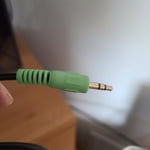
Great except for no optical audio output

Excellent picture and ease of install and setup. One star off for no optical audio output. Almost returned because of it. But found workaround thanks to the internet.

Review from Samsung US
Helpful?6FFFIGX8UWW613884652301
Jun 5, 2025
Dodger Dave
4 out of 5 stars
4 out of 5 stars review

Nice Samsung TV

This TV is a good value for the price. Not high end, but a good 4K picture. Works very well with a Samsung sound bar. The only negative is that this smart TV does not have many apps, so I need to use a ROKU for some viewing.

Review from Samsung US
Helpful?6FFFIGX8UWW613884652301
Feb 20, 2025
Harry o
4 out of 5 stars
4 out of 5 stars review

The picture is awesome!

I'm happy with the picture. However, there are instances where I hear sound and no picture. If there are any suggestions I would appreciate it. I kept the box it came in just in case I have to take it back.

Review from Samsung US
Helpful?6FFFIGX8UWW613884652301
reply from Samsung Advisor

Hi Harry o, If your TV has a black screen even when it's on, it's quite possible it could actually be your external device and not your TV. Please try these troubleshooting steps for your blank screen issue: 1. Press the Home button on the remote. If the menu appears, the TV is powered on but is either not on the correct source or not receiving a signal. If the menu does not appear, the TV may be having power issues. Check the red standby light, a little red light at the edge of the TV that you aim the remote at. In normal use, the red standby light is on when the TV is off (indicating the TV is on standby), and the red standby light is off when the TV is in use (or doesn't have power). 2. Confirm that the TV is set to the same source as the external device. For instance, if your cable box is connected to HDMI 1, set the TV source to HDMI 1. If the TV is set to the correct source, but there is still no image, unplug and reconnect the AV connections one cable at a time from both ends of each cable. If there's any damage to the cable, it will need to be replaced. After reconnecting the external device, please turn it off and back on. 3. Test the HDMI cable. The test is designed for HDMI cords less than 6 feet long and may not give accurate results on longer cords. To perform the test, make sure the TV's source is still on the HDMI setting for the cable you want to test, and then navigate to Settings > Support > Self Diagnosis > Signal Information > HDMI Cable Test > Start Test. If the test says the cable is bad, replace the cable. Service is not required. 4. Test different external devices. The final thing to rule out is the external device you're using. Try connecting a different device or using a different source port. If the TV can display a picture in any other setup, then you've ruled the TV out as the cause of the issue. Keep trying various setups until you identify the device or cable that is not working and troubleshoot or replace it. The TV will need service if the issue persists after these steps. Please contact us so that we can better investigate your issue and assist you with a solution or replacement. If you need more help, Samsung is here for you! Please call us at 1-800-SAMSUNG, 8 AM - 12 AM EST, seven days a week. Our LiveChat agents are also available by clicking on the ‘Support’ link on our website. ~ Samsung Advisor

Apr 19, 2025
BillinNM
3 out of 5 stars
3 out of 5 stars review

User interface needs work

It's really hard to download apps. Remote control needs more features. "Fast forward" would nice. Called for support twice. I'm batting .500 TV itself is pretty good. Could REALLY use some documentation, tho.

Review from Samsung US
Helpful?6FFFIGX8UWW613884652301
reply from Samsung Advisor

Hi BillinNM, We appreciate your review of the DU7200 TV. To learn how to use your Samsung remote and understand the settings on your TV, please use your remote to access the remote guide. Go to Home> (left directional button) Settings> Support> Remote Control Guide. If you need more help, Samsung is here for you. Please call us at 1-800-SAMSUNG, 8 AM - 12 AM EST, seven days a week. Our LiveChat agents are also available by clicking on the ‘Support’ link on our website. ~Samsung Advisor

Feb 5, 2025
smoke
4 out of 5 stars
4 out of 5 stars review

Great clear picure

It would have been nice if there were directions on the setup. The volume is not loud enough. Each channel is different. Still don't have full picture. Have full picture now 3/4 picture

Review from Samsung US
Helpful?6FFFIGX8UWW613884652301
Feb 20, 2025
rosebroker
5 out of 5 stars
5 out of 5 stars review

100's of free channels.

I purposely purchased my 3thd Samsung TV. I had 3 different models upstairs. The newest Samsung is a tad better than my 3 year old 85". Not only is the quality of the picture, sound, smart, and easy set up, the smart Chanels are fantastic.

Review from Samsung US
Helpful?6FFFIGX8UWW613884652301
Feb 6, 2025
Shelley
5 out of 5 stars
5 out of 5 stars review

We Love It!

We bought our 75" Samsung television a few months ago and WE LOVE IT! It has terrific color, and is so large that you feel that the actors are in the room with you. We also appreciate that it was delivered to our home. It was painless.

Review from Samsung US
Helpful?6FFFIGX8UWW613884652301
Feb 5, 2025
Wilkesrichard
4 out of 5 stars
4 out of 5 stars review

Excellent

Unit is outstanding. Great Pic. Really Great. Easy and smooth to operate, except. Be sure to get a remote with voice recognition. Most of what I watch is streaming.

Review from Samsung US
Helpful?6FFFIGX8UWW613884652301
Dec 1, 2024
Steven
5 out of 5 stars
5 out of 5 stars review

Great Product!

[This review was collected as part of a promotion.] I use my Samsung TV for streaming media/casting. I use it to watch movies and stream Spotify; it's nice to have the music come out of the sound bar.

Review from Samsung US
Helpful?6FFFIGX8UWW613884652301