Skip to Main Content
Sam's Club
Sam's Club
All Departments
All Services
Customer reviews for SAMSUNG 50" Class DU7200 Series 4K Smart TV for
SAMSUNG 50" Class DU7200 Series 4K Smart TV
4.3 out of 5 stars
stars
1,145 ratings1,023 reviews
  1. 5 stars62% (710)
  2. 4 stars19% (223)
  3. 3 stars9% (98)
  4. 2 stars5% (54)
  5. 1 star5% (60)

Member photos

  • +160 images
Sort by |
Showing 371-380 of 1,023 reviews
Jun 19, 2025
Reviewer name: Great Buy
5 out of 5 stars
5 out of 5 stars review

Great Buy

Not sure what all these negative reviews are all about. TV super easy to set up, remote is super simple to operate. Boomers will complain about anything i guess. Great TV for the money

Helpful?6FFFIGX8UWW613884652301
Dec 5, 2024
Reviewer name: MMB123
5 out of 5 stars
5 out of 5 stars review

Clear tv, good sound, easy to use
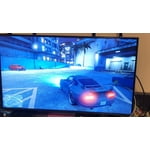
[This review was collected as part of a promotion.] I use my tv to watch shows and moves and play video games, it works great for all of that. I highly recommend for the price.

Review from Samsung US
Helpful?6FFFIGX8UWW613884652301
May 5, 2025
Reviewer name: Scooter
4 out of 5 stars
4 out of 5 stars review

Once I got it, thankful I got it!

Not tech savvy so still learning how much smarter tv is than me. The technology is so amazing compared with my family's first tv in 1956, a 13" blk& wht tv with no remote.

Review from Samsung US
Helpful?6FFFIGX8UWW613884652301
Mar 5, 2025
Reviewer name: Gary
5 out of 5 stars
5 out of 5 stars review

Picture quality

I have 5 Samsung TVs ranging in size from 32 to 65. My only disappointment is the software difference in each unit. I also dislike the new remote. Otherwise the units are my favorite.

Review from Samsung US
Helpful?6FFFIGX8UWW613884652301
Mar 5, 2025
Reviewer name: Happyshopper
5 out of 5 stars
5 out of 5 stars review

Happy so far.

It’s been 10 years since I bought a new tv and boy, things have changed! This is a smart tv that comes on instantly and has a very sharp picture. So far I am very pleased with my purchase.

Review from Samsung US
Helpful?6FFFIGX8UWW613884652301
Mar 5, 2025
Reviewer name: Muffie
4 out of 5 stars
4 out of 5 stars review

Still finding the features

I am happy with the TV but the remote is NOT useful to me. It's too small for aged & arthritic hands. I feel that I need a strong light to see the words on it (& I have good eyesight).

Review from Samsung US
Helpful?6FFFIGX8UWW613884652301
Mar 5, 2025
Reviewer name: Sam25
5 out of 5 stars
5 out of 5 stars review

Great features

This was my second Samsung TV. So far so good. No complaints whatsoever. My phone, stove. Fridge and microwave are also Samsung. Not so pleased with fridge, the ice maker always freezes up.

Review from Samsung US
Helpful?6FFFIGX8UWW613884652301
Apr 24, 2025
Reviewer name: Mosby2
5 out of 5 stars
5 out of 5 stars review

Great Buy!

I bought the TV because I needed a smart TV. My other TV was a Samsundlg and I was very happy with it. My only complaint would be the remote that comes with the TV... too small ... the buttons also are too small and too sensitive.

Review from Samsung US
Helpful?6FFFIGX8UWW613884652301
Apr 19, 2025
Reviewer name: Sportsluv
4 out of 5 stars
4 out of 5 stars review

Samsung only

I purchased a few months ago and we do like the TV! The instructions for operating it I didn’t see in the box. Can’t figure how to operate the voice command!

Review from Samsung US
Helpful?6FFFIGX8UWW613884652301
Apr 19, 2025
Reviewer name: Rwal21
2 out of 5 stars
2 out of 5 stars review

Random power off

I bought the TV a few months back and it works great when watching via a usb connection. However, whenever we try to watch anything via streaming straight to the TV it shuts off randomly.

Review from Samsung US
Helpful?6FFFIGX8UWW613884652301
reply from Samsung Advisor

Hi Rwal21, Thank you for reaching out to us. If your TV appears to turn off by itself, try disabling some of the TV's energy efficiency functions. See if Sleep Timer has been enabled. The Sleep Timer automatically turns the TV off after a specific period of time. Go to: Settings > All Settings> General > System Manager > Time > Sleep Timer If the Sleep Timer has not been enabled, see if Auto Power Off or Off Timer has been enabled and disable it. - Settings > All Settings> General > Power and Energy Saving > Auto Power Off - Settings > All Settings> General > System Manager > Time > Off Timer If the TV continues to turn off by itself continuously, please get in touch with Samsung Customer Support at 1-800-SAMSUNG, 8 AM - 12 AM EST, seven days a week. Our LiveChat agents are also available by clicking on the ‘Support’ link on our website. ~ Samsung Advisor