Skip to Main Content
Sam's Club
Sam's Club
All Departments
All Services
Customer reviews for SAMSUNG 50" Class DU7200 Series 4K Smart TV for
SAMSUNG 50" Class DU7200 Series 4K Smart TV
4.3 out of 5 stars
stars
1,145 ratings1,023 reviews
  1. 5 stars62% (710)
  2. 4 stars19% (223)
  3. 3 stars9% (98)
  4. 2 stars5% (54)
  5. 1 star5% (60)

Member photos

  • +160 images
Sort by |
Showing 101-110 of 1,023 reviews
May 20, 2024
Reviewer name: Greg321
4 out of 5 stars
4 out of 5 stars review

Beautiful picture

[This review was collected as part of a promotion.] Love everything about the television. Great price, picture, and slim profile. Knocked off one star because the volume is very low when connected to our TIVO. Volume is fine on our old TV though.

Review from Samsung US
Helpful?6FFFIGX8UWW613884652301
reply from Samsung Advisor

Hi Greg321, Thank you for your purchase of the DU7200 and for sharing your experience with us. Thank you for sharing your experience with low volume. There are several volume features you can adjust, which may improve your audio experience. 1) Auto Volume automatically adjusts the sound to a certain level when changing channels or switching to another external input. Go to Settings > All Settings> Sound > Expert Settings > Auto Volume. 2) Adaptive Sound automatically adjusts to a specific volume level while watching TV. The TV analyzes your volume usage history by time period to automatically adjust the volume when you use an app or switch to an external input source. Go to Settings> All Settings> Sound> Sound Mode> Adaptive Sound. 3) Several Sound Modes are likewise available to meet your personal preferences: Home > Settings > All Settings> Sound > Sound Mode. Also, some sources have their own volume control, which might need to be set higher. Please check the volume control of the external device (cable box or satellite box, DVD, Blu-ray, etc.) connected to your TV. Also, check the cable connection between an external device and the TV and then try the cable connection again. I hope these tips help you enjoy your new product. You can contact us for further help at 1-800-SAMSUNG, 8 AM - 12 AM EST, seven days a week. Our LiveChat agents are also available by clicking on the ‘Support’ link on our website. ~ Samsung Advisor

Jun 5, 2024
Reviewer name: CantStopWontStop
4 out of 5 stars
4 out of 5 stars review

Great TV do recommend.

[This review was collected as part of a promotion.] It's pretty good tv. Considing the price for it its not bad. Has good picture and easy to use. I like the size. Makes games alot more in game action for me. I would recommend this TV if someone was in the market for a new one.

Review from Samsung US
Helpful?6FFFIGX8UWW613884652301
Oct 24, 2024
Reviewer name: MoMoney
5 out of 5 stars
5 out of 5 stars review

Looks good and uses less power

[This review was collected as part of a promotion.] Very bright picture. Has multiple input options. Has mice appearance even when off. Has options to use various methods for stands and supports. Slim remote looks more modern. Price was reasonable. Packing job was very good. Overall a great deal.

Review from Samsung US
Helpful?6FFFIGX8UWW613884652301
Feb 5, 2025
Reviewer name: Freddie
5 out of 5 stars
5 out of 5 stars review

What companion

I am. I was, and I believe, I always will be happy with Samsung Tv. my last Smart Tv lasted me 10 years I think, or close to that. However, one must remember that, as I am retired. I used to turn it on just for company. Then, it died. So, I bought another one. Thank you, Samsung, you are good viewing and good company.

Review from Samsung US
Helpful?6FFFIGX8UWW613884652301
Oct 24, 2024
Reviewer name: EntertainKing
5 out of 5 stars
5 out of 5 stars review

Reliable source of Quality Entertainment.

[This review was collected as part of a promotion.] There are multiple Samsung televisions in my home. They are a truly reliable source for quality entertainment. The sound output and visual effects are incredible. For someone like me with hearing loss, the instant access to CC options is invaluable. There are times when I’ve gone to local entertainment, theaters, and venues only to be disappointed by the audio and visual quality of the event. I’ve become spoiled by the Samsung products. It should come as no surprise that I and others would rather stay home with Samsung to watch news, sporting events, and movies.

Review from Samsung US
Helpful?6FFFIGX8UWW613884652301
May 21, 2025
Reviewer name: Happy Cat
5 out of 5 stars
5 out of 5 stars review

Fantastic Picture
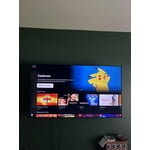
I purchased my first 55” a couple of years ago as a gift to my niece. I was drawn to it because of the dozens of TV’s on display the clarity and definition really stood out. I purchased a 65 and another 55” recently for my home. The picture is simply astounding. It far outpaced the competitors QLED TV’s. I have recommended Samsung to friends and neighbors. They were all pleased with the quality and value.

Review from Samsung US
Helpful?6FFFIGX8UWW613884652301
Mar 6, 2025
Reviewer name: LisaT
2 out of 5 stars
2 out of 5 stars review

Not completely satisfied.

My spouse bought this several months ago Khe thought we needed a bigger screen)& so far have not been completely satisfied. Not enough ports on back of TV: No port for external sound system we used on old TV, so spouse bought complete new external speakers (extra expense). Cable box uses 1 HDMI port. DVD player uses 2nd HDMI port. No ports for WII game console. Had to purchase a converter to HDMI & then have to unplug either the cable box or the DVD player to plug game consoles in. External antenna port only tunes 1 channel at a time. Have to perform a new search each time we want to watvch a different channel from the external antenna. (Same external antenna used on old TV which scanned in 14 different channels at one time) Can't figure out how to use the the streaming channels preprogrammed on TV. (Not user friendly for senior citizens) If it was up to me I would have returned this TV & used the old one we had until it croaked.

Review from Samsung US
Helpful?6FFFIGX8UWW613884652301
reply from Samsung Specialist

LisaT, Thank you for sharing your thoughts on the input selection - we'll be sure to pass this feedback along to our design teams. To assist in learning the various functions, please know you can download the DU7200D TV's User Manual, e-Manual, Remote Control Leaflet, and Quick Setup Guide on Samsung's website under Support > Manuals & Software > TVs & Home Theater. You can search for and select the DU7200D TV to download the guides you would like. The e-Manual and Remote Guide are both also embedded into your TV itself under Menu > Settings > Support > Open e-Manual. If you need more help, Samsung is here for you. Please call us at 1-800-SAMSUNG, 8AM - 12AM EST, 7 days a week. Our LiveChat agents are also available by clicking on the ‘Support’ link on our website. ~ Samsung Specialist

Jul 11, 2025
Reviewer name: TCFord
4 out of 5 stars
4 out of 5 stars review

It's okay.

We love the picture. However, after only owning this t.v. for three weeks, we already had to unplug it for a soft restart as we had no volume. Since then, we have had to unplug it almost once a week in order to watch it. The Samsung t.v. we had before this one we didn't need to unplug until years later. We laughed at a Samsung refrigerator we certainly were not going to buy because we cannot reach behind where it would be to keep unplugging it. We have Samsung phones and have enjoyed being able to connect to our t.v. Our faith in Samsung is fading.

Review from Samsung US
Helpful?6FFFIGX8UWW613884652301
Feb 8, 2025
Reviewer name: Cimp
4 out of 5 stars
4 out of 5 stars review

Great picture, but other issues exist

I purchased this TV a few weeks ago. There was no user manual and that is very disappointing. I don't have 'cable', I use a convertor box for watching TV. I got it hooked up the first day with a few issues, but it has been working fine until last night. In the middle of watching a game head into overtime, no less, the TV stopped recognizing the convertor box connection. I keep trying to get it back, but it is frustrating. On the other hand, the picture is awesome, the connect to internet works great so I can watch Peacock and Hulu, but so far, I don't really use the other features. I can't seem to adjust the volume and that is a huge irritation. I did download the manual, but it seems to be a million pages and I would really like just an easy nuts and bolts user guide to hooking up. How do I watch basic over the air TV? Like PBS, ABC, CBS, NBC, FOX and others? Am I gonna miss the Super Bowl tomorrow???

Review from Samsung US
Helpful?6FFFIGX8UWW613884652301
Feb 20, 2025
Reviewer name: colokaren
5 out of 5 stars
5 out of 5 stars review

Awesome television

My old Visio finally died, replaced it with a new Visio and it was a horrible tv. Then bought this Samsung and absolutely LOVE everything about it! No more having to deal with 3+ remotes, the picture is sharp and clear. Remote is easily learnable and did I say how much I LOVE this television?!?!

Review from Samsung US
Helpful?6FFFIGX8UWW613884652301