
 Customer reviews for SAMSUNG 75" Class TU700D-Series Crystal Ultra HD 4K Smart TV UN75TU700DFXZA for
Member photos
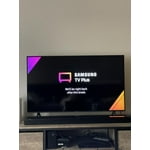


 +1529 images
Cheap but has some big disadvantages
i gave it three stars because of two reasons... first, i it really dark on some pictures, samsung did really bad job on black color. feels like this tv has only one black color. my old hd tv had way better black than tu7000. time after time you start to notice it more and more. so that is really huge minus. second, it doe not two my favorite apps vimeo app and nba app. lg does have both by the way. so it is pretty cheap, but fish i have not saved 200 dollars and bought a tv with better black color and with the apps i need.
David: Thank you for purchasing the Samsung TU7000 4K Smart TV and for your review. Samsung offers hundreds of apps in our App Store that you can download, and we are continuously adding more premium content and new services to our Smart TV platform. I am sorry to hear that you are not completely happy with the black levels on your image. There are several image settings you can adjust to your liking. You can further adjust your sharpness, brightness, contrast, color, and more by going to Settings > Picture > Expert Settings Should you need further assistance with settings, features, or functions, please contact Samsung Customer Support. 1-800-SAMSUNG (available 8AM -12AM EST, 7 days a week) Or visit us on the Samsung website and click on the ‘Support’ link in the upper right corner of the homepage for: 1) Contact Us Options (LiveChat, Remote Support, Facebook, Twitter) 2) Product Support 3) Manuals and Downloads 4) Warranty Info 5) Product Registration: Registering your product gives you access to easy warranty support, convenient opt-in to special promos and offers, faster troubleshooting and service, and quick notification of system updates 6) Samsung Community: A great resource for getting help from Samsung moderators and customers and more 7) …and more product, repair, order, and care options - Samsung Solutions
This t.v is amazing
[This review was collected as part of a promotion.] I was impressed with this t.v as soon as I pulled it out of the box. The t.v is very well made and is beautiful. The t.v was easy to set up and I really like the fact that the power cord is able to be hidden. The t.v comes preloaded with quite a few apps already installed. Setting up the Samsung account was quick and opens up so many other options and apps. The picture is Crystal clear. The detail that can be see is spectacular. H.D and antenna channels come in clear. The speakers provide a decent amount of volume, wish they were louder for watching movies though. Automatic software update is nice, plug in and forget. So far I am in love with my t.v.
Great picture quality
[This review was collected as part of a promotion.] The Samsung 65 in crystal UHD TV has such a nice clear picture quality and will adjust as needed to get best screen quality. I do like the legs on this since it gives it a sturdy structure to hold it without the worry of it tipping over. Setup was extremely easy to do which is always a plus for me. I do like that i did not need to download apps since they are already on there. This tv is great for more than watching your favorite shows, this is great for gaming as well as streaming. Im very pleased with the quality and sound.
Frustrating to use
The picture is great. I find it difficult to navigate the options and find what I am looking for. The internet option does not work as I expected. Also, I can't use the internet option to watch CBC Gem or CTV online. I get to a certain point, and it goes back to a previous screen. I use a Roku stick to watch Prime and BritBox with no problems.
Hello, thank you for your review and feedback. We will pass your comments along to our store staff. If there is anything we can do to improve your experience, please feel free to let us know by contacting us at 1-800-SAMSUNG or via live chat on our website (http://www.samsung.com/ca/support/). Thanks again.
Great TV
I don't understand why people have problems with this TV. If you follow instructions carefully there's NP with it . IT works fine. The moment I got it and connected it with my cable and internet. it worked with np .. even the remote connected with my cable and it worked together with my cable all I use is one remote for everything I dont even have to use the remote that came with my cable. Picture is awesome its go clear. color works great. Sound is great. I connected my Bose system it was even better. I got no green spots like other people did either. I love the TV.
Poor quality and app interfacing
Don't rely on it for reliably accessing any streaming apps without failing within 5 minutes and causing endless frustrations. Finally bought a Roku to avoid throwing this tv away and investing in a more reliable brand. As well, Samsung basically requires an account sign up to use the tv. Unnecessary and beyond frustrating to have so many loopholes just to watch tv
Hi there, thank you for sharing your thoughts with us. We’re sorry to hear that you’re disappointed, and we will be sure to share your feedback with our teams so we can continually improve our products, services, and processes. Thanks again.
Enjoying movie night
[This review was collected as part of a promotion.] This is the best TV we have viewed outside of a movie theater. We needed a bigger TV. We spend a lot of time watching all types of entertainment. It was very easy to setup with both on screen and the Samsung app. If you run in problems just turn the TV off to reset the setup process. I love that we can watch many free channels from movies, music, sports, cartoons, news, and basic channels. It even has a digital TV guild. Netflix and prime video can be accessed directly from the remote. The graphics are beautiful, clear, and bright. There is more viewing area because the TV's frame is so slime it appears to have none. The sound can be adjusted to amplified which gives the effect of surround sound. The TV remote can control our connected Amazon fire stick. Adding devices is truly plug and play. New devices are easily, quickly, and automatically connected. The legs are strong and stable. They would not break if the TV was dragged on them. The AC plug is removable. The only coin is that there is no video/audio plug only the 2 Hdmi and USB plugs. We highly recommend this TV, Samsung makes great equipment.
Full Loaded Mega Smart TV
[This review was collected as part of a promotion.] This is my Second-time owner of Samsung SmartTV. I am always truly impressed Samsung product line, Samsung 2020 TV line was no shortage. This Samsung TU7000 Crystal UHD TV 65” has to a lot offer. For starters, the entire bezel of the TV frame is extremely minimum almost no existent just like today's high-end smartphone! Which allows for a much more immersive view of the 65" 4K vivid HDR display. The first-time set-up and configuration of the TV were easy and straight forwards and even voice activation works immediately to guide you through the already simple process and additionally allows for ease of customization for flexibly! Secondly, out of the box, the SmartTV comes with dozens of ready to use apps and internet streaming services including Samsung TV Plus Store and local channels for free through internet TV with major networks like FOX, USA Today, Popular Mechanics..etc that doesn't require any additional attachments or cable boxes. Which is very convenient such as Prime video is my primary movie and TV streaming app! Thirdly, sound quality is superior, loud, very crisp, and distinct that captures fine details and sounds, creating a much more in-depth TV experience similar to a movie theater! Concluding this review I would highly recommend the Samsung TU7000 Crystal UHD TV 65”.
An impressive TV from the brand
[This review was collected as part of a promotion.] It can deliver an excellent picture quality, with saturated colors and exceptional motion handling. The wide color gamut and good peak brightness make highlights in HDR content pop, and the low input lag and FreeSync support are sure to please most gamers. Viewing angles do suffer a bit, but that's to be expected. It performs well in both dark and bright rooms, as the TV is capable of displaying deep, uniform blacks, and has very good reflection handling. Overall, it's a great TV for any use.
Nope
after turning off tv next day has disconnected from wifi, did software update, no change.switched to roku which stays connected to wifi. has serious lag when watching football.had zero issues with previous tv while streaming live tv. really regret buying this tv. have owned it less than a month,will be returned.
Irish64: Thank you for purchasing the Samsung TU7000 TV and for your review. I am very sorry that you are experiencing internet connection issues. You may want to go through these steps to check your network connection: 1) Check the distance between the TV and your modem or access point. The distance should not exceed 50 ft. (15.2 m). 2) Minimize interference by not using or turning off wireless devices. Also, verify that there are no obstacles between the TV and the modem or access point. (WiFi strength can be decreased by appliances, cordless phones, stone walls/fireplaces, etc.) 3) Perform a network test to check if there is a network problem. Press the Home button on your remote. Navigate to Settings > Support > Device Care > Self Diagnosis> Smart Hub Connection Test 4) Try a cold reboot of your TV by pressing and holding the power button for 5+ seconds until the TV turns off and on again. 5) Please also be sure you have the latest firmware update. You may want to enable automatic updates for convenience. Select Settings > Support > Software Update, then select Auto Update. You may also want to optimize the smart TV performance by running the Device Care option under the Support Menu. Go to Settings > Support> Device Care > Start Device Care This service checks memory and frees up unused cached memory and closes background apps. For further assistance or service, please contact us via any of the following options: 1-800-SAMSUNG (ask for TVs), available 8AM -12AM EST, 7 days a week Or visit us on the Samsung website and click on the ‘Support’ link in the upper right corner of the homepage for: 1) Contact Us Options (LiveChat, Remote Support, Facebook, Twitter) 2) Product Support 3) Manuals and Downloads 4) Warranty Info 5) Product Registration: Registering your product gives you access to easy warranty support, convenient opt-in to special promos and offers, faster troubleshooting and service, and quick notification of system updates 6) Samsung Community: A great resource for getting help from Samsung moderators and customers and more 7) …and more product, repair, order, and care options ~ Samsung Solutions