Skip to Main Content
Sam's Club
Sam's Club
Customer reviews for SAMSUNG 75" Class TU700D-Series Crystal Ultra HD 4K Smart TV UN75TU700DFXZA for
SAMSUNG 75" Class TU700D-Series Crystal Ultra HD 4K Smart TV UN75TU700DFXZA

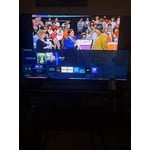
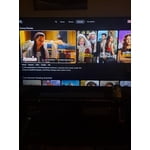
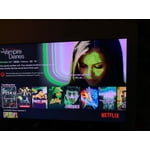
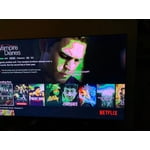
Member photos

  • +1513 images
Sort by |
Showing 671-680 of 10,059 reviews
Aug 24, 2020
Anonymous
5 out of 5 stars review

Verified Purchase

Loving it!

Looks nice can't wait to get our new power recliner sofas!!

Helpful?3STAXRT0NDXF13883163940
Nov 30, 2022
Lpatel
1 out of 5 stars review

Verified Purchase

Not worth buying it

Cant download any apps, its not worth buying it at all.

Review from Samsung Canada
Helpful?3STAXRT0NDXF13883163940
reply from Operations

Hi Lpatel, thank you for reaching out. We're here to help. Could you please tell us more about the situation? Get in touch at 1-800-SAMSUNG or via live chat on our website (http://www.samsung.com/ca/support/) 

Jan 22, 2025
Not happy
1 out of 5 stars review

Sound is okay

Screen will not come on but sound works. Not worth the money for this tv!!!

Review from Samsung US
Helpful?3STAXRT0NDXF13883163940
Apr 29, 2020
Ibrahim88
1 out of 5 stars review

Terrible

Keeps freezing it's my first time buying a Samsung I'm an Lg guy definitely returning this tomorrow

Review from Samsung US
Helpful?3STAXRT0NDXF13883163940
reply from OBA

Ibrahim88, I am sorry that you are experiencing stalling and freezing with your TU7000 TV. To optimize the smart TV performance, please try Device Care option under the Support Menu. Go to Settings > Support> Device Care > Start Device Care. This service checks memory and frees up unused cached memory and closes background apps. I hope this helps to solve your concerns. If the issues persist, please reach out to Samsung Customer Support at: 1) Phone: 1-800-SAMSUNG (ask for TVs) Available 8AM - 12AM EST (Mon-Fri) / 9AM - 11PM EST (Sat-Sun) 2) LiveChat: https://www.samsung.com/us/support/#contact_us_for_support 3) Facebook Messenger: https://www.facebook.com/samsungsupport 4) Twitter: https://twitter.com/SamsungSupport Have you registered your new Samsung TV with us? If not, we invite you to do so at: https://www.samsung.com/us/account/signin/?redirect=https%3A%2F%2Fwww.samsung.com%2Fus%2Fsupport%2Fregister%2F, and gain access to easy warranty support, convenient opt-in to special promos & offers, faster troubleshooting & service, and quick notification of system updates. -Samsung Ambassador  

Jul 11, 2023
ccho
1 out of 5 stars review

Poor quality

The tv broke within the first couple of months of purchasing and the warranty didn't cover it.

Review from Samsung US
Helpful?3STAXRT0NDXF13883163940
Mar 3, 2023
Need a better tv
1 out of 5 stars review

Unhappy customer

This tv has a problem every time I turn it on. It doesn't detect Wi-Fi, power source, Netflix, Amazon Prime I will never buy a Samsung product again

Review from Samsung US
Helpful?3STAXRT0NDXF13883163940
reply from Samsung Brand Ambassador

Hi there, Thank you for sharing your experience with Internet connectivity. If you’re experiencing issues with the Wi-Fi connection, we suggest you try the following: 1. Use 5Ghz Wi-Fi if possible 2. Try wired LAN if available 3. Try repositioning the router so there are no obstacles between your TV and the router Please also be sure you are running the latest firmware. You can check to see what software version your TV is using and if there is an available update through the settings on your TV. Go to: Settings > Support > Software Update. You can enable automatic updates for convenience. Go to Settings > Support > Software Update, then select Auto Update. I hope these tips help resolve your concerns. If you continue to have issues, please call us at 1-800-SAMSUNG, 8 AM - 12 AM EST, seven days a week. Our LiveChat agents are also available by clicking on the ‘Support’ link on our website. ~ Samsung Advisor

Jun 19, 2023
Toshia
1 out of 5 stars review

Black Screen after 2 years

I bought this tv 2 years ago. Black screen and red flashing power button. I didn't purchase a warranty because I expected it to last for years!

Review from Samsung US
Helpful?3STAXRT0NDXF13883163940
Jul 26, 2020
Anonymous
1 out of 5 stars review

Hdr if TERRIBLE!

the same as the tv off. dark, dark scenes just fix it. yes, i have tried to update it. they didnt release it! and tizen is very laggy.

Review from Samsung US
Helpful?3STAXRT0NDXF13883163940
reply from OBA

DANIEL: Thank you for purchasing the Samsung TU7000 and for your review. I am very sorry you are viewing scenes that appear too dark. A new firmware update has been released to address this issue. You may also need to manually reboot your TV after the update by either unplugging the AC cord or by pressing and holding the power button on the remote until the TV powers off and back on. Using your TV's remote, navigate to Settings, and select Support. Select Software Update, and then select Update Now. New updates will be downloaded and installed on your TV. Updates usually take a few minutes; please do not turn off the TV until the update is complete. When the update is finished, the TV will restart automatically. If there aren't any new updates, select OK to exit. You may want to enable automatic updates for convenience. Select Settings > Support > Software Update, then select Auto Update. If you would like to update your software using USB, please check for the latest version on the Samsung website. If you need further assistance or have any questions, please contact Samsung Customer Support. Available at 1-800-SAMSUNG (8AM -12AM EST, 7 days a week) Or visit us on the Samsung website and click on the SUPPORT link in the upper right corner for: 1) Contact Us Options (LiveChat, Remote Support, Facebook, Twitter) 2) Product Support 3) Manuals and Downloads 4) Warranty Info 5) Product Registration: Registering your product gives you access to easy warranty support, convenient opt-in to special promos and offers, faster troubleshooting and service, and quick notification of system updates 6) Samsung Community: A great resource for getting help from Samsung moderators and customers and more 7) …and more product, repair, order, and care options Again, thank you for taking the time to share your thoughts on this product. Your feedback helps us continuously deliver best-in-class products and service. ~ Samsung Solutions

May 17, 2024
Maxx
1 out of 5 stars review

Dark and dim

Picture is very dark and dim; very few options in settings to brighten it. Everything else seems OK, but that dark picture is dismal.

Review from Samsung US
Helpful?3STAXRT0NDXF13883163940
Jun 18, 2021
SD
1 out of 5 stars review

old technology

It's a horrible Tv, when it comes to screen something from your phone. You have to re start the tv every time.

Helpful?3STAXRT0NDXF13883163940