Customer reviews for SAMSUNG 75" Class TU700D-Series Crystal Ultra HD 4K Smart TV UN75TU700DFXZA forMember photos


+1513 images
Jury Still Out!
I'm still evaluating this product however; I did have some issues. The NETFLIX app does not work on this model. Also, I had a temporary issue with the picture displaying green amber colors on all channels.
Hadd: Thank you for your review of the Samsung TU7000. I apologize for the issues you are experiencing. Please make sure that your TV has the latest firmware update, which can be found at: www.samsung.com/us/support/owners/product/crystal-uhd-tvs-tu7000-2020 For instructions on how to update your firmware, please visit: www.samsung.com/us/support/answer/ANS00062224/ Netflix should now be working properly. Please try running it again. If you need further help, we are here to assist you and can be reached at 1-800-SAMSUNG, available 8AM - 12AM EST (Mon-Fri) / 9AM - 11PM EST (Sat-Sun) If you have not already done so, we invite you to register your new Samsung product at: www.samsung.com/us/account/signin/?redirect=https%3A%2F%2Fwww.samsung.com%2Fus%2Fsupport%2Fregister%2F Registering your product gives you access to easy warranty support, convenient opt-in to special promos and offers, faster troubleshooting and service, and quick notification of system updates. Thank you for choosing Samsung.
easy to set up from the box
I have had this TV for about one month , so far so happy with it , after having a 60 LG that was unrepairable after 6 months this TV is a dream , the sound is not the best as the speakers at at the rear but a sound bar has it sorted
Hi Stewart G S, thanks so much for your kind words! We sincerely appreciate your feedback and will share this with our team. We hope you enjoy many years of great entertainment with your Samsung TV!
Tv of Destiny
Clear as crystal, an instant classic. Beautifully dynamic, almost mystical. A Television of Champions, a true hero, none can best it, all other brands are zero.
Samsung is the best
Best tv ever . I'm sold !!! I love how I can control my game system with the tv remote . The graphics goes perfect with call of duty modern warefare .
Sound level jumps
I just bought this 70” TU7000 my first Samsung after years with LG. So beyond disappointing and frustrating because everytime I rewind and press play, the volume level jumps, sometimes it's automatically louder and sometimes vice versa.
Glory: I am sorry to hear that you are experiencing volume issues with your TU7000 TV. The inconsistent sound issue is possibly caused by the source. Try auto volume by going to Settings > Sound > Expert Settings > Auto Volume, and turn it on. Should you need further help with this or any issue, please contact Samsung Support and a representative will gladly assist you. 1) Phone: 1-800-SAMSUNG, available 8AM - 9PM EST, Mon - Fri 2) LiveChat: https://www.samsung.com/us/support/#contact_us_for_support 3) Facebook Messenger: https://www.facebook.com/samsungsupport 4) Twitter: https://twitter.com/SamsungSupport 5) The Samsung Members Community is also a great resource for getting help from Samsung moderators and customers: https://us.community.samsung.com If you have not already done so, we invite you to register your new Samsung product at: https://www.samsung.com/us/account/signin/?redirect=https%3A%2F%2Fwww.samsung.com%2Fus%2Fsupport%2Fregister%2F Registering your product gives you access to easy warranty support, convenient opt-in to special promos and offers, faster troubleshooting and service, and quick notification of system updates. ~ Samsung Solutions
in-tv apps were difficult to use
[This review was collected as part of a promotion.] all the built in features were clunky and difficult to use compared to other TVs. I couldn't find a way to completely disable them either. Very annoying. I ultimately returned the tv. Don't buy!
jaaaassssshhhhh: Thank you for sharing your review of the Samsung TU7000. I am very sorry that your experience with this TV was less than perfect, and you have decided to return it. Should you ever decide to give Samsung TVs another try and have questions or need assistance with settings, setup, or features, please know we are always here to help. 1-800-SAMSUNG (available 8AM -12AM EST, 7 days a week) Or visit us on the Samsung website and click on the ‘Support’ link in the upper right corner of the homepage for: 1) Contact Us Options (LiveChat, Remote Support, Facebook, Twitter) 2) Product Support 3) Manuals and Downloads 4) Warranty Info 5) Samsung Community: A great resource for getting help from Samsung moderators and customers and more 6) …and more product, repair, order, and care options ~ Samsung Solutions
I love it!
I don't understand the bad reviews I just read. My 65" Samsung is simply the best! Beautiful pictures and all the apps are awesome! Price was right on. I am very happy with my new TV and the Samsung sound bar with subwoofer;)
Bad quality brightness
[This review was collected as part of a promotion.] although i love getting a smart tv the lighting in the movies is too dark i tried every setting and changed to standard movie all different options and its still dark! i wouldnt buy this tv again'
Jenn: Thank you for purchasing the Samsung TU7000 and for your review. I am very sorry you are viewing scenes that appear too dark. Samsung is aware of the problem, and a new firmware update will be released soon to address this issue. Using your TV's remote, navigate to Settings, and select Support. Select Software Update, and then select Update Now. New updates will be downloaded and installed on your TV. Updates usually take a few minutes; please do not turn off the TV until the update is complete. When the update is finished, the TV will restart automatically. If there aren't any new updates, select OK to exit. You may want to enable automatic updates for conveniences. Select Settings > Support > Software Update, then select Auto Update. If you would like to update your software using USB, please check for the latest version at: https://www.samsung.com/us/support/owners/product/crystal-uhd-tvs-tu7000-2020 Instructions for how to update firmware are detailed here: samsung.com/us/support/answer/ANS00062224/ If you need further assistance or have any questions, please contact Samsung Customer Support. 1) Phone: 1-800-SAMSUNG, Available 8AM -12AM EST (7 Days a Week) 2) LiveChat: https://www.samsung.com/us/support/#contact_us_for_support 3) Facebook Messenger: https://www.facebook.com/samsungsupport 4) Twitter: https://twitter.com/SamsungSupport 5) The Samsung Members Community is also a great resource for getting help from Samsung moderators and customers: https://us.community.samsung.com If you have not already done so, we invite you to register your new Samsung product at: https://www.samsung.com/us/account/signin/?redirect=https%3A%2F%2Fwww.samsung.com%2Fus%2Fsupport%2Fregister%2F Registering your product gives you access to easy warranty support, convenient opt-in to special promos and offers, faster troubleshooting and service, and quick notification of system updates. ~ Samsung Solutions
Cheap tv
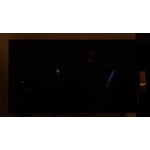
only had tv for going on two years!! tv is mounted on wall in living room and bc my family members all have tvs in thier its hardly ever used.. tv just one day just went black with a flashing lit up black screen and hasnt worked since then
Hi LeAnn, Thank you for sharing details of the image issue you’re having. Please know we are here to help. I have a few troubleshooting tips I would like for you to try. You mentioned that your screen went black; if your TV has a black screen, please try these steps. 1. Press the Home button on the remote. If the menu appears, the TV is powered on but is either not on the correct source or not receiving a signal. If the menu does not appear, the TV may have power issues. Check the red standby light, a little red light at the edge of the TV that you aim the remote at. In everyday use, the red standby light is on when the TV is off (indicating the TV is on standby), and the red standby light is off when the TV is in use (or doesn't have power). 2. Confirm the TV is set to the same source as the external device. For instance, if your cable box is connected to HDMI 1, set the TV source to HDMI 1. If the TV is set to the correct source but there is still no image, unplug and reconnect the AV connections one cable at a time from both ends of each cable. If there's any damage to the cable, it will need to be replaced. After you've reconnected the external device, could you turn it off and back on? 3. Test the HDMI cable. Some TVs have an HDMI cable test. Some models only have this test after a software update, and older models do not have it. If your model does not have this test or is not connected by HDMI, skip to the next step. The test is designed for HDMI cords less than 6 feet long and may not give accurate results on longer cords. To perform the test, make sure the TV's source is still on the HDMI setting for the cable you want to test, and then navigate to Settings > Support > Self Diagnosis > Signal Information > HDMI Cable Test > Start Test. If the test says, the cable is bad, replace the cable. Service is not required. 4. Test different external devices. The final thing to rule out is the external device you're using. Try connecting a different device or using a different source port. If the TV can display a picture in any other setup, then you've ruled the TV out as the cause of the issue. Keep trying various setups until you identify the device or cable that is not working and troubleshoot or replace it. You likely need service if these steps do not fix your issue. If your TV is out of the 1-year Manufacturer's Warranty, you can locate a service center in your area on Samsung's website. Go to Support (upper right corner) and select Schedule a Service Appointment. This will allow you to find a location nearest you to help you with your repair. Should you have additional questions or wish to troubleshoot the issue, please call us at 1-800-SAMSUNG, 8 AM - 12 AM EST, seven days a week. LiveChat with an agent, as well as manuals, software, and warranty info, can be found at the ‘Support’ link on our Samsung website. ~ Samsung Advisor
Great value and features
We received our TV and it's better then we thought. For a 65inch TV it was was light, we were able to install it on the wall with minimum difficulty. The picture and sound quality are great. Best TV purchase ever