Join Now
Skip to Main Content
Sam's Club
Sam's Club
All Departments
All Services
Customer reviews for SAMSUNG 75" Class TU700D-Series Crystal Ultra HD 4K Smart TV UN75TU700DFXZA for
SAMSUNG 75" Class TU700D-Series Crystal Ultra HD 4K Smart TV UN75TU700DFXZA
4.4 out of 5 stars
stars
10.4K ratings10K reviews
  1. 5 stars69% (7,261)
  2. 4 stars18% (1,887)
  3. 3 stars5% (566)
  4. 2 stars3% (265)
  5. 1 star5% (499)

Member photos

  • +1529 images
Sort by |
Showing 3,231-3,240 of 10,069 reviews
Sep 16, 2020
Reviewer name: Oz246
5 out of 5 stars
5 out of 5 stars review

This product is overall amazing

[This review was collected as part of a promotion.] I play video games a lot so I thought about getting a tv and came across Samsung series 7 and it's got everything a gamer needs and more! The game play looks amazing it has quick access to of apps like Hulu and Netflix and I can just turn on my console and my tv will do the same. I would recommend this tv to any one that was looking for a great affordable 4K tv.

Review from Samsung US
Helpful?3STAXRT0NDXF13883163940
Aug 23, 2022
Reviewer name: kt1113
5 out of 5 stars
5 out of 5 stars review

Great features. Easy to use
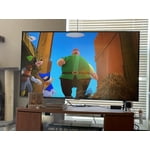
[This review was collected as part of a promotion.] We use our tv for watching shows and movies. Love that the apps are easy to access and navigate. We use a lot of streaming services, the Samsung features are a great extra and easy to connect phones and other devices too! The color and sound are amazing. We loved ours so we bought my mom one too!

Review from Samsung US
Helpful?3STAXRT0NDXF13883163940
Aug 23, 2022
Reviewer name: AutismMom54
4 out of 5 stars
4 out of 5 stars review

Great picture and size, volume/heat bad

[This review was collected as part of a promotion.] I bought this 55 inch Samsung TV to replace the one in my bedroom that went out that was a sharp! The picture is great however the sound is terrible. No matter what I do it doesn't adjust or stay at a normal level. You have to turn it up extremely loud just to get a normal volume? I've tried to settings can't find anything to control the volume. The size is great, the picture is very good although it puts off a lot of heat which is a negative not sure if I would recommend this or anybody that doesn't have air flowing through to keep the TV cooled off otherwise it will heat your room up from the heat coming from the screen

Review from Samsung US
Helpful?3STAXRT0NDXF13883163940
Oct 24, 2020
Reviewer name: Ebby2600
4 out of 5 stars
4 out of 5 stars review

Great Color with Sharp Contrast

[This review was collected as part of a promotion.] We replaced a 15 year old Sony Bravia with the new Samsung. Size for size what an improvement in the vividness of the Samsung's color. I realize, due to the thickness, speaker quality is up against a wall. Don't get me wrong the sound is acceptable but a quality sound bar would make a big difference.

Review from Samsung US
Helpful?3STAXRT0NDXF13883163940
Aug 22, 2022
Reviewer name: Justkeikei
4 out of 5 stars
4 out of 5 stars review

I love my TV!

[This review was collected as part of a promotion.] I use my TV all the time and for so many things like gaming, movies, TV streaming, and music. I love the gaming mode, it makes my games so bright and clear that really gives a better gaming experience. My movie nights have been elevated due to this tv and it connects so seamlessly to my Samsung soundbar to create that movie theater experience. The speakers that are built in are also good; they are loud and clear enough to fill my apartment. I use them to listen to music. The only downside is using the ambiance brightness because if you have big windows or a lot of light, the screen can become too dark to see.

Review from Samsung US
Helpful?3STAXRT0NDXF13883163940
Oct 21, 2020
Reviewer name: Mommyo3kids
5 out of 5 stars
5 out of 5 stars review

True Smart Tv

[This review was collected as part of a promotion.] I love that my tv works as my entertainment center of the home. It is a true smart tv, with all the features as explained and even more. I love that I can have all my apps within the tv without having to attach extra devices. I can even search the internet and I certainly love the screen size and the colors are awesome!

Review from Samsung US
Helpful?3STAXRT0NDXF13883163940
Oct 26, 2022
Reviewer name: Songbird
5 out of 5 stars
5 out of 5 stars review

I love my Samsung TV

[This review was collected as part of a promotion.] I really love my new Samsung TV! It's great for streaming, because all the apps are right there on the TV screen, no separate remote needed! Another thing I love about my Samsung TV is that I can channel surf. A lot of people don't even watch cable TV anymore, but I do. And with this TV, compared to other ones, I can go from channel 2 to channel 79, and back and forth (just an example). Or if I don't know what I want to watch I can start from 2 and push the up button all through the cable stations. It's perfect for me and how I like to watch programs and/or go to whatever station I want. The video and audio on this TV has excellent quality as far as I'm concerned. The colors are very vivid and I've had no problems with the sound. Overall, this is the perfect TV for me.

Review from Samsung US
Helpful?3STAXRT0NDXF13883163940
Aug 20, 2020
Reviewer name: Jason
2 out of 5 stars
2 out of 5 stars review

Shadowy rings at bottom of screen

features, color and motion are great. brightness is fine. screen quality is not. it started with shadowy rings at the bottom of the screen, almost like half a bullseye. at first i only noticed them when screen was filled with one color. now i notice it most of the time. really annoying when watching sports. if that's your thing, look elsewhere.

Review from Samsung US
Helpful?3STAXRT0NDXF13883163940
reply from OBA

Jason: Thank you for purchasing the Samsung TU7000 TV. I am very sorry you are experiencing image issues with your TU7000 TV. Please be sure you have the latest firmware which can be found at: https://www.samsung.com/us/support/owners/product/crystal-uhd-tvs-tu7000-2020 Using your TV's remote, navigate to Settings, and select Support. Select Software Update, and then select Update Now. New updates will be downloaded and installed on your TV. Updates usually take a few minutes; please do not turn off the TV until the update is complete. When the update is finished, the TV will restart automatically. You may want to enable automatic updates for convenience. Select Settings > Support > Software Update, then select Auto Update. If you would like to update your software using USB, please check for the latest version at: https://www.samsung.com/us/support/owners/product/crystal-uhd-tvs-tu7000-2020 Instructions for how to update firmware are detailed here: samsung.com/us/support/answer/ANS00062224/ Should your problem persist, please contact Samsung Customer Support: 1) Phone: 1-800-SAMSUNG (available 8AM -12AM EST, 7 days a week) 2) LiveChat: https://www.samsung.com/us/support/#contact_us_for_support 3) Facebook Messenger: https://www.facebook.com/samsungsupport 4) Twitter: https://twitter.com/SamsungSupport 5) The Samsung Members Community is also a great resource for getting help from Samsung moderators and customers: https://us.community.samsung.com If you have not already done so, we invite you to register your new Samsung product at: https://www.samsung.com/us/account/signin/?redirect=https%3A%2F%2Fwww.samsung.com%2Fus%2Fsupport%2Fregister%2F Registering your product gives you access to easy warranty support, convenient opt-in to special promos and offers, faster troubleshooting and service, and quick notification of system updates. ~ Samsung Solutions

Aug 13, 2022
Reviewer name: Rio L
2 out of 5 stars
2 out of 5 stars review

Not the best tv I've purchased

i purchased the samsung tu7000 when one of my children threw a tennis ball which hit the screen of my beautiful lg. loved that tv. i needed to get a tv that day, so i rushed out and bought this one. i bought too quickly, and i must admit that the low price was attractive. now i know why it was so cheap. each time i turn it on the color is faded, so i need to reset the picture. it's annoying. at first i thought it might be a minor glitch, but it must be adjusted each time you turn it on. i thought it might need a software upgrade, but nope, it says that its up to date. i didn't do enough research on the tv; found out later that it was a 2020 model, so i screwed up. you get what you pay for. i won't buy samsung again.

Review from Samsung US
Helpful?3STAXRT0NDXF13883163940
reply from Samsung Brand Ambassador

Hi Rio L, Thank you for your feedback on the Samsung TU7000 TV's picture quality. Please try the following troubleshooting tips to prevent your TV from reverting to the previous picture settings. You can change the dimming feature of your TU7000 TV by adjusting some of the energy efficiency features designed to reduce power consumption. The Eco sensor automatically adjusts the brightness level of the TV according to the ambient light level. If the Eco Sensor has changed the screen's brightness level, you can select Min. Backlight to manually adjust the minimum screen brightness. You can also disable these features for a steady brightness setting. You can adjust Brightness Optimization, Brightness Reduction, Motion Lighting, or Contrast Enhancer by going to Settings > General > Power and Energy Saving > and adjusting the Brightness Optimization, Brightness Reduction, and Motion Lighting. Next, let's make sure your TV is on Home Mode. Please do so by heading to Settings>General>System Manager>Usage Mode>Enter Pin>Click "Home Mode." If these settings do not prevent your TV from changing Picture Settings, please allow us to make this right by contacting us at 1-800-SAMSUNG, 8 AM - 12 AM EST, seven days a week. Or visit us on the Samsung website and click on the 'Support' link for: 1) LiveChat with an agent 2) Manuals, Software, & Warranty Info ~ Samsung Advisor

Apr 27, 2022
Reviewer name: LuvsSam
5 out of 5 stars
5 out of 5 stars review

Love my 65 inch Samsung smart tv!

I bought this tv back in December 2021. Best purchase ever! Thought it was going to be too big for my space but not so. Beautiful picture, so clear. Loves it! This tv repalced a smaller Samsung and I do have a 50 inch Samsung in my basement. So that says I love this product. No problems at all.

Review from Samsung Canada
Helpful?3STAXRT0NDXF13883163940
reply from Operations

Thank you, LuvsSam! We love to hear positive feedback and we’re delighted you’re enjoying your new Samsung TV.