
 Customer reviews for SAMSUNG 75" Class TU700D-Series Crystal Ultra HD 4K Smart TV UN75TU700DFXZA for
Member photos



 +1529 images
Bad quality, software issues, just excuses…
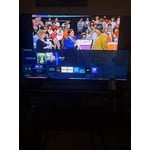
took this out of the box, plugged it in, hooked up firestick, worked for 1 day. tv will not start up again. disconnected everything, tried hard reset, 4 hours of troubleshooting and nothing. just like all the other reviews here, big issues with software not allowing the tv to start, no hard controls to do a hard reset, just this useless smart remote. all of these folks can't be wrong, it's just non existent quality control, cheap components for a fast buck, bad support. hugely disappointed………this was a birthday gift from my son.
Hi Evlmechanic, We are very sorry to hear that your TV is having issues turning on right out of the box. Please know we pride ourselves on ensuring our customers have a great product and customer experience. We are here to help you. The TU700D TV is backed by a 3-year limited manufacturer's warranty, including authorized repair for manufacturer defects if purchased brand-new directly from an authorized seller. Please give us a chance to make this right by contacting us so we can set up warranty service or replace your unit. Contact us at 1-800-SAMSUNG, 8 AM - 12 AM EST, seven days a week. LiveChat with an agent, as well as manuals, software, and warranty info, can be found at the ‘Support’ link on our Samsung website. We hope to hear from you soon! ~ Samsung Advisor
Save you time and money.
SAVE YOUR TIME AND MONEY! 3rd time writing this bad review the other two were taken down. Bought this less then two months ago and now it won't turn on. It hardly worked with Alexa and Apple AirPlay. It would only bring up a blank screen when I tried to use them. Picture was decent when it worked. It comes preloaded with a cluster of just junk apps that you will never use. Not worth your hassle or time.
HB00: Thank you for purchasing the Samsung TU7000 TV. I am very sorry that you are experiencing issues turning your TV on. You may want to try the following troubleshooting steps: (1) Make sure that the AC power cord is securely plugged in to the TV and the wall outlet. (2) Make sure that the wall outlet is working and the power indicator at the bottom of the TV is lit and glowing a solid red. If it is off, the TV either does not have power, or it is on and the screen is black. If it is blinking, your TV may need service. (3) Try pressing the TV Controller button at the bottom of the TV to make sure that the problem is not with the remote control. (4) If the TV turns on, your issue may be with the remote control If you have an app that is freezing, not loading, or crashing, you can try cold booting your TV, updating your TV's software, deleting and downloading the app again, and a completing full reset of Smart Hub to correct the issue with the app. You can search online for ‘Samsung Support TSG01003027’ for step-by-step instructions If you need further assistance, please know that Samsung Customer Support is here to help, and can be reached via any of the below options: 1-800-SAMSUNG (8AM -12AM EST, 7 days a week) Or visit us on the Samsung website and click on the SUPPORT link in the upper right corner for: 1) Contact Us Options (LiveChat, Remote Support, Facebook, Twitter) 2) Product Support 3) Manuals and Downloads 4) Warranty Info 5) Product Registration: Registering your product gives you access to easy warranty support, convenient opt-in to special promos and offers, faster troubleshooting and service, and quick notification of system updates 6) Samsung Community: A great resource for getting help from Samsung moderators and customers and more 7) …and more product, repair, order, and care options Again, thank you for taking the time to share your thoughts on this product. Your feedback helps us continuously deliver best-in-class products and service. ~ Samsung Solutions
Disappointing
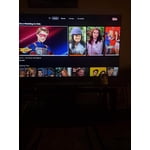
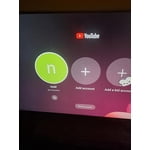
picture is good. software/interface is a huge disappointment. i was hoping to not have to use a box of any kind but will have to go back to apple tv. the smart hub is so bad that when you turn the tv on it will only default to their smasung channels which blasts some nonesene game shows or bad tv. i use youtube tv for programmining and have to go in and load each time which is slow. app tiles are small and hard to distinguish which app is highlighted. i have a tcl with roku tv that was cheaper, runs faster, has a much better interface with infinately more configuration, etc. really expected more from samsung. i just picture a group of design people sitting around a presentation of this “smart hub” interface and being impressed enough to approve it....wow.
Shpx: Thank you for purchasing the TU7000 TV and for your review. Your thoughts regarding the interface is important to us and will be shared with our internal teams. Should you ever have questions or need help with TV features, specs, or operation, we are here to help. 1-800-SAMSUNG (8AM -12AM EST, 7 days a week) Or visit us on the Samsung website and click on the SUPPORT link in the upper right corner for: 1) Contact Us Options (LiveChat, Remote Support, Facebook, Twitter) 2) Product Support 3) Manuals and Downloads 4) Warranty Info 5) Product Registration: Registering your product gives you access to easy warranty support, convenient opt-in to special promos and offers, faster troubleshooting and service, and quick notification of system updates 6) Samsung Community: A great resource for getting help from Samsung moderators and customers and more 7) …and more product, repair, order, and care options Again, thank you for taking the time to share your thoughts on this product. Your feedback helps us continuously deliver best-in-class products and service. ~ Samsung Solutions
Samsung TV Always My First Choice
[This review was collected as part of a promotion.] I brought this tv to replace my previous Samsung TV which was at least 10 years old. It was still working fine just wanted a bigger one. Samsung offers their own TV service similar to cable which I love and free of charge. Can even get it on Samsung phones now. My TV is crystal clear and has a nice set of built in speakers with nice sound and base. Only thing is it only has 2 HDMI ports and I was used to have 3 or 4 but the two will suffice. The smart features allows me access to all my streaming services so that's a plus. Overall I've never been disappointed with Samsung products.
Great TV for an amazing price
[This review was collected as part of a promotion.] I bought this TV over a year ago when I was moving cities, wanted a big screen without having to expend the premium cost on it. I'm highly surprise by the quality of the TV specially for what I paid for. The images is high quality even when playing video games and the sound is perfect for a small apartment. The extra channels that Samsung provides are a plus since we don't pay for cable but can access it for free. Overall great purchase.
Verified Purchase
Don't buy read first
Not worth the price I was hoping a lot when it said 4K processing like that meant anything I have flat screens running through my house and every room first time with the Samsung and another thing it only has two ports not happy with that at all I should have stuck with my Vizio going to take this one back and get my vizio back and save extra $$200
Poor Picture
The picture quality on this TU7000 is not near the same quality as the 10 year old Samsung it replaced. After adjusting the brightness to max the brightness level is poor. The picture is not as clear as the the 10 year old tv it replaced. Very disappointed with the TU7000.
gkcc, I am very sorry to see that you were not happy with the picture quality of your TU7000 Crystal UHD TV. Please know that the TV will upscale as best as possible any content sent to it. The closer the signal is to 4K, the better it will look coming out. In addition, the quality of the image on your screen depends on the source and the connection. HDMI cables are recommended for optimal HD viewing; and when possible, 4K content will provide the best picture quality. Below is a link to advanced picture setting adjustment that may help solve your concern: https://www.samsung.com/us/support/answer/ANS00079295/ Our Customer Support Team is always happy to assist you with image quality adjustments tailored to your preferred viewing experience. You can reach us via any of the following options: 1) Phone: 1-800-SAMSUNG (ask for TVs) Available 8AM – 9PM EST (Mon-Fri) 2) LiveChat: https://www.samsung.com/us/support/#contact_us_for_support 3) Facebook Messenger: https://www.facebook.com/samsungsupport 4) Twitter: https://twitter.com/SamsungSupport Again, thank you for taking the time to share your thoughts on this product. Your invaluable feedback helps us continuously deliver exceptional products and service. - Samsung Ambassador
Great TV, terrible remote!
this is a great tv! it is our first smart tv and we're pleasantly surprised at how easy it was to set up and use. even our children are able to use it with ease. especially simple when switching back and forth between cable and streaming apps. we are very happy with the tv but i have to say that we strongly dislike the remote. buttons need to be different sizes/ shapes or even different a orientation. we're constantly hitting the wrong buttons even after having for a few weeks. this is the only downside to this tv.
So far, so good.
this is our first smart tv. its not our first samsung. i was quite surprised at the ease of set up. it took less than 15 mins and we were up and running! even the remote setup for our existing service was flawless. unboxing was simple and direct. now, we will have to see if it holds up as well as the one it replaced.
Tizen terrible Samsung forces apps
the tizen operating system is slow and has very few features. many of the settings you would want exposed just arent available or are turned on by some other setting that you may not want to enable as well. it's too easy to end up in amazon prime or some other streaming service that paid samsung for a favorable position on screen. this tv is basically a better quality vizio with worse software. let me remove the samsung tv app. i don't use it and it's annoying. for that matter, why are the apps arranged the way samsung wants them instead of me? the person who paid for this tv. i should be able to set the icon i'm most likely to hit on accident because the remote is laggy. all said, i will most likely never purchase another samsung because of this tv.