
 Customer reviews for SAMSUNG 75" Class TU700D-Series Crystal Ultra HD 4K Smart TV UN75TU700DFXZA for
Member photos


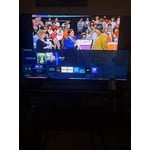
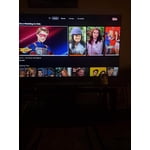
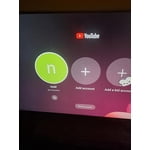
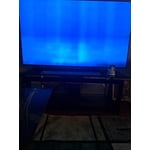

 +1529 images
Decent Screen, TERRIBLE PROCESSOR!!!
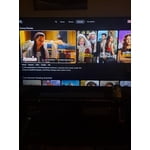
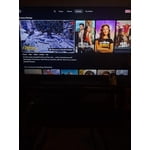
I have a larger Samsung TV and was very impressed by the robust performance of the native apps and apps that you can get from the App Store (although I'll caveat that by mentioning that I did have to return that TV to the store three times because of how slow the processes worked (laggy, would take a whole minute for any remote control command to work. This TV has a similar issue running applications such as Netflix, Hulu, Apple TV, and others. I bought this TV to serve primarily as my new home-office display ( and to watch TV from to kill the time in between tasks, if I'm being honest). The TV will work fine if you're hooking it to a laptop or desktop. If you're buying this TV to...well...watch TV and so you don't have to use an off the shelf box (like Roku, Apple TV set top, Chromecast, etc), then you'll be TERRIBLY DISAPPOINTED. You would think that if Samsung wants to market a TV as Smart, they would pay more attention to quality control and performance of their Smart Features. Everything running directly from the TV just disappoints. The user interface for every app is rendered in low resolution (yes, I checked my settings. I also compared the same apps on the same TV with third party app services). I can overlook that the app interfaces all run in low resolution, as long as the actual video is rendered in HD. What I can't overlook, is how laggy the TV gets when you run any app. This TV struggles to play video while handling simple functions such as..say.. changing the volume or a channel. So...here I am...using a “Smart TV” as simply a monitor.
The_One_True_Bob, Thank you for your purchase and review. The interface issue you are describing may be related to your network connection and quality. We suggest you try the following: 1. Use 5G WiFi if possible 2. Try wired LAN if available 3. Try repositioning the router so there are no obstacles between your TV and the router I hope this helps to solve your concerns. If the issues persist, please reach out to Samsung Customer Support at: 1) Phone: 1-800-SAMSUNG (ask for TVs) Available 8AM - 12AM EST (Mon-Fri) / 9AM - 11PM EST (Sat-Sun) 2) LiveChat: https://www.samsung.com/us/support/#contact_us_for_support 3) Facebook Messenger: https://www.facebook.com/samsungsupport 4) Twitter: https://twitter.com/SamsungSupport Have you registered your new Samsung TV with us? If not, we invite you to do so at: https://www.samsung.com/us/account/signin/?redirect=https%3A%2F%2Fwww.samsung.com%2Fus%2Fsupport%2Fregister%2F, and gain access to easy warranty support, convenient opt-in to special promos & offers, faster troubleshooting & service, and quick notification of system updates. -Samsung Ambassador
Don't buy this tv .
i just bought it 2weeks ago. when i got the tv it have blinking problem. show up randomly can enjoy this tv poor quality. was trying to resolve the problem today. but spending almost a hour still no solution. too much problem to get this tv. not enjoyable. not recommend buying.
WEI WU: Thank you for purchasing the TU7000 TV and for your review. If your TV is flickering or dimming sporadically, you may need to disable some of the energy efficiency features. Disable Ambient Light Detection, Power Saving Mode, Motion Lighting, or Contrast Enhancer. Settings > General> Eco Solution> Ambient Light Detection Settings > General> Eco Solution> Power Saving Mode Settings > General> Eco Solution> Motion Lighting Settings > Picture > Expert Settings > Contrast Enhancer Run Picture Test. When the tested image quality is normal, check the signal of the connected device. Settings > Support > Device Care > Self Diagnosis > Picture Test I hope this helps. If your issue persists, please reach out to Samsung Customer Support, and a representative will gladly assist you. Available at 1-800-SAMSUNG (8AM -12AM EST, 7 days a week) Or visit us on the Samsung website and click on the SUPPORT link in the upper right corner for: 1) Contact Us Options (LiveChat, Remote Support, Facebook, Twitter) 2) Product Support 3) Manuals and Downloads 4) Warranty Info 5) Product Registration: Registering your product gives you access to easy warranty support, convenient opt-in to special promos and offers, faster troubleshooting and service, and quick notification of system updates 6) Samsung Community: A great resource for getting help from Samsung moderators and customers and more 7) …and more product, repair, order, and care options Again, thank you for taking the time to share your thoughts on this product. Your feedback helps us continuously deliver best-in-class products and service. ~ Samsung Solutions
Terrible TV. Waste of money
I bought this hoping it would be an improvement because I liked my old samsung TV a lot. Netflix doesn't work, the picture isn't great, constantly having internet issues with the TV (My internet has been fine with my other TV's and computers) thinking about returning it but it will be a pain. Also, recommended screw sizes did not fit to mount it. Idk what they were doing when they built this piece of garbage.
Jimmy, Thank you for your purchase and review. I am sorry for the issues you had and understand your disappointment. Please check that your TV is running the latest firmware, which can be found at: www.samsung.com/us/support/owners/product/crystal-uhd-tvs-tu7000-2020 For instructions on how to update your firmware, please visit: www.samsung.com/us/support/answer/ANS00062224/ . Netflix should be working properly now. The 65 inch TU7000 TV is compatible with any VESA mount that supports 400x300 spacing. If your wall mount does not supply the screws you can find them at any hardware store. Screw size is M8 x 125mm You can find details, including diagrams and images of wall mounting on page 7 of your user manual. So that we can better troubleshoot your WiFi issue, please contact Samsung Customer Support at 1-800-SAMSUNG, available 8AM - 12AM EST (Mon-Fri) / 9AM - 11PM EST (Sat-Sun). If you have not already done so, we invite you to register your new Samsung product at: www.samsung.com/us/account/signin/?redirect=https%3A%2F%2Fwww.samsung.com%2Fus%2Fsupport%2Fregister%2F Registering your product gives you access to easy warranty support, convenient opt-in to special promos and offers, faster troubleshooting and service, and quick notification of system updates. We hope to hear from you.
Save you time and money.
SAVE YOUR TIME AND MONEY! 3rd time writing this bad review the other two were taken down. Bought this less then two months ago and now it won't turn on. It hardly worked with Alexa and Apple AirPlay. It would only bring up a blank screen when I tried to use them. Picture was decent when it worked. It comes preloaded with a cluster of just junk apps that you will never use. Not worth your hassle or time.
HB00: Thank you for purchasing the Samsung TU7000 TV. I am very sorry that you are experiencing issues turning your TV on. You may want to try the following troubleshooting steps: (1) Make sure that the AC power cord is securely plugged in to the TV and the wall outlet. (2) Make sure that the wall outlet is working and the power indicator at the bottom of the TV is lit and glowing a solid red. If it is off, the TV either does not have power, or it is on and the screen is black. If it is blinking, your TV may need service. (3) Try pressing the TV Controller button at the bottom of the TV to make sure that the problem is not with the remote control. (4) If the TV turns on, your issue may be with the remote control If you have an app that is freezing, not loading, or crashing, you can try cold booting your TV, updating your TV's software, deleting and downloading the app again, and a completing full reset of Smart Hub to correct the issue with the app. You can search online for ‘Samsung Support TSG01003027’ for step-by-step instructions If you need further assistance, please know that Samsung Customer Support is here to help, and can be reached via any of the below options: 1-800-SAMSUNG (8AM -12AM EST, 7 days a week) Or visit us on the Samsung website and click on the SUPPORT link in the upper right corner for: 1) Contact Us Options (LiveChat, Remote Support, Facebook, Twitter) 2) Product Support 3) Manuals and Downloads 4) Warranty Info 5) Product Registration: Registering your product gives you access to easy warranty support, convenient opt-in to special promos and offers, faster troubleshooting and service, and quick notification of system updates 6) Samsung Community: A great resource for getting help from Samsung moderators and customers and more 7) …and more product, repair, order, and care options Again, thank you for taking the time to share your thoughts on this product. Your feedback helps us continuously deliver best-in-class products and service. ~ Samsung Solutions
Returning
We have given it a try, but we will return it. The apps do not work properly, videos keep freezing. We have checked for updates and done everything possible to make this work. Not very impressed with image quality, the smaller Toshiba that we had for a while works better than this one. Not worth keeping.
Hi Just Me, I'm very sorry that your TU7000 TV is not working properly. Please know your feedback will be shared with our internal teams. Please know we back this TV with a 1-year limited manufacturer's warranty, including authorized repair for manufacturer defect, if purchased brand-new directly from an authorized seller. You can call us at 1-800-SAMSUNG, 8 AM - 12 AM EST, seven days a week. Or visit us on the Samsung website and click on the ‘Support’ link for: 1) LiveChat 2) Manuals, Software, & Warranty Info ~ Samsung Advisor
4 stars all day
it is extremly hard for me to give 5 stars for anything because everything can be improved on and this 7 series samsung is no different. it is a great tv and setup is fairly easy but i have to agrree with others that the remote needs some improvement. first the instuctions constantly refer to the ok button and there is not an ok button so trial and error places it between the 4 directional arrows. the apps don't function as they should upon the inital setup. there are many features that samsung needs to examin in that area. the set is a great set and the 65” that i got has a really good, not great picture. i do not regret my purchase and other than the remote i'm happy with my purchase.
Picture was great for one day
This TV had good picture for 24 hours and then the picture had a purple/pink hue. And no Samsung, per your suggestion to every bad review, there is no firmware update available for my TV. As per other reviews a reset has temporarily resolved the issue but I will be returning this TV tomorrow.
BW711, I am very sorry that you are experiencing purple/pink hue with your picture. Please make sure that your 65inch TU7000 TV has the latest firmware update, which should resolve this issue. You can find the update at: https://www.samsung.com/us/support/owners/product/crystal-uhd-tvs-tu7000-2020 For instructions on how to update your firmware, please go to: samsung.com/us/support/answer/ANS00062224/ Should you need further assistance with firmware update or any other issue, please know we are here to help. Simply call Samsung SUpport us at 1-800-SAMSUNG (ask for TVs) Available 8AM - 12AM EST (Mon-Fri) / 9AM - 11PM EST (Sat-Sun) Again, I am very sorry for the inconveniences you have had and hope that we will hear from you soon. -Samsung Ambassador
You Get What You Pay For...
I gave this 3 stars as the TV functions as it should and it's my fault that I didn't do my homework. It was the last one left at the store I was at a couple days ago and the last one in my area. It was a good price, so I jumped on it. I was under the assumption that all 4k TV's were running at 120 hz at this point - had no idea new 60hz TV's were still being made. I kept messing with the picture as my nearly 11 year old 1080p 240hz Samsung 55 in. looked better. Well, that 240hz is why. When I read the specs online I was shocked to see the refresh rate at 60hz ('motion rate 120' is just gimmicky buzzword speak to sell low grade TV's like 'blast processing' was used to sell Sega Genesis for those old enough to remember). I still love Samsung, and I will be getting a better TV from the brand when I can. If I had known the refresh rate was only 60hz I would have never considered getting this (really wish the store I was at had the full specs on the product card... But yeah, my fault). If you don't play video games or aren't super picky when it comes to image quality in movies, this TV is fine. If you do play games and are concerned about image quality in your movies well, with electronics you get what you pay for.
Brian81: Thank you for your review of the TU7000. When you use Auto Game Mode, your screen will automatically optimize your screen giving you a smoother gaming experience without motion blur and judder. Go to Settings > General > External Device Manager > Game Mode I hope this improves your gaming experience. Please contact Samsung Customer Support should you need assistance with other features, functions, or setup: 1) Phone: 1-800-SAMSUNG, available 8AM - 9PM EST, Mon - Fri 2) LiveChat: https://www.samsung.com/us/support/#contact_us_for_support 3) Facebook Messenger: https://www.facebook.com/samsungsupport 4) Twitter: https://twitter.com/SamsungSupport 5) The Samsung Members Community is also a great resource for getting help from Samsung moderators and customers: https://us.community.samsung.com If you have not already done so, we invite you to register your new Samsung product at: https://www.samsung.com/us/account/signin/?redirect=https%3A%2F%2Fwww.samsung.com%2Fus%2Fsupport%2Fregister%2F Registering your product gives you access to easy warranty support, convenient opt-in to special promos and offers, faster troubleshooting and service, and quick notification of system updates. ~ Samsung Solutions
Disappointed
I bought this TV this week. The picture was great for 2 days. Turned the TV on this morning and every channel has green imaging. It is only clear now when still pictures are on the screen . . . Will be in touch with the store where I purchased it as I have only had it a few days now.
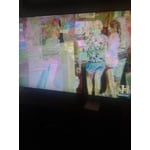
Falcon: Thank you for purchasing the Samsung TU7000 and sharing your review. We apologize for the color issue you experienced. Please check that your TV has the latest firmware update, which can be found at: www.samsung.com/us/support/owners/product/crystal-uhd-tvs-tu7000-2020 You can find instructions for how to update the firmware at: www.samsung.com/us/support/answer/ANS00062224/ If we can be of further assistance, please call us at 1-800-SAMSUNG, available 8AM - 12AM EST (Mon-Fri) / 9AM - 11PM EST (Sat-Sun) To optimize your product experience, we encourage you to register your new Samsung TV at: https://www.samsung.com/us/support/register/ …and gain access to easy warranty support, convenient opt-in to special promos & offers, faster troubleshooting & service, and quick notification of system updates. We hope the above resolves your issue. Thanks for choosing Samsung.
Verified Purchase
Don't buy read first
Not worth the price I was hoping a lot when it said 4K processing like that meant anything I have flat screens running through my house and every room first time with the Samsung and another thing it only has two ports not happy with that at all I should have stuck with my Vizio going to take this one back and get my vizio back and save extra $$200