
 Customer reviews for SAMSUNG 75" Class TU700D-Series Crystal Ultra HD 4K Smart TV UN75TU700DFXZA for
Member photos


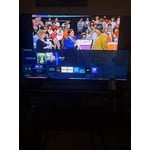
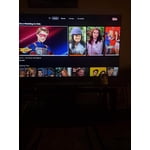
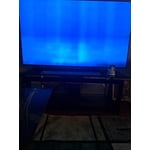

 +1529 images
Affordable 4K sweetness
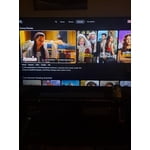
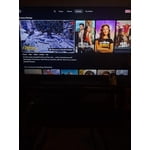
[This review was collected as part of a promotion.] This 4k tv is an entry model that punches above is weight. I have it mounted in my bedroom and it's slim bezels and ample brightness is more than enough for me. With HDR support, streaming movies and shows is truly enjoyable. With the truly tested samsung remote and the tizen os, navigating around the menu is a breeze. If you're looking for a store bright screen and extremely low refresh rates, you might need to look for something higher priced or specd. Blacks are super black and 4K content is as rich as can be. With ample hdmi and other inputs, connecting your speaker system is as easy as ever. Surely looking forward to getting one for the kids room for those cocomelon & peppa pig nights .
Great features
5 years of sheer joy the settings menu is extensive and you really have to know the right combination of tuning to get the picture at it's highest value, the zoom is amazing must have to maximize picture with top and bottom black bars, great tv once you know your way around, took me some time to get the best combo of settings but that was ok final product awesome
Beautiful Picture, Terrible Interface
i got this tv to replace a 10 year old television that stopped working. it seems liked a great option, and it has really good reviews. i understand with any newer tv model there's a learning curve to adjust to menu layouts and quirky brand features. however, the awkwardness and confusing design of the app menu layout; the incredibly slow, lagged and often over compensated menu scroll speed; and "smart" features like the one to reopen the last app didn't work. i gave this tv over 15 days to convince me it was for me, but i eventually decided that i couldn't handle the laggy menu and traded it in for a different brand of tv.
MatS: Thank you for sharing your review of the Samsung TU7000 TV. I am very sorry that you were not completely happy with interface, experienced some lag, and have decided to return it. Should you ever decide to give Samsung TVs another try and have questions or need assistance with settings, setup, or features, please know we are always here to help. Again, my sincerest apologies. We hope to regain you as a customer in the future. 1-800-SAMSUNG (ask for TVs), available 8AM -12AM EST, 7 days a week Or visit us on the Samsung website and click on the ‘Support’ link in the upper right corner of the homepage for: 1) Contact Us Options (LiveChat, Remote Support, Facebook, Twitter) 2) Product Support 3) Manuals and Downloads 4) Warranty Info 5) Product Registration: Registering your product gives you access to easy warranty support, convenient opt-in to special promos and offers, faster troubleshooting and service, and quick notification of system updates 6) Samsung Community: A great resource for getting help from Samsung moderators and customers and more 7) …and more product, repair, order, and care options ~ Samsung Solutions
Love it....but....
I'll make this quick, I LOVE IT!!! What sucks is lack of storage or the option to add more. How can I perform a software update, when the TV out the box only gives like 200 MB. I had to delete the only two apps I downloaded and then tv still didnt have enough storage. Ima give it a week then change my review to a 2 star.
Poor performance. Would not recommend Samsung
I bought this tv less than 3 years ago and it already having issues powering on. Sometimes it takes 5-30 minutes to turn on. Once it is on it works fine, but very disappointed that this model isn't working properly. Contacted Samsung support via email with no response. Called the Samsung support # and the representative walked me through some troubleshooting, but couldn't fix the issue. Now I'm stuck with a 58” tv that won't turn on when I want it to. They suggested I call for repair service, which would cost as much as I paid for the tv.
TV is fine, software is not.
bought the tv almost one year ago to the day (nov 30th, 2020). the tv is now stuck and say it needs updated by a usb drive. i've tried over and over to put the current firmware onto a usb drive and to get it to repair or reboot and apply it. no luck and samsung support hasn't been able to help so far. pretty annoying that a firmware update that should be taking place in the background somehow is corrupt? can't even change inputs to roku or a game system.

Hi Kyle, Thank you for purchasing the Samsung TU7000 TV. I am sorry to hear that you are experiencing issues with your unit. Samsung is committed to providing the best possible product experience, quality, and value. We back this Samsung TV with a 1-year limited manufacturer's warranty, including authorized repair for manufacturer defect, if purchased brand-new directly from an authorized seller. Please give us another opportunity to assist you with further troubleshooting or warranty assistance by contacting Samsung Customer Support. Please call us at 1-800-SAMSUNG (ask for TVs), available 8AM - 12AM EST, 7 days a week. For additional support resources, visit us on the Samsung website and click on the ‘Support’ link in the upper right corner of the homepage for: 1) Chat with Us/Product Help: To begin a chat or find solutions, choose ‘TVs & Home Theater’ and select your model & topic. 2) Register a Product: For access to easy warranty support, convenient opt-in to special promos and offers, faster troubleshooting and service, and quick notification of system updates. 3) Manuals & Software 4) Warranty Info 5) Contact Us We look forward to hearing from you. ~ Samsung Solutions
Pretty much the worst tv experience
the good- the bad- darkest picture ever. cant adjust it enough to see people when its a low light setting audio- doesnt stay connected to bluetooth soundbar from same brand picture- randomly has blue light/tint that covers the whole tv. cant read or see anything until it randomly goes away lag- lags like an early 2000's computer with viruses. click any button on the remote and wait 5 seconds or until it spazzes out and goes into a random app or some animal documentary
Bloop: I am very sorry you have experienced multiple issues with your TU7000 TV. I understand your frustration and disappointment. There are several troubleshooting steps you can take to improve your experience. 1) Please be sure to download and install the latest firmware which improves Bluetooth connection and addresses the color glitch issue. Using your TV's remote, navigate to Settings, and select Support. Select Software Update, and then select Update Now. New updates will be downloaded and installed on your TV. Updates usually take a few minutes; please do not turn off the TV until the update is complete. When the update is finished, the TV will restart automatically. If there aren't any new updates, select OK to exit. You may want to enable automatic updates for conveniences. Select Settings > Support > Software Update, then select Auto Update. If you would like to update your software using USB, please check for the latest version on the Samsung website Please be sure to reset the TV after it has been updated by either unplugging the AC for 20 seconds (or) pressing and holding the power butting until the TV turns off then back on. 2) To address your lag issue, you may want to run the self-diagnosis tool. This service checks memory and frees up unused cached memory and closes background apps. Go to Settings > Support> Device Care > Start Device Care 3) Samsung is aware of the issue of scenes appearing too dark, and a new firmware update will be released soon to address this issue. Please follow the steps in (1) to keep your firmware current. I hope these tips help. For further assistance, please contact Samsung TV Support at 1-800-SAMSUNG (available 8AM -12AM EST, 7 days a week) Or visit us on the Samsung website and click on the SUPPORT link in the upper right corner for: 1) Contact Us Options (LiveChat, Remote Support, Facebook, Twitter) 2) Product Support 3) Manuals and Downloads 4) Warranty Info 5) Product Registration: Registering your product gives you access to easy warranty support, convenient opt-in to special promos and offers, faster troubleshooting and service, and quick notification of system updates 6) Samsung Community: A great resource for getting help from Samsung moderators and customers and more 7) …and more product, repair, order, and care options Again, thank you for taking the time to share your thoughts on this product. Your feedback helps us continuously deliver best-in-class products and service. ~ Samsung Solutions
Would not recommend
I bought this TV in March of 2021 and had to return it to the store the next day as it was not working correctly. I returned it and it worked well for about three weeks. It is currently turning on and off by itself and I cannot correct it. I heard that Samsung were great products, but I am very unhappy with this product. Would not recommend.
Hello Janet, Thank you for purchasing the Samsung TU7000 and for your review. We appreciate your feedback regarding the issues you are experiencing with your TV powering itself on and off. Sometimes connected Smart devices send abnormal "power on" signals through the wireless network that triggers the TV to turn itself on. If you do not want this function, navigate to Settings > General > Network > Expert Settings > Power On with Mobile, and turn the setting off. If you are using an external device through HDMI, this also could cause the auto power on as Anynet+ is set on. Occasionally, connected devices such as game consoles (PS4, xbox) or cable set top boxes send power on signals, for example, if they have software updates. We recommend you to try turning Anynet+ off as it may be causing auto power on. Go to Setting- General - External Device Manager - Anynet+, then Disable (toggle button) If your TV still appears to turn off by itself, please also try disabling some of the TV's energy efficiency functions. See if Sleep Timer has been enabled. The Sleep Timer automatically turns the TV off after a specific period of time. Go to: Settings > General > System Manager > Time > Sleep Timer If the Sleep Timer has not been enabled, see if Auto Power Off or Off Timer has been enabled and disable it. - Settings > General > Eco Solution > Auto Power Off - Settings > General > System Manager > Time > Off Timer If the TV continues to turn on or off by itself continuously, please contact our TV Support at 1-800-SAMSUNG (ask for TVs), available 8AM -12AM EST, 7 days a week. Or text HELP to 62913. For additional support resources, visit us on the Samsung website and click on the ‘Support’ link in the upper right corner of the homepage for: 1) More ‘Contact Us’ options – LiveChat, Facebook, Twitter, Samsung Community, Samsung Members app 2) Manuals & Software 3) Warranty Info 4) Product Registration: For access to easy warranty support, convenient opt-in to special promos and offers, faster troubleshooting and service, and quick notification of system updates. We look forward to hearing from you. ~ Samsung Specialist
Glitching
we bought this about 2 weeks ago and it was working great but for no apparent reason, the TV volume is going crazy, the volume goes all the way up to 100 and stays there. When we try to turn it down and release the volume button it automatically goes up to 100. We troubleshooted it by unplugging it, and reseting it to factory settings and we made sure it was in fact not the remotes by removing the batteries. This is really upsetting.

Linda, I apologize for the disappointment you have had with the volume issue. So that we can better troubleshoot this issue and provide steps towards a solution, I invite you to please contact Samsung TV Support via any of the below options: 1) Phone: 1-800-SAMSUNG (ask for TVs) Available 8AM - 9PM EST (Mon-Fri) 2) LiveChat or Email: https://www.samsung.com/us/support/#contact_us_for_support 3) Facebook Messenger: https://www.facebook.com/samsungsupport 4) Twitter: https://twitter.com/SamsungSupport If you have not already done so, we invite you to register your new Samsung TV at: https://www.samsung.com/us/support/register/. Registering your product gives you access to easy warranty support, convenient opt-in to special promos & offers, faster troubleshooting & service, and quick notification of system updates. Again, I am very sorry for the inconveniences you have had, and hope that we will hear from you soon. -Samsung Ambassador
Black screen in a couple of days
TV worked fine for the first couple of days, then the screen went black presumably from a faulty back light strip. The menus and and sound still work, but the screen is still black. Otherwise, the screen was great for 4K gaming until it unfortunately broke.
Kevin: If you've switched on your TV and the sound comes through fine, but you're not seeing any picture; there are 3 potential issues. 1) A connection issue; the most common problem. Where there is a bad connection, faulty cables or improper installation. 2) An issue with the device connected to the TV. There may be a video output setting on the device that you must set properly before it will output to the TV. 3) There is something wrong with the TV, which will require a technician to assess the TV and find a solution. The 'Samsung TU7000 Full Manual' is available online. Refer to pages 135-140 for step-by-step troubleshooting instructions. I hope this helps, if you should need further troubleshooting assistance, please contact Samsung Customer Support. 1-800-SAMSUNG (8AM -12AM EST, 7 days a week) Or visit us on the Samsung website and click on the SUPPORT link in the upper right corner for: 1) Contact Us Options (LiveChat, Remote Support, Facebook, Twitter) 2) Product Support 3) Manuals and Downloads 4) Warranty Info 5) Product Registration: Registering your product gives you access to easy warranty support, convenient opt-in to special promos and offers, faster troubleshooting and service, and quick notification of system updates 6) Samsung Community: A great resource for getting help from Samsung moderators and customers and more 7) …and more product, repair, order, and care options Again, thank you for taking the time to share your thoughts on this product. Your feedback helps us continuously deliver best-in-class products and service. ~ Samsung Solutions