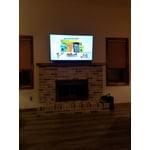
Great display, terrible speakers
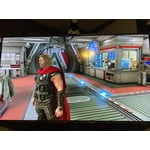
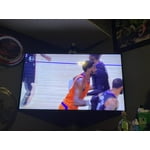
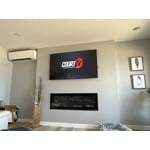
this tv has a beautiful display, but the speakers are absolutely terrible. basically no bass and rather quiet compared to my old tv, which was a 40 inch 4k samsung 6 series. i'll say the speakers are serviceable when you put the tv's sound setting to amplify (still not good) but they're basically gross sounding when set to game mode. i know a lot of people use headsets when playing video games, but i don't, i like to use my tv speakers. well it's so bad that i had to buy a sound bar. i'd definitely recommend this tv if you don't care much about sound and/or don't game. if you do though, definitely factor the price of a sound bar into the cost of this tv.
reply from Samsung Brand Ambassador
Hello Beastabuelos,
Thank you for choosing Samsung’s 2021 Q60A TV. I’m happy to hear that you are enjoying the 4K experience delivered to you by our Quantum Processor 4K Lite that transforms what you’re watching into stunning 4K.
We appreciate your feedback regarding the sound quality of your new TV. One of the features of your TV is OTS Lite (Object Tracking Sound Lite) which means that there are strategically placed dynamic speakers that track the action and move the sound around you. If you have a Samsung Q-Series soundbar, please take advantage of Q-Symphony which synchronizes both your TV speakers and soundbar to give you an excellent surround experience.
I see you have already tried out various Sound Modes offered on your TV; there are a few additional volume features you can also enable/disable/adjust to your liking.
1) Auto Volume automatically adjusts the sound to a certain level when changing channels or switching to another external input.
2) Adaptive Volume automatically adjusts to a specific volume level while you are watching TV. The TV analyzes your volume usage history by time period to automatically adjust the volume when you use an app or switch to an external input source.
3) Several Sound Modes are likewise available to meet your personal preferences: Home > Settings > Sound > Sound Mode
Also, some sources have their own volume control which might be set too low. Please check the volume control of the external device (cable box or satellite box, DVD, Blu-ray, etc.) connected to your TV. Also, check the cable connection between an external device and the TV and then try cable connection again.
Should you ever have questions or need help, please call us at 1-800-SAMSUNG (ask for TVs), available 8AM -12AM EST, 7 days a week. Or text HELP to 62913.
For additional support resources, visit us on the Samsung website and click on the ‘Support’ link in the upper right corner of the homepage for:
1) More ‘Contact Us’ options – LiveChat, Facebook, Twitter, Samsung Community, Samsung Members app
2) Manuals & Software
3) Warranty Info
4) Product Registration: For access to easy warranty support, convenient opt-in to special promos and offers, faster troubleshooting and service, and quick notification of system updates.
Thank you for choosing Samsung TVs!
~ Samsung Specialist

 Customer reviews for SAMSUNG 55" Class Q6-Series 4K Ultra HD Smart QLED TV QN55Q6DAAFXZA for