Skip to Main Content
Sam's Club
Sam's Club
All Departments
All Services
Customer reviews for Roku Streaming Stick 4K | Streaming Device 4K/HDR/Dolby Vision with Voice Remote with TV Controls and Long-Range Wi-Fi for
Roku Streaming Stick 4K | Streaming Device 4K/HDR/Dolby Vision with Voice Remote with TV Controls and Long-Range Wi-Fi
4.6 out of 5 stars
stars
3,675 ratings3,632 reviews
  1. 5 stars81% (2,966)
  2. 4 stars11% (391)
  3. 3 stars3% (113)
  4. 2 stars2% (90)
  5. 1 star3% (115)
Sort by |
Showing 1,261-1,270 of 3,632 reviews
Dec 2, 2022
Reviewer name: Kuchy
5 out of 5 stars
5 out of 5 stars review

Easy to Use

This stick is better than the plain Roku stick. You do not need your TV remote to turn on and off your TV or adjust the sound. It can all be done with this 4K stick. It also have voice control to find your shows or stations. Also it is very easy to connect the USB to the TV.

Review from roku.com
Helpful?12WCQ0OQV3ZW13869674101
Feb 5, 2025
Reviewer name: Jeff
4 out of 5 stars
4 out of 5 stars review

WIsh It Controlled A/V Receiver Audio

Overall it is a nice player. Selected titles load quickly. Faster than Chromecast with Google TV. Roku remote is of better quality too. The disappointment is that the remote can not be programmed to control the audio level an a A/V receiver. I still need another remote to adjust the volume. Very backward in today's world. Both Fire stick an Chromecast with Google TV remotes do this.

Review from roku.com
Helpful?12WCQ0OQV3ZW13869674101
Aug 3, 2025
Reviewer name: roku
3 out of 5 stars
3 out of 5 stars review

freezes and buffers often

I have 4 tv's with Roku streaming devices. 3 work fine however the 4K streamer on the smart tv which is the closest the router freezes and buffers often. the router is only in next room with open wall. I even increased with my speed with spectrum to the maximum still no change

Review from roku.com
Helpful?12WCQ0OQV3ZW13869674101
Aug 4, 2025
Reviewer name: Dave C
5 out of 5 stars
5 out of 5 stars review

Perfect for taking on trips

We love our Rokus at home (native to all our TVs), but we miss it when we travel. No more, with the Roku Streaming Stick 4K. At hotels and friend's houses, you're never sure what apps they support on TVs, but they always provide an HDMI port - so we can easily watch any streaming service or use any of the Roku apps when we're chillin' in our rooms or just want to get away from the crowd.

Review from roku.com
Helpful?12WCQ0OQV3ZW13869674101
Jan 3, 2024
Reviewer name: Tiffany
4 out of 5 stars
4 out of 5 stars review

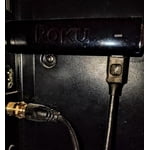
Cordless is great, remote could still be better

We switched the the Roku stick just over a month ago. It works as well as our first Roku, but I love how it is cordless and does not need to take up any surface area on our TV stand and we eliminated the HDMI cord. The remote control has been a disappointment though. We were excited to eliminate the separate TV remote control, however the volume control button barely works on the new remote and there is no "source" button. So if we decide to use the DVD player it requires 3 remotes still. My daughter really loves the microphone option on the remote though, she can't read or type yet but can say what she wants on YouTube and her videos pop up for her. We all love that!

Review from roku.com
Helpful?12WCQ0OQV3ZW13869674101
Dec 7, 2022
Reviewer name: Treedmama
5 out of 5 stars
5 out of 5 stars review

Love Roku!

I replaced 3 older Roku’s to get the voice feature and volume control. Both features work great! The only downside was having to log back in to several streaming services. I thought exiting apps would all transfer automatically. I also do not notice any difference in streaming speed.

Review from roku.com
Helpful?12WCQ0OQV3ZW13869674101
Jun 19, 2024
Reviewer name: Entape
4 out of 5 stars
4 out of 5 stars review

Sidegrade

For the most part, I'm happy with the purchase and it works well. It does seem to have trouble with YouTube from time to time (while all other devices run it fine) and the connection isn't as solid as these other devices. There's some QoL stuff I'd like options for, but it is just the stick so I can't expect too much. I'm half in love with the power feature, because I can run some music or other sleep aids, and it'll power down much faster than some other things, but I constantly turn the feature on and off because twenty minutes is just too short a time and it forgets what I was doing when it shuts down this way. I use subtitles for everything and I'm not a fan of them on the Roku. Could use more options, like sizing, and sometimes they seem to go out of sync more often than I am used to. This was meant to be a replacement for other devices, but I've still had to go back to other devices a couple times when the stick was acting up. When it works, it works great, there's just some issues that keep me from raving about it. As far as recommending to a friend, it entirely depends upon their needs and situation.

Review from roku.com
Helpful?12WCQ0OQV3ZW13869674101
Apr 20, 2025
Reviewer name: William O
5 out of 5 stars
5 out of 5 stars review

It Works For Me

I'm sure at 77 yrs old many technological things go over my head. But with this Roku device, I was able to listen to, and watch, wonderful hi-def TV shows (mostly all streaming) easily and also have the sound go to my wireless remote with the headphone jack. (The walls are thin in my building and I don't want to disturb anyone.) This Roku device gets a complete thumbs up from me.

Review from roku.com
Helpful?12WCQ0OQV3ZW13869674101
Dec 22, 2023
Reviewer name: RoniD
4 out of 5 stars
4 out of 5 stars review

Cut the cable

I recently canceled my TV cable connection and went straight to Wi-Fi. I am experimenting with what is available to the roku. I have not signed app for any live programs yet there is enough on roku to satisfy my viewing needs at this time. I do have a subscription to Netflix and peacock.

Review from roku.com
Helpful?12WCQ0OQV3ZW13869674101
Dec 24, 2023
Reviewer name: timedriver
3 out of 5 stars
3 out of 5 stars review

Remote Control

Not happy with the remote. Cant turn the tv on or off as well as control the volume.Have to use the tv remote for that....otherwise it works for the other functions.I did all the other steps as well with the smart tv for accepting the signal but no dice.

Review from roku.com
Helpful?12WCQ0OQV3ZW13869674101