Skip to Main Content
Sam's Club
Sam's Club
All Departments
All Services
Customer reviews for SAMSUNG 65" Class QN85BD-Series Neo QLED 4K Smart TV - QN65QN85BDFXZA for
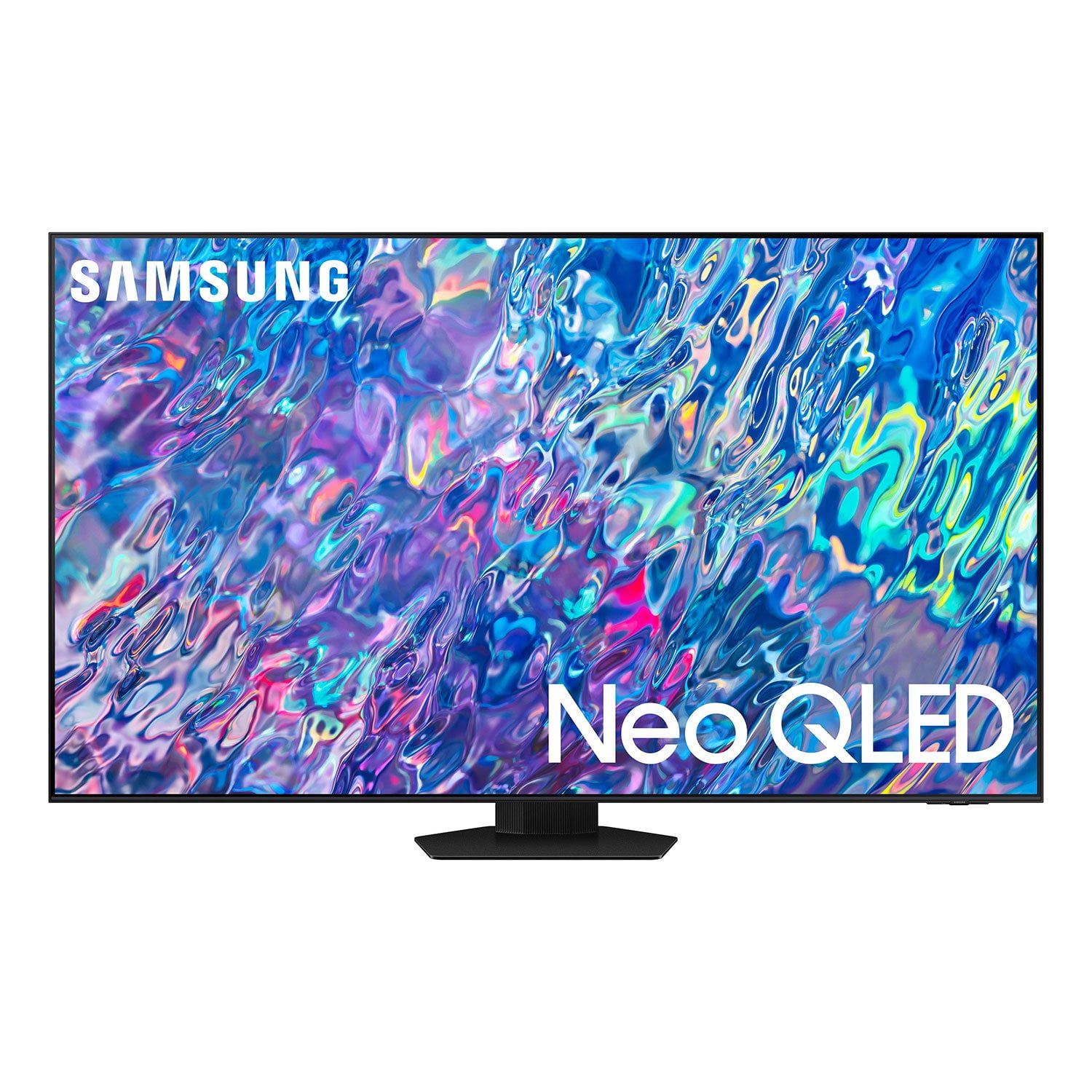
SAMSUNG 65" Class QN85BD-Series Neo QLED 4K Smart TV - QN65QN85BDFXZA
4.7 out of 5 stars
stars
736 ratings672 reviews
  1. 5 stars82% (604)
  2. 4 stars13% (93)
  3. 3 stars3% (19)
  4. 2 stars1% (6)
  5. 1 star2% (14)

Member photos

  • +187 images
Sort by |
Showing 101-110 of 672 reviews
Dec 30, 2022
Reviewer name: Preston
5 out of 5 stars
5 out of 5 stars review

Verified Purchase

New Samsung TV

We love our new TV.

Helpful?6MSFCO3SMOG113868809341
Dec 27, 2022
Reviewer name: Frank
5 out of 5 stars
5 out of 5 stars review

Verified Purchase

Yup

Perfect

Helpful?6MSFCO3SMOG113868809341
Dec 27, 2022
Reviewer name: Brnon N
3 out of 5 stars
3 out of 5 stars review

Verified Purchase

Poor erie

TV i fine but remote on tv didn't work. Sam's Club was NO HELP. Have dealt with Samsung for 2 weeks with still no remote. I'm not happy.

Helpful?6MSFCO3SMOG113868809341
reply from Samsung

Brnon N,I'm sorry to hear of the issues you're having with the QN85BD TV's Solar Cell Remote. Please contact Samsung Support again for further troubleshooting assistance. You can reach us at 1-800-SAMSUNG, 8AM - 12AM EST, 7 days a week. Our LiveChat agents are also available by clicking on the ‘Support’ link on our website.~ Samsung Specialist

Dec 26, 2022
Reviewer name: Edward
1 out of 5 stars
1 out of 5 stars review

Does not support DTS audio.

Does not support DTS audio codec. The main purpose of this purchase was to watch my 4k movie collection on it. And it's not supported. Samsung deliberately removed support of it from the new models. I'll return that useless TV and buy something NOT samsung, that will be able to work with all audio formats.

Review from Samsung US
Helpful?6MSFCO3SMOG113868809341
reply from Samsung Brand Ambassador

Edward, Thank you for your review of Samsung's QN85B TV. Your thoughts regarding DTS audio codec support are appreciated and will be shared with our internal teams. Should you need assistance or have questions, please contact Samsung Customer Support at 1-800-SAMSUNG, 8AM - 12AM EST, 7 days a week. Our LiveChat agents are also available by clicking on the ‘Support’ link on our website. ~ Samsung Specialist

Dec 21, 2022
Reviewer name: Biglott
5 out of 5 stars
5 out of 5 stars review

Verified Purchase

Exceptional

Everything I wanted in clarity.

Helpful?6MSFCO3SMOG113868809341
Dec 20, 2022
Reviewer name: Kool kev
5 out of 5 stars
5 out of 5 stars review

Verified Purchase

Outstanding Picture

Love It

Helpful?6MSFCO3SMOG113868809341
Dec 18, 2022
Reviewer name: KoolAid Kid
5 out of 5 stars
5 out of 5 stars review

Verified Purchase

Great 65” TV

Love this tv. It was easy to assemble the stand and getting it started on our cable system. The remote is easy to use, simple and small, it even has a solar cell to keep the battery charged. Picture is outstanding, sound is great too. The different apps and cable channels appear at the bottom of the screen and easily scroll to give you all the choices. I would recommend this tv for someone looking for a high quality tv and many functions.

Helpful?6MSFCO3SMOG113868809341
Dec 17, 2022
Reviewer name: Kristy
5 out of 5 stars
5 out of 5 stars review

Verified Purchase

Awesome

Great picture and love the ease of hooking up cable box and sound bar using only one remote

Helpful?6MSFCO3SMOG113868809341
Dec 13, 2022
Reviewer name: Michael Adams
5 out of 5 stars
5 out of 5 stars review

Verified Purchase

Neo QLED worth the money

Great color and sound

Helpful?6MSFCO3SMOG113868809341
Dec 6, 2022
Reviewer name: bj
1 out of 5 stars
1 out of 5 stars review

Verified Purchase

unhappy

unhappy with poor delivery and quality of picture being often very dark

Helpful?6MSFCO3SMOG113868809341
reply from Samsung

Hi bj,It’s unfortunate to hear the delivery of your QN85BD TV was less than adequate. We recommend you contact Sam's Club directly for assistance. We hope your issue is resolved quickly.If the image is too dim, please try disabling some of the TV's energy efficiency functions, as these will automatically adjust your picture and may cause your screen to appear brighter or darker than preferred. Go to: Home > Menu > Settings > All Settings > General & Privacy > Power and Energy Saving > turn off Brightness Optimization, Brightness Reduction, and Motion LightingYou may also want to try adjusting image settings to improve your picture. Go to Home > Menu > Settings > All Settings > Picture > Picture Mode1) Standard: Is the default mode suitable for general viewing environments.2) Movie: Is suitable for watching TV or movies in a dark room.3) Dynamic: Makes the picture brighter and clearer in bright viewing environments.4) Filmmaker Mode: You can watch the source content (e.g., movie) as it is. If the image is defined as Filmmaker Mode, it will automatically switch to Filmmaker Mode while watching. You can also customize the brightness level of your screen between 0 – 50 to your preference. Go to: Home > Menu > Settings > All Settings > Picture > Expert SettingsPlease also make sure you’ve got the latest firmware version installed on your TV. You can check this by going to: Home > Menu > Settings > Support > Software Update > Update NowI hope these tips help. Should you need further assistance, please call us at 1-800-SAMSUNG, 8AM - 12AM EST, 7 days a week. Our LiveChat agents are also available by clicking on the ‘Support’ link on our website.~ Samsung Specialist