
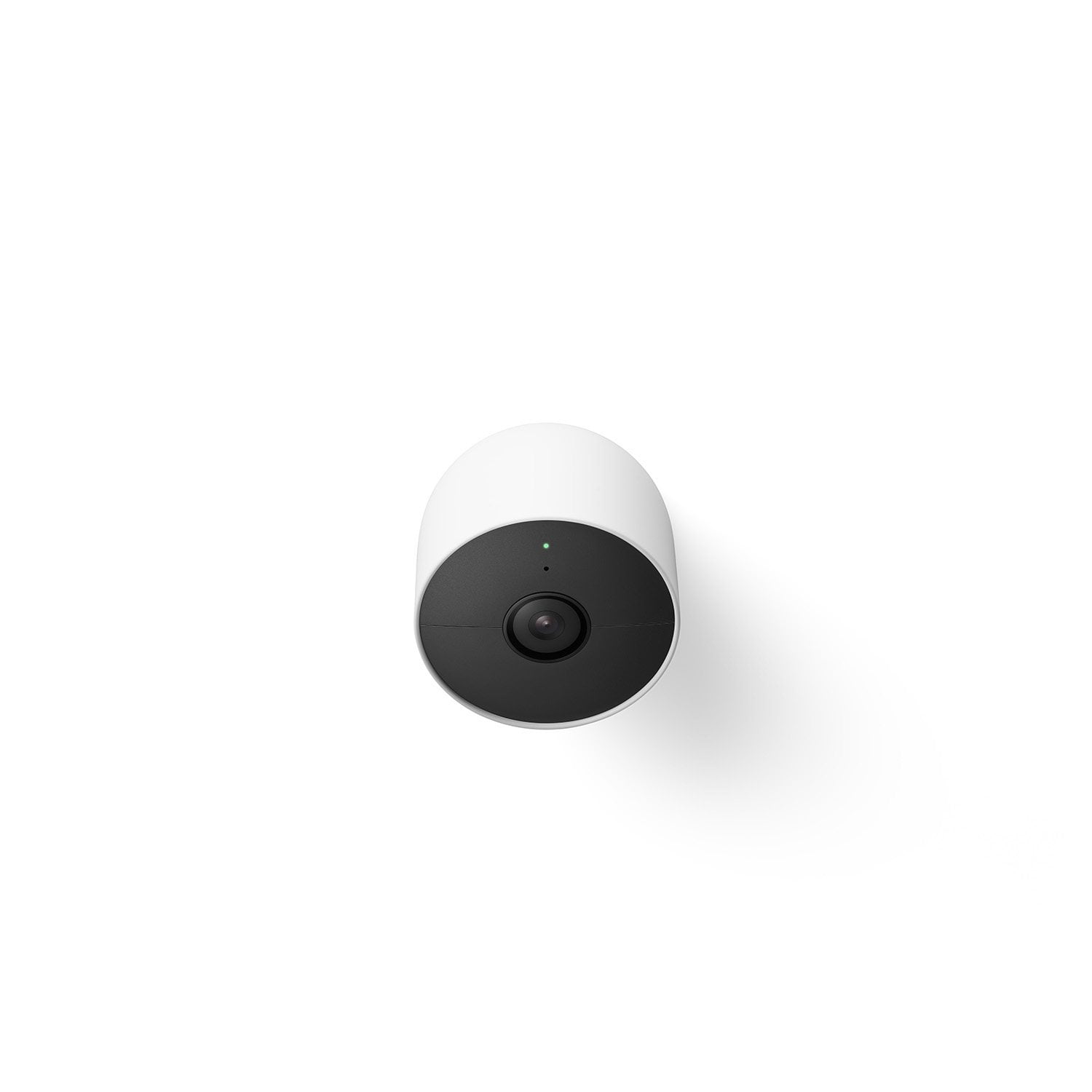
 Customer reviews for Google Battery-powered Nest 1080p HD Security Camera for
Member photos






 +73 images
Excellent Cam and more
[This review was collected as part of a promotion.] This is one of the easiest outside cameras I have ever setup or used. This really is an excellent product. Magnetic connection to base to easily charge! Easy connection to app. and easy to connect to phone. Detects faces, alerts you if seen. Love this!
Great Camera!
[This review was collected as part of a promotion.] This is a great camera. It was easy to set up. Just follow the instructions on the Google Home app. I placed mine outside near the entrance to my basement. It was easy to install as it took a couple of screws, and you are set. It picks up people and animals as they walk by. The clarity is very good as well.
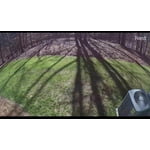

Good, not great
I only have 2 complains with the Google battery camera:1. This camera should have been 4K. I realize 4K would have been more of battery drainer, but I would happily recharge the battery a little extra to have 4K.2. I recently had to change my Wi-Fi password. Folks, don't change your password unless you absolutely have to. I had to climb a ladder and pull cameras down to manually hit the reset button on the back of the camera. You would think there would be a simple solution for this but apparently Google didn't consider this.
Nice "Set It and Forget It Cam" with Some Caveats
[This review was collected as part of a promotion.] A big fan of Google products and how simple they are to use, I had an opportunity to pick up a Google Nest Indoor/Outdoor battery cam. Hardware (the cam and what's in the box): You get Snow white Nest cam (cam and magnetic plate adjoined), a quick-start guide, a proprietary charging cable (USB A to proprietary end), a charging brick, mounting bracket, two drywall sinkers, and two screws. I unboxed the cam and plugged it in. An LED indicator turned blue and a chime rang on the cam, indicating it was getting power and charging (charging completed in about 50 min, as indicated in the Home app). I went to the Home app. I already had the app configured with a Nest thermometer. So, I clicked the “+” icon, selected “Set up device,” tapped “New device,” and selected my location. The app searched for devices. It couldn't find the camera automatically. I selected “Camera” in the “What are you setting up?” screen. I selected “Nest Cam (battery)” and scanned the device's QR code when prompted. The app found the camera. I tapped “Continue.” Agreed to the arbitration agreement. Acknowledged that i understood the usage (especially that the cam a) works best between -4 degree to 104 degrees Fahrenheit temps, b) needs to be installed in a well-ventilated area, c) needs the provided cable and charger to charge, and (very important) d) is weather resistant (at an IP 54 rating) but NOT completely waterproof/weatherproof). I agreed to the privacy guidelines and to share Nest cam stats and crash reports with Google. I read the rest of the instructions and selected where I'd be placing the cam (i.e., indoors, in a bay window pointed to a blind spot on my front porch that leads to a door to our garage). The Home app did the rest, including device setups and automatically connecting to my home Wi-Fi. I got the “All set” in-app notification and the cam chimed to confirm that it was good to go. In the app, I set a location. I then selected a mount (for now “Unofficial mount or stand accessory” a mini tripod to mount the cam until I can get a different mount. It's pretty apparent that the power cable was designed for a mount other than a camera mount, as it can be interesting trying to keep the charging cable connected when using a low profile cam mount. With that selection made, I was then able to use the app view finder to see what the cam saw and reposition the cam. The app stepped me through a short tutorial. It then asked me if I wanted to enable video recording (the cam comes with 3 hours of event video history). The app let me adjust my mic settings (since it's currently indoors, I have mic and audio recording off). I skipped the free Nest trial to see what it does without a subscription. I also decided not to sign up for hardware and product emails. The app noted that it was getting the cam ready and indicated when it was all set. From start to finish, setup took about 10 minutes (without installing the mounting bracket). Here, add another five minutes. Mounting will be that easy... if you are even only somewhat handy with a drill and screwdriver. After initial setup, I played around in the Nest app. It's easy to configure, easy to use, and very customizable. I can see how battery power could last 7 months... or a day or four, depending on what you enable/disable and how you set the cam to record events. Don't worry, if you play around too much and forget the OOB settings, there's a return to default settings option. After playing around in the app to see what the cam can do, the cam offers 1080P resolution, night vision, and 130 degree diagonal field of view, 6X zoom, and two-way communication (so you can hear and talk to someone). Google says that the battery life is about 1.5 months to 7 months (depending on the settings you use on the cam) and how often the cam records any events. Testing the cam on battery only, after a full charge and setting it up on the blind spot, my cam went from 100% to 62% in two days… but, there's a reason for this, as you'll see in a moment. As a result, I ended up connecting the charger full time (note, not a problem for me in my use case, the included charger is not weatherproof, at all… if you want continual power outside, you need to buy a separate weatherproof charger… my thought, at this price point, billed as an indoor/outdoor camera, the cam should've come with a weatherproof charger). So, range of motion… admittedly, at first (given I saw no pivot points on the base or the cam), I was dismayed that it seemed only to “point” straight from the base. I did a quick Google search on positioning the cam and found that it uses a VERY strong magnet to let you rotate the cam any way you want… ingenious, with a fairly significant fail point. The cam rests on a rubberized plate on the magnetic base to better ensure that the cam doesn't rotate too easily. This same VERY strong magnet lets you adhere the cam to any metal surface to which the magnet will adhere (but, you should seriously consider using the included mounting bracket to ensure the cam doesn't slide… oh, and JIC you're wondering… aluminum isn't magnetic… so, it won't adhere to flashing ;) ). Now, the potential base fail point… the lack of a permanent connection to the base makes the cam pretty easy to steal if you place it in an easy-to-reach area. We live in a one-story rancher. We don't have many areas that provide space that is a) protected from the elements (e.g. under an eve) and/or b) that isn't easy to reach with a small step stool. So, without purchasing a separate anti-theft cam restraint, the individual looks up, sees the bright white 4-inch wide cam under an eve, reaches up, grabs the cam… yoink, cam gone. Granted, we have an image (for three hours on the basic Nest plan) but, we no longer have a cam... which is why I decided to install the cam indoors. Recording Experience: With the Home app (no Nest Aware Subscription), I was able to set activity zones and get motion and people, animal, and vehicle notifications -- all encrypted (as long as it's on the cam or on Nest servers). I got the three-hour event history, by default. If you upgrade to Nest Aware, you get the previous as well as familiar face detection, sound alerts, and a 30-day event history. Upgrade to Nest Aware +, you get all the previous and a 60-day event history option. Now, please remember that I was recording indoors pointed through a window. Cameras don't like that for a number of reasons… the glare/reflections (especially when night vision is enabled, talked about in a moment) results in a lot of false positives… which is likely why my battery went from 100% to 62% in two days. Daytime recording, image-wise, was perfect -- high res, full color and clear. I work from home and could observe the time between the event occurring (e.g., vehicle passing through the zones i created) and when I received a notification through the Home app. Notification lag was about 5-10 minutes from event to phone notification. This was fairly reasonable, as there are a lot of variables involved in getting an image from the cam, to your wifi network, to Google's servers/the web interface, back to your phone (depending on your phone's web connection -- e.g., mobile network or other wifi connection). My biggest gripe is the OOB three-hour recording window/event history. I really think you should get 24 hours (or at least 12, given people sleep at night, generally) with the base subscription. Three hours just isn't enough. Night-time recording was black and white and clear. The cam is in a bay window in our family room. It points through the window to the garage. When it's dark out, and we have lights on in the family room, that light reflects off the window back at the cam. When we move in the room, the windows pick up our movement, the cam sees the reflection and thinks there's a person outside. That's reasonable and goes away as an issue once we go to bed and all lights in the living room are turned off. After that, the cam worked as expected (based on using the live views from my phone). Thankfully, we've never had an issue there with break-ins or anything else. So, there is thankfully no night movement in that area at night… but, I wanted it covered for peace of mind (in three-hours spurts at least, ugg). Okay, summing things up… is this cam worth purchasing? There are a lot of variables. Where do you plan to install the cam… indoor or outdoor? In an easily accessible place or not? Under an eve, protected from the elements or not? If you expect a lot of movement (events that trigger the cam to go active a lot) will there or won't there be a dedicated electrical outlet or other power source… e.g., solar to A/C? Does the location have a strong network/Wi-Fi signal? For indoor use as a straight security/monitoring cam, it's good to go and has everything you need (within a three-hour, very limited event window). It's apparent that Google wants to give you a taste of what the cam can do and expects that you'll upgrade to Nest + to be able to record events and review them outside that three-hour window. If outdoors, well, like most Wi-Fi cams, you have the considerations above and have to think about whether to get an anti-theft mount, to lessen the chance that someone will steal your anti-theft camera from its magnetic mount, and you'll likely need to buy a separate outdoor weatherproof power cable (for what's deemed an indoor/outdoor cam?). For my specific purpose, used as a monitoring cam that I can hit from anywhere in the world with network access, I believe the camera does its job (as a “set it and forget it'' cam) and is a solid four-star purchase. The app compliments the cam nicely, is easy to configure, highly customizable, and easy to use. But, as is the case with most items, your mileage may vary based on your specific intended use, environment, and expectations.


Best camera! Easy install
[This review was collected as part of a promotion.] Set up is So easy! Download Google Home App and add camera. The best part is not having to deal with wires, so just mount and go. I suggest you do face recognition before mounting. The magnetic mount is very strong and the battery life still almost full after 2 tweeks. Video and two way sound I found to be very clear. Features animal detection, vehicle detection and familiar face is awesome. Like competitors subscription required for 24H /7 or 3 hours worth of events free. Google Nest Cam does not work with Amazon,Alexa or integrate with other security systems, but you should know that before you buy. The bottom line is if you like easy and quick install this camera is for you.


 +1 image
Get it now
[This review was collected as part of a promotion.] If you want safety and security this camera is the one for you. Crystal clear video, great technology, 24/7 surveillance, video access right from the app on your phone. Reliable and convenient. Love all Nest products.
Super easy set up
[This review was collected as part of a promotion.] I got theGoogle Nest - Nest Cam (outdoor or indoor, battery) a couple of weeks ago. The setup was easy as could be, synced it with my Google Home app and it was ready to go. The fact that it is wireless was a huge selling point for me. The magnetic base is super strong and holds the position of the camera exceptionally well even in strong winds and rain. The battery life seems to be great but still a bit early to tell. The picture is not as clear as I was expecting but it is very clear, I will look into the settings to see if I can adjust these a bit. Overall I am super happy with the Nest Cam.
Difficult setup but good camera overall
[This review was collected as part of a promotion.] Setting up this camera was not as easy as it should have been. I already had Google Home installed on my Android phone but I'd get the camera added then be told by the app I had to use Google Nest to set it up. Then Google Nest would say to use Google Home for set up. A Neverending cycle.... My husband had an iPhone and for some reason it worked on there. Once set up the camera works well. You get 3 hours of free recorded video but can pay for more. The night vision is good and quality at 1080p good as well. You can put the camera by your front door and even talk to people at the door. Mounting the camera base was easy and the camera has a very strong magnet so no worries about it falling off the base.
Look Ma - No Wires!!
[This review was collected as part of a promotion.] The Nest Cam Battery is an indoor and outdoor camera that can be used completely without any wires. One could use the Nest Cam with the provided power cable if desired. Everything needed to install including screws and screw anchors needed to mount the camera are included. Before any of the physical installation is performed, you will need to download the Google Home app onto your phone and scan the QR code that comes with the NestCam to set it up with your existing wifi connection and your smartphone. It is a good idea to physically place the Nest Cam in the location you will install it and confirm that you have a good wifi signal and that video quality is going to be good. Once setup and configured on the phone, the Nest Cam can be configured to alert when it sees something as well as record the event automatically. The alert and the recording can be viewed on the smartphone using the Google Home app. The quality of the picture is fine during the day time but note that the picture is black and white when capturing video during night time or when it is dark. The camera can be configured for quality, as well as night mode changes. The camera includes a microphone that records sound and lets you hear what is going in addition to seeing the video. There is also a speaker that lets you speak and you could potentially have a conversation with whoever you are seeing in the video. Included with the camera is a mounting base that has a strong magnet which helps with installation across multiple surfaces. The camera itself can be placed on the mounting base at any angle as the two elements connect via a magnetic attraction. So, the camera can be placed anywhere you want at any angle you need. Very well done, Google. One problem I ran into is the limited amount of video storage. The camera records and stores video for the latest three hours. You will need to purchase a Nest Aware subscription if you need to access video for extended duration. This is severely limiting especially if you do not get to alerts immediately e.g. if you are at work and in a meeting or with a customer for a couple of hours and then you get to alerts couple of hours later, you will not be able to review the full video as the system automatically deletes video after three hours if you do not have the Nest Aware subscription. I see this as a major issue and Google should change to three hours to something more reasonable or atleast provide an alternate recording option
Google Nest Cam
[This review was collected as part of a promotion.] I am so happy that I got the Google Nest Cam. We originally wanted to put it outdoors and we eventually will but we have 3 kids (always blaming the other for who did what) so we have it up on a high shelf in the family room. Once fully charge, the Google Nest Cam has an awesome battery life. Now it would probably run through its battery quicker if I had the History turned on but I just get on the Google Home app every now and then and have the camera run. A green light will appear when the camera is live or recording. My kids think it's recording all the time. Ha! The set up was easy and I like it's sleek design. I think it would be easy to mount outside.