Skip to Main Content
Sam's Club
Sam's Club
All Departments
All Services
Customer reviews for Google Battery-powered Nest 1080p HD Security Camera for
Google Battery-powered Nest 1080p HD Security Camera
4.4 out of 5 stars
stars
366 ratings361 reviews
  1. 5 stars74% (270)
  2. 4 stars11% (40)
  3. 3 stars5% (17)
  4. 2 stars5% (17)
  5. 1 star6% (22)
Sort by |
Showing 241-250 of 361 reviews
Jan 10, 2022
V795
5 out of 5 stars review

Very Useful product. Loved it !!

[This review was collected as part of a promotion.] This is a very welcome addition to the Google camera range. The Nest cam with battery is supposed to be used outside as well as inside as per the product features. Although is does support outside use, we have installed it on our door so that it’s not totally under the weather and can still serve the purpose. The setup was very easy and we just followed the instructions. Since I already have a decent size Google eco-system so I was quite aware of what all needs to be done to do an error-free installation. Coming to the image quality, as expected it gives a very crisp and good quality image. It has almost all the features like event-based recordings, limited local saving of data etc but one thing which I like to cover is that battery charge. It has 3 modes depending on how you want to capture your events, personally we have used the minimum battery saver option which would give us a 3-4 months of battery life which is pretty good (I am yet to drain out my whole battery). Also one can take the Nest Aware subscription to have longer history of event based recordings. Overall, I have liked the product and I can see the benefits what it provides whether you have a package delivery or someone at the door. Would recommend it for sure !!

Review from Google LLC
Helpful?68SZIG50EPRV13867824192
Jan 4, 2022
MsCourtnaaay
5 out of 5 stars review

Great Security Camera

[This review was collected as part of a promotion.] My husband works overnights and having something like this makes me feel a lot safer at home with my children. The camera was easy to install and doesn't look off-putting compared to some security cameras. The picture quality of the video is great and better than our doorbell camera. Definitely will be purchasing another one of these for the back door, as well!

Review from Google LLC
Helpful?68SZIG50EPRV13867824192
Sep 21, 2021
Riversonian
5 out of 5 stars review

Compact Little Camera

[This review was collected as part of a promotion.] I finally got my Nest Camera yesterday and got it set up immediately. It is a really nice compact little camera. It was easy to migrate with my other Nest product (smoke alarm). The camera has a nice clear picture. I haven't quite decided where I'm going to permanently place it. I plan to use it to monitor my doggy. I like that I can charge camera and that it also has a battery. If you want a nice, small and compact camera I highly recommend the Nest product.

Review from Google LLC
Helpful?68SZIG50EPRV13867824192
Jan 5, 2022
Twins0321
5 out of 5 stars review

Great Camera!

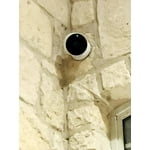
[This review was collected as part of a promotion.] This is a great camera. It was easy to set up. Just follow the instructions on the Google Home app. I placed mine outside near the entrance to my basement. It was easy to install as it took a couple of screws, and you are set. It picks up people and animals as they walk by. The clarity is very good as well.

Review from Google LLC
Helpful?68SZIG50EPRV13867824192
Sep 20, 2021
James73
4 out of 5 stars review

Works well on battery

[This review was collected as part of a promotion.] I already have a couple of wired Nest cameras, running cables to sockets in the garage and on the back porch, so I was interested in the idea of a wireless camera. I was a little skeptical of how well that would work, but as you still have the option of using it wired, it would be ok if that aspect didn't work out. To test the operation, I set the camera up in the kitchen, a relatively high traffic area of the house so the camera would get plenty of exercise. When running on battery, the camera apparently sits in a low-power, standby mode until it senses motion, then turns on the camera, as opposed to continually recording like its wired siblings. You can also connect to it and view a live stream whenever you want. The magnetic base stuck well to the side of the fridge, so it served for a temporary location. The base has fittings for attaching to a wall - screws and all included. After a week, the battery level was reported to my phone as down to 55%, which I thought was pretty decent for the number of times we were triggering it and the length of time it was active. For monitoring the alley that runs next to my home, with much less activity, I can see having having to charge the camera maybe every 3-4 weeks or longer. I'd consider this a preferable alternative to hard wiring, especially as it makes moving the camera much easier. The software side is a mixed bag. The instructions guide you into connecting the camera up through Google Home on my phone, which I did. Now I can view the camera alongside my other Nest cameras in the Google Home app, but the camera isn't shown in the Nest app. With the other cameras, I can view them on my pc, through the Nest website, but I haven't found out how to view this new camera on my pc yet. Maybe I need to add it through my Nest app, too? I'm not sure what the plan is there, whether the entire Nest app is being absorbed into Google Home, or what. The online information is a little mixed about this. Anyway, the options on the phone are great - you can define areas of the camera's view to monitor, whether you want triggers on just people or animals or sound, etc. The built in microphone and speaker are good. You can hear clearly on both sides. It's not a feature I've used on my other cameras - other than to prank the kids - but it's good to know it's there.

Review from Google LLC
Helpful?68SZIG50EPRV13867824192
Sep 14, 2021
cbz350
5 out of 5 stars review

Awesome camera!

[This review was collected as part of a promotion.] This new Nest Cam is pretty awesome. The setup was a breeze, just charge the camera, scan the QR code and follow the in app instructions. I mounted mine outside and love the fact that it doesn't need hardwired power. If you need a flexible camera this is the one to get.

Review from Google LLC
Helpful?68SZIG50EPRV13867824192
Sep 15, 2021
italianlancer08
5 out of 5 stars review

Easy to Setup / Good Image Quality

[This review was collected as part of a promotion.] I bought this a week ago and am happy that I did. The setup was very easy; you download the Google Home app and add the camera to your list of devices. I wanted to attach the camera to a metal fence I have surrounding my home to see what animal was coming into my backyard and tearing up my garden. Low and behold, the night after installing the camera, I found a feral cat is the culprit. There is even some smart built-in AI that changes the notifications you receive on your phone depending on what the camera observes. For example, when I woke up in the morning, I saw "Animal detected" as a notification on my phone. And when I went to go take a look at my garden, it says "person detected". So far it's been outside for a week in the Texas sun and the battery is still showing 99% remaining. Overall, I am very impressed and would highly recommend.

Review from Google LLC
Helpful?68SZIG50EPRV13867824192
Jan 15, 2022
Designer Dude
5 out of 5 stars review

I see you!

[This review was collected as part of a promotion.] Installed this on my front porch and love it! I have a doorbell camera but this Nest Cam shows me a much clearer and larger area. I can see when packages are delivers and monitor them while we aren’t home. When we are out of town it’s just nice to see whats going on. The battery life is good and can’t really complain. I’m going to install more soon!

Review from Google LLC
Helpful?68SZIG50EPRV13867824192
Oct 3, 2021
DetailzGuy
4 out of 5 stars review

Nice "Set It and Forget It Cam" with Some Caveats

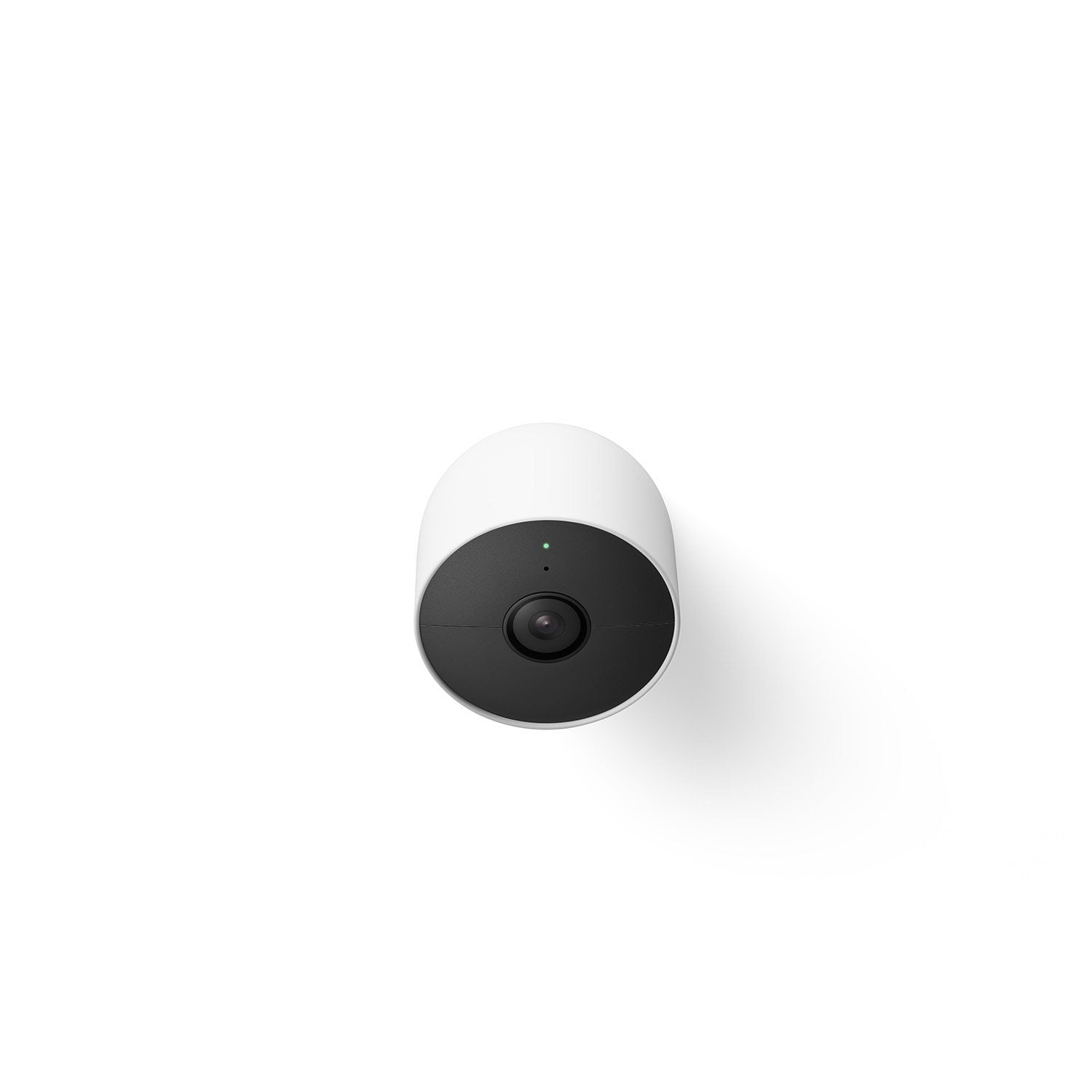
[This review was collected as part of a promotion.] A big fan of Google products and how simple they are to use, I had an opportunity to pick up a Google Nest Indoor/Outdoor battery cam. Hardware (the cam and what’s in the box): You get Snow white Nest cam (cam and magnetic plate adjoined), a quick-start guide, a proprietary charging cable (USB A to proprietary end), a charging brick, mounting bracket, two drywall sinkers, and two screws. I unboxed the cam and plugged it in. An LED indicator turned blue and a chime rang on the cam, indicating it was getting power and charging (charging completed in about 50 min, as indicated in the Home app). I went to the Home app. I already had the app configured with a Nest thermometer. So, I clicked the “+” icon, selected “Set up device,” tapped “New device,” and selected my location. The app searched for devices. It couldn’t find the camera automatically. I selected “Camera” in the “What are you setting up?” screen. I selected “Nest Cam (battery)” and scanned the device’s QR code when prompted. The app found the camera. I tapped “Continue.” Agreed to the arbitration agreement. Acknowledged that i understood the usage (especially that the cam a) works best between -4 degree to 104 degrees Fahrenheit temps, b) needs to be installed in a well-ventilated area, c) needs the provided cable and charger to charge, and (very important) d) is weather resistant (at an IP 54 rating) but NOT completely waterproof/weatherproof). I agreed to the privacy guidelines and to share Nest cam stats and crash reports with Google. I read the rest of the instructions and selected where I’d be placing the cam (i.e., indoors, in a bay window pointed to a blind spot on my front porch that leads to a door to our garage). The Home app did the rest, including device setups and automatically connecting to my home Wi-Fi. I got the “All set” in-app notification and the cam chimed to confirm that it was good to go. In the app, I set a location. I then selected a mount (for now “Unofficial mount or stand accessory” a mini tripod to mount the cam until I can get a different mount. It’s pretty apparent that the power cable was designed for a mount other than a camera mount, as it can be interesting trying to keep the charging cable connected when using a low profile cam mount. With that selection made, I was then able to use the app view finder to see what the cam saw and reposition the cam. The app stepped me through a short tutorial. It then asked me if I wanted to enable video recording (the cam comes with 3 hours of event video history). The app let me adjust my mic settings (since it’s currently indoors, I have mic and audio recording off). I skipped the free Nest trial to see what it does without a subscription. I also decided not to sign up for hardware and product emails. The app noted that it was getting the cam ready and indicated when it was all set. From start to finish, setup took about 10 minutes (without installing the mounting bracket). Here, add another five minutes. Mounting will be that easy... if you are even only somewhat handy with a drill and screwdriver. After initial setup, I played around in the Nest app. It’s easy to configure, easy to use, and very customizable. I can see how battery power could last 7 months... or a day or four, depending on what you enable/disable and how you set the cam to record events. Don’t worry, if you play around too much and forget the OOB settings, there’s a return to default settings option. After playing around in the app to see what the cam can do, the cam offers 1080P resolution, night vision, and 130 degree diagonal field of view, 6X zoom, and two-way communication (so you can hear and talk to someone). Google says that the battery life is about 1.5 months to 7 months (depending on the settings you use on the cam) and how often the cam records any events. Testing the cam on battery only, after a full charge and setting it up on the blind spot, my cam went from 100% to 62% in two days… but, there’s a reason for this, as you’ll see in a moment. As a result, I ended up connecting the charger full time (note, not a problem for me in my use case, the included charger is not weatherproof, at all… if you want continual power outside, you need to buy a separate weatherproof charger… my thought, at this price point, billed as an indoor/outdoor camera, the cam should’ve come with a weatherproof charger). So, range of motion… admittedly, at first (given I saw no pivot points on the base or the cam), I was dismayed that it seemed only to “point” straight from the base. I did a quick Google search on positioning the cam and found that it uses a VERY strong magnet to let you rotate the cam any way you want… ingenious, with a fairly significant fail point. The cam rests on a rubberized plate on the magnetic base to better ensure that the cam doesn’t rotate too easily. This same VERY strong magnet lets you adhere the cam to any metal surface to which the magnet will adhere (but, you should seriously consider using the included mounting bracket to ensure the cam doesn’t slide… oh, and JIC you’re wondering… aluminum isn’t magnetic… so, it won’t adhere to flashing ;) ). Now, the potential base fail point… the lack of a permanent connection to the base makes the cam pretty easy to steal if you place it in an easy-to-reach area. We live in a one-story rancher. We don’t have many areas that provide space that is a) protected from the elements (e.g. under an eve) and/or b) that isn’t easy to reach with a small step stool. So, without purchasing a separate anti-theft cam restraint, the individual looks up, sees the bright white 4-inch wide cam under an eve, reaches up, grabs the cam… yoink, cam gone. Granted, we have an image (for three hours on the basic Nest plan) but, we no longer have a cam... which is why I decided to install the cam indoors. Recording Experience: With the Home app (no Nest Aware Subscription), I was able to set activity zones and get motion and people, animal, and vehicle notifications -- all encrypted (as long as it’s on the cam or on Nest servers). I got the three-hour event history, by default. If you upgrade to Nest Aware, you get the previous as well as familiar face detection, sound alerts, and a 30-day event history. Upgrade to Nest Aware +, you get all the previous and a 60-day event history option. Now, please remember that I was recording indoors pointed through a window. Cameras don’t like that for a number of reasons… the glare/reflections (especially when night vision is enabled, talked about in a moment) results in a lot of false positives… which is likely why my battery went from 100% to 62% in two days. Daytime recording, image-wise, was perfect -- high res, full color and clear. I work from home and could observe the time between the event occurring (e.g., vehicle passing through the zones i created) and when I received a notification through the Home app. Notification lag was about 5-10 minutes from event to phone notification. This was fairly reasonable, as there are a lot of variables involved in getting an image from the cam, to your wifi network, to Google’s servers/the web interface, back to your phone (depending on your phone’s web connection -- e.g., mobile network or other wifi connection). My biggest gripe is the OOB three-hour recording window/event history. I really think you should get 24 hours (or at least 12, given people sleep at night, generally) with the base subscription. Three hours just isn’t enough. Night-time recording was black and white and clear. The cam is in a bay window in our family room. It points through the window to the garage. When it’s dark out, and we have lights on in the family room, that light reflects off the window back at the cam. When we move in the room, the windows pick up our movement, the cam sees the reflection and thinks there’s a person outside. That’s reasonable and goes away as an issue once we go to bed and all lights in the living room are turned off. After that, the cam worked as expected (based on using the live views from my phone). Thankfully, we’ve never had an issue there with break-ins or anything else. So, there is thankfully no night movement in that area at night… but, I wanted it covered for peace of mind (in three-hours spurts at least, ugg). Okay, summing things up… is this cam worth purchasing? There are a lot of variables. Where do you plan to install the cam… indoor or outdoor? In an easily accessible place or not? Under an eve, protected from the elements or not? If you expect a lot of movement (events that trigger the cam to go active a lot) will there or won’t there be a dedicated electrical outlet or other power source… e.g., solar to A/C? Does the location have a strong network/Wi-Fi signal? For indoor use as a straight security/monitoring cam, it’s good to go and has everything you need (within a three-hour, very limited event window). It’s apparent that Google wants to give you a taste of what the cam can do and expects that you’ll upgrade to Nest + to be able to record events and review them outside that three-hour window. If outdoors, well, like most Wi-Fi cams, you have the considerations above and have to think about whether to get an anti-theft mount, to lessen the chance that someone will steal your anti-theft camera from its magnetic mount, and you’ll likely need to buy a separate outdoor weatherproof power cable (for what’s deemed an indoor/outdoor cam?). For my specific purpose, used as a monitoring cam that I can hit from anywhere in the world with network access, I believe the camera does its job (as a “set it and forget it'' cam) and is a solid four-star purchase. The app compliments the cam nicely, is easy to configure, highly customizable, and easy to use. But, as is the case with most items, your mileage may vary based on your specific intended use, environment, and expectations.

Review from Google LLC
Helpful?68SZIG50EPRV13867824192
Sep 22, 2021
Pez Hut
5 out of 5 stars review

Great Camera easy setup

[This review was collected as part of a promotion.] I wanted a camera for outdoor security sensing that could be powered remotely and work through wifi with my phone. This Nest camera does it perfectly, it was very easy to attach externally to my home and the magnetic attachment to the base if great to adjust views. The google home app is easy to setup, I did have to try multiple times for it to fully install without throwing up errors, but just be patient. It can sense movement and send you alerts and keep history videos. The battery depending on use lasts for months.

Review from Google LLC
Helpful?68SZIG50EPRV13867824192