Skip to Main Content
Sam's Club
Sam's Club
All Departments
All Services
Customer reviews for Epson EcoTank ET-2400 Special Edition All-in-One Inkjet Printer, 1 Bonus Black Ink Bottle for
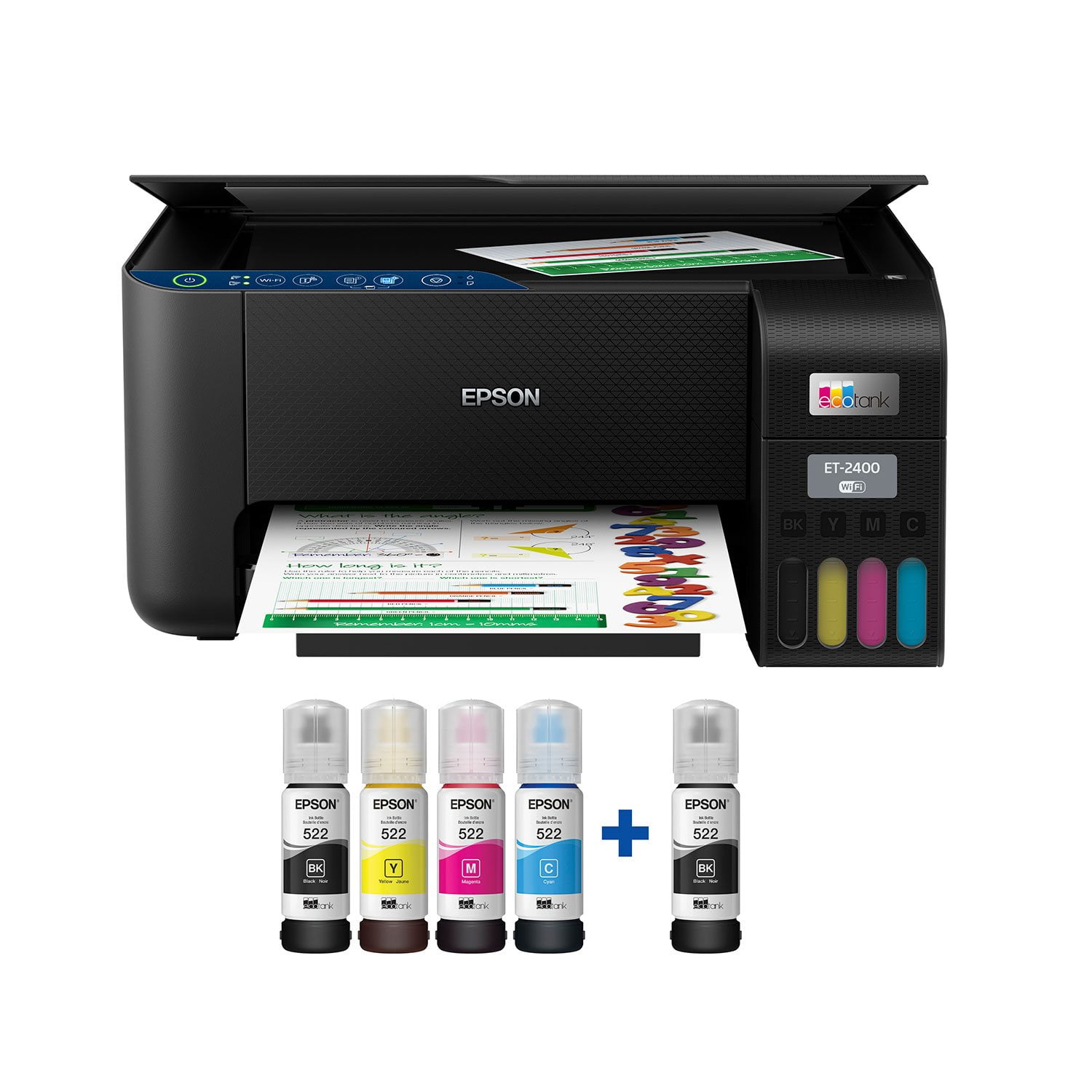
Epson EcoTank ET-2400 Special Edition All-in-One Inkjet Printer, 1 Bonus Black Ink Bottle
3.5 out of 5 stars
stars
1,032 ratings875 reviews
  1. 5 stars49% (509)
  2. 4 stars10% (105)
  3. 3 stars9% (88)
  4. 2 stars8% (81)
  5. 1 star24% (249)

Member photos

Sort by |
Showing 731-740 of 875 reviews
Sep 22, 2022
mdthompson12
5 out of 5 stars review

Easy to setup and use, great little powerhouse!

This is a review for the Epson EcoTank ET-2400 Wireless Color Printer that I received free of charge to do a beta test and review. I’ve had the printer for a couple of weeks now, and I have to say that I am very happy with the quality and speed of the printer. The setup was very quick and easy, including the filling of the ink tanks. The ink charging took a while, but once that was completed the printer was ready to go and did a great job printing both via wireless from my laptop and phone, and directly connected via a USB cable to my laptop. Scanning from the flatbed-only, was also quick and easy to my laptop. It’s compact size (slightly bigger than a shoebox) makes it an easy fit for most locations. I had forgotten how loud an inkjet-type of printer can be (regardless of brand), but once I got over that, I’ve become accustomed to the additional sound when printing. The paper is added through a rear paper feeder and though it doesn’t have an auto flip for two-sided printing, you can manually print on both sides using the printing interface. The Epson ink refill bottles can be purchased for about $14 at online retailers, or about $55 for one of each color in a single package. Obviously, there are cheaper alternatives, but buyer beware. I’m not sure what the actual copy count will be per bottle, but Epson states “Epson’s Eco Tank replacement ink bottles deliver thousands of pages (1), plus genuine Epson quality. Save up to 80 percent on ink with low-cost replacement ink bottles vs. ink cartridges (2). Plus, exclusive, uniquely keyed Eco Fit bottles make it easy to fill each color tank.” Also, “One set of Epson ink bottles is equivalent to about 90 ink cartridges1 - saving you up to $1,000 for every ink replacement set!”. Nothing but positives so far in putting this printer through its paces!

Review from epson.com
Helpful?6TBS3KBVF6I113724301252
Jul 1, 2024
Terri 47
5 out of 5 stars review

Getting the run program off the enternet.

I brought it last week, just got it up and running Saturday the 29 of June because it was hard to get the download program off the enternet to hook up the printer to my computer. I tried everything I could think of but anything worked. But Saturday everything came together for me and my printer is hooked up to Wi-Fi also which I had not before Thank You. But I think you should put the run program in the box with the printers.

Review from epson.com
Helpful?6TBS3KBVF6I113724301252
Aug 8, 2023
Lessmes
1 out of 5 stars review

Disappointed

This printer is very basic, lacking feeder scanning or multipage. scanning has to be page by page and it really gets bad if you are scanning double face pages. the sheet feeder is at the back occupying more space to accommodate paper. finally, if you are running IOS and Windows simultaneously, the printer would not function unless you have IOS 11 or higher, but even though, cloud printing would give you issues.

Review from epson.com
Helpful?6TBS3KBVF6I113724301252
Oct 3, 2022
Luke T
5 out of 5 stars review

Excellent Connectivity and the Tank Ink Make it a Winner!

This is a review for the Epson EcoTank ET-2400 Wireless Color Printer that I received free of charge to do a beta test and review. I received the Epson ET-2400 an unboxed it with unknown expectations since I had never used an ink tank-style printer. I immediately like the compact size of the printer that would easily fit in the corner of a desk or table. Upon unboxing, the first thing I was presented with was a quick start-style guide and I followed the instructions. Filling the tanks were a breeze and I couldn’t have been happier with the results. The ink bottles have specific tips for each color so that there is no mistakes when filling…you can’t accidentally put the wrong color in a tank. I was also pleasantly surprised when not even a single drop of ink was spilled. The process was super clean and easy. Plus, it seems really nice that I won’t have to go out and find a specific ink cartridge to my printer when the time comes. Instead, I can simply purchase a refill kit that is more universally available and I’ll be ready to go again. As part to the setup process, I downloaded the Epson app per the instructions and found the remainder of the process to be easy as well! It really took no previous experiencing setting up printers to find success in this setup! Connecting the printer via WiFi was also simple enough for anyone to handle. After initial setup, I loaded paper in the back and was off to the races! The printer initialized and I began printing documents and pictures. The printer wasn’t overly loud and the printed product it produced was great! One of the best parts about this product is the ease in which you can print off your smart device or phone. Let’s face it, in this day and age a lot of people do a lot of work on an iPad Pro such as mine or another similar device. Since setting the printer up, I have now been using it for a couple of weeks. I continue to be impressed each time I use it. I especially like the fact that the printer is always ready to go, whether it’s been a minute or a couple of days since my last print. That makes it super convenient to use this printer on short notice. I haven’t nearly run through a tank of ink yet, but from what I can see so far it looks like the tanks will last quite a while before a refill is needed. In fact, the ink levels have barely moved at all! I have also found that I like how close the printer will print to the edges of the paper. From what I e found so far, it’ll print to around a quarter inch from the long side and all the way to the edge on the short side of a piece of paper. That works out really well for printing Excel spreadsheets. In reviewing this printer, I guess the ultimate question after using it for a couple of weeks is if I would recommend purchasing this printer. I can unequivocally say that the answer is yes! I have an older Epson printer that has served me very well, but this EcoTank printer is quite the upgrade from my older non-EcoTank model. The printer size, tank-style ink, print quality, and reliability (so far) of the Epson ET-2400 make it a winner in my book!

Review from epson.com
Helpful?6TBS3KBVF6I113724301252
Dec 2, 2024
kayland
1 out of 5 stars review

Terrible color quality!! Not recommended for stickers!!

I bought this a month ago and I've been trying to print stickers. Even after messing with countless settings, the printer can't handle colors well. Red was coming out brown, now red is coming out too light and faded. The medium green color that I had on another sticker is coming out too dark. I know it's not a clog problem as my stickers were trash on day 1 and even after running clean cycles, they're still trash. I've wasted almost 25 pages of sticker paper and tons of regular paper. As soon as I ran a quick test print on someone else's Canon Pixma, even with LOW INK, my test print came out perfectly. I would like to get rid of this and run to Canon instead. It's incredibly frustrating how much time and money I've wasted.

Review from epson.com
Helpful?6TBS3KBVF6I113724301252
Apr 12, 2024
Mr McGoo
4 out of 5 stars review

Had a tough time setting my printer up. I have a Rogers Ignite system. One of the suggestions in Epson stated the 'wps' button was to be pressed for proper wifi setup. That is very bad thing to do. Took Rogers 30-45 minutes to reset everything, e.g. TV, computer (E-Mail) were gone. Finally use a cable to get a proper connection. One TV is still throwing a 'hissy fit. Other than that, colours are fine, print for technical documents looks fine also.

Review from epson.com
Helpful?6TBS3KBVF6I113724301252
Dec 30, 2022
Shondi
1 out of 5 stars review

A piece of junk Will not connect and is flimsy and cheap.

A complete piece of garbage. I have to reinstall it every time I go to print because it won't stay installed. The printer itself is flimsy and super cheap and not worth half of what it cost. Spend your money on an HP or a Canon do not waste your money on this Epson straight garbage

Review from epson.com
Helpful?6TBS3KBVF6I113724301252
Jul 22, 2025
MommaC
3 out of 5 stars review

good while it lasted

Good ink value. i cant tell you how many pages i got to print with just the first bottles. however now the printer wont connect to my new network nor my new computer so ive been unable to use it for over a year. Ive tried everything to get it to work searched google and youtube to get no helpful answers

Review from epson.com
Helpful?6TBS3KBVF6I113724301252
Jan 4, 2024
MarineVet
3 out of 5 stars review

Like the ink guages

Needed a new printer so decided on this one. Should have read reviews. Too long on setting up and all the instructions said was to see "Users guide". Didn't have the right site to go to, but finally did. Set up guide should have shown what the other symbols mean. Taking too long will look up later. Right now a little disapointed in product. Having trouble connecting to phone.

Review from epson.com
Helpful?6TBS3KBVF6I113724301252
Nov 30, 2023
Broken Printer
1 out of 5 stars review

Durability problems

I bought this printer and it lasted less than a year. The ink is still more than 1/2 full, original ink, but it stopped printing colors - not poor quality printing - simply no colored ink comes out. Running cleaning cycles does not work. It does still do a nice job of printing black.

Review from epson.com
Helpful?6TBS3KBVF6I113724301252