Skip to Main Content
Sams Club
Sams Club
Customer reviews for Epson EcoTank ET-4850 Special Edition Inkjet Printer, 1 Bonus Black Ink Bottle for
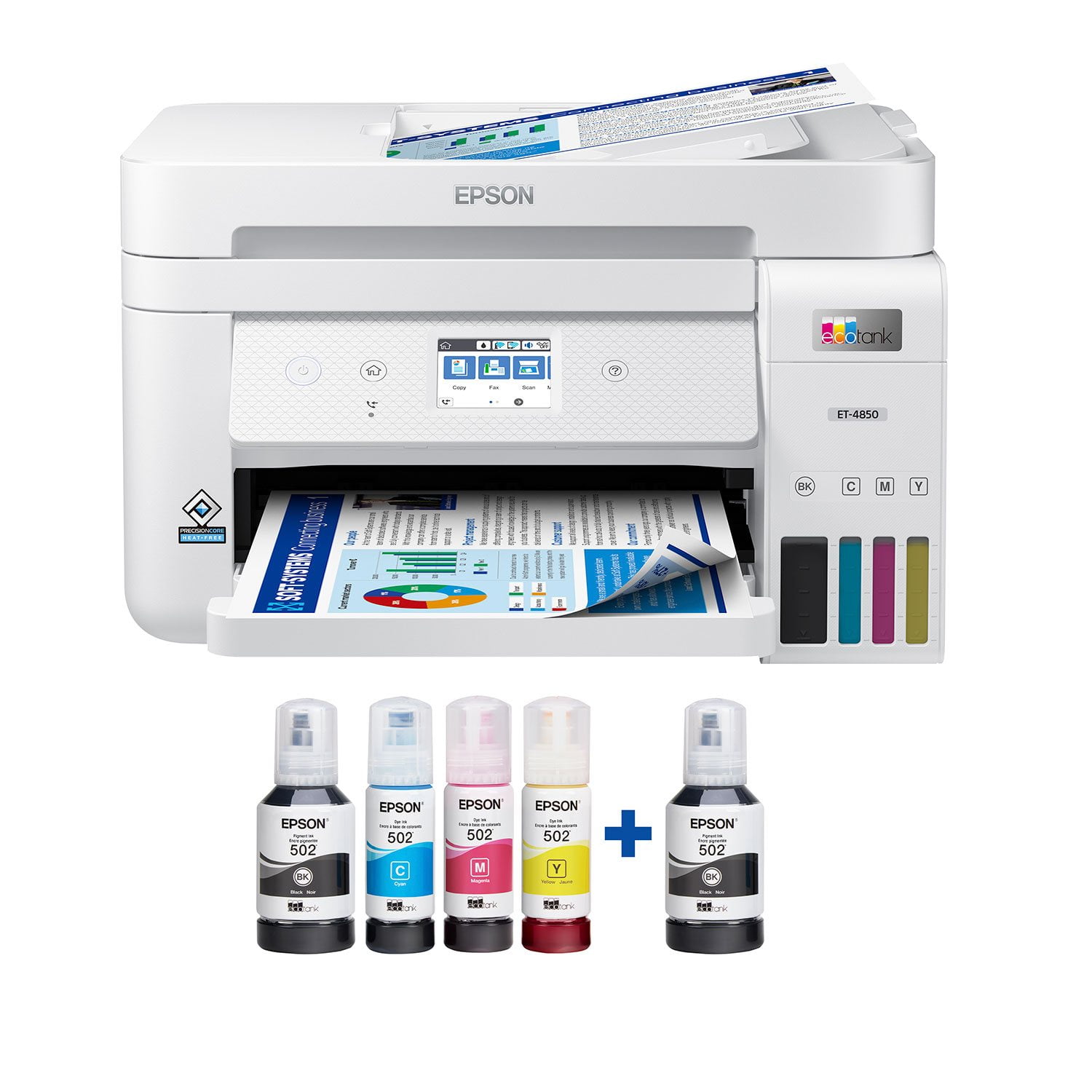
Epson EcoTank ET-4850 Special Edition Inkjet Printer, 1 Bonus Black Ink Bottle
4.1 out of 5 stars
stars384 ratings280 reviews
  1. 5 stars63% (241)
  2. 4 stars14% (54)
  3. 3 stars5% (21)
  4. 2 stars6% (24)
  5. 1 star11% (44)
Write a review

Customer photos

Sort by |
Showing 191-200 of 280 reviews
Sep 21, 2021
PrinterGuyTodd
4 out of 5 stars review

EcoTank is Incredible. Believe the HYPE. Love this Printer.

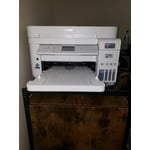
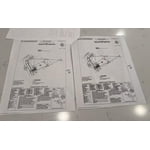
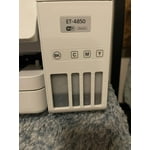
I will be the first to admit that I had heard of EcoTank, but always thought it was some kind of marketing gimmick. I had heard ads on NPR about Epson EcoTank and how it can save you on dozens of ink cartridges. I thought “why would Epson want to destroy their profits by selling fewer cartridges”? I was a doubter. After having used the Epson ET-4850 for the past two weeks, I can tell you BELIEVE THE HYPE. EcoTank really is a game-changer, when I opened that box and saw these generous four large bottles of ink, I was blown away. It was way more than I imagined, and for the first time in a long time with a printer, I was excited. I could print color pages without “ink anxiety”. In years past, I would never print things in color because it was only for emergencies, it was too precious and rare to use my color ink. Now that anxiety is slowly fading away. **Love about the ET-4850** Easy to fill ink bottles. At first sight of the Ink bottles, I was intimidated, I was worried they would leak everywhere and it was going to be a huge mess. Anyone who has bought a bottle of ink and tried to refill a standard ink cartridge in a printer knows what I am talking about. These EcoTank bottles are pretty much idiot-proof. They have special fit nozzles that only open when put into the correct slot on the printer, you are not going to get ink on your hand or table or anything. Plus each color has a specially shaped nozzle so you can’t mess them up and get the wrong color ink in the wrong tank. It is so easy and with zero mess. I love EcoTank. Printing quality. Wow, the quality of what I was able to print off was simply astonishing. I printed some very high-definition drawings and you could not even see the pixels, my wife thought I had taken pages out of a professionally printed book. They look that good. I have never owned a printer that was able to print to the very edge of a paper, with zero borders and this thing can do it flawlessly, and it looks incredible. I haven’t had the chance to print off any photos yet, but I imagine they would look just as good. In terms of print quality, just outstanding. 5 out of 5. Speed. For an inkjet printer and the high quality of the images, I was very impressed. Make no mistake this is not a laser printer, so don’t come expecting laser printer speeds. But the speed with which it prints images is pretty good, and for home use with a family or even a small office, this is a great printer. Just don’t go expecting to print off large batches of documents with minutes to spare. Amazing scanning. This printer has the best scanner I have ever owned. For years I have used the scanner on my Brother laser printer for scanning. I know am thinking about rescanning all those old photos over again because this scanner is just that much better. I’m just blown away at the super high resolution and color accuracy of the scans. The best scanner I could have asked for. Connectivity. I was able to initially set up the printer entirely from my iPhone. Was able to add it to my wifi network and follow the onscreen instructions in the Epson app to fill the ink and do some printing tests. It worked really well. Once it was on my wifi network, I was able to use Apple AirPrint from my iPhone to print directly to the printer with no additional setup. I love it. Physical Pinter. The printer is a good size, it’s not going to overtake your desk, but you would be best putting it on its own shelf. I have the write version, so I hope the plastic does not yellow over the years, if you place it near a window, you may want to get the black version. The scanner, buttons, and hinges feel very solid. The touch screen is not a capacitive touch screen like you know from your phones or iPad, it uses the older resistive touch screen technology. That being said, it still works pretty well and responds to my touches and I am able to use the UI with one finger. Just don’t go in expecting iPhone-level touch controls. The paper tray takes a 1/2 ream of paper, which is decent. I would have preferred a full ream of paper, but that would have added about another inch to the high of the machine. Seeing as this is not a laser printer, 250 sheets is going to last you a long time. **Room for Improvement** Connectivity and apps. To put it bluntly, connecting the printer to outside services like Dropbox is a pretty clunky experience. It can’t be done on the Printer Screen itself, or on the Printer App, you have to print off a physical paper on the printer that gives you a special password, and then you have to go to some other Epson website outside the app to find setup the service. It’s not very seamless and really has some serious room for improvement. I was confused about the process and nearly gave up after 20 minutes. Epson does not make it easy having so many different apps in the App Store. Scanner Presets. Another thing I would love to see is saved presets for Scanning on the printer. The scanner is fantastic and very high quality, but every time I want to go in and scan a photo, I have to changes it from PDF to JPEG and change all number of other settings on the printer. I really wish there was an ability to save a preset of settings for “Scan Photo” or “Scan Document” Ink tank LEDs. On the box, the actual tank for the EcoTank looks really colorful and vibrant. In reality, the windows on the tank are very muted and dark. This is a very minor complaint, but one that I would love to see regardless. That is, I would love to see an LED light in the back of the EcoTank so you can clearly see the different colors of ink and their levels. This is a review for the Epson EcoTank ET-4850 All-in-one printer that I received free of charge to do a beta test and review.

Review from epson.com
Helpful?4NGXQX8LBJE013675314069
Apr 13, 2022
Ryan C
1 out of 5 stars review

Last step a "FAIL"

I bought this today. I went through the setup and the last step is "Express Product Registration". After entering all the information, a red message presents saying "Enter a valid serial number". IT IS CORRECT!!! Epson, you need to test all the way through! I don't know if I would recommend this product, I just set it up! Fix this!!

Review from epson.com
Helpful?4NGXQX8LBJE013675314069
Sep 5, 2023
towncobbler
2 out of 5 stars review

Registration debacle

Registration process was a bit silly for 2023 tech. Don't try to register it during the software install\setup... you'll end up with a red "Enter a valid serial number". You have to go to the website to register. Check the date they show for the warranty expiry and make sure it's not a year after the store got the printer, rather a year from the date you purchased the printer.

Review from epson.com
Helpful?4NGXQX8LBJE013675314069
Aug 6, 2024
RCTS
4 out of 5 stars review

Good little machine

Good little machine. I needed to scan and email a huge, 30 page document, so after I downloaded the drives to perform this function, along with some updates and registered my printer, it worked for what I needed. My only issue was the feeder was touchy, I needed to stand there and assist each page so that it feed properly into the document feeder.

Review from epson.com
Helpful?4NGXQX8LBJE013675314069
Mar 25, 2025
Daddy0
5 out of 5 stars review

Great experience going on 2 years

Two years and so far, so good. A far cry from the cx-6600 days and the partially emptying ink cartridges and clogged printer heads. The only thing to remember is to print regularly to keep the tubes and print head flowing. Also, use the maintenance features once in a while. This is true with any inkjet printer, but not so bad with Ecotank refillable tanks. Design is great, easy to remove jams (seldom), takes all kinds of paper, UI is easy (easier than the Canon I had), and Wifi was a breeze. I only wish it had a user-serviceable waste cartridge that I could clean out, but at least you can replace replace it. I bought two and I have not needed yet to replace the original yet. Very straightforward. Some models do not allow you to replace the waste tank, so once it is filled it is now a useless printer. That ought to be illegal.

Review from epson.com
Helpful?4NGXQX8LBJE013675314069
Sep 22, 2021
Tacticalmama
4 out of 5 stars review

It prints great!

Hello! I received this printer about 4 days ago, and was so excited! This brand is excellent, and I hope it lives up to all the hype. First off, I was just expecting a simple printer, but this is a printer not only prints, but also copies, faxes, and scans! How great is that? I must say, the set-up has been a bit frustrating, as I had a crazy hard time connecting the printer to wifi. Our wifi is xfinity wifi, and I usually don't have a problem connecting devices. Once I finally had it properly connected to wifi (I first had to use wifi-direct for it to even recognize the wifi), I had issues connecting the printer to my laptop. Our laptop is a Dell running Windows 10 and it should be compatible with the laptop just fine. So... I will continue to troubleshoot with the printer and see why it will not work. It recognizes the printer, but continues to just say error. It prints fine from my phone. *This is a review for the Epson EcoTank ET-4850 Wireless Color Supertank Printer that I received free of charge to do a beta test and review.

Review from epson.com
Helpful?4NGXQX8LBJE013675314069
Jan 18, 2025
Oldinstaller
4 out of 5 stars review

Serial Number on bottom in ultra small print

I bought a little while ago. Installation is more complex than previous printers I've had, but went pretty smoothly. I didn't need the CD and installed off the internet. The biggest annoyance was the fact that the serial number is on the bottom of the printer and only gets asked for after the install is complete and the ink loaded. Compounding the problem the number is about number 6 font which requires my special small detail glasses to read. You queried the printer for the install - get the darn number yourself.

Review from epson.com
Helpful?4NGXQX8LBJE013675314069
Aug 22, 2024
PeteC
1 out of 5 stars review

Stay away

Nothing but problems with this printer from day one. Smudges, connection issues abound. Was happy with my previous all-in-one Epson printer/scanner/copier. This one is hitting the trash can tomorrow and I’ll be shopping for another brand. Seems Epson is not what it once was.

Review from epson.com
Helpful?4NGXQX8LBJE013675314069
Jan 20, 2024
moflo
5 out of 5 stars review

Nice, Works Well

I have had this for about a week and it works well. It was easy to set up the wireless connection, I just followed the directions included in the box. Putting in the ink was easy. I replaced an older Epson all in one printer, and this one is better. I turned my old machine in through the tradein tradeup program, where I got a bit of money off this printer for recycling my old one. The first photo I printed was just drop dead gorgeous, perfect color. I have yet to use the scanner, and am looking forward to scanning some antique photos. The printer has a small touch screen and yes, it is small, but I don't find it hard to read. And I am also not sure why people would complain about the paper tray. It's fine. Actually this printer is compact, and I like that.

Review from epson.com
Helpful?4NGXQX8LBJE013675314069
Mar 2, 2023
Klesnothappy
2 out of 5 stars review

Poor set up if your computer has Windows 11

I requested this printer as a gift and am so disappointed with set up and function. I am quite capable of resolving technical issues; however, this one I could not resolve completely. The downloads, etc. would not let me complete the set up on my computer but I was able to manually set up wifi on printer. In addition to installation issues, the printer kept jamming. I contacted Asurion because I was also gifted a protection plan. Upon completion of that chat, I was told to contact Epson! What a mess. I have a new printer that I can't do a complete set up and even if I could, I can't print because of paper jams. That issue is caused by one of the plastic flaps on the back panel of the printer. It is bent...

Review from epson.com
Helpful?4NGXQX8LBJE013675314069