
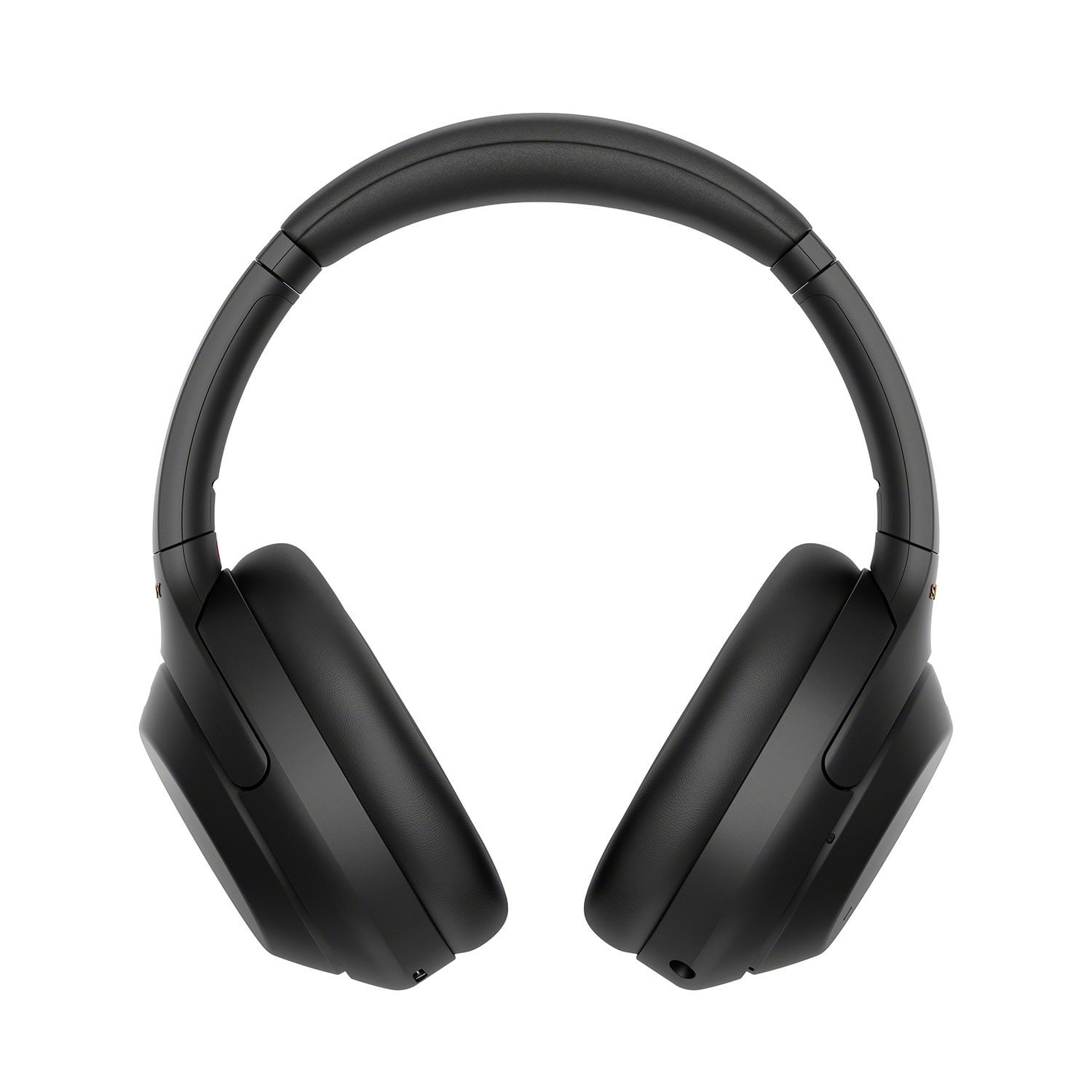
 Customer reviews for Sony WH1000XM4 Noise-Cancelling Over-the-Ear Wireless Bluetooth Headphones for
Member photos
 +14 images
They are good, but not without issues.
When paired to my computer and iphone, and when a call comes in, I double tap to answer, and then the headset answers the call, but then disconnects the computer. So right when the caller is saying hello, they are pushed into the background and I have to listen to "Device 2 disconnected" then ask the caller to repeat themselves. If the firmware could be made to lower the volume of system messages to 1/2 of the phone volume, that would fix this, or simply not disconnect my computer when I get a call.
Hi akschu, Thank you for purchasing the WH-1000XM4 Headphones. While we're glad that you like the Headphones, we regret to hear that it automatically disconnects from your computer when receiving a phone call from your iPhone. We'd like to troubleshoot and isolate the issue. Please make sure that the headphones has the latest software update, please use the Headphones Connect app to update the software. This issue may also be resolved by resetting the headset. Press both the power button and the CUSTOM button simultaneously while charging. The headset will be reset. The device registration (pairing) information is not deleted. If the headset does not operate correctly even after resetting, initialize the headset to restore factory settings. Turn off the headset while the USB Type-C cable is disconnected and then press and hold the (power) button and the CUSTOM button simultaneously for 7 seconds or more. The indicator blue flashes 4 times and the headset is initialized. This operation resets volume settings, etc. to the factory settings, and deletes all pairing information. In this case, delete the pairing information for the headset from the device and then pair them again. If you are unable to resolve your concern, please email us at socialsupport@am.sony.com with the following details: Name: Username: Model Number: Issue: Telephone Number: Regards, Kris
Great packaging
[This review was collected as part of a promotion.] These wireless headphones are so awesome.. they totally block out any sound that's behind you when ur listening to them.. they also come with a cute little pouch to put them in when your all done with try hem.. they even fold up..
Hi Christy1979, Great! We're glad that you like the packaging, sound quality, and noise canceling feature of your new headphones. The WH-1000XM4 is a new design, with intelligent and intuitive Ambient Sound Control features that include improvements to Multipoint connection and our industry-leading Noise Cancelation, exceptional sound quality, and Smart Listening that adjusts to your behavior and location. Thank you for choosing Sony! Erin
Turns off on its own while watching YouTube
I love everything about them except one thing. they turn off on their own while I am watching YouTube. Not sure as to why and I see a few posts online that they have done the same to other users. Hopefully, Sony figures out the why and fixes it. Otherwise, great product.
Hi Jorge G, we appreciate your review of the headphones. Make sure to update the unit to the latest software version for optimum performance. You can turn off the "Automatic Power Off" function of the Sony Headphones Connect app: https://helpguide.sony.net/mdr/hpc/v1/en/contents/TP0002935917.html In case you need further assistance, please email us at socialsupport@am.sony.com with the following details: Name: Sony.com Username: Model Number: Issue: Telephone Number: Sincerely, Ralph Sony Social Support
Sony WH-1000XM4 Wireless Noise-Canceling Headphone
[This review was collected as part of a promotion.] WH-1000XM4 Wireless Noise-Canceling Headphones are the best noise-canceling headphones that I have ever had! I feel completely submersed in whatever I am listening to. Whether I am using them for a virtual work meeting or listening to music, All I can hear is what is on the other end of my headphones. They are also extremely easy to set up Anyone looking for great quality noise-canceling headphones, that really do cancel out any noises around you, try Sony WH-1000XM4 Wireless Noise-Canceling Headphones, you won't be sorry!
Hi lara, Awesome! We're glad that you are enjoying the noise canceling function of the headphones and had an easy time setting it up. Intelligent and intuitive, the WH-1000XM4 headphones offer further improvements to our industry-leading noise cancelation, exceptional sound quality, and smart listening that adjusts to your behavior and your location. Using the Sony Headphones Connect app, Ambient Sound Control lets you adjust the volume of background sound and gives you the option to allow voices alone to be heard. Meanwhile, the Equalizer lets you customize sound levels to suit your music. Thanks for choosing Sony! -Ralph
unusable audio when paired to windows10 laptop
these are awesome with android. the app works great. they fall apart on windows. the audio stutters almost constantly. if a product is priced this high, I'd expect thorough software design and verification. sony needs to write a decent windows driver, which can handle the inevitable occasional dropped bluetooth packets....
Hi Karl, We're glad that you like the app of the headphones. it's unfortunate that you're having sound issues with the headphones. Make sure to update the software version of the headphones (via the Sony Headphones Connect app) for optimum performance. The communication between the devices will be poor if there is an obstruction between the unit and the connected device. Try the following: -Change the position or location of the unit or connected device. -If the connected device has a cover on it, take it off to improve the communication distance. -If the connected device is in a bag or in a pocket, try moving the position of the device. -Place the devices closer together to improve signal transmission You may try setting the Sound quality mode to Priority on stable connection and see if it resolves the problem. - Launch the Sony | Headphones Connect app. - Set the Sound quality mode to Priority on a stable connection. Bluetooth communications may be disabled, or noise or audio dropout may occur under the following conditions. -When there is a human body between the headset and the Bluetooth device -In places with wireless LAN, where a microwave oven is used, electromagnetic waves are generated, etc. -Use the headset at least 10 m (30 feet) away from the wireless LAN device or turn off the wireless LAN device. If you are enjoying music with your smartphone, the situation may be improved by shutting down unnecessary apps or restarting your smartphone. Connect the headset and the Bluetooth device once again. If you are unable to resolve your concern, please email us at socialsupport@am.sony.com with the following details: Name: Username: Model Number: Issue: Telephone Number: We are sorry for the inconvenience and hope to speak to you to resolve this matter. We appreciate you and thanks again for shopping Sony! Sincerely, Kris
Great headphones
[This review was collected as part of a promotion.] I really like these Sony headphones. They are comfortable to wear and provide great audio. I can really hear everything I listen to very clearly. The active noise cancelling feature also works really well for busy environments.
Hi ld23, thank you for the awesome review! We're glad you like the comfortable fit, great audio quality, and industry-leading noise cancelation of your new headphones. The WH-1000XM4 is a new design, with intelligent and intuitive Ambient Sound Control features that include improvements to Multipoint connection and our industry-leading Noise Cancelation, exceptional sound quality, and Smart Listening that adjusts to your behavior and location. Thank you for choosing Sony! -Sam
Fantastic features, but....
They are almost perfect, except for the fact that when I pair them to my 2018 and 2019 Samsung tvs, not only is there static, they lag pretty badly. This has continued even after I exchanged the first pair for a second pair and purchased a bluetooth transmitter, upon the Sony reps advice.
Hi Libravirgo7895, we are really sorry about what happened and for the inconvenience. This is definitely not the experience we wanted you to have in our premium headphones. Let's isolate the problem by following the steps below: • To stream high-quality music, the headphones must be paired to a Bluetooth® enabled TV that supports the A2DP (Advanced Audio Distribution Profile) profile. • Update the firmware of the headphones to the latest version (v.2.0.7) as it includes key features, applications, bug fixes, and feature improvements. For instructions, please visit https://www.sony.com/electronics/support/wireless-headphones-bluetooth-headphones/wh-1000xm4/downloads/00017022. If this does not help, please email us at socialsupport@am.sony.com so we can better assist you. Apologies if you disclosed some of this information in your review and to customer service, we just want to ensure that we have your accurate details at the time of communication. Full Name: Sony.com Username: Telephone Number: Issue: Model Number: We're looking forward to your message, and thanks for considering Sony! Sincerely, Romeo Sony Social Support
the way it is truthful.
the first pair had a problem rugged sound and shutting down I quickly returned for the same item and they worked beautifully like the people say on utube and social media I am very pleased how the transactions with the agent to correct took place now that’s entertainiment.thanks
Hi Bobbo, That's great! Thank you for purchasing the WH1000XM4! We're glad you were able to return the defective pair and get yourself a new one. Intelligent and intuitive, the WH-1000XM4 headphones offer further improvements to our industry-leading noise cancelation, exceptional sound quality, and smart listening that adjusts to your behavior and your location. Using the Sony Headphones Connect app, Ambient Sound Control lets you adjust the volume of background sound and gives you the option to allow voices alone to be heard. Meanwhile, the Equalizer lets you customize sound levels to suit your music. Thanks for choosing Sony. -Sam
A simpleton’s review
[This review was collected as part of a promotion.] I’m no audiophile so I’m not going to write of that. Just a simple review to touch base for those arent “techy” and want to use it as an old fashioned headphone. I myself don’t use wireless headphones , yet fortunately this has that “wired” extension. Con is headphone has be charged with usb, so consider having your plug outlets with usb (simple inexpensive attachment to your wall outlet).
Hi Mylovelymocha, Great! We're glad that you like your new headphones. Indeed, these can be used wired or wireless. The WH-1000XM4 is a new design, with intelligent and intuitive Ambient Sound Control features that include improvements to Multipoint connection and our industry-leading Noise Cancelation, exceptional sound quality, and Smart Listening that adjusts to your behavior and location. Thank you for choosing Sony! Erin
Fantastic!
[This review was collected as part of a promotion.] Our teenage son were gifted these, and he is really happy with them (not nearly as happy as we were to get back our Marlys...and a busted up Beats..do not recommend those for teens,) I would absolutely recommend these for parent that are struggling to instill the same kind of love we had for music in our formative years. These Sony's put out good sound, and are holding up better than past brands we have given him.
Hi sam22, This is a great gift idea! We're thrilled to hear your son loves the amazing sound quality of his new Sony headphones. The WH-1000XM4 is a new design, with intelligent and intuitive Ambient Sound Control features that include improvements to Multipoint connection and our industry-leading Noise Cancelation, exceptional sound quality, and Smart Listening that adjusts to your behavior and location. Thank you for choosing Sony! -Sam