
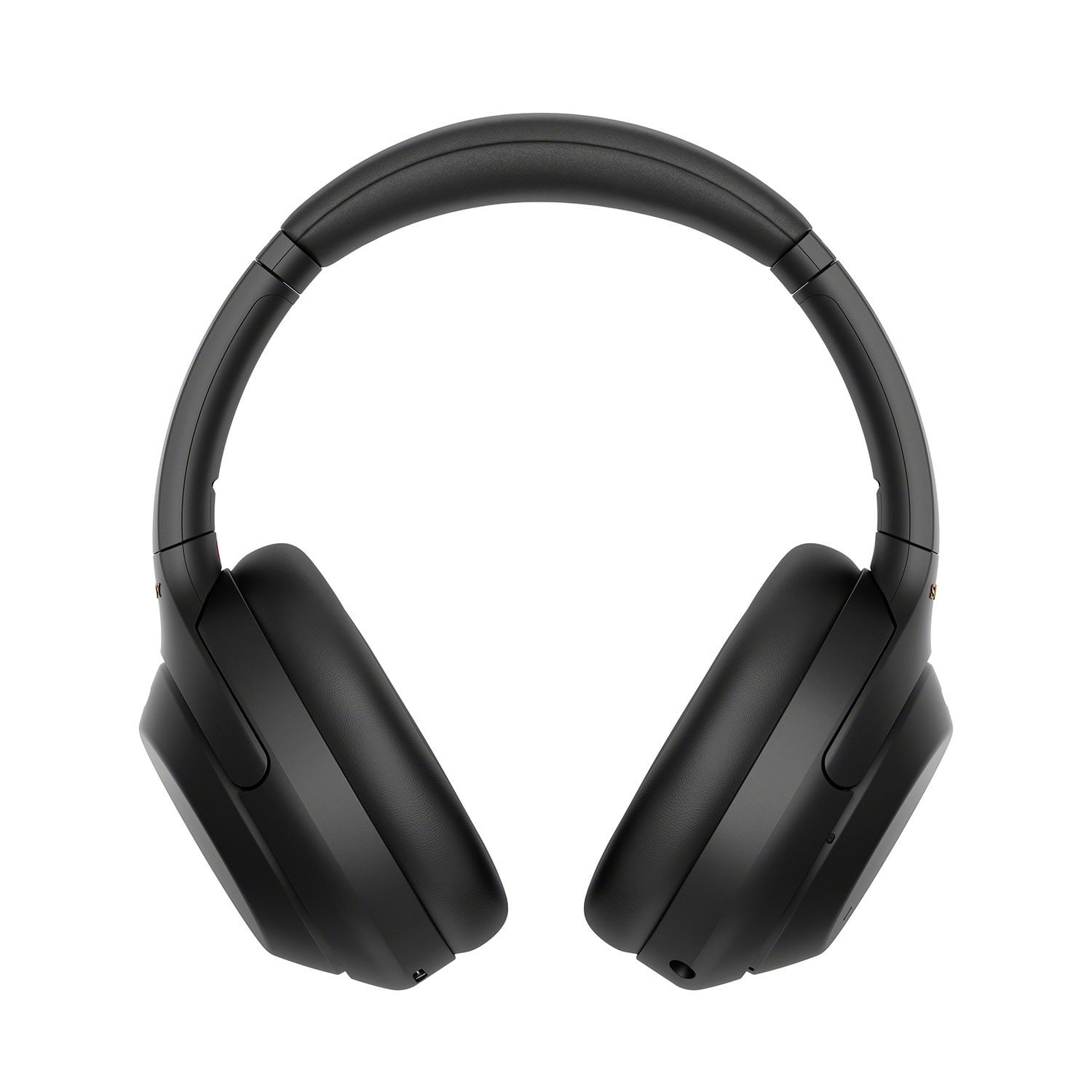
 Customer reviews for Sony WH1000XM4 Noise-Cancelling Over-the-Ear Wireless Bluetooth Headphones for
Member photos
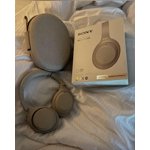



 +14 images
Verified Purchase
Screeching noise when ANC active
Loved at first...but just over a year and I started getting this intermittent high-frequency screeching noise from the right ear cup...goes away when I turn ANC off... an internet search seems like I'm not the only one experiencing this issue. Since past warranty Sony was no help...for the price I would expect a little lee-way on a warranty for one year!?! I'm thinking of replacing but with my experience with the XM4 I thing I'll go with the Bose 700 v the XM5
Hi MikeC56, We appreciate your time in sharing this honest review. While we're glad you like most of the features, we regret to hear that you're hearing unwanted noise on your headphones. Please allow us to help you and turn this into a better experience. Make sure to update the firmware of the headphones by performing a software update (via the Sony Headphones Connect app) for optimum performance. Doing so may resolve the issue. https://www.sony.com/electronics/support/wireless-headphones-bluetooth-headphones/wh-1000xm4/downloads You may hear noise (such as a creak, click, or static) through the WH-1000XM4 wireless headphones when traveling through tunnels, or other environments which air pressure changes easily, even if the noise canceling function is on. When the Noise Canceling function is set to ON, you may also hear a White noise (a small electrical noise with continuous static sound). If this occurs, temporarily turn off the noise canceling function on the Headphones Connect app. Also, please remove any obstacles between the antenna of the connecting Bluetooth device and the built-in antenna of the headset and keep the headset away from a microwave oven, wireless LAN device, etc. We recommend performing the steps provided on the links below to refresh the content of your headphones. https://helpguide.sony.net/mdr/wh1000xm4/v1/en/contents/TP0002752743.html https://helpguide.sony.net/mdr/wh1000xm4/v1/en/contents/TP0002752746.html If you hear buzzing, popping, crackling, or vibration noises from your Bluetooth headphones that sound different than the more common static or distortion sounds caused by environmental interference issues, please reach out to our product support team for further assistance. You can email us at socialsupport@am.sony.com with the following details: Name: Username: Model Number: Issue: Telephone Number: Sincerely, Jess
Verified Purchase
Noise cancellation Worked Well, Fragile...
These headphones worked as intended and I feel did a great job cancelling noise and worked great for music and online meetings for work which was my biggest use. However after two months they broke placing them on my head. No, I don't have a big head and I wasn't rough with them. They appear to have a weak spot in them. maybe they fixed this with the newer version. As you can see by the photo I had probably only put them on my head about 30 times.
Hi Oddball_Hero, While we're glad you like the amazing noise cancellation, great audio, and call quality of the WH-1000XM4, we're sorry to hear that it broke down after two months use. This is not the experience that we want you to have. Your feedback is extremely important to us and is very much appreciated. Our WH-1000XM4 headphones have a robust design which helps prevent any type of breakage under normal use. Please allow us to help you and turn this into a better experience. May we contact you to help and get more information? If so, please email the below information to socialsupport@am.sony.com. Apologies if you disclosed some of this information in your review and to customer service, we just want to ensure that we have your accurate details at the time of communication. Full Name: Sony.com Username: Telephone Number: Model Number: Additional Information regarding your experience with the WH-1000XM4 We are sorry for the inconvenience and hope to speak to you to resolve this matter. Sincerely, Jess
Verified Purchase
Noise Cancellation Has a Long Way to Go
These headphones are comfortable to wear. The audio quality is great. Great battery life and they charge very quickly. However, as the title says, I really had higher expectations for the noise cancellation. It was my main reason to buy these headphones.
Hi Afshin, While we're glad you like the comfortable fit, great sound quality, quick charging, and long-lasting battery life of the unit, we regret to hear that the noise canceling feature did not meet your expectations. <br /><br />If the effect of noise canceling is not sufficient, please try to follow the guidelines and troubleshooting steps below:<br /><br /> <br /><br />Make sure that the noise canceling function is turned on.<br /><br />Adjust the headset into a comfortable position.<br /><br />The noise canceling function is effective in low frequency ranges such as airplanes, trains, offices, near air-conditioning, and is not as effective for higher frequencies, such as human voices.<br /><br />Check that the Adaptive Sound Control is turned off.<br /><br />Check the setting of the Adaptive Sound Control on the “Sony | Headphones Connect” app. When the Adaptive Sound Control is turned on, the noise canceling function may become insufficient.<br /><br />If you are unable to resolve your concern, please email us at socialsupport@am.sony.com with the following details:<br /><br />Name:<br />Username:<br />Model Number:<br />Issue:<br />Telephone Number: <br /> <br />Sincerely,<br />Sam
Verified Purchase
Comfortable to wear but software needs tweaking
The noise cancellation is fantastic. They are very comfortable to wear for long periods of time. That being said - I connect mine to two devices simultaneously. The transfer across the devices is not good. There is a lot of disturbance/stutter even if the "Sound Quality Mode" is set appropriately.
Hi Skwork, While we are glad to hear that you are happy with the noise-cancelling feature and comfort of the WH-1000XM4 Headphones, we are sorry to hear that you are experiencing audio stutter on the headphones and you are having trouble with the multipoint connection. We'd love to troubleshoot the issues that you are having and make this a better experience for you. In the meantime, please follow these steps to troubleshoot the issues. First, please make sure that the headphones are up to date as this will improve the overall performance of the headphones. You may use the Headphones Connect app to update the WH-1000XM4 Headphones. For the audio, please make sure that the sound quality mode is set to “Priority on stable connection” mode. Bluetooth communications may be disabled, or noise or audio dropout may occur under the following conditions. -When there is a human body between the headset and the Bluetooth device In this case, put the Bluetooth device in the same direction as the antenna of the headset to improve the Bluetooth communications. -There is an obstacle, such as metal or a wall, between the headset and the Bluetooth device. In places with wireless LAN, where a microwave oven is used, electromagnetic waves are generated, etc. -The situation may be improved by changing the wireless playback quality settings or fixing the wireless playback mode to SBC on the transmitting device. For details, refer to the operating instructions supplied with the transmitting device. -Because Bluetooth devices and wireless LAN (IEEE802.11b/g/n) use the same frequency band (2.4 GHz), microwave interference may occur and result in noise, audio dropouts, or communications being disabled if this headset is used near a wireless LAN device. In such a case, perform the following steps. -If this headset is used within 10 m (30 feet) of a wireless LAN device, turn off the wireless LAN device. -Use this headset and the Bluetooth device as near to each other as possible. -If you are enjoying music with your smartphone, the situation may be improved by shutting down unnecessary apps or restarting your smartphone. For the multipoint connection, please make sure to download the Sony | Headphones Connect app on one of the devices and make sure it has the latest update. Both source devices must support Bluetooth capability. When pairing the headphones with any device, make sure to select WH-1000XM4, rather than LE_WH-1000XM4 on the source device. It may take up to one minute before WH-1000XM4 appears on the screen. For more information and troubleshooting steps on this, you may check our related article for multipoint connection on this link: https://www.sony.com/electronics/support/wireless-headphones-bluetooth-headphones/wh-1000xm4/articles/00249936 Should you need further assistance, please contact us for help. Please email the below information to socialsupport@am.sony.com Apologies if you disclosed some of this information in your review and to customer service, we just want to ensure that we have your accurate details at the time of communication. Full Name: Sony.com Username: Telephone Number: Model Number: Issue: Regards, Carl
Verified Purchase
Amazed that it works with Linux' bluetooth!
My son recommended me this headset because one can hear speak when using social connectivity software like Slack, MS Teams, Skype, etc... Since my computer runs linux, I was a bit apprehensive about how well this would work. Although it is a bit tricky to configure properly. On the other hand, the dual connection feature is really helpful to configure the headset from the mobile app so that the 2nd connection from linux' bluetooth works properly. For example, conference calls w/ Slack require turning off "Speak to Chat" and leaving on "Ambient Sound Control" to hear oneself in the headset. I was most pleasantly surprised that the headset's touchpad for music control (stop, forward, backward) works with music software on Linux -- e.g., Spotify! If only there were support for 360 reality audio on linux; this would be the perfect headset. The noise cancelling capability of this headset is fantastic. While listening to music at a moderate volume, I couldn't hear a person talking to me less than 3 feet away! I had to put my right hand to the headset to listen to ambient sounds to hear this person talk!
Hi NicolasR, Awesome! The WH-1000XM4 is a new design, with intelligent and intuitive Ambient Sound Control features that include improvements to Multipoint connection and our industry-leading Noise Cancelation, exceptional sound quality, and Smart Listening that adjusts to your behavior and location. Thank you for choosing Sony! David
Verified Purchase
Nice headphones, poor fit.
These seem nice enough, but because they were too big for my head, they sat on my head which was a bit heavy. I didn't care for the way every noise was amplified in that when it slid on my ear I could hear the sound of the foam shifting in the ear cup. That said, I'm VERY sensitive to sounds and have issues with noise cancellation because of hearing my breathing and things like that stress me out due to misophonia. I tried pushing them on my ears to see how soundproof they were and they were more adaptive than full sound off but again, this could do with proper fit. The sound quality was nice.
Verified Purchase
Best bang for your buck
I bought these right before I started my junior year of high school in 2023. All throughout then until now they have been nothing but the absolute greatest. The sound control app that lets you personally configure your own sound is an absolute marvel. Congrats, Sony! Unfortunately, the battery did fail on me but after heavy use during multiple hour long workout sessions it was expected. I will be purchasing another pair today. I recommend you do the same.
Hi stylebendernut, we're glad you like our industry-leading noise canceling headphones. We're sorry to hear about what happened to your old unit. We have our Support team that is always happy to assist. If you require any additional support with regard to this product, please email us at socialsupport@am.sony.com with the following details: Name: Username: Model Number: Issue: Telephone Number: You can also reach out to our new Product Enthusiast. They are Sony fans, who can help you troubleshoot your headphones issues. Connect with them by follow this link and Chat with an Enthusiasts: https://us.esupport.sony.com/support/s/support-contact?language=en_US&category=headphones Thank you for trusting Sony! ~Earl
Verified Purchase
WH-1000XM4 The Good, The Bad and Ugly.
Good: Headphones are great with great sound compared to all headphones in the same category. Noise cancelling is one of the greatest. I have tested the noise cancelling in most crowded areas and it is one of the best. Battery life is one of the greatest I have seen so far. It is also very light weight so that you can wear it for a long time without any issues. Setting this is very easy with the sony app. The sony support is very attentive and very supportive. The Bad: If you are setting this up with multiple devices for example phone and laptop so that it can connect as soon as you switch the device it is very easy to do that but all the issues started happening after that. While connecting to the single device lets say phone if you start your laptop you will hear the message that "Second device connected" but after every 10-15 second it play the same message while you are listening the music on first device. It is so irritating and I found no solution, how to fix that. The Ugly: These headphones are not meant to be for Zoom conferencing, I had to exchange my first pair of headphones as I people were not able to hear me on the zoom calls. Also there was issues while calling to people over phone, Whenever I use to call people over phone the other party tells me that I am sounding like I am sitting very far from my phone.
Hello Piyush76, Thank you for your review. While we are pleased you are satisfied with the exceptional sound quality, industry-leading noise canceling function, lightweight & comfortable design, long-lasting battery life, ease of setup- especially when using the Sony Headphones Connect app, and outstanding Sony support, we are really sorry you are encountering an issue when using the multipoint connection function of our WH-1000XM4. We are also sorry if you are encountering an issue when using these headphones for Zoom & phone calls. For your issue when using the multipoint connection function, some of this problem happened if the headphones are not properly connected to your devices. Please refer to the following links for instructions on how to Connect the WH-1000XM4 headphones to two devices: https://www.sony.com/electronics/support/wireless-headphones-bluetooth-headphones/wh-1000xm4/articles/00249936 https://helpguide.sony.net/mdr/wh1000xm4/v1/en/contents/TP0002935899.html For issues when using these headphones for video calling application, please refer to the following article to isolate and fix the problem: https://www.sony.com/electronics/support/wireless-headphones-bluetooth-headphones/wh-1000xm4/articles/00250089 For the call quality, this issue can be fixed by performing a firmware update as it Improves Bluetooth connection stability and Improves the hands-free calling quality of the headphones. You may refer to the following link for more details: https://www.sony.com/electronics/support/wireless-headphones-bluetooth-headphones/wh-1000xm4/software/00261613 If the issue persists, we recommend performing a resetting or initializing to refresh the content of the headset and see if it resolves the problem: https://helpguide.sony.net/mdr/wh1000xm4/v1/en/contents/TP0002752743.html https://helpguide.sony.net/mdr/wh1000xm4/v1/en/contents/TP0002752746.html If this does not help or you need more technical assistance, please email us at socialsupport@am.sony.com with the following details so we can best assist you. Name: Sony.com Username: Model Number: Issue: Telephone Number: We value you & your feedback, and thank you so much for choosing Sony. Sincerely, Romeo Sony Social Support
Verified Purchase
Static in the right ear regardless of use scenario
WH-1000XM4 ver. 2.0.6. Annoying static in right ear starts after ~15 minutes use. Noise canceling On/Off, 1 device or 2, with audio or without. Phone call and video chat quality is good on my end. No one has complained about my audio quality, so I guess that is good. It is just this ANNOYING static.
Hi Rusty_wrp9, We are sorry to hear about the issue with your unit. This is not the experience we want you to have. Update the software of your headphones via the Sony headphone connect app. A firmware update improves the functionality and features of your headphones. It can provide fixes to any performance issues that may occur. Check the link below for more details. https://www.sony.com/electronics/support/wireless-headphones-bluetooth-headphones/wh-1000xm4/downloads/00017022 If that doesn't work, please email us at socialsupport@am.sony.com with the following details: Name: Sony Username: Model Number: Issue: Telephone Number: Thank you, David Sony Social Media Team
Verified Purchase
This thing is amazing!
OK, these Sony headsets are amazing, one thing that I found out about the sound quality it’s that this thing have studio sound quality, but you will not be able to hear it if you connect this device to your phone Bluetooth or PC Bluetooth only. these headsets have the capability to play lossless audio which is one of the best sounds system in the market, the bad news it’s that you will not be able to hear it with Spotify, you will need Apple Music on iPhone or TIDAL. when you play these headphones with lossless on iPhone, the different of sound quality it’s just out of this world. I never thought these headphones would sound like that, but again you will not be able to enjoy this sound quality playing YouTube videos or on Spotify. Th