Skip to Main Content
Sams Club
Sams Club
Customer reviews for HP Color LaserJet Pro 3301cdw Wireless All-in-One Laser Printer for
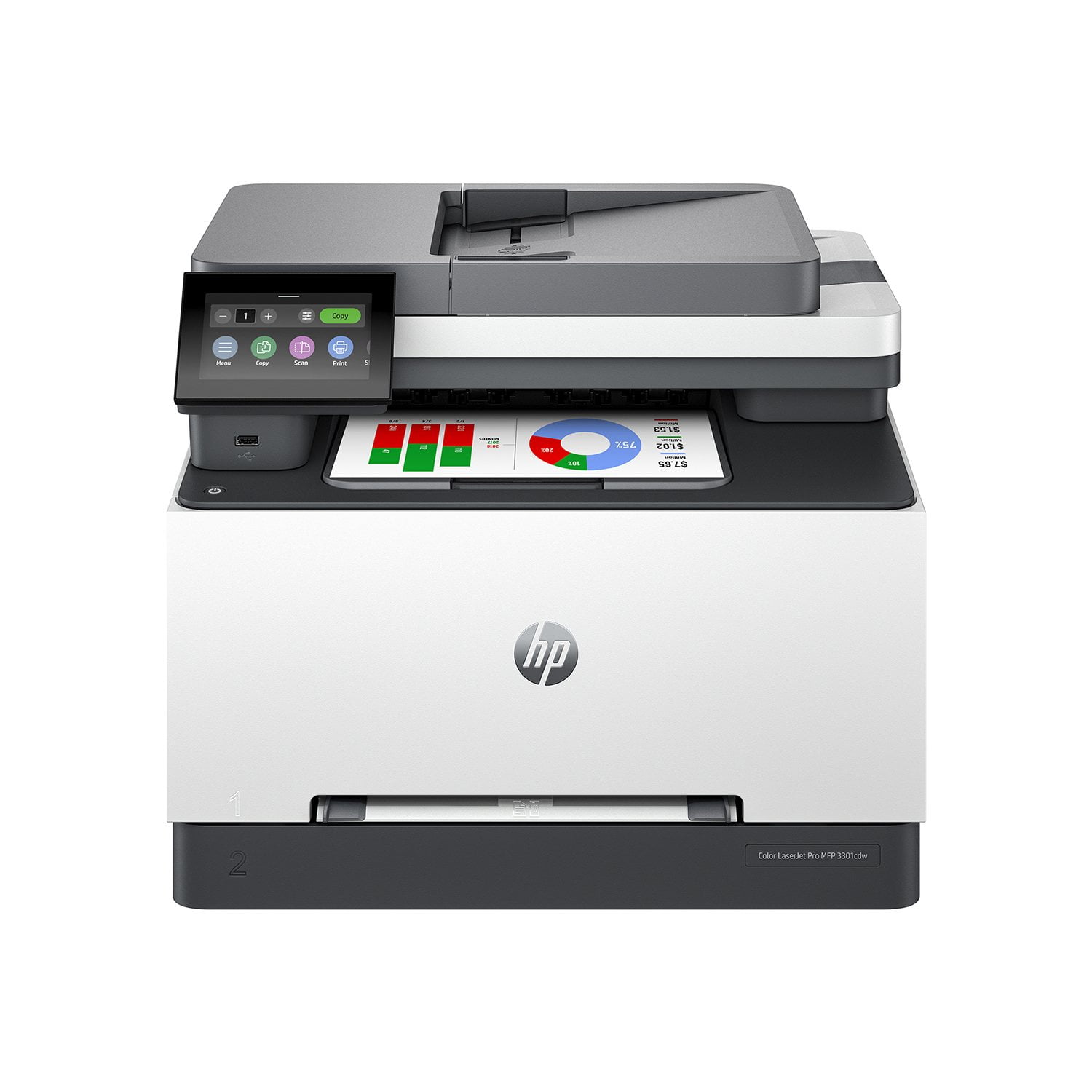
HP Color LaserJet Pro 3301cdw Wireless All-in-One Laser Printer
Sort by |
Showing 1-10 of 40 reviews
Apr 8, 2026
Dryheat
5 out of 5 stars review

Verified Purchase

Reliability and Ease

Setup was very simple! Even an 80yr old, like me had no problem with the printer and its functions. Truly a "shake the box" installation. Access changing cartridge's is simple also. I have purchased quite a few printers in the past 30 yrs, and this is one of, if not, the most reliable printer I have owned. As a matter of fact, I have one at my winter home, as well as my summer residence! And NO, I do not work for HP! lol

Review from hp.com
Helpful?0U53QTQE5OLI13610918155
Apr 28, 2026
Bayou Mary
5 out of 5 stars review

Verified Purchase

New Printer

The printer is everything I thought it would be. It is lighter than other laser printers. The colors are bright. So far, it seems to be pretty user friendly to set up and use.

Review from hp.com
Helpful?0U53QTQE5OLI13610918155
May 2, 2026
Anonymous
5 out of 5 stars review

Verified Purchase

Nice printer.

This is probably just a little more printer than I need, but it's a great value for the price. Easy setup and provides crisp, clean copies every time.

Review from hp.com
Helpful?0U53QTQE5OLI13610918155
Apr 16, 2026
Nikki123
5 out of 5 stars review

Verified Purchase

The Best Printer for Students

Prints double-sided and it's fast. Super great printer, printed more papers both in black ink and color ink. Also, it's easy to navigate and it updates on its own

Review from hp.com
Helpful?0U53QTQE5OLI13610918155
Mar 31, 2026
TAM 1406
4 out of 5 stars review

Verified Purchase

Good printer

So far so good. I’ve only had the printer scanner for about a month. It was easy to install all the programs worked with. It is Wi-Fi enabled, and all the hardware inside my house that can print works on it. It’s a sturdy piece of gear. The packaging kept the printer safe.

Review from hp.com
Helpful?0U53QTQE5OLI13610918155
Apr 21, 2026
Sirius Business Solutions
4 out of 5 stars review

Verified Purchase

HP Laser Jet Pro 3301fdw Wireless Multifunction Colour Laser Printer

I like design of this printer... saves space and looks good. First two were defective but the one i have now works very well. Print quality is excellent.

Review from hp.com
Helpful?0U53QTQE5OLI13610918155
Jan 12, 2026
Anonymous
4 out of 5 stars review

Verified Purchase

Great printer with one exception

The printer has worked beautifully with the exception that there was only enough toner for about 120-140 pages of printing/copying before the printer wouldn't work and the warning said printer toner "below very low". All 3 colors were "very low" so all the starter packs are truely very limited. I didn't think they would be that limited. I would recommend that HP make it clear in their boxed information with the printer to immediately get extra toner. I happened to get an extra black toner and that worked fine to get the printer up and running again so we have some chance to get all three of the color toners. We paid more for the color toners than the printer. (black Friday sale). So far it IS a great printer printing-wise so I still rank it a 4 even despite this inconvenience and unhelpful introduction.

Review from hp.com
Helpful?0U53QTQE5OLI13610918155
May 7, 2026
Wakeguy
3 out of 5 stars review

Verified Purchase

Good print quality, software should be easier to use

I bought this printer for home use. The speed and print quality are excellent. Unboxing the printer was easy, and I downloaded the driver from HP.com. I print on standard 8.5 X 11 plain white paper with little or no graphics. My daughter prints on different types and sizes of paper. When she prints, the printer has frequently tried to print to tray 1 (manual feed tray). We went through the settings menu several times, and all of the settings appeared to be correct- auto-select tray, etc. Eventually it printed to Tray 2, but we are not sure what changed. The second issue is that the menu display prompts with every paper change are a hassle and not intuitive. Finally, we had a couple of occasions when the printer indicated a paper jam, but there was no paper in it.

Review from hp.com
Helpful?0U53QTQE5OLI13610918155
Feb 13, 2026
Anonymous
3 out of 5 stars review

Verified Purchase

Printer nice, driver problematic, support abysmal.

Printer seems to work fine. Wouldn't print pdf's with images from main computer. HP support was worthless. Almost returned it, but tried Grok first. Recommended turning off EasyColor and working now.

Review from hp.com
Helpful?0U53QTQE5OLI13610918155
May 4, 2026
RickyEGB
2 out of 5 stars review

Verified Purchase

Flimsy, Noisy & No Auxilary Paper/Envelope Tray

Long-time user and big fan of HP, but unfortunately gotta say, for the first time ever, I was genuinely disappointed with this printer. First, because it just felt kind of "flimsy" coming out of the box, at least by HP standards. As aresult of which, it's relatively creaky and loud when printing or scanning. But also because I was shocked to find that there is no "auxilary" paper tray, which I've never seen an HP printer without. I print a fair amount of envelopes and legal-size paper, and instead of the usual fold-down tray, it has something resembling a "mail slot" on the front into which you have to feed paper and envelopes one sheet at a time. Has I recognized this aspect before purchasing, I would not have.

Review from hp.com
Helpful?0U53QTQE5OLI13610918155