Skip to Main Content
Sam's Club
Sam's Club
All Departments
All Services
Customer reviews for HP Color LaserJet Pro 3301cdw Wireless All-in-One Laser Printer for
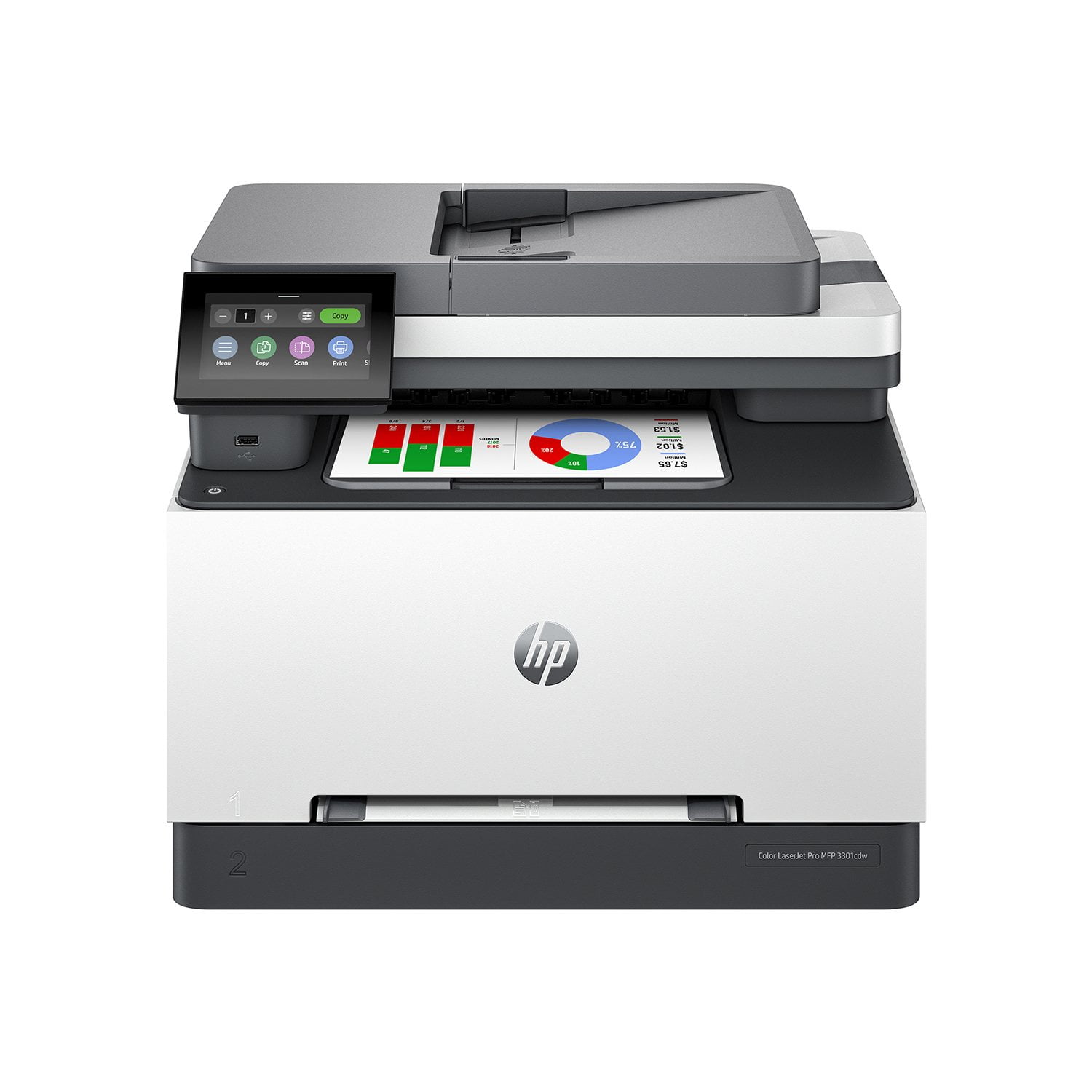
HP Color LaserJet Pro 3301cdw Wireless All-in-One Laser Printer
3.9 out of 5 stars
stars
178 ratings97 reviews
  1. 5 stars57% (101)
  2. 4 stars11% (20)
  3. 3 stars12% (21)
  4. 2 stars6% (11)
  5. 1 star14% (25)

Member photos

Sort by |
Showing 21-30 of 97 reviews
Apr 21, 2026
Reviewer name: Sirius Business Solutions
4 out of 5 stars
4 out of 5 stars review

Verified Purchase

HP Laser Jet Pro 3301fdw Wireless Multifunction Colour Laser Printer

I like design of this printer... saves space and looks good. First two were defective but the one i have now works very well. Print quality is excellent.

Review from hp.com
Helpful?0U53QTQE5OLI13610918155
Apr 16, 2026
Reviewer name: Nikki123
5 out of 5 stars
5 out of 5 stars review

Verified Purchase

The Best Printer for Students

Prints double-sided and it's fast. Super great printer, printed more papers both in black ink and color ink. Also, it's easy to navigate and it updates on its own

Review from hp.com
Helpful?0U53QTQE5OLI13610918155
Sep 6, 2024
Reviewer name: 8smp2
4 out of 5 stars
4 out of 5 stars review

Verified Purchase

Great printer but loud

The quality of the printing is great, no complaints there at all, but it's loud. I bought it hoping it'd be quieter and faster than the old inkjet we had, but it's not. It also randomly 'calibrates' and makes noise when my husband is on meeting calls - I had to run in and unplug it yesterday. I haven't been able to figure out how to print remotely on it, which has also been very frustrating.

Review from hp.com
Helpful?0U53QTQE5OLI13610918155
Dec 10, 2024
Reviewer name: Anonymous
5 out of 5 stars
5 out of 5 stars review

Verified Purchase

My short term review.

I'm very pleased. The color is great, I look for color things to print!! I like how it prints on both sides without pulling the paper out and flipping it over. I use a laptop at home and connected the USB straight to the laptop. No problems. Only thing I've noticed is that it occasionally gives an "out of paper" signal when it's not. But simply pushing the button fixes that. I'll get around to trying to hook it up via bluetooth with my phone. I'm not a big user, the box said everyday printing but I only probably print about 10 pages a week. I'd like to come back to this in about a year as I haven't had good luck with printers lasting a long time. I keep it covered when I'm not using it. So far so good, I'd certainly recommend this printer

Review from hp.com
Helpful?0U53QTQE5OLI13610918155
Sep 18, 2024
Reviewer name: Ant L
4 out of 5 stars
4 out of 5 stars review

Verified Purchase

Great all around home office.

I use the printer for a home office. The printer was easy to setup and has many great features. My only complaint is that it is a little louder than I would have expected. The prints come out fast and print quality is great. I did try using some photo paper I had to print pictures but it did not seem to work out that well as the ink ran on the paper. Not the end of the world as I didn't buy the printer specifically for photos.

Review from hp.com
Helpful?0U53QTQE5OLI13610918155
May 7, 2026
Reviewer name: Wakeguy
3 out of 5 stars
3 out of 5 stars review

Verified Purchase

Good print quality, software should be easier to use

I bought this printer for home use. The speed and print quality are excellent. Unboxing the printer was easy, and I downloaded the driver from HP.com. I print on standard 8.5 X 11 plain white paper with little or no graphics. My daughter prints on different types and sizes of paper. When she prints, the printer has frequently tried to print to tray 1 (manual feed tray). We went through the settings menu several times, and all of the settings appeared to be correct- auto-select tray, etc. Eventually it printed to Tray 2, but we are not sure what changed. The second issue is that the menu display prompts with every paper change are a hassle and not intuitive. Finally, we had a couple of occasions when the printer indicated a paper jam, but there was no paper in it.

Review from hp.com
Helpful?0U53QTQE5OLI13610918155
Sep 17, 2025
Reviewer name: Earthseed Birthwork
1 out of 5 stars
1 out of 5 stars review

Verified Purchase

Extremely Poor Experience and Returning Product

I received a refurbished printer late and had to pay for printing materials for my birthing clients. I have also already run out of ink, and am going to have to purchase all new ink cartridges, which will cost more than the printer itself. I am going to return the equipment.

Review from hp.com
Helpful?0U53QTQE5OLI13610918155
Dec 17, 2024
Reviewer name: Judo mom
5 out of 5 stars
5 out of 5 stars review

Verified Purchase

Great multi-purpose printer

The machine prints jobs quickly. I love the double-sided printing and find that it is quick as well. The colour is clear and crisp! It is a quiet printer so I am able to carry on conversation while jobs a printing. I am thoroughly enjoying this printer.

Review from hp.com
Helpful?0U53QTQE5OLI13610918155
Feb 26, 2025
Reviewer name: PWOL
3 out of 5 stars
3 out of 5 stars review

Verified Purchase

Frustrating

I ordered this device on January 22, 2025 to replace my previous unreliable printer. Unfortunately, since installing the new printer, my computer has displayed numerous unspecific and unhelpful error messages about the printer; the printer itself has repeatedly reported that the paper trays were empty when in fact they were loaded; the display has reported a paper jam which I could solve only by taking all the paper out of Paper Tray 1; the printer sometimes ignores the command to print on both sides of the paper; often it has failed to print without even offering an error message; and a few times it has turned itself off.

Review from hp.com
Helpful?0U53QTQE5OLI13610918155
Sep 27, 2024
Reviewer name: Richie P
5 out of 5 stars
5 out of 5 stars review

Verified Purchase

Great Multi-Function Color Printer for Home or Small Business

This is my first LaserJet printer for home use and it is indeed a huge improvement compared to our old inkjet printers. It is much faster and quieter and the print quality is outstanding. Importantly, I am no longer replacing ink cartridges that dry out over periods of non-use, which was frustrating and a waste of money. The form factor of the 3301fdw is excellent, it looks professional and takes up roughly the same “real estate” on a desk as our prior HP inkjet printer. Setup was relatively straightforward, and I was printing and making copies within minutes of unpacking the unit from the box. The one significant glitch so far is scanning directly to an email address. Having tried unsuccessfully for a couple of hours, I have resorted to scanning into the App and uploading and emailing from there. That works, but it requires extra steps. I am sure I will eventually be able to figure out direct scanning to an email, but it will take some more time no doubt. Overall, this is a great multi-function color printer for home or small business use and I would recommend it highly.

Review from hp.com
Helpful?0U53QTQE5OLI13610918155